Finding the best Windows VPS deals with RDP involves more than choosing the lowest advertised monthly price. Windows Server licensing, usable RAM, storage capacity, remote desktop permissions, and renewal charges can make seemingly similar virtual servers surprisingly different in value.
A budget Windows VPS may work well for administration and lightweight applications, while a growing business may need more memory, dependable storage, and stronger support. This guide compares four hosting providers and explains how to calculate the real cost of a Windows VPS before ordering.
What Should a Windows VPS with RDP Include?
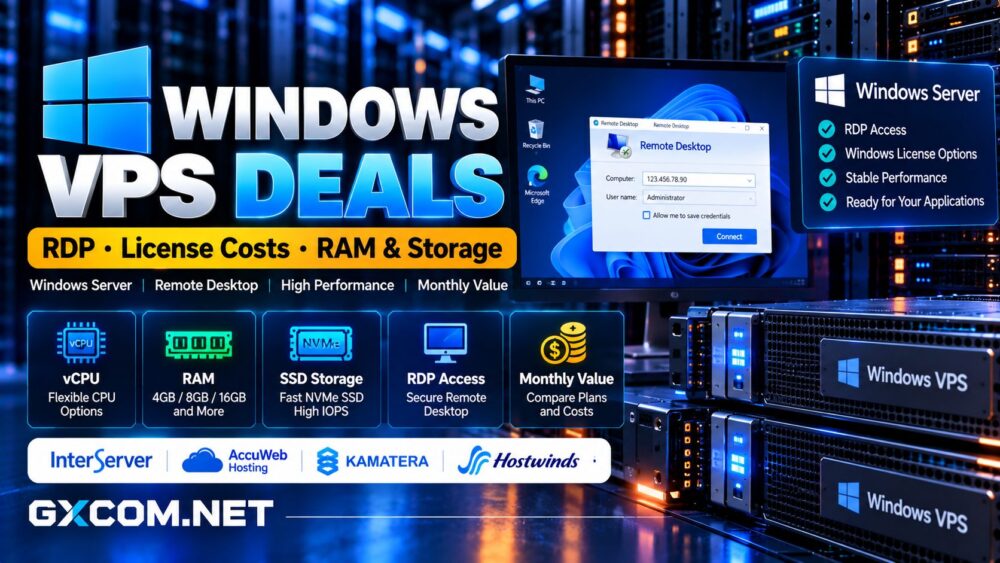
A Windows VPS runs Microsoft Windows Server inside an isolated virtual machine. Remote Desktop Protocol, or RDP, allows authorized administrators to connect to its graphical interface and manage supported applications remotely.
However, an RDP-enabled server is not automatically licensed for multiple employees to use as a shared desktop. Confirm the intended access rights, operating system edition, and licensing arrangements before purchasing.
Other essentials include administrator access, sufficient memory, reliable storage, backup options, and a suitable data center location.
Best Windows VPS Providers to Compare
InterServer: Budget-Friendly Windows VPS
InterServer offers Windows cloud VPS hosting using Hyper-V virtualization. Its slice-based configurations increase CPU, RAM, SSD storage, and transfer allowances as buyers select larger plans.
Remote Desktop access and administrator control are advertised features, making InterServer worth considering for smaller Windows applications and cost-conscious users.
Before ordering, verify the Windows Server edition, applicable licensing terms, resource allocation, and current checkout total. Its published SSD configurations should not automatically be described as NVMe storage.
AccuWeb Hosting: Windows Licensing Clarity
AccuWeb 主机服务 offers Windows VPS configurations with administrator RDP access. Its standard Windows VPS products advertise a Windows Server license included in the hosting price.
This simplifies initial cost comparisons, although buyers should confirm their chosen plan rather than assume every promotional or evaluation product includes identical rights.
AccuWeb is particularly relevant for IIS, ASP.NET, SQL Server workloads, and businesses seeking configurable Windows resources.
Additional Remote Desktop Services licensing, database software, or control panels may introduce separate charges.
Kamatera: Flexible Windows Cloud Infrastructure
卡马特拉 provides configurable Windows Server cloud instances with adjustable CPU, RAM, and NVMe storage. Its platform supports hourly and monthly billing arrangements.

That flexibility appeals to developers running temporary environments, businesses with changing requirements, and applications requiring custom resource allocations.
However, Windows licensing and optional managed services must be included in the final quote. Compare the completed configuration rather than the starting price of a Linux-based cloud server.
Hostwinds: Managed and Unmanaged Windows VPS
Hostwinds offers managed and unmanaged Windows VPS services with RDP access, administrative control, and storage and backup options.
Managed hosting may suit organizations that need assistance with server operations, while unmanaged hosting can reduce expenses for experienced administrators.
Its published Windows VPS plans use SSD storage. Buyers specifically requiring NVMe should confirm the available hardware instead of assuming all SSD-based VPS products use NVMe.
For broader provider comparisons, explore our 最佳VPS服务商指南.
Windows Server License vs RDP License
Windows Server licensing and Remote Desktop Services licensing are different considerations.
A properly licensed Windows Server installation generally permits limited remote sessions for server administration. These administrative sessions are not a substitute for licensing a multi-user remote desktop environment.
Organizations deploying Remote Desktop Session Host for employee applications generally require applicable Windows Server access licenses and RDS Client Access Licenses, subject to Microsoft’s licensing terms.
RDS CALs may be assigned per user or per device. Ask the provider whether additional licensing is available and who is responsible for compliance.
Avoid sellers advertising unlimited RDP users without explaining the underlying license arrangements.
Windows VPS 需要多少内存?
Windows Server requires memory for the operating system, security services, background processes, and applications.
For lightweight administration, 2GB may be workable in carefully limited environments, but 4GB provides more practical headroom for basic tasks.
一个 8GB RAM Windows VPS is a sensible comparison point for moderate Windows applications, development environments, and small databases. Heavier SQL Server workloads or multiple services may require 16GB or more.
Monitor committed memory, paging activity, and application response times. Purchasing additional RAM is more useful when memory pressure is the actual bottleneck.
SSD 与 NVMe:多大的存储空间才够用?
Windows VPS storage should be evaluated by usable capacity, latency, reliability, and backup arrangements rather than drive labels alone.
A 40GB disk can become restrictive after Windows updates, applications, logs, and temporary files accumulate. Configurations around 100–150GB provide more flexibility for users maintaining business software or substantial application data.
NVMe can improve storage performance, but the benefit depends on the virtualization platform and workload. Read our NVMe VPS performance comparison for additional guidance.
Confirm whether backups consume the advertised storage allowance and whether expanding a virtual disk requires downtime.
Compare the Real Monthly Windows VPS Cost
Consider a hypothetical VPS advertised at $15 monthly. If Windows licensing adds $12, backups cost $5, and management costs $10, the actual recurring bill becomes $42.
These amounts are illustrative, not current provider prices.
计算:
Total Monthly Cost = VPS Resources + Windows Licensing + Required Add-ons + Management
Compare both introductory and renewal periods, and account for minimum billing commitments, taxes, and cancellation conditions.
For related Windows infrastructure expenses, see our Windows Server licensing cost guide.
RDP Performance and Security Checklist
Good RDP performance depends on network latency, sufficient CPU and RAM, and appropriate display settings. Select a server location reasonably close to its primary administrators.

For security, avoid exposing unrestricted RDP access directly to the internet. Prefer a VPN or Remote Desktop Gateway, enforce strong authentication, restrict access through firewall rules, and apply Windows security updates promptly.
Maintain recoverable backups and test restoration procedures before relying on a server for important work.
When Should You Choose Windows Instead of Linux?
Windows VPS hosting is appropriate for applications requiring Windows Server, IIS, ASP.NET integrations, or Windows-specific software.
Linux VPS hosting may offer lower licensing costs for open-source web stacks and applications that do not depend on Windows.
Compare alternative operating systems in our Windows vs Linux server comparison.
Final Verdict: Best Windows VPS Value
InterServer deserves consideration for affordable Windows VPS configurations. AccuWeb Hosting offers clear Windows Server licensing information, while Kamatera suits flexible cloud deployments. Hostwinds is relevant when management and operational support influence the purchase.
Before checkout, confirm RDP usage rights, available RAM, actual storage technology, backups, and the full recurring bill.
最好的 Windows VPS deal with RDP combines legitimate licensing, sufficient resources, secure remote access, and predictable long-term costs.
For more budget hosting options, visit our 廉价VPS服务商对比.