Cloud server pricing looks simple until the first detailed bill arrives. A virtual machine may appear affordable, but the final cost can include CPU and RAM, storage volumes, backups, data transfer, software licenses, monitoring, and additional infrastructure services.
Two cloud servers with similar specifications can also have very different operating costs. One provider may bundle storage and outbound traffic into a predictable package, while another charges separately for resources consumed throughout the month.
That makes choosing the cheapest cloud server more complicated than comparing advertised monthly rates.
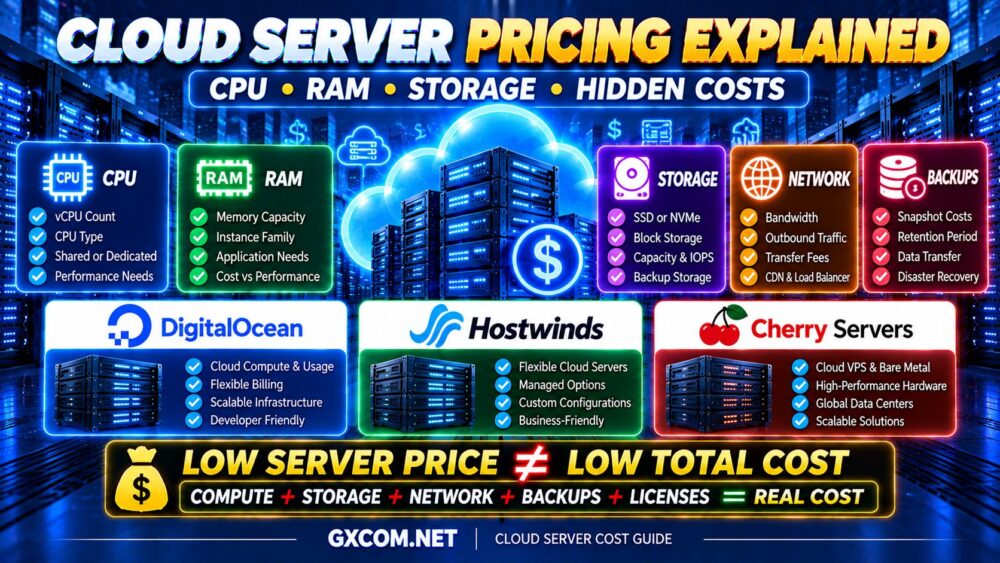
LOW SERVER PRICE ≠ LOW TOTAL CLOUD COST.
Whether you are hosting a business website, running a database, deploying a SaaS application, or managing development environments, understanding the cloud pricing model is essential.
In this guide, we explain how cloud server costs work, what CPU and RAM really contribute to your bill, why storage and bandwidth matter, and which hidden expenses can increase your monthly spending.
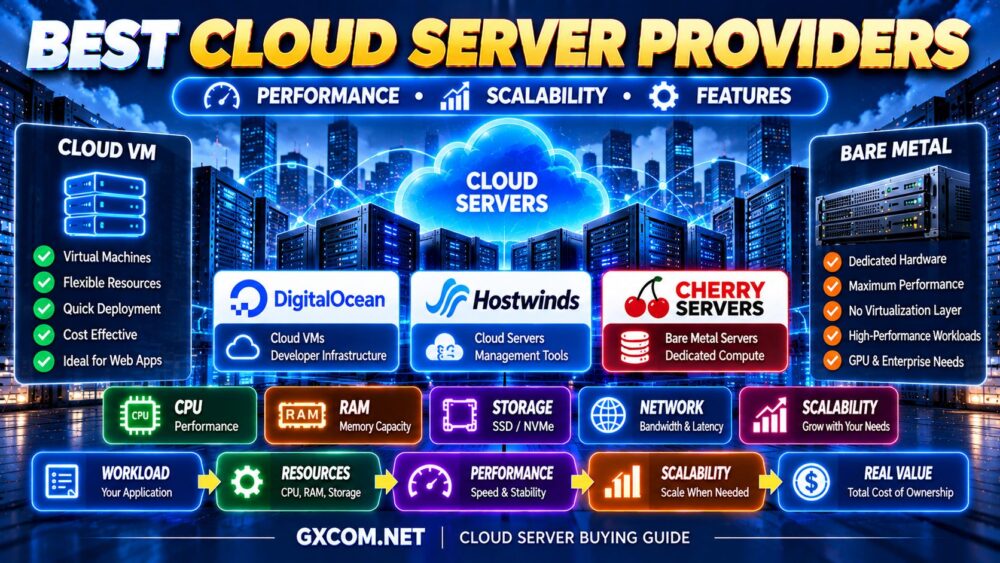
We also examine how providers such as DigitalOcean, Hostwinds, and Cherry 服务器 fit different infrastructure requirements.
Cloud Server Pricing at a Glance
Cloud server bills typically consist of several separate cost categories.
| Cost Component | What You Pay For | Common Cost Driver |
|---|---|---|
| CPU | Virtual or dedicated compute resources | vCPU count, CPU type, allocation model |
| RAM | Allocated server memory | Memory capacity and instance family |
| 存储 | System disks and data volumes | Capacity, performance tier, provisioned IOPS |
| 带宽 | Network data transfer | Outbound traffic and transfer policy |
| 备份 | Snapshots and recovery copies | Backup size, retention, frequency |
| IP Addresses | Public IP allocation | Address type and provider policy |
| 软件 | Operating systems and control panels | Licensing and subscription terms |
| 管理 | Administration and technical support | Managed service scope |
The exact billing model varies by provider. Some services bundle several components, while others charge for them individually.
Cloud server pricing should always be evaluated as total cost of ownership, not just the compute instance price.
How Does Cloud Server Pricing Work?
Most cloud infrastructure services use one or more of three pricing models: hourly billing, monthly billing, and committed-term pricing.
1. Hourly Cloud Server Pricing
Hourly billing charges for eligible compute resources based on the time an instance exists or runs, depending on the provider's specific billing rules.
For example, a hypothetical virtual machine billed at $0.04 per hour would generate approximately $29.20 in compute charges over 730 billable hours.
However, this calculation excludes storage, bandwidth, backups, and other services.
Hourly pricing can be useful for temporary workloads, testing environments, and short-term development projects.
One important detail: stopping a virtual machine does not necessarily stop every charge. Reserved storage, IP addresses, and other allocated resources may continue to generate costs.
2. Monthly Cloud Server Pricing
Monthly billing provides a more predictable way to budget for continuously running applications.
A fixed monthly server package may include specified CPU, RAM, storage, and traffic allowances.
However, buyers should verify whether the quoted rate is a fixed package price, a monthly spending cap, or an estimate based on usage.
3. Committed-Term Pricing
Some infrastructure providers offer reduced rates when customers commit to a longer period or a specified level of usage.
These arrangements can benefit predictable workloads, but they reduce flexibility and may introduce minimum-spend obligations.
Before making a commitment, compare the potential savings with the risk of unused capacity.
Cloud Server Pricing Formula: How to Calculate the Real Cost
A useful starting point is to separate compute charges from the rest of the infrastructure bill.
TOTAL CLOUD COST = COMPUTE + STORAGE + NETWORK + BACKUPS + LICENSES + MANAGEMENT + OTHER SERVICES
For usage-based services, a simplified monthly calculation is:
Monthly Cost = (Hourly Compute Rate × Billable Hours) + Additional Charges
Consider a hypothetical example:
| 组件 | Illustrative Monthly Cost |
|---|---|
| Compute instance | $30 |
| 额外存储空间 | $8 |
| 备份 | $5 |
| Extra network transfer | $7 |
| Monitoring or management tools | $10 |
| Total | $60 |
These numbers are purely illustrative and do not represent a current quote from any hosting provider.
In this example, the final monthly cost is twice the base compute charge.
The lesson is straightforward: comparing only the advertised virtual machine price can significantly underestimate operating expenses.
1. CPU Pricing: Why vCPU Count Does Not Tell the Whole Story
CPU is one of the most important factors in cloud server pricing.
Cloud providers commonly advertise virtual CPU allocations, but a vCPU does not represent a standardized amount of real-world performance across all platforms.
Performance depends on the underlying processor, architecture, clock behavior, resource sharing, and workload characteristics.
4 个 vCPU ≠ 4 个 vCPU 的性能。.
共享 CPU 与专用 CPU
Shared CPU instances are often designed for general-purpose workloads that do not require continuous maximum CPU utilization.
Dedicated CPU offerings generally provide more predictable compute allocation, although the precise guarantees depend on the provider.
| 功能 | 共享 CPU | 专用CPU |
|---|---|---|
| 典型成本 | 较低 | 更高 |
| 资源配置 | Shared host resources | More dedicated compute allocation |
| 适合的工作负载 | Lightweight websites, development | Sustained compute-intensive applications |
| 性能一致性 | Can vary with contention | 通常更容易预测 |
When Is Paying More for CPU Worth It?
Additional compute capacity may be justified when an application experiences sustained CPU saturation, processing delays, or insufficient concurrency.
例如:
- 内容丰富的动态网站
- 数据库密集型应用程序
- 视频处理
- 构建服务器
- Continuous background processing
- CPU-intensive API workloads
However, adding more CPU cores will not solve every performance problem.
If the bottleneck is database latency, storage I/O, or inefficient application code, CPU upgrades may produce limited benefits.
2. RAM Pricing: How Much Memory Do You Really Need?
Cloud server memory is usually bundled with CPU resources through predefined instance configurations, although some providers allow more flexible combinations.
RAM is important for application processes, database caching, operating system services, and concurrent workloads.
But more memory does not automatically make a server faster.
MORE RAM ≠ BETTER PERFORMANCE.
How RAM Affects Cloud Costs
Memory-optimized instances typically cost more than smaller general-purpose configurations because they allocate more RAM to the workload.
The value of additional memory depends on whether the application can use it effectively.
For example, increasing RAM can help a database when the additional memory improves its cache hit rate and reduces expensive disk operations.
By contrast, a lightweight website with low memory usage may see little improvement.
Illustrative Cloud Server RAM Requirements
| 工作量 | Starting RAM Range | Key Consideration |
|---|---|---|
| Lightweight Linux Service | 1–2GB | Operating system overhead |
| 小型网站 | 2–4GB | Web server and caching |
| Business Application | 4–8GB | Concurrency and database activity |
| Database-Heavy Application | 8–16GB+ | Working set and cache efficiency |
| Large Application Platform | Workload-dependent | Load testing and monitoring |
These are planning examples rather than universal sizing recommendations.
Monitor actual memory utilization, swapping, and application behavior before upgrading.
3. Cloud Storage Pricing: SSD, NVMe and Block Storage
Storage costs can become a major part of a cloud server bill, especially for databases, media libraries, backups, and data-intensive applications.
Cloud storage pricing may depend on capacity, performance, and the type of storage service.

Local SSD or NVMe Storage
Some virtual server plans include SSD or NVMe storage as part of the instance package.
This can simplify billing, but buyers should still check storage capacity, I/O limits, and whether the storage is persistent across instance lifecycle events.
块存储
Block storage provides attachable volumes that can be used for application data and databases.
Providers may charge according to allocated capacity, provisioned performance, or a combination of both.
对象存储
Object storage is commonly used for backups, static files, media, and application assets.
Charges may include stored capacity, requests, retrieval operations, and outbound transfer.
Storage Performance vs Storage Capacity
A large storage volume is not necessarily a fast storage volume.
Performance characteristics include:
- IOPS
- 吞吐量
- 延迟
- Provisioned performance limits
- Workload access patterns
MORE STORAGE ≠ FASTER STORAGE.
For databases and transactional applications, storage latency can be more important than raw capacity.
4. Bandwidth Pricing: The Cloud Cost Many Buyers Overlook
Network transfer can be one of the most confusing parts of cloud infrastructure billing.
Some providers include a monthly traffic allowance. Others charge for specific categories of data transfer.
Common billing categories include:
- Outbound internet traffic
- Inbound internet traffic
- Transfers between regions
- Transfers between availability zones
- Load balancer processing
- Content delivery network traffic
Not every provider charges for every category, and some include allowances or exemptions.
Why Outbound Traffic Matters
Websites, file downloads, APIs, and media delivery can generate substantial outbound data transfer.
A server with a low compute price may become expensive when traffic exceeds the included allowance.
Before choosing a plan, estimate expected monthly data transfer rather than relying only on the advertised network port speed.
1 GBPS PORT ≠ UNLIMITED BANDWIDTH.
5. Backup and Snapshot Costs
Backups are essential for business continuity, but they are not always included in the base cloud server price.
Providers may bill backups based on:
- Stored backup capacity
- Number of retained snapshots
- 备份频率
- Retention duration
- Data transfer during restoration
Snapshots and backups may also have different recovery characteristics.
A snapshot is not necessarily a substitute for a complete, independently stored backup strategy.
For important applications, maintain appropriate backup retention and test restoration procedures.
6. Windows Server and Software Licensing Costs
Operating system and software licenses can increase cloud server costs.
Linux-based infrastructure is often attractive because many distributions do not require a separate commercial operating system license.
Windows Server instances may include licensing charges in the advertised rate or apply them separately.
Other potential licensing expenses include:
- Commercial hosting control panels
- 数据库软件
- 安全产品
- 备份软件
- Application subscriptions
Always check whether licenses are included and how they are billed.
7. Managed vs Unmanaged Cloud Server Pricing
Unmanaged cloud servers can offer lower direct service charges, but the customer is responsible for maintaining the environment.
Managed hosting may cost more while reducing some operational responsibilities.
| 因子 | Unmanaged Cloud Server | Managed Cloud Server |
|---|---|---|
| Base Service Cost | 通常较低 | 通常较高 |
| 操作系统维护 | 客户的责任 | Provider assistance within scope |
| 安全配置 | 客户的责任 | 共同责任 |
| 应用程序支持 | 通常有限 | Depends on service agreement |
| Administrative Work | 更高 | 可能较低 |
The least expensive hosting subscription is not always the least expensive way to operate an application.
If a business must hire external administrators or spend significant staff time maintaining its servers, those expenses belong in the total cost calculation.
8. Hidden Cloud Server Costs You Should Check
Beyond the obvious CPU and RAM charges, several less visible expenses can increase cloud spending.
Idle Instances
Development and testing servers can continue generating charges when they are no longer needed.
Unattached Storage Volumes
Storage may remain billable even after the associated compute instance has been deleted.
Reserved IP Addresses
Some providers charge for certain public IP allocations or unused addresses.
Cross-Region Traffic
Moving data between geographic regions can create additional network charges.
负载均衡器
Managed load balancing services may have separate hourly and usage-based fees.
Monitoring and Logs
Advanced monitoring, long-term log retention, and observability services can add to monthly costs.
Database Services
Managed databases may simplify operations but are usually billed separately from compute instances.
Backup Retention
Long-term snapshots and recovery copies can accumulate storage charges.
Support Plans
Premium technical support or management packages may require additional subscriptions.
Currency Conversion and Taxes
Depending on the provider and customer location, exchange rates, taxes, and payment processing costs may affect the final amount paid.
DigitalOcean Cloud Pricing: Understand the Full Infrastructure Bill
DigitalOcean is a useful example of a cloud platform where buyers should consider both compute resources and optional infrastructure services.
Its Droplets provide virtual machine configurations suitable for websites, applications, and development workloads.
However, a complete deployment may also use block storage, backups, load balancers, databases, or other services.
These components can increase the total bill beyond the initial compute estimate.
When DigitalOcean Makes Sense
- Developer-managed applications
- Cloud-native development projects
- Custom Linux infrastructure
- Applications requiring infrastructure automation
- Projects that benefit from modular cloud services
购买提示: Estimate the cost of the complete architecture rather than comparing only Droplet configurations.
Hostwinds Cloud Server Pricing: Flexibility and Management Costs
Hostwinds offers cloud server and VPS products that can suit businesses seeking flexible infrastructure configurations.
When comparing Hostwinds with other providers, pay attention to the specific product being purchased.
A cloud server and a managed VPS may have different billing models, features, and support responsibilities.
评估内容
- Selected CPU and RAM resources
- 存储配置
- Cloud server billing terms
- Backup and snapshot services
- Network and traffic policies
- Management responsibilities
For a business website, management and backup costs can be as important as the initial compute rate.
购买提示: Compare the full service configuration, especially when evaluating managed and unmanaged options.
Cherry Servers: Cloud VPS vs Bare Metal Cost Considerations
Cherry Servers is relevant when evaluating both virtual cloud infrastructure and dedicated bare metal servers.
These products serve different workload requirements.
Cloud virtual servers can provide flexible deployment for applications that do not require exclusive access to physical hardware.
Bare metal servers provide dedicated physical compute resources and may be attractive for sustained, resource-intensive workloads.
When Bare Metal May Offer Better Value
- Predictable sustained CPU utilization
- 高性能数据库
- 资源密集型应用程序
- Workloads requiring dedicated hardware
- Long-running infrastructure with stable capacity needs
However, bare metal is not automatically cheaper or more suitable than cloud VMs.
Compare utilization, provisioning flexibility, operational requirements, and total cost.
For a deeper infrastructure comparison, read our 专用服务器与云服务器 指南。.
Cloud Server vs VPS Pricing: Which Is More Affordable?
Cloud servers and VPS products often use similar virtualization technologies, but their commercial packaging can differ.
Some VPS plans bundle CPU, RAM, storage, and traffic into a fixed monthly subscription.
Cloud platforms may provide more granular billing and optional infrastructure services.
Neither model is automatically less expensive.
For a small website running continuously, a predictable monthly VPS package may be easier to budget.
For temporary environments, hourly cloud billing may reduce costs when resources can be deleted after use.
For a closer look at budget-oriented configurations, explore our 经济实惠的云VPS主机服务 指南。.
Cloud Server vs Dedicated Server: The Cost Tradeoff
Cloud virtual machines are attractive for flexible deployment, smaller workloads, and infrastructure that changes frequently.
Dedicated servers may be attractive when applications require substantial computing resources continuously.
| 因子 | 云虚拟机 | 专用服务器 |
|---|---|---|
| Deployment Flexibility | Often high | 取决于服务提供商 |
| Hardware Allocation | 虚拟化资源 | 专用物理服务器 |
| 缩放 | Instance resizing or additional VMs | Hardware upgrades or additional servers |
| Short-Term Workloads | Often convenient | May be less convenient |
| Sustained Heavy Workloads | Can become costly | May offer favorable economics |
Compare total infrastructure requirements rather than assuming one server category is always cheaper.
How Much Cloud Server Capacity Does Your Application Need?
The most effective way to control cloud spending is to choose resources according to actual workload requirements.
| Application Type | Illustrative CPU | Illustrative RAM | Cost Priority |
|---|---|---|---|
| 小型网站 | 1–2 个 vCPU | 2–4GB | Low overhead |
| 商业网站 | 2–4 个虚拟CPU | 4–8GB | 稳定的性能 |
| Small API Application | 2–4 个虚拟CPU | 4–8GB | Request concurrency |
| Database Application | 2–8 vCPU | 8–16GB+ | Memory and storage I/O |
| Compute-Intensive Workload | Workload-dependent | Workload-dependent | 稳定的CPU性能 |
These ranges are illustrative starting points only. Production sizing should be based on application monitoring, load testing, and growth requirements.
Real-World Cloud Server Cost Scenarios
Scenario 1: Small Business Website
A small business website may require a modest virtual machine, basic backups, and sufficient network transfer.
The most important costs are usually compute, storage, backup services, and any required server management.
Buying more CPU than the application needs can increase expenses without meaningfully improving the user experience.
Scenario 2: Growing SaaS Application
A SaaS platform may require application servers, a database, storage, monitoring, and network services.
As traffic grows, database capacity, load balancing, and observability can become significant parts of the total bill.
Optimizing queries and application architecture may reduce spending more effectively than repeatedly increasing instance sizes.
Scenario 3: Development and Testing
Development environments may benefit from usage-based infrastructure when servers are temporary.
However, leaving test instances running unnecessarily can eliminate those savings.
Automated cleanup and resource expiration policies are useful cost controls.
Scenario 4: High-CPU Production Workload
An application that consistently consumes substantial CPU resources may justify dedicated CPU instances or bare metal infrastructure.
The decision should be based on sustained utilization, required performance consistency, and the total cost of operating the environment.
How to Reduce Cloud Server Costs Without Sacrificing Performance
1. Right-Size CPU and RAM
Use monitoring data to identify underutilized resources.
A smaller instance can reduce costs when it still meets performance and reliability requirements.
2. Remove Idle Resources
Delete unnecessary test instances, unused storage volumes, and obsolete infrastructure components.
3. Optimize Application Performance
Improve database queries, caching, background processing, and application efficiency before buying more resources.
4. Review Storage Requirements
Choose appropriate storage tiers and avoid retaining unnecessary snapshots or unused volumes.
5. Monitor Bandwidth Consumption
Estimate outbound traffic and use suitable caching or content delivery strategies when appropriate.
6. Use Spending Alerts
Set budgets and billing notifications where the provider supports them.
Alerts do not necessarily stop charges, but they can help identify unexpected spending.
7. Evaluate Long-Term Commitments Carefully
Committed pricing may reduce costs for predictable workloads, but it should not be used to justify purchasing unnecessary capacity.
8. Compare Complete Provider Offers
Review compute, storage, traffic, backups, management, and renewal conditions together.
For relevant offers and infrastructure packages, visit our 云托管优惠 指南。.
When Should You Upgrade Your Cloud Server?
Cloud infrastructure should be upgraded when monitoring demonstrates that existing resources are insufficient.
Common indicators include:
- CPU 持续满负荷运行
- High memory pressure
- Frequent swapping
- 存储 I/O 瓶颈
- Network transfer limitations
- Application response-time degradation
However, scaling can increase costs without solving the underlying problem.
For example, adding CPU cores will not necessarily fix inefficient database queries.
SCALING ≠ OPTIMIZATION.
Measure the bottleneck first, optimize where possible, and scale when additional resources are justified.
Cloud Server Pricing Checklist Before You Buy
- ✓ Understand hourly and monthly billing rules
- ✓ Compare shared and dedicated CPU options
- ✓ Select realistic RAM capacity
- ✓ Check included storage
- ✓ Review storage IOPS and throughput limits
- ✓ Calculate expected outbound traffic
- ✓ Confirm backup and snapshot costs
- ✓ Check public IP charges
- ✓ Review operating system licensing
- ✓ Understand management responsibilities
- ✓ Check support plan costs
- ✓ Review scaling and upgrade options
- ✓ Set monitoring and billing alerts
- ✓ Calculate total monthly operating cost
- ✓ Verify renewal and commitment terms
Cloud Server Pricing FAQ
How is cloud server pricing calculated?
Cloud server pricing commonly combines compute resources with storage, network transfer, backups, licensing, and optional infrastructure services. The exact formula depends on the provider's billing model.
Is hourly cloud hosting cheaper than monthly hosting?
Hourly billing can be economical for temporary workloads, while monthly packages may offer predictable costs for continuously running applications. Compare the actual billing terms and usage patterns.
Does increasing RAM increase cloud server cost?
Usually, yes. Larger memory allocations often require higher-priced instance configurations, although some providers allow more flexible resource combinations.
Why do cloud servers charge for storage separately?
Some cloud platforms separate compute and storage so customers can allocate and manage each resource independently. Other providers bundle storage into the server package.
Is bandwidth included in cloud server pricing?
Sometimes. Some providers include a transfer allowance, while others apply usage-based charges. Always review outbound traffic policies and any applicable overage fees.
Do stopped cloud servers still cost money?
They can. Depending on the provider, reserved storage, IP addresses, or allocated compute resources may continue generating charges even when an instance is stopped.
Are cloud server backups free?
Not necessarily. Backup and snapshot services may be included, optional, or charged according to storage and retention.
Is cloud hosting cheaper than dedicated hosting?
Cloud hosting may be more economical for small or variable workloads, while dedicated infrastructure can be competitive for sustained heavy resource usage. The result depends on actual utilization and total operating cost.
How can I avoid unexpected cloud charges?
Review billing policies, monitor resource usage, delete unused infrastructure, set spending alerts, and account for storage, bandwidth, backups, and optional services.
Which cloud server provider offers the best value?
The best value depends on the workload. DigitalOcean is relevant for modular cloud infrastructure, Hostwinds for flexible cloud and VPS configurations, and Cherry Servers for comparing virtual infrastructure with dedicated hardware options.
Final Verdict: Understand the Real Cost Before Choosing a Cloud Server
Cloud server pricing is more than a comparison of CPU cores and RAM.
The total bill can include storage, network transfer, backups, software licenses, management, and infrastructure services that are not always obvious in the initial server quote.
DigitalOcean is worth evaluating for developer-oriented cloud infrastructure and modular services.
Hostwinds can be considered for flexible virtual server configurations and different management requirements.
Cherry Servers is relevant when comparing cloud virtual machines with dedicated bare metal infrastructure for sustained workloads.
For a broader supplier comparison, explore our 最佳云服务器提供商 指南。.
Before buying, follow this framework:
WORKLOAD → CPU → RAM → STORAGE → NETWORK → BACKUPS → MANAGEMENT → TOTAL COST
请记住:
LOW SERVER PRICE ≠ LOW TOTAL CLOUD COST.
MORE CPU ≠ BETTER APPLICATION PERFORMANCE.
MORE RAM ≠ AUTOMATICALLY FASTER SERVERS.
SCALING ≠ OPTIMIZATION.
The best cloud server is not necessarily the one with the lowest advertised rate. It is the one that delivers the performance, reliability, and flexibility your workload needs at a sustainable total operating cost.