Choosing the best cloud server provider requires more than comparing CPU cores, RAM, storage capacity, or advertised network speeds. The right infrastructure should match your application's performance requirements, growth plans, operational capabilities, and total cost.
A cloud server that works perfectly for a development environment may be unsuitable for a busy production database. Likewise, a high-performance dedicated server may provide excellent computing power but introduce unnecessary complexity for a lightweight website.
The real question is not simply which provider offers the biggest server.
It is which provider offers the most suitable infrastructure for your workload.
MORE CPU CORES ≠ BETTER PERFORMANCE.
MORE RAM ≠ FASTER APPLICATIONS.
云基础设施 ≠ 自动高可用性。.
In this guide, we compare DigitalOcean, Hostwinds, and Cherry 服务器 across compute performance, scalability, storage, networking, automation, management, and workload suitability.
We also explain how to evaluate cloud server specifications, when to choose virtual machines versus bare metal, and how to avoid unnecessary infrastructure costs.
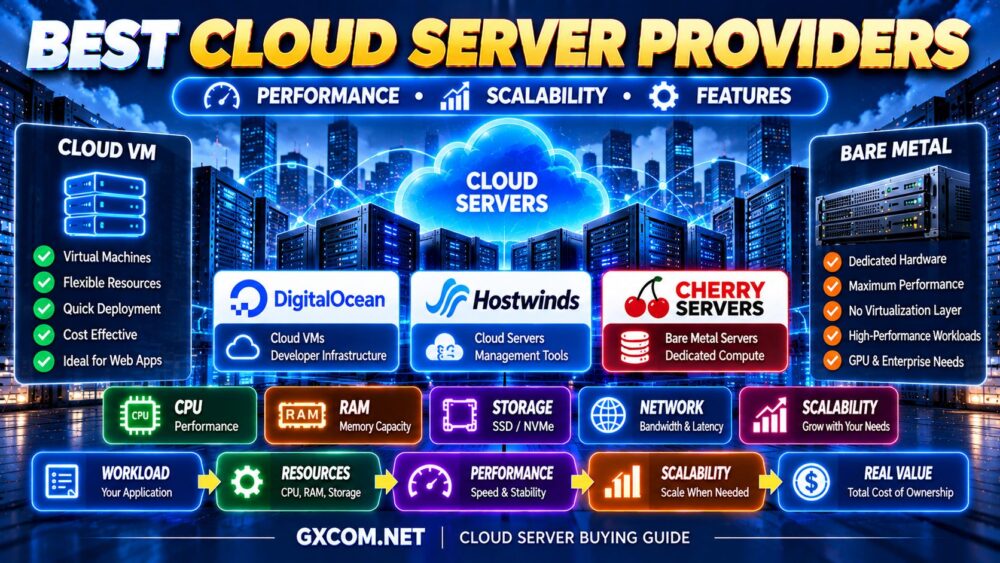
Best Cloud Server Providers at a Glance
| 服务提供商 | 最适合 | 基础设施聚焦 | Key Consideration |
|---|---|---|---|
| DigitalOcean | Developers and scalable web applications | Cloud VMs, compute configurations, and cloud services | Choose the appropriate CPU family and account for additional services |
| Hostwinds | Business cloud servers and flexible administration | Cloud VMs, control panel, and infrastructure tools | Confirm management scope and resource specifications |
| Cherry 服务器 | Performance-sensitive infrastructure and bare metal | Cloud virtual servers, dedicated servers, and bare metal | Choose between virtual and physical compute according to workload |
Our quick recommendations:
- Best for developer-focused cloud infrastructure: DigitalOcean
- Best for business-oriented cloud server flexibility: Hostwinds
- Best for cloud-managed bare metal and dedicated compute: Cherry 服务器
These recommendations describe product positioning and practical use cases. They are not the results of independent performance benchmarks.
什么是云服务器?
A cloud server is a computing environment delivered through cloud infrastructure. In many cases, it is a virtual machine running on a physical host through a virtualization layer.
Cloud server services commonly provide configurable computing resources such as:
- 虚拟CPU
- 记忆
- 存储
- 人际网络
- Operating system images
- Management interfaces
- API 访问
Cloud infrastructure can also include dedicated physical servers, managed databases, storage services, and networking components.
However, providers do not use the term “cloud server” in exactly the same way.
Some primarily offer virtual machines. Others provide a broader infrastructure platform that combines virtual compute with bare metal or dedicated resources.
That is why comparing cloud server providers requires examining the actual products rather than relying on marketing terminology.
Cloud Server vs Cloud VPS: What's the Difference?
Cloud VPS and cloud server are overlapping terms.
A cloud VPS is typically a virtual private server deployed on cloud infrastructure. It provides allocated resources and administrative control over a virtual operating system.
The term cloud server can describe a similar virtual machine, but it may also refer more broadly to cloud compute infrastructure and associated services.
For buyers specifically looking for virtual private servers, our Best Cloud VPS Hosting guide compares products focused on that category.
This article takes a broader infrastructure perspective, including compute options, scaling architecture, networking, and dedicated hardware alternatives.
1. DigitalOcean — Best for Developers and Scalable Cloud Applications
DigitalOcean is a strong candidate for developers, startups, and businesses that want cloud virtual machines integrated with a broader application infrastructure ecosystem.
Its Droplets are Linux-based virtual machines available in different resource configurations.
These include shared-CPU and dedicated-CPU options, allowing buyers to select computing resources according to workload requirements.
Key Strengths
- Multiple cloud VM configurations
- 共享和专用 CPU 选项
- Developer-oriented documentation
- API-based infrastructure management
- Cloud networking and storage integration
- Load balancing and other cloud services
- Compute choices for different application profiles
DigitalOcean is particularly attractive when an application may expand beyond one virtual machine.
For example, a growing SaaS application may eventually require multiple application servers, load balancing, external storage, and a separate database service.
Choosing the Right DigitalOcean Compute Type
Different applications benefit from different compute configurations.
Shared CPU: Suitable for development, testing, lightweight websites, and applications with intermittent processing demand.
General Purpose: Useful for balanced production workloads requiring predictable CPU access and substantial memory.
CPU-Optimized: Relevant for applications with sustained compute requirements.
Memory-Optimized: Useful when application performance depends heavily on memory capacity.
Some newer configurations also allow more independent resource sizing in supported regions.
哪些人适合选择 DigitalOcean?
- Web application developers
- SaaS 企业
- API services
- 容器化应用程序
- 开发团队
- Growing production workloads
Potential Limitations
Cloud virtual machines generally require customers to manage their operating systems and applications unless separate managed services are used.
Additional infrastructure components may also increase the total bill.
最适合: Developers and businesses seeking flexible virtual compute and cloud application infrastructure.
2. Hostwinds — Best for Business Cloud Servers and Flexible Administration
Hostwinds provides cloud server infrastructure with configurable virtual resources and management tools.
Its Cloud Control Portal includes features designed to help users create, manage, and expand their cloud environments.
Key Strengths
- Cloud virtual server deployment
- Configurable computing resources
- Linux and Windows operating system options
- Snapshots and storage volumes
- Cloud firewall tools
- Load balancing options
- Management and monitoring features
- 按小时计费选项
For business users, these features can be useful when moving from a simple virtual server to a more flexible hosting environment.
Cloud Management Features
Hostwinds offers infrastructure tools such as snapshots, firewalls, volumes, and load balancers through its cloud platform.
These features can support more sophisticated deployments than a single standalone server.
However, the availability of a load balancer or redundant network does not automatically make an individual application highly available.
Application architecture still matters.
Who Should Choose Hostwinds?
- 商业网站
- 定制应用程序
- Linux or Windows workloads
- Users needing cloud control panel features
- Organizations requiring management options
Potential Limitations
Confirm the precise management level of the selected product.
Managed and unmanaged offerings have different support responsibilities.
Also review backup charges, storage characteristics, and the selected server's scaling options.
最适合: Businesses seeking configurable cloud servers with practical infrastructure management tools.
3. Cherry Servers — Best for Bare Metal Cloud Infrastructure and Dedicated Performance
Cherry Servers is an important option for buyers whose workloads may benefit from dedicated physical computing resources rather than conventional shared virtual machines.
Its infrastructure portfolio includes cloud virtual servers alongside dedicated and bare metal server products.
这一区别很重要。.
A bare metal server is a physical machine allocated to one customer, while a typical cloud VM runs through a virtualization layer.
Key Strengths
- Dedicated bare metal servers
- Cloud virtual server offerings
- Physical CPU and memory resources for dedicated workloads
- API and infrastructure automation
- CLI and infrastructure-as-code integrations
- 私有网络选项
- High-performance server configurations
- GPU-capable infrastructure options
Cherry Servers can be particularly attractive for infrastructure-intensive workloads where direct access to physical hardware is useful.

Why Bare Metal Can Matter
Virtual machines provide flexibility and efficient resource allocation, but dedicated physical servers can offer different performance characteristics.
Bare metal may be useful for:
- 大型数据库
- High-throughput applications
- Performance-sensitive infrastructure
- 虚拟化主机
- 专用计算
- GPU 工作负载
Dedicated hardware removes some shared-host resource considerations, although actual performance still depends on the processor, memory, storage, network, and application configuration.
Cloud Automation
Cherry Servers supports programmatic infrastructure management through APIs and developer automation tools.
This can help organizations automate provisioning, configuration, and deployment processes.
For businesses with demanding infrastructure requirements, automation can reduce the operational friction traditionally associated with dedicated physical servers.
Who Should Choose Cherry Servers?
- Businesses requiring dedicated compute
- Infrastructure engineering teams
- 数据库密集型应用程序
- Performance-sensitive workloads
- Organizations considering bare metal cloud
Potential Limitations
Bare metal servers are not identical to conventional cloud VMs.
Physical server provisioning, resizing, hardware replacement, and scaling may involve different procedures and constraints.
For lightweight websites or short-lived development workloads, a virtual cloud server may be simpler and more economical.
最适合: Dedicated compute and bare metal infrastructure for demanding workloads.
DigitalOcean vs Hostwinds vs Cherry Servers
| 要求 | Provider to Evaluate First | 理由 |
|---|---|---|
| Developer cloud applications | DigitalOcean | VM configurations and cloud ecosystem |
| Business cloud server management | Hostwinds | Cloud control portal and server options |
| Dedicated physical computing | Cherry 服务器 | Bare metal and dedicated infrastructure |
| Linux cloud VMs | DigitalOcean or Hostwinds | Virtual server product range |
| High-performance dedicated workloads | Cherry 服务器 | Single-tenant physical resources |
These providers are not identical product substitutes.
For a conventional cloud VM, compare DigitalOcean and Hostwinds according to the required operating system, resource configuration, and management features.
For workloads that may justify physical compute, include Cherry Servers in the evaluation.
How to Compare Cloud Server Performance
Cloud server performance depends on more than the specifications displayed on a product page.
The most useful comparison considers CPU quality, memory capacity, storage latency, network performance, and workload behavior.
CPU 性能
CPU performance can be affected by:
- 处理器代数
- 时钟频率
- 建筑
- Shared versus dedicated allocation
- 虚拟化开销
- Host resource contention
Two servers advertising four vCPU can perform differently.
4 个 vCPU ≠ 4 个 vCPU。.
For sustained compute-heavy workloads, dedicated CPU resources may provide more predictable performance.
RAM Performance
Memory capacity matters when applications need enough RAM for active processes, database caching, and background services.
However, unused memory does not automatically improve response times.
Monitor memory pressure before increasing RAM.
存储性能
Storage affects database operations, application files, logging, and other I/O-intensive tasks.
NVMe can reduce storage latency, but performance also depends on the underlying infrastructure and any imposed limits.
请阅读我们的 NVMe VPS 性能 guide for a closer look at storage benchmarks and bottlenecks.
网络性能
Network performance depends on routing, latency, bandwidth, congestion, and server location.
A high advertised port speed does not guarantee equivalent application throughput.
1 GBPS 端口 ≠ 1 GBPS 应用性能。.
How Much CPU and RAM Does a Cloud Server Need?
The following table provides illustrative starting points for common workloads.
| 工作量 | CPU 起始点 | RAM 起点 |
|---|---|---|
| 开发与测试 | 1–2 个 vCPU | 2–4GB |
| 商业网站 | 2–4 个虚拟CPU | 4–8GB |
| Growing Web Application | 4 个 vCPU+ | 8GB+ |
| Database-Heavy Application | 4–8 个 vCPU+ | 16GB+ |
| Large Production Workload | Workload-dependent | Workload-dependent |
These are planning ranges, not guaranteed requirements.
Application monitoring and load testing should determine final resource allocation.
Cloud Server Scalability Explained
Scalability is one of the main reasons businesses consider cloud infrastructure.
But scaling can mean different things.
垂直扩展
Vertical scaling increases the resources of an existing server.
例如:
2 个 vCPU → 4 个 vCPU → 8 个 vCPU
4GB 内存 → 8GB → 16GB
This approach is relatively simple, but it eventually encounters instance limits and may require downtime depending on the provider and resource change.
水平扩展
Horizontal scaling adds more servers to distribute the workload.
例如:
负载均衡器
↓
APPLICATION SERVER A + APPLICATION SERVER B
↓
DATABASE + CACHE
Horizontal scaling can support larger workloads and improved resilience when designed correctly.
However, adding servers alone does not guarantee that an application will scale efficiently.
Cloud Server High Availability: What You Need to Know
Cloud infrastructure can support highly available applications, but a single cloud server is not necessarily highly available.
高可用性可能需要:
- Multiple application instances
- 负载均衡
- Redundant databases
- Independent failure domains
- 监测
- Automated failover
- Tested recovery procedures
Before choosing a provider, distinguish between infrastructure uptime claims and the availability of your complete application.
CLOUD SERVER ≠ ZERO DOWNTIME.
Cloud Server Storage: Local SSD, NVMe, and Block Storage
Cloud servers may use local SSD storage, NVMe storage, or separately attached block storage volumes.
Each approach has different operational characteristics.
Local Storage
Local storage can offer straightforward performance but may have lifecycle restrictions when instances are deleted or replaced.
NVMe 存储
NVMe is relevant for applications that benefit from low storage latency and high I/O throughput.
块存储
Block storage volumes can provide additional capacity and may support workflows that separate application data from the server's boot disk.
Check whether storage can be detached, resized, snapshotted, or moved between instances.
Also verify the provider's data durability and backup guarantees.
Cloud Server Networking and Security Features
Networking features can become increasingly important as applications grow.
Useful capabilities may include:
- 私有网络
- 云防火墙
- 负载均衡器
- Floating or reserved IP addresses
- DDoS防护
- 网络监控
- API-based configuration
These features can simplify infrastructure design, but availability and pricing differ between providers.
Security responsibilities also depend on whether the service is managed or unmanaged.
Cloud Server Automation and API Access
For development teams, infrastructure automation can be as important as raw computing performance.
Useful capabilities include:
- REST API
- 命令行工具
- 基础设施即代码
- 自动化配置
- Server templates
- 配置管理
- 监控集成
Automation can make deployments more consistent and reduce repetitive administrative work.
However, automated deployment does not replace security controls, backup planning, or operational monitoring.
云服务器与独立服务器:孰优孰劣?
Virtual cloud servers and dedicated physical servers solve different infrastructure problems.
| 因子 | Virtual Cloud Server | 专用服务器 |
|---|---|---|
| 部署 | Often rapid | Depends on physical provisioning |
| Resource Model | 虚拟化资源 | 物理服务器资源 |
| 缩放 | Often flexible VM resizing | Hardware and platform dependent |
| 隔离 | Virtual machine isolation | Physical server isolation |
| 最佳用途 | 通用云应用 | Dedicated performance and specialized workloads |
A cloud VM can be the better choice for rapid deployment and smaller workloads.
A dedicated server may be more attractive for sustained compute demand, specialized hardware, or infrastructure requiring physical resource isolation.
For a broader architectural comparison, see 专用服务器与云服务器.
Cloud Server Pricing: What Determines the Real Cost?
Cloud server pricing can include more than the compute instance itself.
Depending on the provider, costs may include:
- CPU 和内存分配
- 存储
- 带宽
- 备份
- 快照
- 公共IP地址
- 负载均衡
- Additional networking services
- 管理与支持
Some providers offer hourly or usage-based billing. Others offer fixed subscription periods or combinations of both.
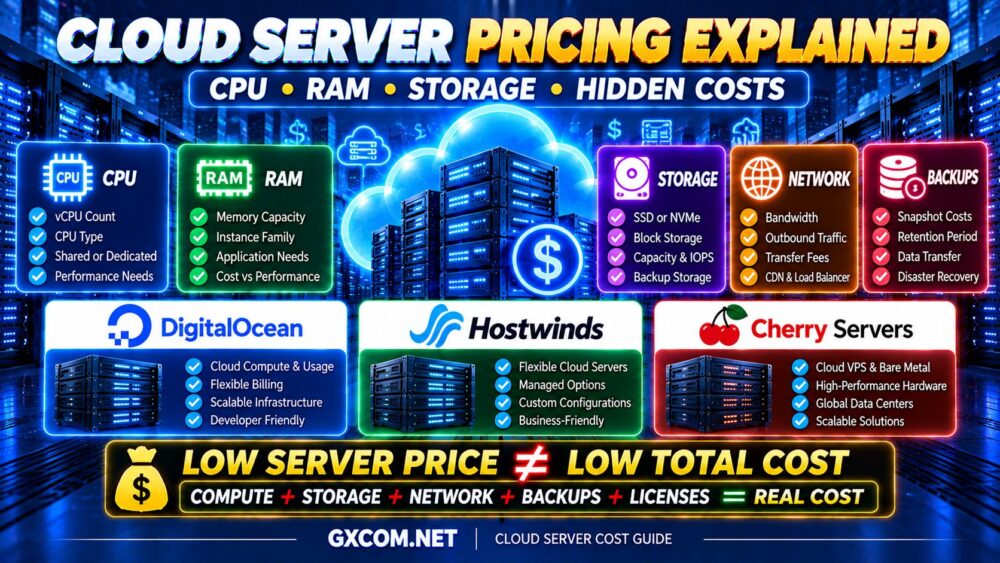
REAL CLOUD COST = COMPUTE + STORAGE + NETWORK + BACKUPS + MANAGEMENT + EXTRAS
For a broader comparison of cost-sensitive cloud infrastructure, explore our 云托管优惠 指南。.
Cloud Servers for WordPress and Business Websites
Cloud servers can host WordPress and business websites, but infrastructure quality is only one factor affecting website speed.
性能还取决于:
- PHP 配置
- 数据库优化
- 页面缓存
- 对象缓存
- Theme and plugin efficiency
- CDN 配置
For many smaller websites, a well-configured virtual cloud server provides more than enough flexibility.
A dedicated physical server may be unnecessary unless the workload requires substantial sustained resources.
Cloud Servers for SaaS and Web Applications
SaaS applications often benefit from infrastructure that supports deployment automation, multiple application instances, and predictable compute resources.
需要重点考虑的因素包括:
- CPU consistency
- Memory requirements
- 数据库架构
- 私有网络
- 负载均衡
- Backup and recovery
- Deployment automation
DigitalOcean is particularly relevant to this category because of its virtual machine configurations and broader cloud application services.
Cloud Servers for High-Traffic Websites
High traffic alone does not determine how large a cloud server must be.
A heavily cached content website may generate much less CPU load than a smaller dynamic application.
请考虑:
- Peak concurrent visitors
- 动态请求
- 数据库加载
- Application processing
- 缓存命中率
- 流量激增
流量 ≠ 服务器负载。.
For practical resource planning, see our 适合高流量网站的最佳VPS 指南。.
Cloud Servers for Databases and Compute-Intensive Workloads
Database-heavy and compute-intensive applications may benefit from different infrastructure than ordinary websites.
For databases, prioritize:
- 存储容量
- 存储延迟
- 稳定的CPU性能
- 备份策略
- Data durability
For compute-intensive applications, evaluate CPU architecture, sustained performance, and whether dedicated compute resources are justified.
Cherry Servers can be relevant when these requirements point toward dedicated physical infrastructure.
When Should You Move Beyond a Single Cloud Server?
A single cloud server is often the simplest starting point.
However, more complex architecture may become appropriate when:
- One instance becomes a single point of failure
- Peak traffic exceeds practical instance limits
- The database requires separate resources
- Applications need independent scaling
- Business continuity requirements increase
At that stage, consider load balancing, separate databases, external caching, and additional application servers.
The objective is not to make infrastructure complicated. It is to introduce complexity only when the workload justifies it.
Common Cloud Server Buying Mistakes
Choosing by vCPU Count Alone
CPU generation and allocation can matter more than headline core count.
Buying Excess RAM
Unused memory does not automatically improve application performance.
Ignoring Storage I/O
Database-heavy applications can suffer even when CPU and RAM appear sufficient.
Assuming Cloud Means Automatic Failover
High availability requires suitable infrastructure and application design.
Ignoring Network Location
Server location and routing can affect latency.
Underestimating Additional Costs
Storage, backups, traffic, and infrastructure services may increase total spending.
Choosing Bare Metal for a Lightweight Application
Dedicated hardware can provide substantial resources but may be unnecessary for smaller workloads.
Best Cloud Server Provider Buying Checklist
- ✓ Identify the workload
- ✓ Compare CPU quality and allocation
- ✓ Estimate memory requirements
- ✓ Evaluate storage latency and IOPS
- ✓ Check network location and routing
- ✓ Review bandwidth limits
- ✓ Confirm operating system support
- ✓ Evaluate API and automation features
- ✓ Check snapshots and backup options
- ✓ Understand management responsibilities
- ✓ Review scaling capabilities
- ✓ Evaluate security and networking tools
- ✓ Calculate total cost
- ✓ Test representative workloads
- ✓ Plan for future growth
Best Cloud Server Providers FAQ
哪家是最好的云服务器提供商?
The best provider depends on the workload. DigitalOcean is worth considering for developer-focused cloud applications, Hostwinds for configurable business cloud servers, and Cherry Servers for infrastructure that may benefit from bare metal or dedicated computing resources.
Is a cloud server better than a VPS?
Not necessarily. Many cloud servers are virtual private servers. The differences depend on the provider's infrastructure, management features, and available cloud services.
What is the difference between a cloud server and a dedicated server?
A typical cloud server is a virtual machine running on shared physical infrastructure. A dedicated server allocates an entire physical machine to one customer. Some cloud platforms also offer bare metal servers.
How much RAM does a cloud server need?
Requirements depend on the application. Lightweight workloads may need only a few gigabytes, while larger databases and production applications can require substantially more. Monitor actual memory usage before choosing a configuration.
Can cloud servers handle high traffic?
Yes. Cloud servers can support high-traffic applications when appropriately configured. Performance depends on concurrency, caching, application efficiency, CPU, memory, storage, and network capacity.
Does cloud hosting guarantee 100% uptime?
No. Cloud infrastructure can support resilient architectures, but failures can still occur. Review the provider's SLA and design appropriate redundancy for critical applications.
Is bare metal faster than cloud virtual machines?
Bare metal can provide predictable access to dedicated physical resources, but it is not universally faster. Actual performance depends on hardware specifications, workload characteristics, and configuration.
Can I scale a cloud server later?
Many cloud providers support instance resizing or adding more servers. Available scaling options, downtime requirements, and costs depend on the platform.
Is cloud server hosting expensive?
Costs vary widely according to compute resources, storage, networking, management, and additional services. Compare total operating costs rather than base instance charges alone.
Final Verdict: Which Cloud Server Provider Should You Choose?
The best cloud server provider is the one that offers the infrastructure your application needs without unnecessary complexity or wasted spending.
DigitalOcean is a strong candidate for developers and businesses building cloud-native applications.
Hostwinds is worth evaluating for business cloud servers, operating system flexibility, and infrastructure management tools.
Cherry 服务器 is particularly relevant when a workload may justify dedicated physical resources, bare metal infrastructure, or high-performance compute.
Use this decision framework:
WORKLOAD → CPU → RAM → STORAGE → NETWORK → SCALABILITY → MANAGEMENT → REAL COST
请记住:
MORE CPU CORES ≠ BETTER PERFORMANCE.
MORE RAM ≠ FASTER APPLICATIONS.
CLOUD ≠ AUTOMATIC HIGH AVAILABILITY.
BARE METAL ≠ BEST FOR EVERY WORKLOAD.
Start with your application's real requirements, evaluate the provider's infrastructure, and choose a platform that can grow efficiently as your workload evolves.