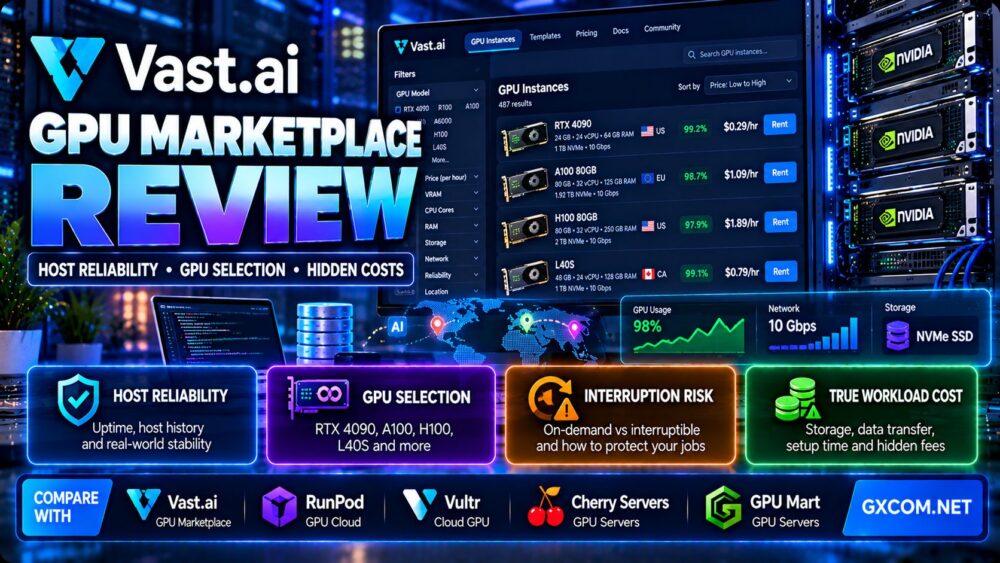
这个 GPU Mart dedicated GPU server review examines NVIDIA hardware options, GPU memory capacity, CPU and storage configurations, CUDA compatibility, and the suitability of dedicated GPU infrastructure for AI training, inference, rendering, and production workloads.
Choosing a GPU server is more complicated than selecting the graphics card with the highest advertised performance. GPU memory, memory bandwidth, CPU architecture, system RAM, storage throughput, networking, and software compatibility can all affect how efficiently an AI workload runs.
GPU Mart offers physical dedicated GPU servers alongside GPU VPS and other rental products. Its catalog includes multiple NVIDIA RTX, professional workstation, and data-center GPU models.
However, the right configuration depends on whether you are deploying a language model, fine-tuning a neural network, generating images, processing video, or running sustained GPU compute.
In this review, we evaluate GPU Mart and compare its infrastructure approach with RunPod, Vast.ai, Cherry 服务器, and Vultr.
Editorial methodology: This article is based on publicly documented product specifications and general GPU infrastructure engineering principles. GXCOM.NET has not independently benchmarked GPU Mart hardware, measured its network performance, or tested support response times. Hardware inventory, pricing, software compatibility, and service terms should be verified before purchase.
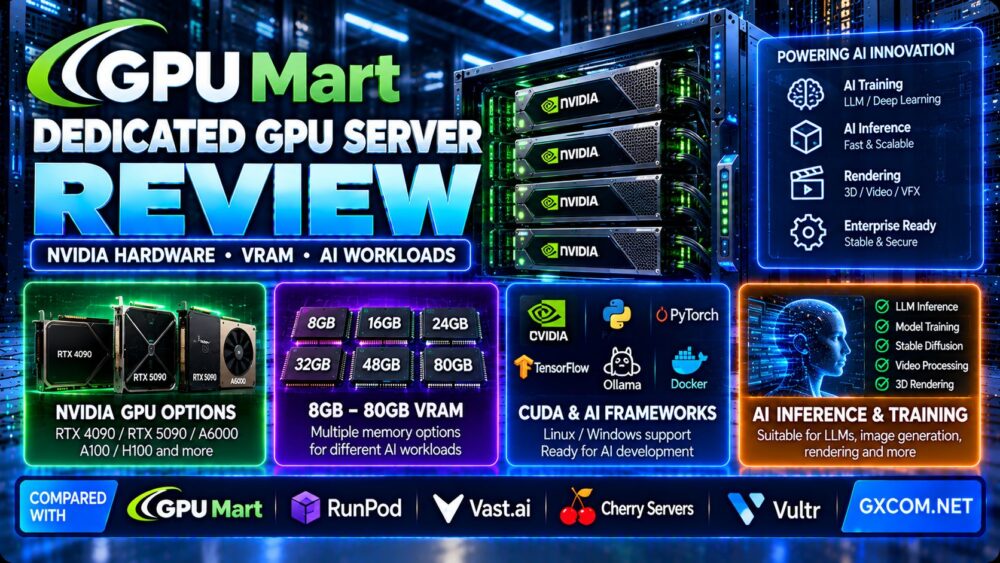
GPU Mart Dedicated GPU Server Review: Quick Verdict
GPU Mart is worth evaluating for customers who want persistent access to NVIDIA GPU hardware, full server control, and predictable infrastructure for sustained AI or graphics workloads.
Its dedicated GPU catalog includes entry-level cards, RTX workstation configurations, consumer high-performance GPUs, and data-center accelerators.
This range can help buyers match GPU memory capacity and compute features to the workload instead of purchasing more expensive hardware than necessary.
However, buyers should carefully distinguish physical dedicated GPU servers from GPU VPS products, which may provide exclusive GPU access within a virtualized environment.
Another important consideration is the complete server configuration. Some GPU Mart dedicated server plans combine powerful NVIDIA accelerators with older Intel Xeon processors.
These systems may still work well for GPU-bound tasks, but CPU-intensive preprocessing, data loading, and latency-sensitive applications require additional evaluation.
| 评估领域 | GPU Mart Assessment |
|---|---|
| Primary products | Dedicated GPU servers, GPU VPS and related GPU infrastructure |
| GPU ecosystem | NVIDIA RTX, professional and data-center GPUs |
| VRAM options | Multiple capacities from entry-level to high-memory configurations |
| AI software | CUDA-based frameworks and customer-managed environments |
| 操作系统 | Windows and Linux on eligible configurations |
| 服务器控制 | Root or administrator access depending on product |
| 存储 | SSD, NVMe and other plan-specific combinations |
| 人际网络 | Plan-specific bandwidth and port capacity |
| 最佳匹配 | Persistent AI inference, development, rendering and selected training workloads |
| 主要局限性 | CPU age, GPU memory requirements and full-system configuration must be evaluated |
什么是 GPU Mart?
GPU Mart is a GPU infrastructure hosting provider offering NVIDIA-powered servers for AI, machine learning, graphics processing, and other accelerated workloads.
Its catalog includes dedicated GPU servers, GPU VPS configurations, and specialized GPU hosting products.
These service categories should not be treated as identical.
专用GPU服务器
A physical dedicated GPU server provides exclusive access to the underlying server hardware, including its installed GPU resources.
Customers can configure operating systems, drivers, AI frameworks, containers, and applications according to the service terms.
GPU 虚拟专用服务器
GPU VPS products operate within a virtualized environment.
GPU Mart advertises dedicated GPU passthrough on relevant GPU VPS plans, but the CPU and system memory architecture differ from a fully dedicated physical server.
Why the Difference Matters
For many applications, both models can provide useful GPU acceleration.
However, bare metal may be preferable when customers need direct physical server control, specialized storage configurations, or predictable access to the complete machine.
GPU Mart NVIDIA Hardware Options
GPU Mart lists multiple NVIDIA accelerator families across its dedicated server catalog.
The available hardware spans entry-level graphics cards, professional RTX models, high-performance consumer GPUs, and data-center accelerators.
Entry-Level NVIDIA GPUs
Entry-level cards may be suitable for lightweight graphics workloads, remote desktop acceleration, development environments, and small inference models.
However, limited VRAM and older architectures can restrict modern AI framework compatibility and model capacity.
RTX A4000 and A5000
NVIDIA RTX A4000 and A5000 configurations can be relevant for professional visualization, rendering, and selected AI workloads.
The A4000 offers 16GB VRAM, while the RTX A5000 offers 24GB VRAM.
These cards can be useful when a workload needs more memory than entry-level GPUs but does not require the highest-end data-center hardware.
RTX A6000
The NVIDIA RTX A6000 provides 48GB GDDR6 memory.
That larger memory capacity can help with models and rendering scenes that do not fit into 24GB VRAM.
However, model fit also depends on runtime overhead, precision, batch size, and memory allocation.
RTX 4090
The RTX 4090 provides 24GB GDDR6X VRAM and strong compute capabilities for many AI development and inference workloads.
It can be relevant for image generation, selected model fine-tuning, and smaller or quantized language models.
However, 24GB VRAM may limit large-model deployment without quantization, offloading, or distributed execution.
RTX 5090
GPU Mart lists RTX 5090 dedicated server configurations.
The RTX 5090 provides 32GB GDDR7 memory, which can expand the range of workloads that fit on a single GPU compared with 24GB configurations.
However, larger VRAM alone does not guarantee better application performance.
NVIDIA A100
The NVIDIA A100 is a data-center accelerator designed for AI and high-performance computing.
GPU Mart lists A100 configurations with different memory capacities, including 40GB and 80GB variants.
Buyers should verify whether the installed accelerator is PCIe or another form factor, as this affects system design and connectivity.
NVIDIA H100
GPU Mart lists NVIDIA H100 server products with 80GB memory configurations.
The H100 supports advanced AI compute capabilities, including Transformer Engine functionality.
However, GPU Mart's specific H100 configuration, CPU platform, interconnect, and storage architecture must be verified before comparing it with other H100 hosting offers.
GPU Mart GPU Memory Comparison
GPU memory is one of the most important constraints in AI infrastructure planning.
A model must fit not only its weights but also the additional memory required by the runtime, intermediate activations, attention cache, and concurrent requests.
| NVIDIA 图形处理器 | 典型的VRAM | 相关工作负载 |
|---|---|---|
| RTX 4060 | 8GB | Development, lightweight inference and graphics |
| RTX A4000 | 16GB | Professional visualization and moderate AI workloads |
| RTX A5000 | 24GB | AI development, rendering and selected fine-tuning |
| RTX 4090 | 24GB | Image generation, inference and AI experimentation |
| RTX 5090 | 32GB | Higher-memory single-GPU AI workloads |
| RTX A6000 | 48GB | Large scenes and memory-intensive AI applications |
| A100 | 40GB or 80GB | Training, inference and data-center computing |
| H100 | 80GB on listed configurations | 高级训练与高通量推理 |
These figures describe GPU memory capacity, not guaranteed model compatibility or performance.
Before ordering, calculate the complete memory footprint of the intended application.
How Much VRAM Do AI Models Really Need?
VRAM requirements depend on model architecture, parameter count, precision, context length, batch size, and serving framework.
模型权重
密集模型权重的简化估计公式如下:
Model weight memory approximately equals parameter count multiplied by bytes per parameter.
For example, a 7-billion-parameter model stored at 16-bit precision requires approximately 14GB for the weights alone, using decimal units.
Actual deployment requires additional memory for runtime components and inference operations.
量化
Quantization reduces the number of bits used to represent model weights.
This can make larger models fit into smaller GPU memory configurations.
However, the resulting quality and performance depend on the quantization method and inference framework.
KV缓存
Transformer inference often requires memory for attention key-value caching.
Longer context windows and greater concurrency can significantly increase KV cache requirements.
Batch Size
Larger batches may improve throughput but consume more GPU memory.
Interactive applications must balance throughput against latency.

Fine-Tuning Memory
Fine-tuning may require memory for gradients, optimizer states, and intermediate activations.
Full training can demand substantially more memory than inference.
Practical VRAM Planning
Instead of selecting a GPU solely by parameter count, test the intended model and runtime with representative context lengths and concurrency.
For additional hardware selection guidance, read our NVIDIA GPU 服务器供应商指南.
CPU and System RAM: The Hidden GPU Server Bottlenecks
GPU performance depends partly on how efficiently the rest of the server supplies data and coordinates work.
GPU Mart's current dedicated server listings include some configurations combining high-end NVIDIA GPUs with older dual Intel Xeon E5 processors.
This is not automatically a problem for every workload, but it is an important buying consideration.
CPU Preprocessing
Training pipelines often use CPU resources for data decoding, augmentation, and preparation.
If the CPU cannot feed the GPU efficiently, accelerator utilization may remain low.
Tokenization
Language model serving can involve CPU-based tokenization and request handling.
High request concurrency may increase CPU requirements.
System Memory
Large datasets, model loading, and caching can require substantial system RAM.
However, system RAM is not equivalent to GPU VRAM.
PCIe Connectivity
The PCIe generation and lane configuration influence host-to-GPU transfer capabilities.
Older server platforms may provide different connectivity characteristics from modern systems.
NUMA Architecture
Dual-socket servers may have non-uniform memory access characteristics.
CPU affinity, memory placement, and PCIe device locality can affect certain workloads.
What Buyers Should Ask
- What is the exact CPU model and generation?
- Which PCIe generation and lane configuration are available?
- How much system RAM is installed?
- What is the memory channel configuration?
- Which CPU socket is connected to the GPU?
- Does the workload require substantial CPU preprocessing?
These questions are especially important when comparing servers that advertise the same NVIDIA GPU but use different host platforms.
GPU Mart Storage and Network Considerations
NVMe 存储
Selected GPU Mart dedicated server plans include NVMe storage.
Fast storage can help reduce data-loading delays and support large model files.
However, actual throughput depends on the installed drives, controller, filesystem, and workload.
SSD and HDD Combinations
Some plans combine SSD, NVMe, and larger-capacity SATA storage.
This can be useful for separating operating systems, active datasets, model checkpoints, and archives.
模型加载
Large model files can require substantial time to transfer from storage into system memory and GPU memory.
Measure startup time when evaluating production inference workloads.
网络带宽
GPU Mart lists different network configurations, including unmetered bandwidth on selected plans.
However, a stated port speed or unmetered allocation does not guarantee unlimited throughput to every destination.
Dataset Transfers
Large AI datasets can make network performance an important operational constraint.
Verify transfer allowances, routing, and expected data movement costs.
备份与恢复
Model checkpoints, datasets, and application configurations should be backed up independently.
Do not assume that dedicated GPU rental includes a complete disaster recovery service.
GPU Mart CUDA, PyTorch and AI Software Compatibility
GPU Mart markets NVIDIA GPU servers for CUDA-based AI workloads.
Its official materials describe support for Linux, Windows, PyTorch, TensorFlow, and other AI software environments.
NVIDIA Driver Compatibility
GPU drivers must support the installed GPU and the intended software stack.
Newer GPU architectures may require newer driver versions.
CUDA Toolkit
CUDA compatibility depends on the GPU architecture, driver, toolkit version, and application requirements.
Check the full compatibility matrix before deploying a production environment.
PyTorch
PyTorch is widely used for deep learning development and inference.
Verify the installed PyTorch build and its supported CUDA runtime.
TensorFlow
TensorFlow GPU support depends on operating system and framework version.
Customers should follow the current official installation requirements rather than assuming identical support across all platforms.
奥拉马
Ollama can simplify deployment of supported local language models.
GPU Mart advertises environments suitable for Ollama-based inference.
Docker 容器
Containerized applications can improve reproducibility.
For NVIDIA GPU workloads, verify container runtime configuration and GPU access.
Windows vs Linux
Linux is commonly used for AI training and production inference.
Windows may be relevant for specific creative software, desktop applications, or Windows-based development environments.
Choose the operating system based on software requirements rather than familiarity alone.
AI Workload Suitability: Which GPU Mart Server Should You Choose?
Different AI workloads benefit from different GPU capabilities.
Small Language Model Inference
Smaller models and quantized language models may fit on midrange GPUs.
However, context length and concurrency can increase memory requirements.
Large Language Model Inference
Larger models may require 48GB, 80GB, or multi-GPU configurations.
High-memory accelerators can reduce the need for CPU offloading.
图像生成
Image generation frameworks can benefit from RTX-class GPUs with sufficient VRAM.
Performance depends on model architecture, resolution, batch size, and software optimization.
LoRA 和 QLoRA 的微调
Parameter-efficient fine-tuning techniques can reduce memory requirements compared with full-model training.
However, the practical memory footprint depends on model size, precision, sequence length, and training configuration.
全模型训练
Large-scale training may require multiple high-memory GPUs, fast interconnects, substantial storage throughput, and distributed training infrastructure.
A single GPU dedicated server may not be appropriate for every training project.
视频处理
GPU-accelerated encoding, decoding, and effects processing can benefit from suitable NVIDIA hardware.
Confirm codec support, driver requirements, and application compatibility.
3D渲染
Rendering workloads may benefit from RTX hardware, sufficient VRAM, and professional application compatibility.
Large scenes can exceed the memory capacity of smaller GPUs.
科学计算
Scientific workloads may require particular numerical precision capabilities.
GPU model selection should consider FP64, FP32, tensor operations, and application-specific libraries.
Single-GPU vs Multi-GPU Dedicated Servers
GPU Mart lists multi-GPU dedicated server products in selected configurations.
However, multiple GPUs do not automatically behave like one GPU with combined memory.
数据并行
Data parallelism distributes batches or training tasks across multiple GPUs.
It can improve throughput when the software supports distributed execution.
张量并行
Tensor parallelism divides model operations across multiple accelerators.
Its performance depends heavily on inter-GPU communication.
GPU Interconnects
Not every GPU model supports NVLink or other high-bandwidth interconnects.
Some multi-GPU servers communicate primarily through PCIe.
Confirm the exact GPU topology before deploying workloads that depend on frequent cross-GPU communication.
Memory Pooling
Two GPUs with 24GB VRAM do not automatically provide a single transparent 48GB memory pool.
Software must explicitly support distributing the model or workload across devices.
Multi-GPU Buying Checklist
- Confirm the number and exact model of GPUs.
- Verify per-GPU VRAM.
- Check PCIe topology and interconnect support.
- Confirm framework support for distributed execution.
- Estimate communication overhead.
- Check CPU and system memory capacity.
- Verify power, cooling, and sustained load suitability.
GPU Mart Dedicated GPU Server Pricing and Total Cost
GPU Mart offers multiple GPU server rental configurations and billing periods.
Its current catalog also includes hourly GPU products, but those should not be assumed to have the same hardware isolation or service terms as monthly dedicated servers.
Because prices and promotions change, this review focuses on long-term cost factors rather than fixed promotional rates.
GPU Hardware Cost
Higher-memory data-center GPUs generally require a different budget from entry-level RTX configurations.
CPU and RAM Value
A powerful GPU paired with an older CPU platform may offer good value for GPU-bound workloads but less value for CPU-intensive applications.
Storage Cost
Large datasets, checkpoints, and persistent model storage can increase infrastructure requirements.
Network Cost
Evaluate bandwidth policies and any additional network charges.
Software Administration
Customers managing their own environments must account for system administration, security, monitoring, and maintenance.
利用率
A dedicated GPU server generates rental costs even when the accelerator is idle.
For intermittent workloads, elastic GPU infrastructure may be more economical.
Cost Per Successful Inference
Cost per successful inference = Total attributable infrastructure cost / Number of successful inference requests.
This metric is more useful than comparing advertised GPU rental prices without considering throughput.
Monthly vs Hourly Break-Even
A simplified comparison is:
Break-even hours = Monthly dedicated server cost / Comparable hourly GPU cost.
However, the two options must deliver comparable application performance for the calculation to be meaningful.
GPU Mart vs RunPod vs Vast.ai vs Cherry Servers vs Vultr
GPU Mart competes with several GPU infrastructure providers, but their service models differ.
The best choice depends on hardware control, deployment flexibility, workload duration, and operating costs.
| 服务提供商 | 基础设施模型 | 最佳评估重点 |
|---|---|---|
| GPU Mart | Dedicated GPU servers and GPU VPS | Physical hardware, VRAM, CPU platform and monthly cost |
| RunPod | GPU cloud and serverless infrastructure | Elastic deployment, worker configuration and usage-based costs |
| Vast.ai | GPU 市场 | Host reliability, instance selection and interruption risk |
| Cherry 服务器 | Bare metal and infrastructure services | Hardware customization, deployment and networking |
| Vultr | 云GPU基础设施 | Cloud deployment, GPU instances and regional availability |
GPU Mart 与 RunPod 对比
RunPod provides GPU cloud infrastructure and serverless GPU endpoints.
GPU Mart's dedicated server model may suit workloads requiring persistent physical infrastructure and predictable monthly rental costs.
RunPod may be more relevant when workloads require elastic GPU capacity or serverless inference.
For a deeper look at elastic GPU inference, read our RunPod 无服务器 GPU 评测.
GPU Mart vs Vast.ai
Vast.ai operates a GPU marketplace where customers select machines from different hosts.
This model can provide flexibility but requires careful evaluation of host characteristics, storage, networking, and availability.
GPU Mart's dedicated server products provide a different infrastructure purchasing model centered on specific server configurations.
请参阅我们的 Vast.ai GPU 市场评测 了解更多信息。.
GPU Mart vs Cherry Servers
Cherry Servers offers bare metal infrastructure and related deployment options.
It may be relevant for customers prioritizing infrastructure customization and dedicated hardware.
Compare actual GPU availability, CPU generation, memory, storage, network connectivity, and management responsibilities.
GPU Mart vs Vultr
Vultr offers cloud GPU infrastructure for AI and accelerated computing workloads.
Its cloud model may be attractive for customers who prefer conventional cloud provisioning and regional infrastructure choices.
GPU Mart's physical dedicated servers may be relevant for persistent workloads requiring direct hardware allocation.
For additional context, read our Vultr Cloud GPU Review.
When GPU Mart Dedicated Servers Make Sense
Persistent AI Inference
Dedicated GPU servers can be useful when an application processes requests continuously and benefits from keeping models loaded in memory.
长期运行的训练任务
Stable access to dedicated hardware can simplify certain training workflows.
However, large distributed training jobs may require more specialized interconnects and cluster management.
Custom CUDA Environments
Customers requiring specific drivers, frameworks, and runtime configurations may benefit from server-level control.
Rendering and Creative Workloads
RTX-based servers may support rendering, video processing, and visualization workloads.
Predictable Monthly Infrastructure
Dedicated rental can simplify budgeting when workloads use the GPU consistently.
When GPU Mart May Not Be the Best Choice
Highly Intermittent AI Workloads
Serverless or hourly GPU infrastructure may reduce idle costs for applications with irregular demand.
Applications Requiring the Latest CPU Platform
Some listed dedicated server configurations use older Xeon processors.

Buyers should verify whether these CPUs meet application requirements.
Very Large Distributed Training
Multi-node training may require specialized networking, GPU interconnects, and orchestration capabilities.
Strict Regional Requirements
Hardware availability and location options must be confirmed before deployment.
缺乏基础设施经验的团队
Customer-managed GPU servers require expertise in operating systems, security, drivers, and AI software.
GPU Mart 的优缺点
优点
- Physical dedicated GPU server options.
- Broad NVIDIA hardware catalog.
- Multiple VRAM capacities.
- RTX, professional and data-center GPU choices.
- Linux and Windows support on eligible plans.
- CUDA-oriented AI software compatibility.
- Root or administrator access.
- SSD and NVMe configurations.
- Persistent server environments.
- Selected multi-GPU products.
- Alternative GPU VPS and hourly products.
限制
- Some dedicated plans use older CPU platforms.
- GPU VPS and physical dedicated products differ.
- Hardware inventory can change.
- GPU memory may limit model size and concurrency.
- Network capacity varies by configuration.
- Dedicated servers incur costs while idle.
- Multi-GPU memory is not automatically pooled.
- Customers may need substantial administration expertise.
- Performance must be validated with the intended workload.
GPU Mart Dedicated GPU Server Buying Checklist
- Identify the AI model or GPU application.
- Calculate model weight memory requirements.
- Include runtime, activation, and KV cache overhead.
- Choose the appropriate GPU architecture.
- Verify the exact GPU model and VRAM capacity.
- Confirm whether the product is physical dedicated hardware or GPU VPS.
- Check the CPU model and generation.
- Review PCIe topology and GPU connectivity.
- Estimate required system RAM.
- Verify NVMe and storage performance.
- Confirm Linux or Windows compatibility.
- Check NVIDIA driver and CUDA requirements.
- Review bandwidth and location availability.
- Confirm backup and recovery arrangements.
- Test model loading and inference throughput.
- Measure GPU utilization and CPU bottlenecks.
- Calculate total monthly infrastructure cost.
- Compare dedicated rental with hourly and serverless alternatives.
常见问题解答
What is GPU Mart?
GPU Mart is a GPU infrastructure hosting provider offering dedicated GPU servers, GPU VPS, and related NVIDIA-powered computing services.
Does GPU Mart offer real dedicated GPU servers?
Yes. GPU Mart offers physical dedicated GPU server products. It also sells GPU VPS plans, which should be evaluated separately.
Does GPU Mart offer NVIDIA RTX 4090 servers?
Yes. GPU Mart lists RTX 4090 dedicated GPU configurations, subject to current inventory.
Does GPU Mart offer RTX 5090 servers?
Yes. Its current catalog includes RTX 5090 dedicated server products.
Does GPU Mart offer A100 and H100 servers?
Yes. GPU Mart lists NVIDIA A100 and H100 server configurations. Buyers should confirm exact memory capacity, form factor, and availability.
How much VRAM do I need for AI inference?
VRAM requirements depend on model size, precision, context length, batch size, and runtime overhead. Test the intended deployment rather than relying on parameter count alone.
Can GPU Mart run PyTorch and TensorFlow?
GPU Mart markets CUDA-compatible environments suitable for PyTorch and TensorFlow. Customers should verify framework, driver, and operating system compatibility.
Can I run Ollama on GPU Mart?
GPU Mart advertises GPU hosting suitable for Ollama-based language model inference. Compatibility depends on the GPU and model requirements.
Does GPU Mart support Windows?
Windows and Linux options are listed on eligible GPU Mart products. Availability and licensing should be confirmed before ordering.
Are GPU Mart dedicated servers better than GPU VPS?
Dedicated servers provide exclusive physical machine resources, while GPU VPS products operate within virtualized environments. The better choice depends on workload isolation, CPU requirements, control, and budget.
Is GPU Mart cheaper than RunPod?
There is no universal answer. Compare equivalent GPU performance, utilization, storage, networking, and billing terms. Dedicated rental may be attractive for sustained workloads, while elastic infrastructure can reduce idle costs.
Can two 24GB GPUs run a model requiring 48GB VRAM?
Potentially, if the software supports distributing the model across GPUs and accounts for communication and memory overhead. Two GPUs do not automatically behave like one 48GB device.
Final Verdict: Is GPU Mart Dedicated GPU Hosting Worth It?
我们的 GPU Mart dedicated GPU server review finds that the provider is worth considering for customers who need persistent NVIDIA GPU resources, flexible software environments, and dedicated physical infrastructure.
Its hardware catalog includes options for AI inference, selected training workloads, image generation, rendering, and accelerated development.
However, the best configuration depends on more than GPU model and VRAM. Buyers should examine CPU generation, PCIe connectivity, system memory, storage throughput, network capacity, and actual application utilization.
For workloads with variable demand, compare GPU Mart with RunPod, Vast.ai, and Vultr. For physical infrastructure alternatives, Cherry Servers is also worth evaluating.
For a broader explanation of workload-driven hardware selection, see our GPU vs CPU Server Comparison.
AI WORKLOAD → MODEL SIZE → VRAM → GPU ARCHITECTURE → CPU & RAM → STORAGE → NETWORK → UTILIZATION → TOTAL COST → GPU SERVER DECISION