Why Cloud Server Migration Requires More Than Copying Files
Moving a website or application to another cloud provider can improve flexibility, performance, or operating costs. Yet a poorly planned cloud server migration can interrupt checkout pages, break integrations, or leave databases out of sync. The challenge is not simply transferring files; it is preserving a working service while infrastructure changes underneath it.
Before choosing a destination, compare infrastructure models in our 云托管与VPS对比. Then establish a migration budget, acceptable downtime, and a tested way back if the cutover fails.
Audit the Existing Server Before Migrating
Inventory operating systems, application versions, databases, storage volumes, SSL certificates, scheduled jobs, DNS records, firewall rules, and external integrations. Identify services that depend on fixed IP addresses or local filesystem paths. A forgotten background worker or payment webhook can cause problems even when the homepage loads correctly.
Measure CPU, memory, disk I/O, and network usage during normal and peak periods. Use these observations to size the destination rather than assuming identical vCPU counts deliver identical performance. Document who controls DNS, backups, application deployments, and provider billing.
Plan Downtime Around RPO and RTO
Recovery point objective (RPO) describes how much recent data loss the business can tolerate. Recovery time objective (RTO) describes how long a service may remain unavailable. These targets should shape the migration method and the amount of testing required.
Cold Migration Versus Parallel Migration
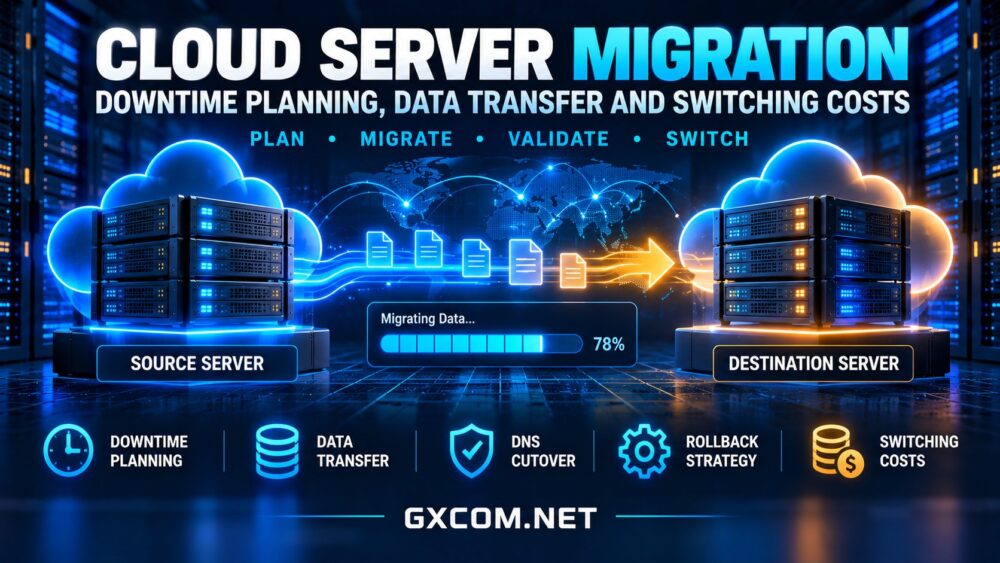
A cold migration stops the application, copies final data, and starts it on the new server. It is straightforward but creates a maintenance window. A parallel migration runs old and new environments together, synchronizing changes before traffic moves. This can reduce interruption, although database replication, sessions, and background jobs require careful coordination.
For a small brochure site, a planned maintenance window may be acceptable. For a busy store or SaaS application, use database replication or a short write freeze to prevent orders and account changes from being split across environments.
DNS Cutover and Rollback
Lower relevant DNS time-to-live values ahead of the switch, allowing time for older cached records to expire. A short TTL can help, but resolvers and application connections may still retain old destinations. Keep the original environment available until traffic and data consistency are verified.

Prepare a rollback decision point, responsible owner, and clear trigger conditions. Returning DNS to the old server is not sufficient if users have already written new data to the replacement database. Define how those writes will be reconciled before cutover.
Move Data Without Losing Consistency
Choose a transfer method based on data size, available bandwidth, application state, and security requirements. Encrypted file synchronization can handle websites and static assets. Database-native dumps or replication are usually better for transactional systems. Verify checksums or equivalent integrity checks after transfer.
For large datasets, perform an initial copy while the original service is running, then synchronize changed files during the maintenance window. Avoid copying live database files without an application-consistent procedure. Keep credentials out of logs and revoke temporary access after migration.
Backups are essential, but snapshots alone may not protect against every failure. Review our 云VPS快照与备份指南 before selecting recovery points, retention, and offsite copies.
Five Cloud Providers to Evaluate
Different providers suit different migration priorities. Compare the actual product, location, network policy, support scope, and restore options rather than treating every cloud server as interchangeable.
Kamatera:可配置的云资源
卡马特拉 is worth considering when flexible server configuration is important. Check operating-system compatibility, storage choices, network billing, and whether any migration assistance is included in the selected service.
Vultr: Cloud Compute and Regional Choice
Vultr is a candidate for teams seeking cloud compute options across deployment locations. Confirm regional capacity, instance family, backup settings, and transfer costs before moving production workloads.
Akamai Cloud: Developer-Oriented Infrastructure
Akamai Cloud(原名 Linode) offers another infrastructure option for developers managing their own environments. Evaluate compatibility with existing automation, storage layout, firewall configuration, and the destination’s network allowances.
OVHcloud: VPS and Public Cloud Alternatives
OVHcloud provides distinct VPS and Public Cloud product families. Match the destination to the workload and verify differences in backup features, network terms, administration, and migration responsibilities.
Cloudways: A Managed Migration Path
Cloudways may suit application owners who prefer a managed hosting workflow rather than administering every server component. Confirm the supported application stack, migration scope, exclusions, and ongoing management charges. Our 托管云主机对比 explains how these responsibilities differ.
Calculate the Real Cost of Switching Providers
The new server’s monthly rate is only one part of the migration budget. Include simultaneous billing for old and new environments, outbound data transfer, temporary storage, backups, licenses, specialist labor, and any paid migration support. Also account for testing time and the operational impact of a failed cutover.
Consider a hypothetical migration requiring two weeks of overlapping servers, a one-time data export, and several hours of engineering work. Even if the replacement server is cheaper each month, the initial switch may take time to pay back. These are illustrative cost categories, not provider quotations.

Network egress can be especially important for large backups or media libraries. Our cloud VPS bandwidth costs guide covers included transfer, overage charges, and network limits. Compare candidate offers through our cloud hosting deals guide, but calculate costs beyond introductory pricing.
A Practical Migration Checklist
- Inventory dependencies: Map databases, files, certificates, DNS, integrations, and scheduled tasks.
- Set recovery targets: Agree on acceptable downtime and data loss with stakeholders.
- Prepare the destination: Harden access, configure monitoring, and test application compatibility.
- Synchronize and validate: Transfer data securely, check integrity, and rehearse the cutover.
- Switch with a rollback plan: Monitor errors, transactions, latency, and database consistency.
- Decommission carefully: Retain necessary backups, remove secrets, and stop old billing only after verification.
最终裁决
A successful cloud server migration balances downtime, data integrity, and switching costs. The best destination is not automatically the cheapest advertised instance. Choose a provider whose technical capabilities and support model fit the application, test the complete recovery path, and keep both environments available until the new service proves stable.