Azure VM vs Windows VPS: Which Offers Better Value?
在……之间做出选择 Azure VM vs Windows VPS involves more than comparing CPU cores and memory. Both can host Windows Server applications, provide Remote Desktop access, and support business software. However, licensing, infrastructure management, scalability, and long-term billing can differ substantially.
Microsoft Azure offers extensive enterprise cloud capabilities, while traditional Windows VPS providers often simplify purchasing with packaged resources. The better choice depends on application requirements, licensing eligibility, operational expertise, and predictable spending.
Before comparing Windows deployments, explore our 云托管与VPS对比 to understand the underlying infrastructure differences.
Remote Desktop Access: RDP Is Not the Whole Story
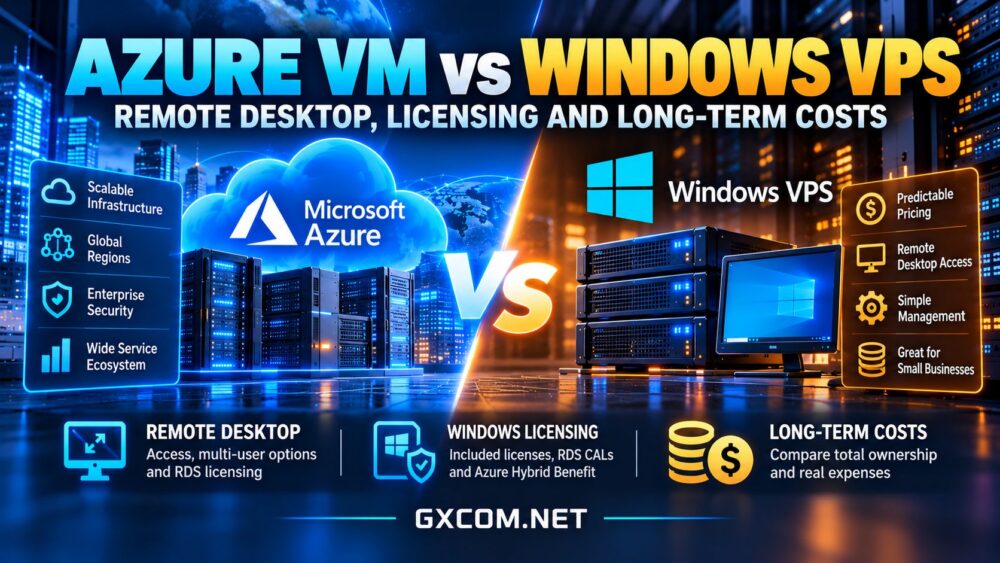
Windows Server virtual machines commonly support administration through Remote Desktop Protocol (RDP). Administrators can connect remotely to configure software, troubleshoot services, and manage applications without physical server access.
However, administrative RDP access should not be confused with a licensed multi-user Remote Desktop Services environment. Windows Server generally permits up to two simultaneous remote sessions for administration. Providing desktops or applications to multiple end users introduces additional licensing and configuration requirements.
When RDS CALs Are Required
Remote Desktop Services deployments typically require appropriate RDS Client Access Licenses for users or devices. These requirements are separate from the Windows Server operating-system license and may vary with the deployment architecture.
Whether choosing Azure or a Windows VPS provider, confirm permitted user access, RDS licensing responsibilities, and whether the proposed hosting arrangement supports your intended use.
Windows Server Licensing on Azure
Azure Windows virtual machine pricing generally includes the Windows Server operating-system license when using the standard license-included purchasing model. However, compute, managed disks, networking, backups, and optional services can create additional charges.
Eligible organizations may reduce Windows Server licensing costs through Azure Hybrid Benefit. This requires qualifying licenses with active Software Assurance or eligible subscriptions and compliance with Microsoft’s licensing conditions.
Azure Hybrid Benefit is not automatically available to every customer. Businesses should verify eligibility before including potential savings in a cost forecast.
Licensing on Traditional Windows VPS
Windows VPS providers may include the operating-system license in their advertised package or account for licensing separately. The precise arrangement depends on the provider, Windows Server edition, and hosting agreement.

Ask whether the displayed price includes an authorized Windows Server license, whether activation is handled by the provider, and whether additional RDS or application licenses are necessary.
我们的 Windows Server 许可费用指南 explores additional considerations for organizations evaluating Windows-based infrastructure.
Four Windows Cloud and VPS Providers to Compare
Azure is the enterprise-cloud benchmark, but several server providers offer Windows deployment options. Compare the actual configuration, operating-system licensing, management responsibilities, and network terms rather than relying on headline prices.
Kamatera:可配置的 Windows 云服务器
卡马特拉 offers configurable Windows cloud server deployments, making it relevant for businesses that want control over CPU, memory, and storage allocation.
Review Windows licensing options, resource configurations, backup charges, and support scope. Its configurable model may suit organizations that need flexibility without adopting the broader Azure ecosystem.
OVHcloud: Windows VPS and Infrastructure Options
OVHcloud provides several infrastructure product families, including Windows-capable server options where supported. Availability and licensing conditions can differ between VPS, cloud, and dedicated products.
Check the exact Windows-compatible plan, included license, backup features, and network limits before treating it as a direct Azure alternative.
Vultr: Windows-Compatible Cloud Compute
Vultr is another candidate for Windows-compatible cloud compute deployments. Buyers should confirm supported Windows images, licensing arrangements, regional availability, and additional storage or backup charges.
Its suitability depends on the selected instance family and whether the workload requires infrastructure services beyond a standalone virtual machine.
AccuWeb Hosting: Windows VPS Packages
AccuWeb 主机服务 is relevant for buyers seeking conventional Windows VPS hosting rather than a complex enterprise cloud environment.
Compare Windows Server editions, RDP access, resource allocation, backup availability, and management options. Confirm current licensing and renewal terms before ordering.
Azure VM vs Windows VPS: Long-Term Cost Comparison
For a continuously running Windows application, monthly infrastructure spending matters more than a temporary promotional price. Azure expenses may include virtual machine runtime, Windows licensing, managed disks, outbound data transfer, public IP addresses, and optional monitoring or backup services.
A conventional Windows VPS may combine several resources into a recurring package, simplifying budgeting. However, control panels, backups, managed support, extra storage, and licensing may still increase the final bill.
A Hypothetical 24-Month Example
Assume a Windows VPS costs $35 monthly, including its required operating-system license. Its hypothetical 24-month base expense would be $840.
Now assume an Azure deployment costs $55 monthly after combining compute, licensing, storage, and selected network charges. Its hypothetical 24-month expense would be $1,320.
The difference is $480 over two years, before additional operational expenses. These numbers are illustrative assumptions, not actual provider quotations.
Azure could become more economical under different purchasing commitments, eligible licensing benefits, or workloads that can stop compute resources when unused. Conversely, continuously running applications may benefit from simpler VPS pricing.
Performance, Security, and Management
Both platforms require appropriate security configuration. Administrators should restrict RDP exposure, use strong authentication, apply Windows updates, and maintain tested backups.
Azure offers integrations for enterprise identity, networking, monitoring, and automation. These capabilities are valuable when organizations already use Microsoft cloud services, but they require configuration and may introduce additional charges.

A Windows VPS may be easier to operate for one application or a small remote administration workload. Nevertheless, unmanaged VPS hosting still requires the customer to handle patching, security, and incident response.
When Should You Choose Azure?
Choose Azure when applications require Microsoft cloud integrations, enterprise networking, automated scaling, or advanced governance. Organizations with qualifying Windows Server licenses may also benefit from Azure Hybrid Benefit.
Azure is particularly relevant when a standalone server is only one component of a larger cloud architecture.
When Does Windows VPS Make More Sense?
A Windows VPS may offer better value for stable applications, small business software, development environments, and straightforward remote server administration.
Prioritize transparent licensing, sufficient memory, reliable storage, suitable geographic locations, and predictable renewal charges. Our affordable VPS providers guide offers a broader starting point, although Windows licensing must be evaluated separately.
Before purchasing, compare current cloud VPS deals and verify that the selected product supports your required Windows environment.
最终裁决
Azure delivers extensive enterprise capabilities, but those features are not necessary for every Windows workload. A conventional Windows VPS can offer simpler budgeting for continuously running applications, provided licensing and support requirements are clear.
Compare complete 24-month costs, confirm Remote Desktop licensing, and choose the platform that meets your actual operational needs without unnecessary infrastructure complexity.