Shared hosting vs cloud hosting is a practical decision for website owners balancing price, reliability, and room to grow. Both approaches can run WordPress, business websites, and online stores, but their resource allocation, failure recovery, and billing models may differ significantly.
The labels alone cannot tell you which plan performs better. A well-managed shared server may outperform an undersized cloud instance, while a properly designed cloud environment can offer flexibility unavailable on basic shared hosting. This guide explains what to compare before upgrading.
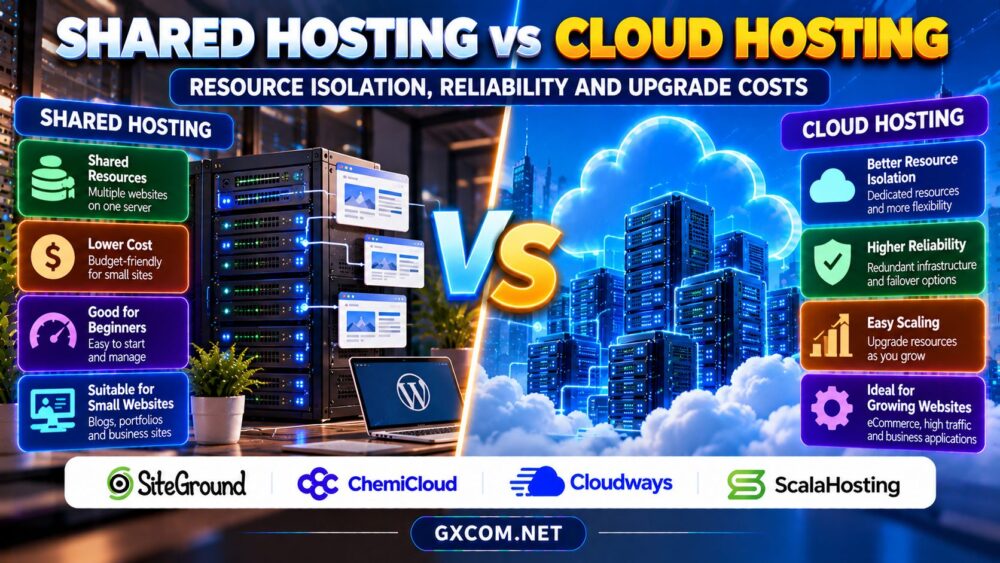
Shared Hosting vs Cloud Hosting: The Main Difference
Traditional shared hosting places multiple customer accounts on infrastructure administered by the hosting company. Customers typically receive a control panel and predefined resource limits rather than direct server administration. Cloud hosting is a broader category: it may involve virtual machines, managed application platforms, or clustered services built on pooled infrastructure.
Cloud does not automatically mean dedicated hardware, unlimited resources, or zero downtime. Compare the actual architecture and service agreement, not just the product name.
1. Resource Isolation and Performance
Shared hosting accounts compete for underlying server capacity, although providers may enforce CPU, memory, process, and input/output limits to reduce interference. Good account isolation protects customers from excessive resource consumption by neighboring sites, but performance still depends on the host’s policies and available capacity.
Cloud hosting may offer allocated virtual CPU and memory, yet virtual machines can also share physical hosts. Dedicated allocations, noisy-neighbor protections, storage performance, and CPU contention should be assessed individually.
For WordPress, measure database latency, PHP execution, and performance under realistic traffic. A larger advertised RAM figure means little if application bottlenecks remain unresolved. Our shared hosting account isolation guide explains the security implications of multi-tenant environments.
2. Reliability, Redundancy and Failover
Reliability depends on more than whether a product uses cloud infrastructure. A shared hosting server can have redundant storage and excellent operational management. Conversely, a single cloud virtual machine can fail when its host, storage, application, or network experiences trouble.
True high availability requires redundancy across relevant failure points, health checks, and a tested recovery mechanism. Some cloud plans provide these capabilities through additional services or customer configuration, not by default.
Review the service-level agreement, exclusions, historical incidents, backup arrangements, and recovery objectives. Distinguish a provider’s uptime target from a guarantee that your particular website will never become unavailable.

3. Scaling Resources During Traffic Growth
Basic shared hosting usually offers a progression through predefined tiers. Upgrading can be straightforward, but limits may remain on CPU, processes, or database activity. If the website repeatedly exceeds those limits, changing tiers may not solve the underlying workload.
Cloud environments often allow more granular CPU, memory, or storage adjustments. However, resizing can require a restart, and automatic scaling is not included with every plan. Horizontal scaling may demand load balancing, shared sessions, and database changes.
Estimate seasonal peaks and test application behavior before paying for additional resources. Our cloud server auto-scaling guide explores the engineering requirements behind elastic capacity.
4. Four Approved Hosting Providers to Compare
SiteGround: Managed Website Hosting
SiteGround is relevant for owners seeking a managed WordPress-oriented experience. Compare the selected shared or cloud product’s resource policies, backup tools, caching options, and upgrade process. Verify which features and limits apply to each tier.
ChemiCloud: Shared Hosting for Smaller Sites
ChemiCloud is worth considering for blogs, portfolios, and smaller business websites. Examine resource allocations, storage restrictions, renewal terms, and migration assistance. Ask what happens when traffic exceeds the plan’s normal operating limits.
Cloudways: Managed Cloud Infrastructure
Cloudways provides an alternative for businesses evaluating managed cloud servers. Review available infrastructure choices, billing components, support scope, backup configuration, and scaling procedures. Do not assume every deployment automatically includes multi-node failover.
ScalaHosting: Managed VPS and Growth Options
ScalaHosting is a candidate when additional server control and managed resources are priorities. Compare CPU and memory allocation, control panel arrangements, administration coverage, and upgrade conditions. Confirm whether the selected product is designed for your application and expected traffic.
Provider comparisons should use current plan specifications and documented service commitments rather than unverified benchmark claims.
5. Upgrade Costs and Three-Year Budgeting
Shared hosting often has a lower entry price, but renewal rates and resource upgrades can increase spending. Cloud hosting may involve server charges plus backups, storage, bandwidth, control panels, or premium support. Managed services can also change the amount of staff time required.
As an illustration, a hypothetical shared plan costing $8 monthly totals $288 over 36 months if its price never changes. A hypothetical cloud plan at $30 monthly totals $1,080 before extras. Real offers frequently have promotional and renewal differences, so these figures are not provider quotations.
Calculate the full cost of ownership using the same period and workload. Include migrations, software licenses, backups, monitoring, and expected administrative labor. See our managed hosting total cost analysis for a broader budgeting framework.
6. Security and Management Responsibilities
Shared hosting usually leaves operating-system administration to the provider, while customers maintain their applications, credentials, and content. Cloud deployments vary: an unmanaged virtual machine can place considerably more security work on the customer than a managed shared plan.
Check who installs security patches, maintains firewalls, responds to malware, and restores backups. For websites handling customer information, also assess access controls, staging security, and data retention policies.
For a provider-specific management example, read our UltaHost 托管型 VPS 评测. It provides broader managed-server context, not a direct benchmark of the four providers above.
7. When Should You Switch?
Stay with shared hosting when performance is stable, administrative simplicity matters, and the plan accommodates realistic traffic. Consider cloud hosting when monitoring reveals sustained resource constraints, custom infrastructure requirements, or a need for more flexible capacity.

Before migrating, audit plugins, backups, DNS, email delivery, and compatibility. Schedule a test migration and measure the new environment before switching production traffic. Avoid upgrading solely because a marketing page describes cloud as inherently faster.
探索我们的 网站托管优惠指南 for purchasing options, while comparing actual renewal and upgrade terms.
Compare Shared and Cloud Hosting
Review resource limits, recovery design, support coverage, and long-term costs before choosing a plan.
Shared Hosting vs Cloud Hosting FAQ
Is cloud hosting always faster than shared hosting?
No. Performance depends on resource allocation, server configuration, caching, and application efficiency.
云托管能否保证更高的正常运行时间?
No. Redundancy and failover must be designed and supported; a single cloud server can still fail.
云托管的价格更高吗?
Often, but not universally. Compare renewal prices, usage charges, management, and upgrade requirements over several years.
最终裁决
Shared hosting vs cloud hosting comes down to workload, operational needs, and budget. Compare SiteGround, ChemiCloud, Cloudways, ,以及 ScalaHosting using documented isolation, reliability, scaling options, and total costs. Choose the simplest architecture that meets your measurable requirements, then upgrade when evidence supports the change.