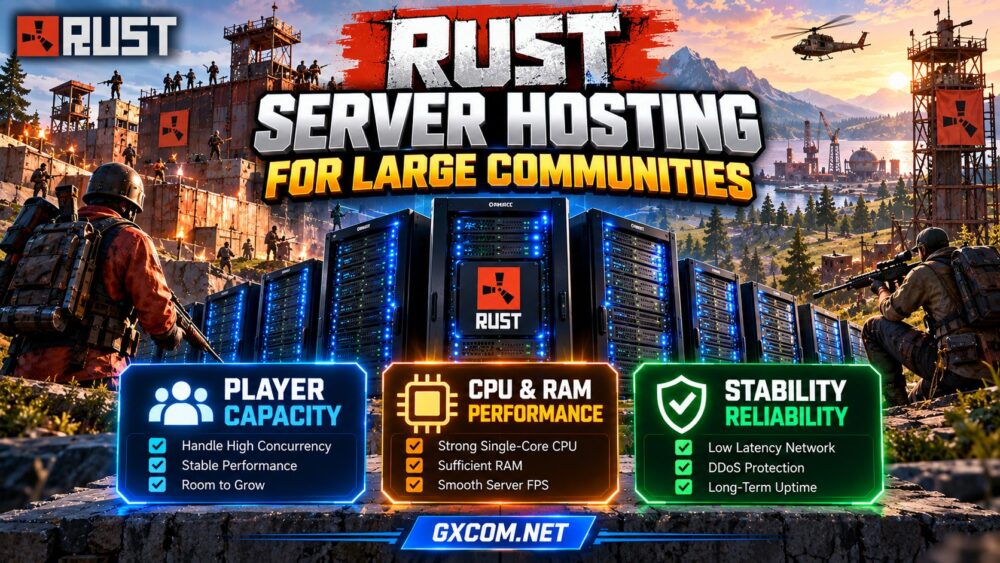
Running a Rust server for a large community requires more than purchasing a plan with a high advertised player limit. Population spikes, expanding bases, active monuments, and complex plugins can place substantial pressure on server resources.
生效 Rust server hosting for large communities starts with realistic capacity planning. Administrators need to understand peak concurrency, CPU performance, memory consumption, storage activity, and network stability before choosing hosting infrastructure.
This guide explains how to plan capacity, maintain consistent performance, and evaluate hosting options as your Rust community grows.
Why Large Rust Communities Need Capacity Planning
Rust server workloads change throughout a wipe cycle. A fresh map may perform differently from a heavily developed world containing numerous bases, deployables, vehicles, and active players.
Modded communities introduce additional complexity through custom events, permissions, economy systems, and automated tasks.
Consequently, advertised player slots should not be interpreted as guaranteed performance. A server capable of accepting a particular number of connections may struggle to maintain smooth simulation under real gameplay conditions.
从我们的 Rust 服务器配置要求 guide to understand baseline hardware considerations.
1. Plan Around Peak Concurrent Players
Peak concurrent players matter more than total registered community members. A server with thousands of Discord members may experience much lower simultaneous activity, while scheduled events can create sudden demand.
Review historical population records, weekend peaks, wipe-day traffic, and event attendance. Estimate expected concurrency rather than assigning resources solely from the configured slot limit.
Build capacity in stages:
- Normal operation: Typical weekday player activity.
- Peak operation: Busy evenings and weekend sessions.
- Exceptional demand: Wipe launches, special events, or sudden popularity.
Leave performance headroom for unexpected activity. Exact capacity depends on map complexity, server configuration, and player behavior, so universal players-per-core formulas are unreliable.
2. Prioritize CPU Performance and Server FPS
Rust server simulation can place significant demand on CPU processing. Strong per-core performance is particularly important, although background tasks and supporting services may also use additional threads.
Compare processor generation, sustained clock behavior, and resource allocation instead of relying only on advertised vCPU counts.
For virtualized hosting, clarify whether CPU resources are shared or reserved. For dedicated hardware, assess the complete processor rather than assuming every bare-metal machine is faster.
Monitor server FPS or simulation performance during busy periods. Falling server FPS can indicate processing pressure, but administrators should examine logs and other metrics before concluding that the CPU is responsible.

我们的 Rust 服务器的延迟与性能 guide explains additional troubleshooting methods.
3. Estimate RAM Requirements Realistically
Rust memory consumption depends on world size, active entities, connected players, installed extensions, and server software behavior.
Large maps and heavily modified communities may require substantially more memory than small private servers.
Monitor actual memory usage across an entire wipe cycle, not just immediately after startup. Observe peak utilization, operating-system memory pressure, and any swapping activity.
Adding RAM can resolve genuine memory shortages, but it will not automatically fix slow simulation threads or unstable network routes.
Choose a hosting plan that permits reasonable expansion without forcing an emergency migration.
4. Understand Map Size, Entities, and Plugins
World complexity directly influences resource planning. Extensive construction, numerous deployables, active NPCs, and automated events can increase processing and memory demands.
Map size alone does not determine server capacity. A smaller world with unusually dense player activity may be more demanding than a larger, quieter environment.
Plugins can also introduce expensive operations, particularly when they repeatedly scan entities, process frequent events, or perform unnecessary database work.
Review plugin performance after major updates and remove unused extensions. Test configuration changes before applying them to a busy production server.
For compatibility considerations, read our Rust 服务器插件和模组 指南。.
5. Choose Storage and Network Resources Carefully
Fast SSD or NVMe storage can help with world saves, file operations, and maintenance tasks. However, storage performance should be evaluated alongside CPU and memory rather than treated as a standalone solution.
Maintain sufficient free capacity for backups, logs, updates, and temporary files.
Network stability is equally important. Compare player-region latency, jitter, packet loss, bandwidth policies, and DDoS mitigation.
A high-speed network port does not guarantee good routing or uninterrupted service. Request test addresses when available and measure connections from representative player locations.
6. Design a Stable Wipe and Maintenance Schedule
Wipes influence player activity, world complexity, and administrative workload. Establish a predictable schedule and communicate changes before they occur.
Before a major wipe or update, create a verified backup, review plugin compatibility, and confirm that the server can restart successfully.
Schedule demanding maintenance outside peak periods where practical. Monitor performance after each update instead of assuming successful startup means everything works correctly.
我们的 《Rust》服务器数据清零详解 guide provides additional planning context.
7. Compare Hosting Options for Growing Communities
Managed game hosting can reduce routine administration, while self-managed infrastructure offers greater control over operating systems and supporting services.
GameServerKings 以及 主持人哈沃克 are approved game-hosting providers worth evaluating for Rust communities. Compare current plans, available regions, administrative access, support arrangements, and resource policies.
生存服务器 以及 DoomHosting are additional candidates when comparing Rust-compatible hosting options. Verify available configurations, mod support, backup features, and upgrade procedures for the exact product.
These are comparison options rather than verified performance rankings. Do not assume any provider guarantees a specific player capacity without workload-specific evidence.
For broader provider selection, consult our 最佳 Rust 服务器托管 比较。.
8. Monitor Capacity Before Scaling
Track peak concurrency, server FPS, CPU utilization, memory pressure, disk activity, and network quality. Record measurements before and after major wipes or configuration changes.
| Warning Sign | 调查内容 |
|---|---|
| Server FPS falls at peak | CPU load, entities, plugins |
| Memory pressure increases | World complexity, allocations |
| Players report rubber-banding | Server FPS, routing, packet loss |
| Slow saves or restarts | Storage, world data, extensions |
Upgrade only after identifying the bottleneck. If several demanding instances share infrastructure, dedicated hardware may provide useful isolation, but smaller communities can often operate efficiently on properly provisioned hosting.

Large Rust Server Hosting Checklist
- Estimate peak players and wipe-day demand.
- Confirm CPU model and resource guarantees.
- Monitor RAM throughout the wipe cycle.
- Review map complexity and plugin overhead.
- Verify network routes and DDoS protection.
- Maintain tested backups and rollback procedures.
- Check upgrade options and renewal conditions.
常见问题解答
一个《Rust》服务器最多能容纳多少名玩家?
Capacity varies with CPU performance, map complexity, plugins, and gameplay activity. Test your actual workload rather than relying on a universal player-count estimate.
Is a Dedicated Server Necessary for Large Rust Communities?
Not always. Dedicated hardware becomes attractive when sustained demand, resource isolation, or multiple instances justify the additional commitment.
Does More RAM Improve Rust Server FPS?
Additional memory helps when RAM is insufficient. CPU bottlenecks and inefficient plugins require different remedies.
When Should I Upgrade My Rust Hosting?
Consider upgrading when repeated peak-load measurements show resource saturation after reasonable configuration and plugin optimization.
最终裁决
成功 Rust server hosting for large communities depends on measured capacity, consistent processing performance, reliable networking, and disciplined maintenance.
Plan for peak activity, monitor each wipe cycle, and choose hosting that can grow with your community without sacrificing stability.