Running a private Minecraft community requires more than choosing a reliable host. A properly configured Minecraft server whitelist, combined with carefully managed permissions, helps prevent unwanted access, accidental damage, and administrator privilege abuse.
Whether you operate a small survival world, a modded Java server, or a Bedrock community, access control should be established before inviting players. Whitelisting determines who may join, while permissions determine what authorized players can do.
This guide explains practical whitelist commands, operator privileges, LuckPerms configuration, and security considerations for maintaining a safer multiplayer environment.
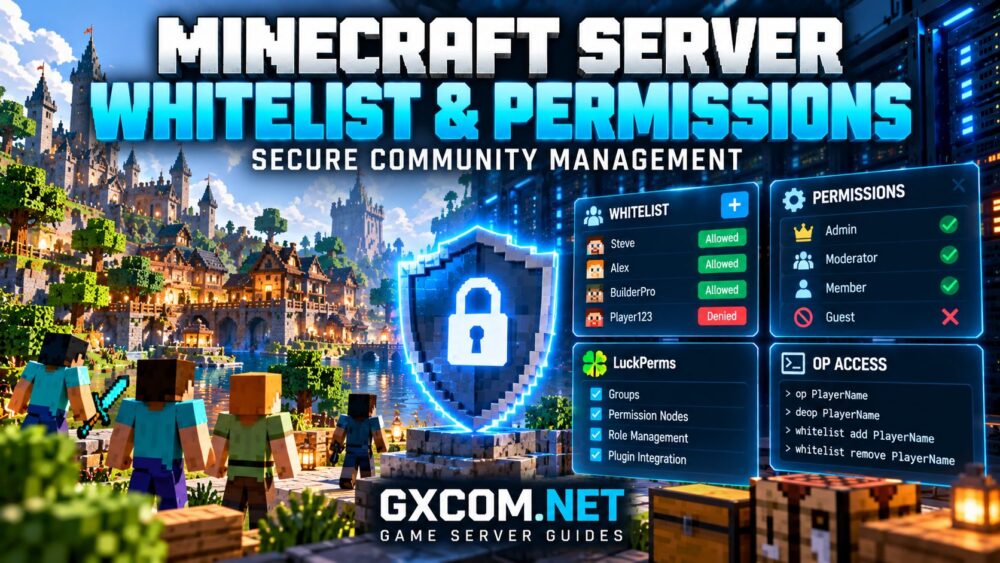
What Is a Minecraft Server Whitelist?
A Minecraft whitelist is an access-control list that restricts server entry to approved players. Minecraft Java Edition uses the term whitelist, while Bedrock Edition commonly uses allowlist in its dedicated-server configuration.
When enabled, players who are not authorized cannot normally join, even if they know the server address.
Whitelisting is especially useful for:
- Private survival worlds shared with friends.
- School or family Minecraft communities.
- Invitation-only modded servers.
- Small communities protecting valuable builds.
- Development servers testing plugins or updates.
However, whitelisting is not a replacement for account authentication, secure administrator credentials, or regular backups.
How to Enable a Minecraft Java Server Whitelist
On a compatible Minecraft Java dedicated server, administrators can enable whitelisting through the server console.
Step 1: Enable the Whitelist
whitelist onThis activates whitelist enforcement. If your hosting panel provides a console, enter the command without a leading slash. In the in-game command interface, use a slash and the appropriate permission level.
Step 2: Add an Authorized Player
whitelist add PlayerNameReplace PlayerName with the player’s actual Minecraft Java username. The server resolves the account identity when adding the entry.
Step 3: Review Approved Players
whitelist listCheck the list regularly, particularly after community membership changes.
Step 4: Remove Access
whitelist remove PlayerNameRemoving a player prevents future authorized entry while whitelist enforcement remains enabled. If the player is already connected, an administrator may also need to disconnect them.
Step 5: Reload the List
whitelist reloadThis reloads whitelist information from storage when manual changes require it. Prefer official commands over directly editing files while the server is running.
Java Whitelist Settings in server.properties
Minecraft Java servers also support whitelist-related settings in the server.properties file.
white-list=true
enforce-whitelist=true
online-mode=true
The white-list setting enables access restrictions. On supported Java server versions, enforce-whitelist controls how whitelist changes affect connected players.
Keep online-mode enabled for normal authenticated Java servers. Disabling authentication introduces account impersonation risks and can undermine access controls.
Some proxy networks require additional configuration to preserve authenticated player identities. Administrators should follow the documentation for their exact proxy and backend software.
For deployment fundamentals, see our 《我的世界》服务器托管对比 before selecting an environment for a private community.
How Bedrock Server Allowlisting Works
Minecraft Bedrock Dedicated Server uses different configuration conventions from Java Edition.
In its server.properties file, access control can be enabled with:

allow-list=true
online-mode=true
Supported Bedrock Dedicated Server builds provide allowlist management commands, including:
allowlist add PlayerName
allowlist list
allowlist remove PlayerName
Bedrock identity handling differs from Java, and names containing spaces may require quoting. Consult the documentation for your installed Bedrock server version.
Do not assume Java whitelist files, permission plugins, or configuration options work unchanged on Bedrock.
我们的 《我的世界》Java版与基岩版服务器托管 guide explains additional compatibility differences.
Minecraft Whitelist vs Permissions: What’s the Difference?
A whitelist controls admission. A permissions system controls the actions available after admission.
| 功能 | Whitelist | 权限 |
|---|---|---|
| 主要目的 | Control entry | Control actions |
| 典型用户 | Approved players | Members and staff |
| 示例 | Allow or deny joining | Moderation and plugin commands |
| 管理 | Built-in commands | OP levels or compatible plugins |
A whitelisted player should not automatically receive administrative privileges. Separating access approval from authorization helps reduce accidental damage and abuse.
Understanding Minecraft OP Permissions
Operator privileges grant access to administrative commands according to the server implementation and configured permission levels.
On Java Edition, administrators can grant or revoke operator status using:
op PlayerName
deop PlayerName
Operator access may allow powerful actions involving players, world settings, and server administration.
Grant OP only to trusted administrators who genuinely need it. Avoid assigning operator privileges merely because someone requests access to a single plugin command.
Where supported, use granular permission controls instead of broad administrative privileges.
Using LuckPerms for Minecraft Permissions
LuckPerms is a popular permissions management solution for compatible Minecraft Java server platforms, including supported Paper-based environments.
It allows administrators to create groups and assign permission nodes without granting unrestricted operator access.
After installing a compatible version, administrators can use commands such as:
lp creategroup moderator
lp user PlayerName parent add moderator
These commands create a moderator group and assign a player to it. However, creating a group does not automatically grant useful moderation capabilities.
Individual permission nodes must match the installed plugins and their documented command permissions.
For example, a plugin-specific permission can be assigned using:
lp group moderator permission set example.permission trueThe example.permission value is illustrative, not a real permission that automatically enables moderation. Replace it with a documented node from your installed plugin.
For modded or customized servers, consult our 纸张、织物与锻造的对比 before choosing a permissions solution.
Recommended Permission Groups for Communities
A simple role structure is usually easier to secure and maintain than numerous overlapping groups.
| Group | Suggested Responsibility |
|---|---|
| Member | Normal gameplay commands |
| Trusted | Limited community features |
| Moderator | Defined player moderation tasks |
| Administrator | Server configuration and management |
Apply the principle of least privilege: give each role only the permissions necessary for its responsibilities.
Review inherited permissions carefully, especially when multiple plugins provide overlapping commands or wildcard permission nodes.
Common Minecraft Security Mistakes
Even a whitelisted server can remain vulnerable to configuration mistakes.
- Granting OP privileges to ordinary members.
- Disabling account authentication without understanding the consequences.
- Using outdated or untrusted plugins.
- Exposing administrative interfaces without suitable protection.
- Keeping former staff accounts authorized indefinitely.
- Failing to maintain recoverable world backups.
Regularly review staff access, update compatible server software, and restrict remote administration credentials.
Whitelisting does not protect against every exploit or malicious action by an already approved player.
Choosing Secure Minecraft Server Hosting
A suitable hosting provider should make routine security administration manageable without requiring unnecessary access to the underlying operating system.
ScalaCube 以及 Sparked 主持人 are options to investigate for Minecraft communities seeking managed hosting. Before ordering, confirm the selected plan supports the server edition, console access, and required plugins.
Godlike.Host 以及 Supercraft.host are additional candidates worth comparing for compatible Minecraft hosting configurations.
Shockbyte is another Minecraft hosting option to evaluate. Check current panel capabilities, backup availability, and software compatibility rather than assuming every plan offers identical features.
For smaller communities, our 面向小型社区的游戏服务器托管服务 guide provides additional purchasing considerations.

Protecting World Data and Administrator Access
Access restrictions reduce unwanted entry, but they cannot reverse accidental deletion, world corruption, or malicious changes by authorized users.
Maintain independent backups of world files, configuration settings, and relevant plugin data.
Keep administrative account credentials private, enable multifactor authentication wherever supported, and remove unused staff permissions promptly.
我们的 Minecraft server backup and migration guide explains how to prepare world data for recovery.
Minecraft Community Security Checklist
- Enable Java whitelisting or Bedrock allowlisting.
- Keep supported account authentication enabled.
- Remove inactive or unauthorized player entries.
- Limit OP access to essential administrators.
- Use compatible granular permissions where appropriate.
- Review plugins and staff privileges regularly.
- Protect hosting-panel and remote-access credentials.
- Maintain and test independent backups.
常见问题解答
Does a Minecraft whitelist stop hackers?
No. A whitelist restricts entry to approved identities but cannot eliminate software vulnerabilities, compromised accounts, or malicious behavior by authorized players.
Can players join without being whitelisted?
Normally not when whitelist enforcement is correctly enabled, although operators and customized server implementations may have exceptions. Verify your actual configuration.
Is LuckPerms required for a private Minecraft server?
No. Small private communities can often operate with built-in access controls. LuckPerms becomes useful when compatible servers require more detailed group and plugin permissions.
Are Java and Bedrock permission systems identical?
No. Their dedicated-server implementations, identity systems, and compatible extensions differ. Use instructions appropriate to your edition and server software.
结语
A properly configured Minecraft server whitelist provides the first layer of access control, while carefully assigned permissions help protect players and valuable world data.
Combine authenticated accounts, minimal administrator privileges, compatible permission tools, and tested backups. Secure community management depends on consistent administration, not simply enabling one server setting.