Minecraft server performance optimization starts with identifying why a multiplayer world feels slow. Players may experience delayed block interactions, sluggish mobs, rubber-banding, or chunks that take too long to appear.
These problems do not always mean your server needs more RAM. Tick processing, simulation distance, chunk generation, plugins, and storage performance can create different bottlenecks.
This guide explains how to interpret TPS and MSPT, configure view distance, improve chunk loading, and decide when upgrading Minecraft hosting makes sense.
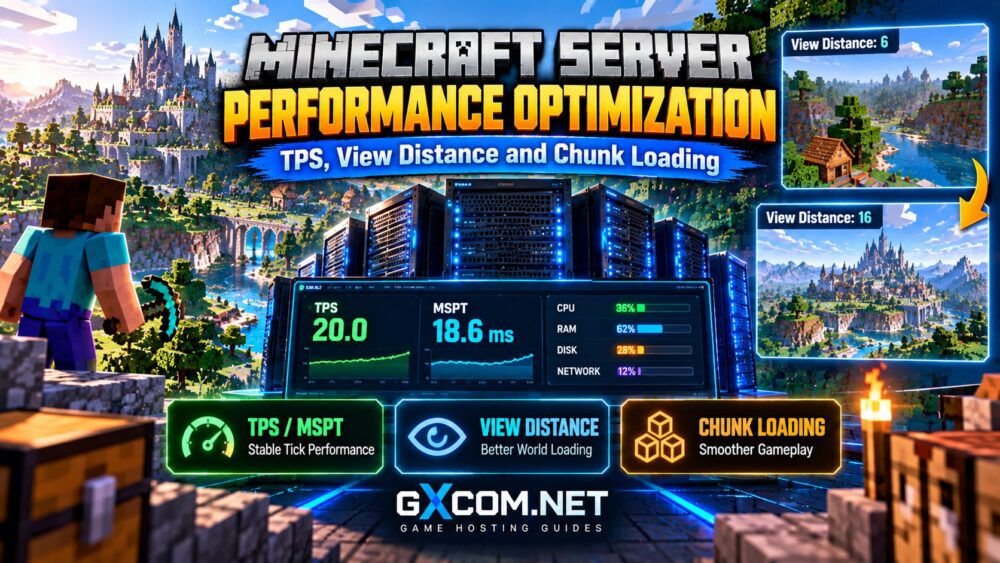
Understanding Minecraft TPS and MSPT
Minecraft Java Edition normally targets 20 ticks per second (TPS). Each tick updates important game systems, including entities, world activity, and scheduled operations.
At 20 TPS, the server has approximately 50 milliseconds available to process each tick.
MSPT (milliseconds per tick) measures how long tick processing takes. When sustained processing time exceeds the available budget, the server cannot maintain its target TPS.
| 公制 | 其含义 | Interpretation |
|---|---|---|
| 20 TPS | Normal target tick rate | Server keeps pace with simulation |
| 25 MSPT | 25 milliseconds per tick | Generally within the tick budget |
| 45 MSPT | 45 milliseconds per tick | Limited processing headroom |
| 60 MSPT | 60 milliseconds per tick | Sustained load may reduce TPS |
Short spikes are not necessarily serious. Focus on sustained measurements during representative player activity.
For broader technical context, read our 游戏服务器更新频率指南.
1. Optimize View Distance and Simulation Distance
Two Minecraft settings significantly affect the amount of world activity the server manages.
View Distance
View distance controls how far the server sends chunk data to players. Higher values can increase loaded-world demands, memory usage, and network traffic.
Simulation Distance
Simulation distance controls the area around players where many gameplay systems, including entity activity and scheduled world updates, are actively simulated.
Reducing simulation distance can decrease processing work, although it may change farms, mob behavior, and gameplay expectations.
As a practical starting point, administrators can test a view distance around 6–10 chunks and a simulation distance around 4–6 chunks, then adjust according to workload and player feedback. These are testing ranges, not universal optimal settings.
对于正在考虑采用托管式主机服务的社区,, Supercraft.host 以及 Sparked 主持人 are relevant Minecraft hosting options to evaluate. Confirm supported server software, configuration access, and resource policies before purchasing.

2. Reduce Chunk Loading and Generation Lag
Chunk loading and chunk generation are different operations. Loading retrieves existing world data, while generation creates terrain that has not previously been explored.
Generating new terrain can increase CPU usage and produce noticeable tick-time spikes when players explore rapidly.
World pregeneration tools can help by creating selected areas before a public launch or major expansion.
However, pregeneration consumes resources and disk space. Run it during maintenance periods, establish a reasonable world border, and back up the world beforehand.
Also monitor storage latency. NVMe drives can help with disk-intensive operations, but they cannot eliminate every CPU-related chunk-generation bottleneck.
3. Identify Plugins, Mods and Entity Bottlenecks
Plugins, mods, villagers, mobs, hoppers, and automation systems can increase tick processing time.
Instead of removing components randomly, use a compatible profiler such as spark to investigate where processing time is being spent.
Record measurements during peak activity and compare results after individual changes.
Common optimization targets include excessive entity populations, poorly configured farms, expensive plugin tasks, and repeated chunk-loading operations.
Be careful with aggressive entity-clearing tools: they may disrupt legitimate gameplay without resolving the underlying cause.
For server software selection, see our Paper vs Fabric vs Forge comparison.
4. Choose Hosting That Supports Stable Tick Performance
When software optimization is no longer sufficient, hosting resources become the next consideration.
Compare consistent CPU performance, usable RAM, storage behavior, backup options, and management flexibility rather than relying only on advertised player slots.
Supercraft.host
Supercraft.host is worth evaluating for Minecraft-focused hosting. Check available server software, processor information, and configuration controls for your intended workload.
Sparked 主持人
Sparked 主持人 is another Minecraft hosting candidate. Review plan resources, supported server versions, and upgrade options before committing.
ScalaCube
ScalaCube can be considered when comparing Minecraft and modded server hosting. Confirm the selected package supports your plugins or modpack and offers adequate memory headroom.
Godlike.Host
Godlike.Host is also relevant for Minecraft communities evaluating hosting infrastructure. Verify current hardware details, server locations, backup capabilities, and management tools.
重要提示: These are comparison candidates, not independently benchmarked performance rankings. Features and hardware allocations can differ by plan.
探索我们的 最佳《我的世界》服务器托管服务 guide for broader purchasing considerations.
5. Allocate RAM Without Overprovisioning
Insufficient memory can cause garbage-collection pressure, instability, or crashes. However, allocating excessive Java heap memory does not automatically improve TPS.
The operating system, hosting panel, and other processes also need memory. Modded servers may require substantially different allocations from lightweight vanilla communities.
Monitor actual heap usage and garbage-collection behavior before changing Java settings.
我们的 《我的世界》服务器内存要求 guide explains how to plan memory around player counts and modifications.
Minecraft Server Optimization Checklist
- Measure TPS and MSPT during normal and peak activity.
- Record CPU, RAM, disk, and network utilization.
- Test lower view and simulation distances.
- Investigate expensive plugins, mods, and entities.
- Consider pregenerating heavily explored regions.
- Verify storage performance and available disk space.
- Back up the world before major configuration changes.
- Upgrade hardware only after identifying the bottleneck.
Change one major variable at a time so improvements can be measured reliably.

When Should You Upgrade Your Minecraft Server?
Consider upgrading when profiling shows sustained CPU saturation, memory exhaustion, or storage limitations after reasonable optimization.
A faster CPU may help when tick processing is the bottleneck. Additional RAM may help when memory pressure is confirmed.
If performance problems occur only for geographically distant players, investigate network routing before purchasing more processing power.
For general troubleshooting, review our game server lag reduction guide.
常见问题解答
What Is a Good TPS for Minecraft?
Minecraft Java servers normally target 20 TPS. Consistently lower values indicate the server may be unable to maintain its intended simulation speed.
Does Lower View Distance Improve TPS?
It can reduce chunk-related demands, although the improvement depends on world activity and the actual performance bottleneck.
Does More RAM Fix Minecraft Server Lag?
Only when insufficient memory contributes to the problem. More RAM will not resolve overloaded simulation threads or poor network routing.
Should I Use Paper for Better Performance?
Paper offers performance-oriented configuration options, but compatibility and gameplay behavior should be evaluated before switching server software.
Final Verdict: Measure Before Upgrading
生效 Minecraft server performance optimization combines accurate TPS and MSPT monitoring, sensible distance settings, controlled chunk generation, and careful plugin analysis.
Start by measuring the bottleneck, make targeted adjustments, and verify the results under real player activity.
Choose hosting that supports your workload reliably rather than assuming more RAM or higher advertised specifications will automatically eliminate lag.