选择一个 Linux VPS for Redis requires more than matching the database size to advertised RAM. Redis stores working data primarily in memory, while persistence, client buffers, memory fragmentation, and operating system processes consume additional resources.
Insufficient headroom can cause failed writes, Linux out-of-memory (OOM) events, or severe latency when memory pages are swapped to disk. This guide explains how to size Redis, configure persistence, diagnose memory pressure, and compare VPS hosting options.
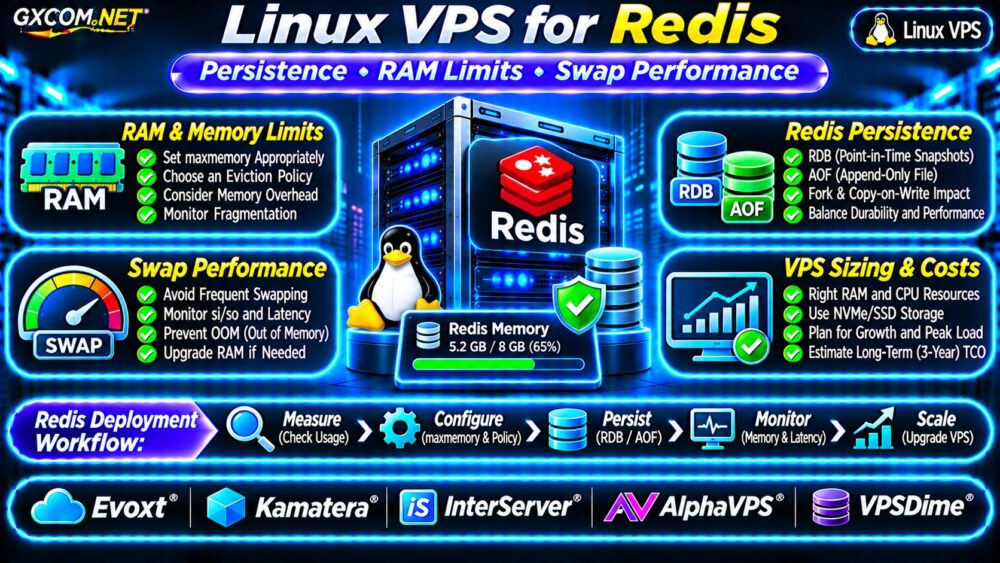
How Much RAM Does Redis Need on a Linux VPS?
Redis memory requirements depend on dataset size, data structures, connected clients, persistence settings, and workload behavior.
A 2GB dataset does not necessarily fit safely inside a 2GB VPS. Redis needs memory for metadata and internal structures, while Linux and other services require their own allocations.
Persistence can temporarily increase memory demand through fork-related copy-on-write activity.
Illustrative Redis VPS Sizing
| 工作量 | 启动 VPS 内存 | 首要考虑因素 |
|---|---|---|
| Development or small cache | 2–4GB | Dataset growth |
| Production application cache | 4–8GB | Eviction and headroom |
| Growing session or queue workload | 8–16GB | Durability and concurrency |
| Large in-memory dataset | 32GB+ | Peak memory and recovery |
These are planning examples, not guaranteed capacities. Measure actual memory consumption before choosing a plan.
Measure Redis Memory Usage
Use Redis CLI to inspect memory allocation:
redis-cli INFO memory
redis-cli INFO stats
redis-cli CONFIG GET maxmemory
Important fields include used_memory, used_memory_rss, mem_fragmentation_ratio, ,以及 maxmemory.
Resident memory can exceed logical dataset memory because of allocator behavior, fragmentation, and other overhead.
Monitor these values over time, especially during traffic peaks and background persistence operations.
Configure Redis maxmemory and Eviction
该 maxmemory setting limits memory usage for Redis eviction decisions, but it is not a strict limit on the process’s total resident memory.
For a dedicated 8GB VPS, an illustrative starting point might be:
maxmemory 5gb
maxmemory-policy allkeys-lru
This reserves nominal headroom for Linux, Redis overhead, and persistence. Actual requirements must be measured.
该 allkeys-lru policy is suitable for some disposable caches, but not for workloads where evicting arbitrary keys would cause data loss.
With noeviction, Redis generally rejects writes that would exceed its configured limit rather than removing keys.
Choose the policy based on whether Redis stores replaceable cache data or business-critical information.

Redis Persistence: RDB vs AOF
Redis supports two common persistence mechanisms: RDB snapshots and append-only files (AOF).
| 功能 | RDB | AOF |
|---|---|---|
| 方法 | Point-in-time snapshots | Records write operations |
| Durability | Depends on snapshot frequency | Depends on fsync policy |
| Operational concern | Fork and snapshot I/O | Write I/O and rewrite overhead |
| 典型用途 | Periodic recovery points | More granular durability |
RDB can be appropriate for replaceable caches or periodic recovery. AOF may better suit workloads requiring reduced potential data loss, although it introduces additional write activity.
Neither mechanism replaces independently stored, tested backups.
Understand Fork and Copy-on-Write Memory
Background saving and AOF rewriting can involve a forked process. Pages modified while the child process runs may increase memory consumption through copy-on-write.
A heavily written dataset can therefore require significantly more RAM during persistence than during steady-state operation.
显示器 latest_fork_usec and persistence statistics, and leave sufficient free memory for peak activity.
Why Swap Can Slow Redis Dramatically
Linux swap moves memory pages to disk when memory pressure increases. Redis operations that access swapped-out pages may experience substantial latency.
NVMe storage is fast compared with traditional disks, but it remains much slower than RAM for in-memory access patterns.
Inspect system memory and swap activity:
free -h
vmstat 1 10
swapon --show
在 vmstat, sustained nonzero si 以及 so values indicate swap-in and swap-out activity.
Do not assume that disabling swap fixes insufficient memory. It may instead increase OOM risk. Reduce memory demand or increase RAM when measurements demonstrate persistent pressure.
For related storage behavior, see our NVMe VPS 存储性能指南.
Check Redis Latency and Persistence Health
Run these commands during representative application activity:
redis-cli --latency
redis-cli INFO persistence
redis-cli SLOWLOG GET 10
The latency utility helps reveal response-time variation. Persistence statistics show background save and rewrite status.
Slowlog records command execution time, not the complete network round trip, so compare it with application-side latency measurements.
For PostgreSQL-based applications using Redis as a cache, our Linux VPS for PostgreSQL Guide covers complementary database resource planning.
Secure Redis Before Production Deployment
Redis should not be exposed openly to the internet. Bind it to trusted interfaces, restrict network access, and configure appropriate authentication and ACLs.
Use encrypted connections where required, maintain supported Redis versions, and limit administrative commands to authorized users.
Check the host’s broader security posture using our 非托管服务器安全检查清单.
Five Linux VPS Providers for Redis
These GXCOM.NET-approved affiliate providers are candidates for self-managed Redis deployments. Verify current specifications and support responsibilities before ordering.
Evoxt: Smaller Redis Deployments
Evoxt is worth evaluating for compact application caches. Compare available RAM, CPU allocation, storage capacity, and upgrade flexibility.
Kamatera: Configurable VPS Resources
卡马特拉 may suit applications requiring adjustable memory and compute resources. Confirm available Linux images, backup options, and recurring infrastructure costs.
InterServer: Long-Term VPS Budgeting
InterServer provides another option for comparing Linux VPS resources. Review RAM allocation, storage performance, support boundaries, and billing terms.
AlphaVPS: Self-Managed Linux Workloads
AlphaVPS is relevant for administrators comfortable configuring Redis themselves. Evaluate memory capacity, storage options, and backup responsibilities.
VPSDime: Memory-Focused Workloads
VPSDime deserves consideration when memory capacity is a major purchasing factor. Verify CPU policies, available RAM, storage performance, and product availability.
将这些选项与我们的 最佳VPS服务商对比.

Calculate Redis VPS Operating Costs
Consider a hypothetical 8GB VPS costing $18 monthly. Adding $5 for independent backups and $7 for monitoring or administration creates a $30 monthly operating budget.
That equals $360 annually or $1,080 over three years, assuming unchanged expenses.
A larger-memory VPS may cost more but reduce eviction pressure or eliminate performance problems caused by insufficient RAM.
For budget comparisons, consult our 经济实惠的VPS服务商指南.
Redis VPS Buying Checklist
- Measure dataset size, RSS, and peak memory usage.
- Reserve RAM for Linux, fragmentation, and persistence.
- Choose an appropriate maxmemory and eviction policy.
- Evaluate RDB/AOF durability and recovery requirements.
- Monitor swap activity, fork behavior, and latency.
- Verify backups, security, and upgrade flexibility.
常见问题解答
Is 4GB RAM Enough for Redis?
It can be sufficient for smaller datasets, but actual capacity depends on overhead, persistence, and competing services.
Should Redis Use Swap?
Redis performs best when its active working set remains in RAM. Sustained swapping is a warning that memory capacity or workload configuration needs attention.
Is AOF Better Than RDB?
Neither is universally better. Choose based on acceptable data loss, write overhead, recovery needs, and operational complexity.
最终裁决
The right Linux VPS for Redis provides sufficient RAM headroom, predictable CPU performance, appropriate persistence storage, and reliable recovery options.
Compare Evoxt, Kamatera, InterServer, AlphaVPS, and VPSDime using measured workload requirements rather than advertised memory alone. Proper sizing and monitoring can prevent expensive performance problems.