Cloud hosting promises flexibility, but not every provider gives customers meaningful control over server resources or billing. Fixed VPS packages can leave growing applications paying for unused capacity while struggling with the resources they actually need.
在这篇 Kamatera Cloud Server 评论, we examine how its customizable infrastructure works, what its CPU options mean, how hourly and monthly billing differ, and whether the platform is suitable for production websites, applications, and business workloads.
卡马特拉 offers configurable virtual servers alongside networking, storage, security, and managed infrastructure services. Its strongest appeal is the ability to build a cloud server around your workload rather than accept a rigid package.
However, flexibility also introduces decisions about CPU allocation, operating systems, backups, bandwidth, and ongoing management. Those choices can substantially change the final bill.
Kamatera Cloud Server Review: Quick Verdict
Kamatera is a compelling option for developers, growing businesses, and technical teams that need adjustable cloud resources without committing to a conventional fixed-size VPS.
Its strengths include customizable CPU and RAM allocations, multiple CPU resource classes, SSD-based storage, worldwide deployment options, and hourly or monthly billing.
The biggest limitation is complexity. Selecting the wrong CPU type or overlooking backups, software licensing, and managed services can undermine an otherwise attractive configuration.
| 功能 | 评估 |
|---|---|
| 资源自定义 | Strong flexibility across CPU, RAM, and storage |
| CPU 分配 | Multiple classes with different resource guarantees |
| 账单 | Hourly and monthly options |
| 操作系统 | Linux 和 Windows 选项 |
| 缩放 | Resources can be adjusted as requirements change |
| 备份 | Optional paid daily backup service |
| 管理 | Self-managed by default; managed services available |
Our verdict: Kamatera deserves consideration when deployment flexibility and precise resource selection matter more than the simplicity of a preconfigured hosting package.
Custom Cloud Resources: How Much Control Do You Get?
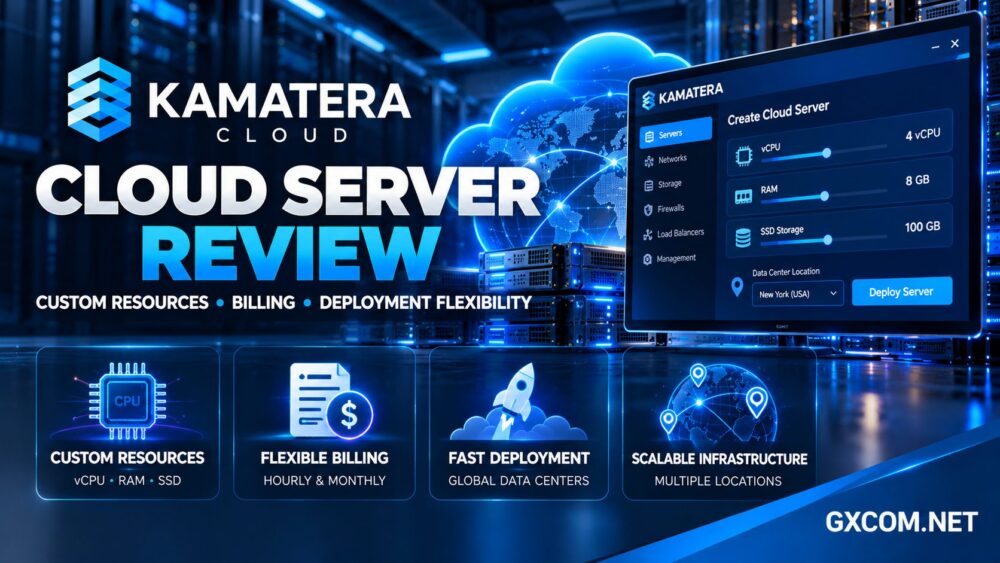
Kamatera allows customers to configure cloud servers using selected CPU resources, memory, storage, operating systems, and data center locations.
This is particularly useful when an application requires an unusual resource balance. A database might need substantial RAM but relatively few CPU cores, while an application server could require more processing capacity without equally large storage allocations.
Instead of moving between preset VPS tiers, administrators can build a configuration closer to actual workload requirements.
For readers comparing these infrastructure models, our 云托管与VPS对比 explains the practical differences between fixed virtual servers and flexible cloud environments.
Understanding Kamatera’s Four CPU Types
One of Kamatera’s most important differentiators is its CPU classification system. Not all virtual CPUs offer the same resource guarantees.
A类:可用性
Type A uses non-dedicated physical CPU threads without guaranteed CPU resources. It can suit lightweight development, testing, small services, and applications with modest processing demands.
Its lower entry cost is attractive, but sustained CPU-heavy applications should not assume exclusive processor access.
B型:通用型
Type B assigns virtual CPUs to dedicated physical CPU threads with reserved resources. This makes it a stronger candidate for production websites, application servers, and databases requiring more consistent compute availability.
T型:突发型
Type T also provides reserved CPU-thread resources, but its pricing includes additional consumption charges when average CPU utilization exceeds the published threshold.

It may suit applications with low baseline demand and occasional bursts. Consistently busy workloads could produce less predictable bills.
D型:专用型
Type D assigns resources from dedicated physical CPU cores, making it relevant to applications that require stronger CPU isolation.
Dedicated CPU allocation should not be confused with renting an entire physical dedicated server. The product remains a virtual cloud server.
购买建议: Match the CPU class to sustained utilization, not merely the number of advertised vCPUs.
Cloud Storage and Deployment Flexibility
Kamatera’s server configurator includes NVMe SSD storage options and the ability to add storage according to application requirements.
This flexibility helps developers separate compute requirements from data growth. For example, an application might need additional storage long before it needs more RAM or CPU resources.
However, storage capacity alone does not establish performance. Database responsiveness depends on latency, I/O contention, application design, and workload characteristics.
Administrators should also verify whether changing a particular disk allocation requires migration, downtime, or additional configuration.
Kamatera supports different operating system deployments, including Linux and Windows Server options. Software compatibility, licensing, and available images should be checked in the configuration tool.
How Fast Can You Deploy and Scale?
Kamatera promotes rapid cloud server provisioning through its management console. Customers can select resources and operating systems, then deploy an instance without purchasing physical hardware.
For development teams, this can simplify staging environments, temporary workloads, application testing, and new regional deployments.
The platform also supports resource adjustments and additional infrastructure services such as firewalls, private networking, and load balancing.
Still, resizing a virtual server is not identical to automatic application scaling. Some changes may require a reboot, and applications must be designed to handle increased traffic or additional server instances.
Businesses expecting unpredictable growth should plan application architecture alongside infrastructure capacity.
我们的 best cloud hosting services guide provides broader criteria for evaluating scalability and operational requirements.
Kamatera Billing: Hourly vs Monthly Explained
Billing flexibility is a major reason to consider Kamatera, but its pricing models require careful attention.
Monthly Cloud Servers
Monthly billing is suitable for persistent applications that operate continuously. It provides a more familiar budgeting structure, although upgrades and cancellation timing can affect invoices.
Kamatera explains that monthly servers are billed according to the selected configuration, with specific prorating rules for changes. Cancelling partway through a month does not necessarily eliminate that month’s charges.
Hourly Cloud Servers
Hourly billing is attractive for temporary environments, testing, and workloads that do not need continuous operation.
However, shutting down an hourly server does not necessarily stop every charge. Kamatera states that storage and IP resources can continue generating smaller charges while the server is powered off.
Fully terminating an instance is different from merely stopping it. Always preserve necessary data before deleting cloud resources.
Additional Costs to Check
- Operating system and commercial software licenses
- Extra storage capacity and attached resources
- Bandwidth allowances and additional traffic
- Managed operating system services
- Extended daily backups
- Additional networking or security services
- CPU utilization charges on applicable burstable configurations
Use the provider’s current pricing calculator to estimate your complete configuration rather than relying on the lowest advertised starting rate.
Backups, Security and Server Management
Kamatera offers optional daily backup services, with published documentation describing retention of up to 14 days.
This can simplify recovery planning, but it should not replace independent backups for important applications.
Administrators should confirm backup scope, retention, restoration procedures, and whether application-consistent recovery requires additional configuration.
Security also depends on the customer’s chosen management model. Self-managed servers require operating system updates, firewall configuration, access control, monitoring, and application maintenance.
Kamatera provides optional managed services for customers who need more operational assistance.
我们的 托管型与非托管型主机指南 explains how support responsibilities influence the true cost of server ownership.
Network Locations and Application Performance
Kamatera operates a geographically distributed cloud infrastructure, allowing customers to select locations closer to users or business operations.
Regional placement can improve application responsiveness, particularly for latency-sensitive services and remote administration.
However, data center proximity is only one factor. Routing quality, application caching, database performance, and external dependencies also influence response times.
Kamatera publishes infrastructure availability commitments, but an uptime target should not be interpreted as proof that every application will remain continuously available.
Without independently measured benchmarks for a specific configuration, exact performance rankings against competitors would be speculative.
Kamatera vs Alternative Cloud Hosting Providers
Kamatera is especially relevant when precise server customization matters. Other established infrastructure providers may fit different operational priorities.
Vultr is worth considering for developers comparing cloud compute products, deployment locations, and straightforward instance selection.
Hetzner may appeal to technically experienced teams seeking cost-conscious cloud infrastructure and European deployment options.
OVHcloud deserves evaluation for businesses comparing cloud services, networking, and broader infrastructure requirements.

Cloudways takes a different approach by emphasizing managed cloud hosting. It may be more suitable for website owners who prefer application management conveniences over direct infrastructure configuration.
For a closer look at managed alternatives, read our 托管云主机对比.
Who Should Choose Kamatera Cloud Servers?
Kamatera is particularly suitable for developers who need customized virtual machines, SaaS teams planning resource changes, agencies deploying multiple client environments, and businesses with specialized Linux or Windows applications.
It is less suitable for beginners who expect a fully managed website platform without additional configuration or management costs.
Buyers seeking the simplest possible fixed monthly package may also prefer a conventional VPS provider.
Before ordering, identify your workload’s CPU utilization pattern, memory requirements, storage growth, regional needs, and backup expectations.
常见问题解答
Is Kamatera a VPS or cloud hosting provider?
Kamatera provides configurable cloud virtual machines that can serve VPS-style workloads while offering broader cloud infrastructure flexibility.
Does Kamatera offer dedicated CPU resources?
Yes, selected CPU types provide reserved threads or dedicated physical core resources. The entry-level availability class does not provide the same CPU guarantees.
Does Kamatera charge when a server is stopped?
Stopped hourly servers may continue generating storage and IP-related charges. Monthly servers follow their own billing and cancellation rules.
Are backups included automatically?
Extended daily backup is an optional service. Customers should confirm their selected protection plan and maintain independent backups.
Can Kamatera run Linux and Windows applications?
Yes. Kamatera offers Linux and Windows Server deployment options, subject to image availability and applicable licensing requirements.
Final Verdict: Is Kamatera Worth It?
这个 Kamatera Cloud Server review finds a flexible infrastructure platform for customers who want greater control over CPU allocation, memory, storage, operating systems, and deployment locations.
Its greatest advantage is customization. Its greatest challenge is understanding how CPU classes, billing rules, and optional services affect total operating costs.
For developers and growing businesses prepared to manage those decisions, Kamatera is a credible cloud hosting candidate. Compare the complete configuration, test your intended workload, and review billing conditions before committing.