Choosing a Windows VPS is more complicated than comparing CPU cores, RAM, and monthly prices. Remote Desktop permissions, Microsoft licensing, backup availability, and server management can determine whether a hosting plan is genuinely suitable for your workload.
在这篇 AccuWeb Windows VPS 评论, we examine how AccuWeb 主机服务 approaches these requirements, where its Windows VPS plans offer practical advantages, and which limitations deserve attention before checkout.
AccuWeb positions its Windows VPS services for remote administration, IIS and ASP.NET hosting, SQL Server applications, and business software. Its standard Windows VPS plans include a licensed Windows Server operating system, making licensing one of the provider’s most relevant selling points.
However, backup availability and upgrade options depend partly on server location and plan configuration. Buyers should evaluate the complete package rather than relying on an advertised starting price.
AccuWeb Windows VPS Review: Quick Verdict
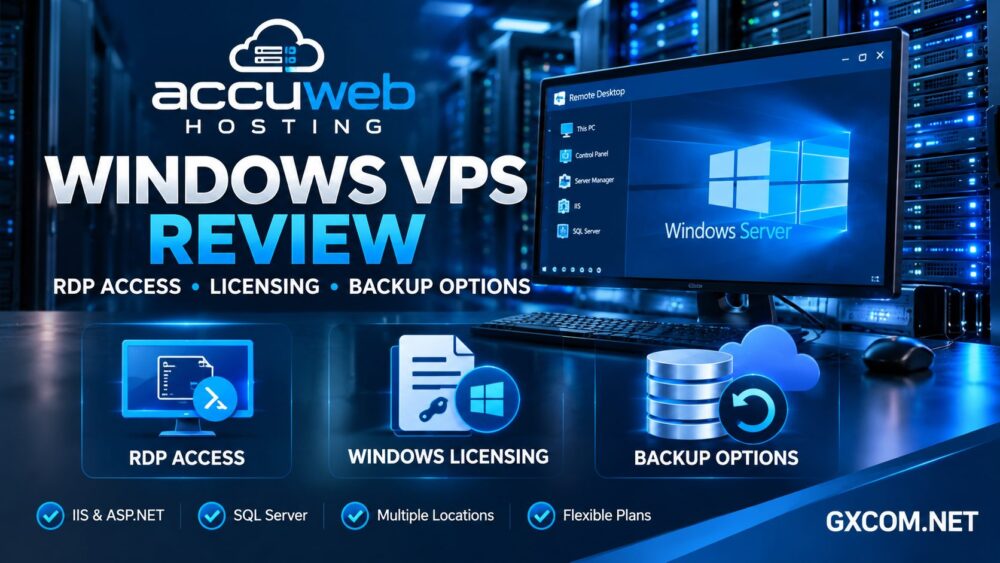
AccuWeb is worth considering if you want a Windows Server VPS with administrator-level Remote Desktop access and an operating system license included in the standard plan.
Its Windows-oriented application stack also makes it relevant for developers deploying IIS websites, ASP.NET applications, and compatible SQL Server workloads.
The main caution concerns optional services. Daily backups, additional Remote Desktop licensing, premium management, and certain software licenses may increase the total cost.
| 功能 | What Buyers Should Know |
|---|---|
| Windows 许可 | Included with standard licensed Windows VPS plans |
| 远程桌面 | RDP access with administrator control |
| Windows versions | Version availability varies by location |
| 存储 | SSD-based allocations vary by plan |
| 备份 | Complimentary backups at selected locations |
| 每日备份 | Optional paid service |
| 管理 | Basic infrastructure support; managed assistance available separately |
Our assessment: AccuWeb is a reasonable shortlist candidate for licensed Windows VPS hosting, especially when predictable operating system licensing and familiar Windows administration tools matter.
Windows VPS Plans and Resource Allocation
AccuWeb offers several Windows VPS tiers with different allocations of virtual CPUs, memory, SSD storage, and monthly transfer.
Entry-level configurations are better suited to lightweight administration, development environments, or modest applications. Larger configurations provide additional headroom for business software, multiple services, and more demanding databases.
Resource selection should begin with your workload. Windows Server consumes memory before your applications start, so a minimal-memory VPS may feel restrictive when running a graphical desktop, browser, monitoring tools, and database services simultaneously.
For heavier workloads, evaluate sustained CPU requirements, storage growth, and memory utilization rather than choosing a plan solely because it advertises more virtual cores.
我们的 best VPS providers guide offers broader context for comparing resource allocations and infrastructure quality.
RDP Access: What Does AccuWeb Provide?
Remote Desktop Protocol allows administrators to connect to a Windows Server environment through a graphical interface.
AccuWeb advertises full RDP access and administrator control for its Windows VPS products. This is useful for configuring applications, managing Windows services, maintaining IIS websites, and troubleshooting software that requires a desktop interface.
Administrator Access vs Multiple RDP Users
Administrator access does not automatically mean unlimited simultaneous Remote Desktop users.
AccuWeb indicates that most Windows VPS plans support up to two concurrent RDP users, while additional Remote Desktop licensing is available for qualifying requirements.
Microsoft licensing distinguishes remote administration from certain multi-user desktop and application-serving scenarios. Businesses planning to provide interactive sessions to employees or customers should verify the necessary Remote Desktop Services licensing before deployment.

How to Secure Your RDP Connection
- 请使用强密码且唯一的管理员凭据。.
- 在支持的情况下,请启用网络级身份验证。.
- Restrict RDP access through firewall rules or a VPN.
- Keep Windows Server security updates current.
- Monitor unsuccessful login attempts.
- Protect the hosting account with multifactor authentication.
Exposing RDP directly to the internet without access restrictions creates unnecessary security risk. A dedicated IP address alone does not protect a server from unauthorized login attempts.
Windows Server Licensing: Included or Extra?
Licensing is a major distinction between Windows VPS products and many Linux VPS plans.
AccuWeb states that its standard Windows VPS offerings include an activated Windows Server license. This simplifies initial budgeting because buyers do not need to calculate a separate recurring Windows Server charge for those plans.
However, the included operating system license should not be confused with licenses for every Microsoft product.
Windows Server 版本
AccuWeb lists Windows Server 2019, 2022, and 2025 options, but availability differs across data centers. Its published documentation identifies additional restrictions for Windows Server 2025.
Confirm your preferred version at the selected location before ordering, particularly when application compatibility or organizational policies require a specific release.
SQL Server and RDS Licensing
SQL Server Express is listed among the available options, while commercial SQL Server editions and additional Remote Desktop Services licensing may involve separate charges.
Software vendors may also impose their own license conditions for hosted environments. Check these requirements before migrating proprietary business applications.
For a deeper explanation of how licensing affects cloud hosting bills, see our Kamatera Windows VPS licensing review.
AccuWeb Backup Options and Recovery Limitations
Backup coverage is one of the most important details to verify before purchasing an AccuWeb Windows VPS.
According to the provider’s published documentation, complimentary backups are available at selected locations, including Denver, New York, London, Frankfurt, and Hyderabad.
Daily backups are offered as an additional service. Buyers should not assume that every location receives the same complimentary backup schedule or retention policy.
下单前需确认的问题
- Is complimentary backup coverage included at my chosen location?
- How frequently are recovery points created?
- How many previous backups are retained?
- Can I download backups independently?
- 可以恢复单个文件吗?
- Are restoration services included or billed separately?
For business-critical deployments, maintain independent backups outside the production VPS. Provider-managed recovery points should complement, rather than replace, your own disaster recovery strategy.
Always test a restoration procedure before relying on backups for production continuity.
Performance, Virtualization and Server Locations
AccuWeb advertises Windows VPS infrastructure across multiple geographic regions. Location selection can influence application responsiveness, especially when users connect through RDP for extended sessions.
A server near your primary users will often provide a better interactive experience than a distant server, although routing and network congestion also matter.
The provider references virtualization technologies including Hyper-V at selected locations. However, virtualization type, available upgrades, and Windows versions may vary by region.
Without controlled benchmarks on an identified plan, it would be misleading to claim a particular CPU speed, disk throughput, or guaranteed RDP latency.
Before choosing a configuration, ask whether CPU resources are shared, how storage performance is allocated, and whether the selected location supports future upgrades.
Management, Support and Windows Applications
AccuWeb’s Windows application ecosystem includes IIS, ASP.NET, compatible .NET workloads, and database hosting options.
Its Windows VPS plans are therefore relevant to developers who need more control than conventional shared hosting provides.
However, infrastructure support and full operating system management are different services.
Basic support may address hosting infrastructure issues, while tasks such as application troubleshooting, custom software maintenance, database optimization, and advanced security configuration may remain the customer’s responsibility unless a managed service covers them.
我们的 托管型与非托管型主机指南 explains how these responsibilities affect long-term server ownership.
AccuWeb Windows VPS Pricing and Hidden Costs
The best way to compare Windows VPS offers is to calculate the complete recurring cost.
Begin with the selected plan and billing term. Then include any required daily backups, additional RDP licensing, commercial database software, management services, and resource upgrades.
Also examine promotional pricing versus renewal pricing. A discounted introductory rate may not represent the cost of keeping the server for several years.
AccuWeb’s standard licensed Windows VPS plans should also be distinguished from limited-duration evaluation products, which may have different licensing and backup conditions.
我们的 Kamatera vs AccuWeb Windows VPS comparison examines how different licensing and configuration models affect the overall bill.
AccuWeb vs Other Windows VPS Hosting Providers
AccuWeb is not the only option for Windows-based workloads. Several alternatives deserve consideration depending on licensing, management, and configuration requirements.
Hostwinds is worth evaluating for Windows VPS hosting and support options. Confirm the final configuration and licensing costs before comparing it with AccuWeb.
VPS托管服务 may appeal to buyers prioritizing Windows VPS resource allocations and budget planning. Check available locations, license inclusion, and current backup terms.

数据库集市 is another Windows-focused infrastructure candidate. Compare its billing commitments, storage allocation, and management scope rather than relying on introductory pricing alone.
卡马特拉 offers a more configurable cloud server approach, which may suit users who need flexible resource selection. Its Windows licensing and optional services should be included in the cost comparison.
For buyers primarily interested in inexpensive virtual servers, our cheap VPS providers guide provides additional selection criteria.
Who Should Choose AccuWeb Windows VPS?
AccuWeb may be a good fit for Windows developers, administrators managing compatible business applications, and users who value an included Windows Server license with graphical remote access.
It is less compelling when your application runs efficiently on Linux, when you require an unrestricted multi-user remote desktop environment without additional licensing, or when your chosen location lacks necessary backup features.
Before checkout, confirm the operating system version, RDP session requirements, backup schedule, support responsibilities, and renewal conditions.
常见问题解答
Does AccuWeb Windows VPS include an RDP connection?
Yes. AccuWeb advertises Remote Desktop access and administrator control for its standard Windows VPS offerings.
是否包含 Windows Server 许可证?
Standard licensed Windows VPS plans include Windows Server licensing. Other Microsoft software and additional Remote Desktop licensing may cost extra.
Does AccuWeb provide free VPS backups?
Complimentary backups are available at selected locations. Daily backups are offered separately, so verify coverage for your exact plan and region.
Can I install SQL Server or ASP.NET applications?
AccuWeb supports Windows development environments, including IIS, ASP.NET, and SQL Server options. Application compatibility and commercial licensing should be checked individually.
最终裁决
这个 AccuWeb Windows VPS review finds a practical option for buyers who need licensed Windows Server hosting, RDP administrator access, and support for common Microsoft application workloads.
Its most important limitations involve location-dependent backup coverage, additional licensing for certain use cases, and the distinction between infrastructure support and full server management.
Compare the final recurring bill, verify your backup and RDP requirements, and select a location that fits your users before committing to a Windows VPS plan.