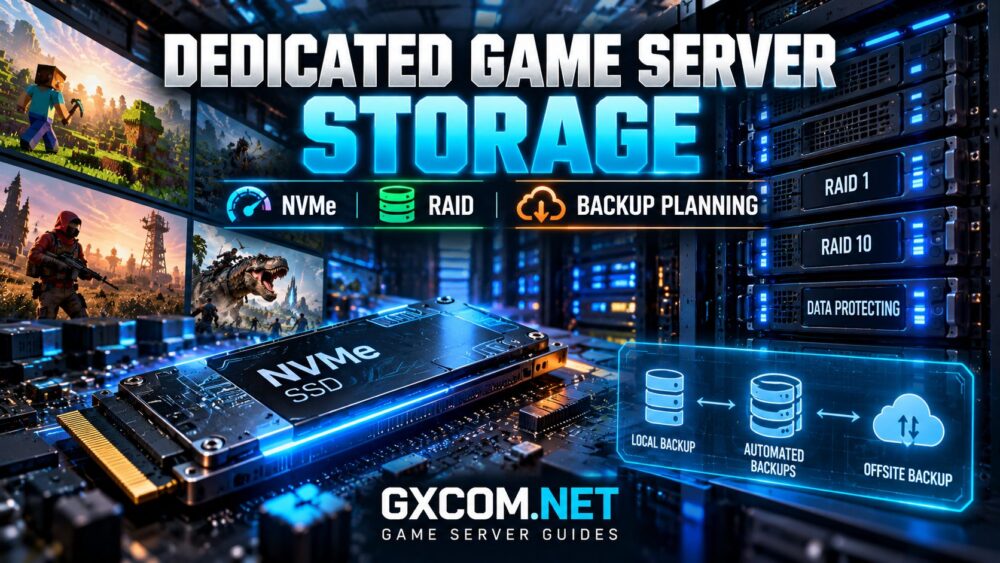
选择合适的 dedicated game server storage is about more than buying the fastest SSD. Minecraft worlds, Rust saves, and ARK server data all depend on reliable storage, but their performance requirements and recovery risks differ.
NVMe drives can reduce storage latency, RAID can improve availability after certain disk failures, and a properly designed backup system can protect against data loss. However, these technologies solve different problems.
This guide explains how to plan storage capacity, compare NVMe and RAID configurations, and build a practical backup strategy for dedicated multiplayer game servers.
Why Dedicated Game Server Storage Matters
Game servers continuously read configuration files, load world data, maintain databases, and write persistent player progress. Storage performance becomes particularly important during world generation, startup, saving, and recovery.
Slow or overloaded disks may contribute to:
- Long server startup and map loading times.
- Delayed world saves and occasional I/O stalls.
- Slower backup creation and restoration.
- Extended maintenance after unexpected failures.
- Reduced responsiveness during storage-intensive operations.
Storage is not responsible for every performance problem. CPU simulation delays, insufficient memory, network instability, and poorly optimized modifications can produce similar symptoms.
Before upgrading disks, review our 专用游戏服务器的配置要求 guide to evaluate the complete hardware configuration.
NVMe vs SATA SSD vs HDD for Game Servers
Different storage technologies offer different performance characteristics. NVMe SSDs communicate through PCIe and generally provide higher throughput and lower protocol overhead than traditional SATA SSDs.
SATA SSDs remain suitable for many game servers, while mechanical hard drives are better suited to less latency-sensitive storage tasks.
| 存储类型 | 主要优势 | 典型用途 |
|---|---|---|
| NVMe 固态硬盘 | High IOPS and low latency | Active game worlds and databases |
| SATA 固态硬盘 | Solid performance and value | Moderate game workloads |
| HDD | Economical bulk capacity | Archives and secondary backups |
NVMe is especially useful when applications perform many small reads and writes or require rapid access to large collections of files.
However, switching from SATA SSD to NVMe will not automatically increase Minecraft TPS or resolve CPU-bound Rust and ARK simulation problems.
How NVMe Storage Affects Minecraft, Rust and ARK
《我的世界》服务器
Minecraft frequently accesses chunk and world data. NVMe storage can help during intensive world generation, chunk loading, and backup operations.
Nevertheless, server tick performance also depends heavily on CPU processing, memory management, plugins, and simulation settings.
For heavily modified environments, storage performance should be evaluated alongside the requirements discussed in our Minecraft large modpack hosting 指南。.
Rust 服务器
Rust servers maintain persistent world and player information. Faster storage can reduce delays associated with certain save, startup, and file-management operations.
Administrators should also plan sufficient capacity for logs, configuration files, modifications, and backup archives.
Storage upgrades cannot compensate for overloaded processors or excessive entity simulation workloads.
ARK 服务器
ARK: Survival Ascended and ARK: Survival Evolved can maintain substantial world-save data, particularly in established communities.
Fast SSD storage can improve certain loading and file operations, but backup consistency and sufficient memory remain important.
Large tribes and extensive building activity can increase operational complexity. See our 面向大型部落的《方舟》服务器托管服务 guide for broader resource planning.

Understanding RAID for Dedicated Game Servers
RAID combines multiple drives to provide redundancy, performance improvements, or both, depending on the configuration.
It can help maintain service after certain hardware failures, but RAID does not protect against every form of data loss.
RAID 0: Performance Without Redundancy
RAID 0 distributes data across multiple drives. It can increase aggregate storage performance but provides no fault tolerance.
If one participating drive fails, the entire array may become unusable. RAID 0 is generally unsuitable for irreplaceable game-world data without strong independent protection.
RAID 1: Mirrored Storage
RAID 1 mirrors data between drives. In a typical two-drive configuration, one drive can fail without immediately losing the mirrored data, assuming the remaining drive and array are healthy.
Usable capacity is approximately equal to one drive rather than the combined capacity of both.
RAID 1 is a practical option for smaller dedicated servers requiring straightforward disk redundancy.
RAID 10: Performance and Redundancy
RAID 10 combines mirroring and striping, typically requiring at least four drives.
It can provide strong I/O performance and tolerate certain drive failures. However, simultaneous failures within the same mirrored pair can still destroy the array.
| 配置 | Minimum Drives | 冗余 | Primary Tradeoff |
|---|---|---|---|
| RAID 0 | 2 | 无 | Higher failure exposure |
| RAID 1 | 2 | Mirroring | Reduced usable capacity |
| RAID 10 | 4 | Mirrored pairs | More drives required |
为什么RAID不是备份
RAID protects against selected disk failures, not every data-loss event.
Accidental deletion, ransomware, corrupted world files, administrative mistakes, and compromised accounts can affect all drives in an array.
A mirrored drive may immediately replicate corrupted or deleted data. RAID also does not guarantee recovery after catastrophic hardware damage.
Reliable game hosting therefore requires independent backups stored outside the primary server or storage array.
Building a 3-2-1 Game Server Backup Strategy
The traditional 3-2-1 approach recommends three copies of important data, across two storage media or independent storage systems, with one copy stored offsite.
For a dedicated game server, this could include:
- The active game-world data on local NVMe storage.
- A separate backup copy on independent storage.
- An offsite copy in another data center or protected storage service.
Backup frequency should reflect the amount of progress your community can afford to lose.
For example, a busy multiplayer community may require more frequent recovery points than a small private server used occasionally.
Offsite copies should ideally include versioning and protection against unauthorized deletion.
RPO and RTO: Planning Recovery Objectives
Two useful measurements help administrators design backup schedules.
恢复点目标(RPO) 描述了以时间为单位衡量的最大可接受数据丢失量。.
恢复时间目标(RTO) describes how quickly service should be restored after disruption.
For example, a community targeting a one-hour RPO needs a backup process capable of providing recovery points no more than approximately one hour apart under its defined conditions.
A short RTO may require prepared replacement infrastructure, tested restoration procedures, and accessible backup storage.
These are planning targets, not guarantees that every incident can be resolved within a fixed period.
How to Back Up Game Worlds Safely
Simply copying active game files is not always sufficient. Files may change during copying, producing inconsistent recovery data.
Use the following workflow:
- Identify world saves, player data, configuration files, and required modifications.
- Use the game’s supported save command or backup mechanism where available.
- Temporarily stop writes or shut down the server when necessary for consistency.
- Create a verified backup using an appropriate filesystem or backup tool.
- Transfer the backup to independent storage.
- Periodically restore backups to a separate testing environment.
Different games and server implementations require different save procedures. Minecraft, Rust, ASA, and ASE should not be treated as having identical backup mechanisms.
For Minecraft-specific restoration and migration considerations, consult our Minecraft server backups and world migration 指南。.
How Much Storage Does a Dedicated Game Server Need?
Storage capacity depends on the game, world size, player activity, installed modifications, logs, and backup retention policy.
Administrators should calculate:
- Operating system and application requirements.
- Current world and player-data size.
- Expected growth from maps, mods, and updates.
- Temporary space required during updates and restores.
- Backup retention and compression requirements.
A server with ample active storage can still encounter problems if backup archives consume all remaining disk space.
Maintain sufficient free capacity for routine maintenance and unexpected growth rather than selecting a plan based solely on current save-file size.
Choosing a Provider for Storage and Backup Reliability
When evaluating dedicated infrastructure, ask providers about physical drive configuration, RAID availability, replacement procedures, storage monitoring, and offsite backup options.

AlphaVPS can be investigated as a self-managed VPS infrastructure alternative, but its products should not be assumed to provide dedicated physical servers or configurable RAID without confirmation.
For managed game hosting, 主持人哈沃克, 生存服务器, ,以及 Godlike.Host are additional candidates to compare for supported games.
These providers may simplify certain administrative tasks, but available storage hardware, backup schedules, retention limits, and recovery options must be verified for the specific product.
For a wider infrastructure comparison, see our 最佳专用游戏服务器 指南。.
Dedicated Game Server Storage Checklist
- Choose NVMe or SSD storage appropriate to the workload.
- Check physical drive capacity and usable RAID capacity.
- Understand RAID failure tolerance and limitations.
- Maintain independent, preferably offsite backups.
- Define realistic RPO and RTO targets.
- Verify save consistency and restoration procedures.
- Monitor storage health, free space, and I/O performance.
- Confirm provider support and replacement policies.
常见问题解答
Is NVMe necessary for dedicated game servers?
Not always. NVMe can benefit storage-intensive workloads, but SATA SSDs remain suitable for many smaller game communities.
Is RAID 1 enough to protect game-world data?
No. RAID 1 provides disk redundancy but cannot replace independent backups against corruption, deletion, or security incidents.
Does RAID 10 improve game server FPS or TPS?
Not directly. RAID 10 can improve certain storage operations, but game simulation performance may remain limited by CPU, memory, or software behavior.
How often should game servers be backed up?
Backup frequency depends on player activity, acceptable data loss, and operational requirements. Important communities should define recovery objectives and test them regularly.
结语
生效 dedicated game server storage planning combines suitable SSD performance, appropriate disk redundancy, and independently recoverable backups.
NVMe helps with demanding storage operations, RAID can reduce disruption from selected drive failures, and tested backups protect persistent game progress. Evaluate all three together before committing to long-term hosting infrastructure.