GXCOM WordPress WordPress Website Security Guide: How to Protect Your Site From Attacks

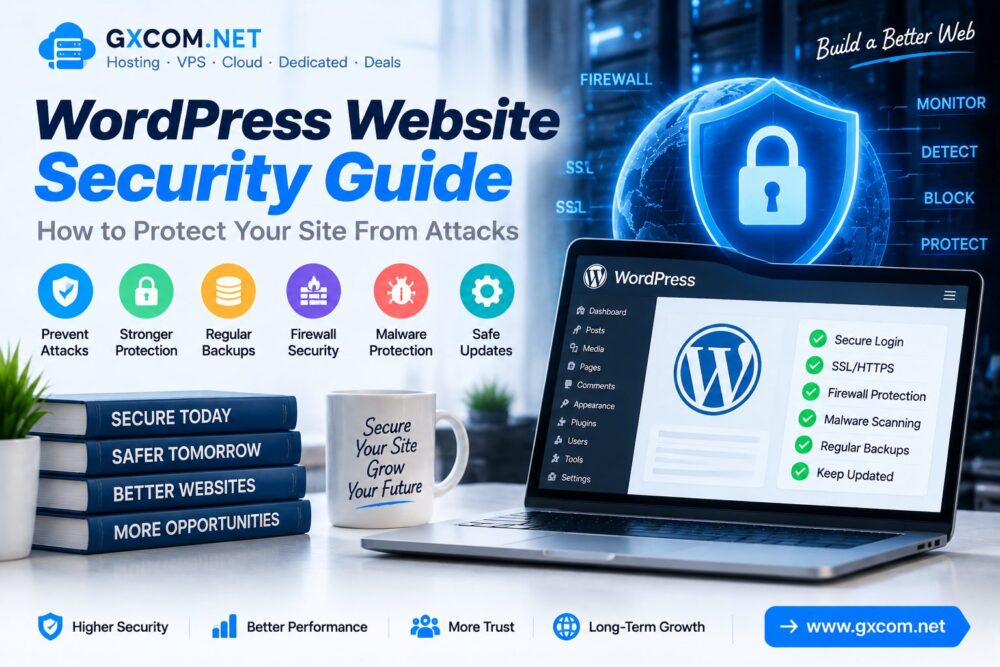
WordPress Website Security Guide: How to Protect Your Site From Attacks

WordPress powers millions of websites worldwide, but its popularity also makes it a common target for automated attacks, malware attempts and security vulnerabilities.

A secure WordPress website requires more than installing a security plugin. Hosting configuration, software updates, passwords, backups and server protection all play important roles.

This WordPress Website Security Guide explains how to protect your site from attacks and improve overall website security.

wordpress-website-security-guide

Why WordPress Website Security Matters

Website security affects business reputation, search visibility and visitor trust.

A compromised WordPress website may experience:

  • Malware infections
  • Unauthorized access
  • Data loss
  • SEO ranking problems
  • Website downtime

Common WordPress Security Threats

Threat Description
Brute Force Attacks Repeated login attempts to access accounts
Malware Malicious code injected into websites
Plugin Vulnerabilities Security issues caused by outdated plugins
SQL Injection Unauthorized database manipulation
Phishing Attempts to steal user information

1. Keep WordPress Core Updated

Keeping WordPress updated is one of the simplest ways to improve website security.

Updates usually include:

  • 安全补丁
  • Bug fixes
  • Performance improvements
  • Compatibility improvements

Always update:

  • WordPress core
  • Themes
  • Plugins

2. Use Strong Administrator Passwords

Weak passwords remain one of the most common causes of unauthorized website access.

Security best practices include:

  • Use long passwords
  • Avoid common words
  • Use password managers
  • Create unique passwords
  • Enable two-factor authentication

3. Install a WordPress Security Plugin

Security plugins provide additional protection by monitoring website activity and blocking suspicious behavior.

Common security features include:

  • 防火墙保护
  • Login protection
  • Malware scanning
  • 安全监控
  • File integrity checks

4. Enable SSL Certificate and HTTPS

SSL encryption protects communication between visitors and your website.

A secure HTTPS connection helps:

  • Protect visitor data
  • Improve website trust
  • Prevent data interception
  • Meet modern browser standards

Learn more about website encryption in our SSL security guides.

5. Choose Secure WordPress Hosting

Hosting security is an important foundation of website protection.

A reliable WordPress hosting environment should provide:

  • 服务器监控
  • Regular backups
  • 安全更新
  • 恶意软件防护
  • 可靠的基础设施

Compare hosting options through our best WordPress hosting 指南。.

6. Create Regular Website Backups

Backups provide a recovery option when websites experience attacks, errors or accidental data loss.

A good backup strategy includes:

  • 自动备份
  • Database backups
  • Off-site storage
  • Regular recovery testing

7. Limit Login Attempts

Brute force attacks attempt to guess usernames and passwords through repeated login requests.

Protection methods include:

  • Login attempt limits
  • Two-factor authentication
  • Changing default login settings
  • Monitoring suspicious activity

8. Remove Unused Themes and Plugins

Unused WordPress components can create unnecessary security risks.

Recommended actions:

  • Delete unused plugins
  • Remove inactive themes
  • Download plugins from trusted sources
  • Review plugin permissions

9. Protect WordPress Database

The database contains important website information including posts, users and settings.

Database security practices include:

  • Using secure database credentials
  • Regular backups
  • Limiting access permissions
  • Removing unnecessary data

10. Improve Server-Level Security

Advanced users can improve WordPress security through server configuration.

Important measures include:

  • 防火墙配置
  • Regular server updates
  • Secure SSH settings
  • File permission management
  • 恶意软件监控

WordPress Security Checklist

Security Action 重要性
SSL Enabled 必填
Regular Backups 必填
Updated Plugins 必填
Strong Passwords 必填
安全监控 Recommended

WordPress Security vs Hosting Security

Security Layer Protection Area
WordPress Settings Website configuration
Plugins Application protection
SSL 数据加密
Hosting Server Infrastructure protection

How Hosting Affects WordPress Security

Website security depends partly on the hosting environment.

Secure hosting providers often provide:

  • 服务器监控
  • DDoS防护
  • 自动备份
  • 安全工具
  • 技术支持

For websites requiring more control, explore our 最佳VPS评测 for advanced server solutions.

常见问题解答

Is WordPress secure by default?

WordPress provides a secure foundation, but website owners need to maintain updates, passwords, plugins and hosting security.

How can I protect my WordPress website from hackers?

Use strong passwords, enable SSL, update software, create backups and use reliable hosting.

Do WordPress security plugins work?

Security plugins can provide additional protection when properly configured alongside good website practices.

Does SSL protect WordPress from attacks?

SSL protects data transmission but should be combined with other security measures.

结语

WordPress security requires continuous attention rather than a one-time setup.

Keeping software updated, using secure hosting, enabling SSL and maintaining backups can significantly reduce security risks.

By following these WordPress security practices, website owners can build safer, more reliable websites ready for long-term growth.

© GXCOM.NET。本网站上的所有内容均代表我们团队的独立研究、编辑分析及原创见解。任何转载、引用或再发布均须注明原始来源,并附上原文链接。.https://www.gxcom.net/zh/wordpress-website-security-guide/
下一篇
wordpress-website-security-guide

没有更多帖子了

发表评论

您的电子邮件地址不会被公开。必填项已用 * 标记

返回顶部