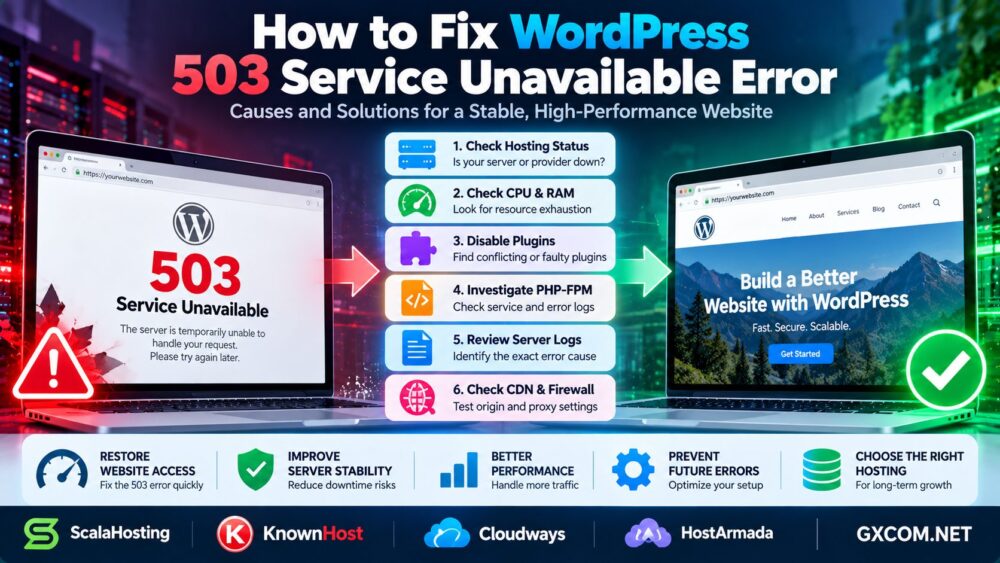
Seeing “Error Establishing a Database Connection” on your WordPress website? This message usually means WordPress cannot connect to its MySQL or MariaDB database.
The cause may be incorrect database credentials, an unavailable database server, exhausted connections, or a configuration problem after migration.
This guide explains how to diagnose the WordPress database connection error, restore access safely, and prevent recurring failures.
What Causes the WordPress Database Connection Error?
WordPress stores posts, settings, user accounts, and other essential information in a database. When it cannot establish a database connection, the website may become inaccessible.
简答: Check your database credentials, verify the MySQL service, test connectivity, review server logs, and investigate resource or connection limits.
| 可能的原因 | 需要检查的内容 | Typical Action |
|---|---|---|
| Wrong credentials | wp-config.php | Correct database settings |
| Database service down | MySQL/MariaDB status | Investigate and restore service |
| Connection limit reached | Database logs and metrics | Reduce load or adjust capacity |
| Incorrect database host | DB_HOST and DNS | Use the correct endpoint |
| 数据库损坏 | Database diagnostics | Repair or restore safely |
| Migration error | New server configuration | Verify imported data and access |
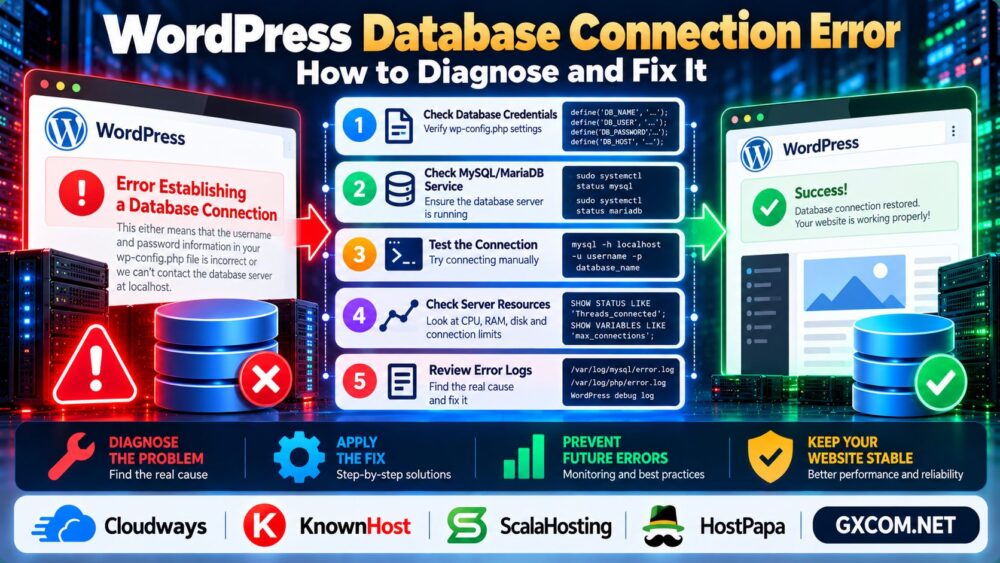
1. Check Database Credentials in wp-config.php
Start with the wp-config.php file in your WordPress installation directory.
Check these settings:
define('DB_NAME', 'database_name');
define('DB_USER', 'database_user');
define('DB_PASSWORD', 'your_password');
define('DB_HOST', 'localhost');
These values are examples. Your actual database host may be a hostname, IP address, or provider-specific endpoint.
Compare the configuration with the database details in your hosting control panel.
Security tip: Never share your real database password in public support requests or screenshots.
2. Check Whether MySQL or MariaDB Is Running
If the credentials are correct, confirm that the database service is available.
On Linux servers using systemd, administrators can check:
sudo systemctl status mysql
sudo systemctl status mariadb
Use the service name installed on your system; you do not need both services.
If the service has stopped, review its logs before restarting it. Common causes include memory exhaustion, disk problems, and configuration errors.

A restart may restore access temporarily, but recurring failures require further investigation.
3. Test the Database Connection Directly
A direct connection test helps distinguish WordPress configuration problems from database availability issues.
On a server with the MySQL client installed, try:
mysql -h localhost -u database_user -p database_nameReplace the example values with the correct database host, username, and database name.
Enter the password when prompted rather than including it directly in the command.
If the connection fails, inspect the exact error message. Authentication failures, connection refusals, and timeouts indicate different problems.
4. Check Database Connection Limits and Server Resources
WordPress may lose database connectivity when MySQL reaches connection limits or the server experiences severe resource pressure.
Administrators with sufficient database permissions can inspect:
SHOW GLOBAL STATUS LIKE 'Threads_connected';
SHOW VARIABLES LIKE 'max_connections';
These values show current connections and the configured connection limit, but they do not independently establish the root cause.
Also check CPU, RAM, disk availability, and database logs.
我们的 服务器性能监控指南 explains how to investigate resource bottlenecks.
5. Investigate Database Corruption Carefully
Database corruption can cause WordPress errors, although a connection error alone does not prove that corruption exists.
Review database logs and identify affected tables before attempting repairs.
WordPress includes a database repair utility that can be temporarily enabled using:
define('WP_ALLOW_REPAIR', true);However, the repair page does not require normal WordPress authentication while this setting is enabled.
Use it only when necessary, restrict exposure where possible, and remove the setting immediately afterward.
For production databases, create a verified backup before repair operations whenever feasible.
请参阅我们的 专用服务器备份策略 for data protection and recovery planning.
6. Fix Database Connection Errors After Migration
Database errors often appear after moving WordPress to another server.
Verify that the database was imported successfully and that the new database user has the required permissions.
检查 DB_HOST, database credentials, firewall rules, and connectivity between the WordPress application and database server.
If the database is hosted remotely, confirm that the connection is permitted from the application server.
For migration planning, read our WordPress 零停机迁移指南.
7. Review WordPress and Server Error Logs
When the cause remains unclear, investigate database server logs, PHP logs, and hosting platform events.
Look for authentication failures, connection exhaustion, process crashes, disk errors, and service restarts.
WordPress debugging may help identify related application problems, but a database connection failure can occur before normal WordPress logging is available.
A database connection error is also different from a generic HTTP 503 response. For broader availability issues, see our WordPress 503 Troubleshooting Guide.
什么时候应该升级 WordPress 主机?
Not every database connection error requires a hosting upgrade.
First correct invalid credentials, configuration errors, inefficient queries, and unnecessary database connections.
For growing WordPress websites, Cloudways is relevant when evaluating managed cloud hosting and operational convenience.
KnownHost 以及 ScalaHosting are worth comparing for managed hosting or VPS requirements, while HostPapa provides another WordPress hosting option to evaluate.
Before purchasing, verify database resource limits, backup arrangements, technical support scope, and renewal pricing.
我们的 托管型与非托管型主机指南 explains the operational differences.
How to Prevent Future Database Connection Errors
- Monitor MySQL availability and connection usage.
- Maintain sufficient disk space and memory headroom.
- Keep WordPress, plugins, and database software updated.
- Test migrations and configuration changes before deployment.
- Maintain reliable, independently stored backups.
- Configure uptime and database service alerts.
常见问题解答
What does Error Establishing a Database Connection mean?
WordPress cannot establish a connection to the configured MySQL or MariaDB database.

Can incorrect wp-config.php settings cause this error?
Yes. Incorrect database names, usernames, passwords, or host settings can prevent authentication or connectivity.
Can low RAM cause a WordPress database connection error?
Yes. Severe memory pressure may interrupt database processes, although logs are needed to confirm the cause.
Should I restart MySQL to fix the error?
Only after checking service status and relevant logs. Restarting may temporarily restore access without resolving the underlying issue.
Will repairing the WordPress database fix every connection error?
No. Repairs are relevant only when corruption is identified. Credential and connectivity problems require different solutions.
Do I need to change hosting providers?
Not necessarily. Change hosting only when recurring resource limitations or support requirements justify the move.
最终裁决
To fix a WordPress database connection error, begin with wp-config.php, verify database service availability, test connectivity, and review resource usage and logs.
Protect your data before attempting repairs, and upgrade hosting only when monitoring confirms a persistent infrastructure limitation.
Check Credentials → Verify MySQL → Test Connection → Review Logs → Restore Stability.