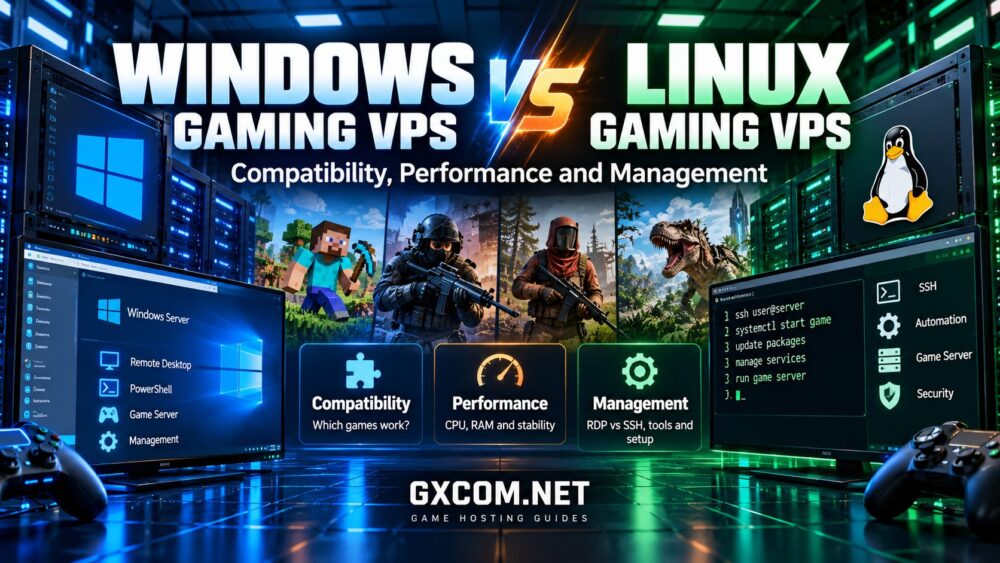
游戏服务器:Windows 与 Linux VPS 对比 对于任何计划在虚拟专用服务器上托管多人游戏的人来说,这都是一项重要的决定。操作系统会影响游戏的兼容性、资源使用情况、远程管理、安全维护,以及为维持服务器运行所需的技术工作量。.
Linux 之所以常被青睐,主要是因为其轻量级的服务器环境、命令行自动化功能以及灵活的管理工具。然而,当游戏需要 Windows 专用的服务器软件,或者管理员依赖基于 Windows 的管理应用程序时,Windows 可能才是更实用的选择。.
这两种操作系统都无法保证能提供更好的多人游戏性能。正确的选择取决于游戏本身、可用的专用服务器软件、您的经验以及VPS背后的托管资源。.
本指南对比了 Windows 和 Linux 游戏 VPS 环境,阐述了它们各自的优势和局限性,并帮助您在购买或部署多人游戏服务器之前选择合适的操作系统。.
Windows 与 Linux 游戏 VPS:快速对比
游戏VPS是一种虚拟服务器,它提供了一个操作系统环境,管理员可以在其中安装和管理兼容的多人游戏服务器。.
与典型的托管游戏主机方案不同,自主管理的VPS通常能让管理员对系统软件包、防火墙规则、后台服务以及游戏服务器配置拥有更大的控制权。.
这种灵活性同时也带来了维护、安全及故障排除方面的额外责任。.
| 功能 | Windows 游戏 VPS | Linux 游戏 VPS |
|---|---|---|
| 游戏兼容性 | 适用于仅限 Windows 的专用服务器应用程序 | 如果存在受支持的原生 Linux 服务器构建,效果极佳 |
| 系统资源 | 图形化管理可能会增加基准资源使用量 | 精简安装可减少后台开销 |
| 远程管理 | 远程桌面、PowerShell 和 Windows 管理工具 | SSH、终端工具、Web 控制面板和自动化脚本 |
| 自动化 | PowerShell 和 Windows 任务计划程序 | Shell 脚本、systemd 和定时任务 |
| 许可 | Windows 许可可能会影响总托管成本 | 许多常见的 Linux 发行版无需支付操作系统许可费 |
| 安全维护 | Windows 更新、防火墙策略和远程访问控制 | 软件包更新、SSH 安全、防火墙规则和服务权限 |
| 学习曲线 | Windows 桌面用户通常都很熟悉 | 通常受到熟悉 Linux 的管理员的青睐 |
| 最佳匹配 | Windows 专用软件和以图形用户界面为导向的工作流程 | 支持原生 Linux 服务器和自动化托管环境 |
快速推荐: 如果您的游戏拥有支持完善的原生 Linux 专用服务器,且您希望采用精简、自动化的托管环境,请选择 Linux。如果服务器应用程序或关键管理工具需要 Windows 系统,请选择 Windows。.
在确定采用哪种方案之前,请先确认您打算托管的具体游戏版本所支持的操作系统。.
操作系统为何对游戏服务器托管至关重要
一个多人游戏服务器会同时执行多项任务。它处理玩家操作、维护游戏状态、进行网络通信、管理游戏世界数据,并可能运行插件或管理工具。.
操作系统为这些进程的运行提供了环境。它还决定了可以使用哪些服务器二进制文件、库、服务和管理工具。.
例如,一款采用原生 Linux 专用服务器的游戏,在精简版 Linux 系统上可能运行得非常流畅。而一款仅以 Windows 服务器应用程序形式发布的游戏,在 Windows Server 上部署起来可能更为简单。.
因此,兼容性应作为您首要的决策因素。只有在确认游戏服务器能够正常运行之后,CPU性能、内存分配和网络质量等指标才具有比较意义。.
从游戏入手,而非从VPS配置入手
在比较主机套餐之前,请先确认该游戏的官方专用服务器要求。.
请确认开发者是否提供了 Windows 服务器版本、Linux 服务器版本,或是两者兼有。此外,还需查看支持的运行时环境、必需的依赖项,以及任何可能影响模组或社区插件的限制。.
例如,正在考虑 AlphaVPS 或者,另一家专注于基础设施的VPS服务商应确认可用的操作系统镜像,以及目标游戏服务器是否可以在不使用不受支持的变通方案的情况下进行安装。.
同样,诸如……之类的托管游戏服务提供商 Godlike.Host 当管理员更倾向于使用针对特定游戏的控制面板,而非维护整个操作系统时,这可能为受支持的游戏提供一种更便捷的途径。.
如需了解硬件和资源规划的概述,请阅读我们的 游戏VPS配置指南.
游戏兼容性:哪些游戏可以在 Windows 和 Linux 上运行?
在关于 Windows 与 Linux VPS 的争论中,兼容性往往是决定性因素。.
游戏客户端在 Windows 上运行,并不意味着其专用服务器也必须运行在 Windows 上。开发者可能会针对多种操作系统发布独立的服务器应用程序。.
同样,一款兼容 Linux 的游戏客户端并不能保证 Linux 系统上支持所有的专用服务器功能、插件或第三方工具。.
《我的世界》Java版
《我的世界》Java版是一个很好的例子,说明游戏服务器既可以在Windows上运行,也可以在Linux上运行。.
其基于 Java 的服务器软件可在受支持的 Java 运行时环境中运行,前提是操作系统和已安装的 Java 版本符合所选《我的世界》版本的要求。.
Linux 之所以在自建《我的世界》Java 服务器中广受欢迎,是因为管理员可以使用轻量级发行版、终端管理以及自动化服务。.
对于偏好图形化工具或已经管理其他基于 Windows 的应用程序的管理员来说,Windows 仍然是一个实用的选择。.
应分别检查插件和模组的兼容性,特别是在使用 Paper、Fabric、Forge 或特定模组包时。.
《反恐精英2》
《反恐精英2》为受支持的服务器环境(包括Linux)提供了专用服务器部署选项。.
对于竞技型社区而言,操作系统只是众多考量因素之一。CPU的一致性、网络路由、地理位置以及游戏服务器配置,这些因素对实际体验的影响可能更大。.
管理员应遵循Valve最新的部署文档,而不是认为旧版《反恐精英》中的说明仍然有效。.
Rust
Rust 专用服务器通常通过基于 Windows 的服务器部署进行管理,而 Linux 托管方案可能需要额外的兼容性工具或服务商特有的实现方案。.
不要以为 Windows 服务器的二进制文件能在 Linux 上原生运行。兼容性层和社区工具可能会增加运维复杂性,并且可能无法支持所有的更新或插件。.
在为 Rust 选择 Linux VPS 之前,请确认当前支持的部署方式、所需的依赖项以及维护方面的影响。.
《方舟:生存进化:升华版》和《方舟:生存进化》
《ARK》服务器部署要求在“生存:升华”和“生存:进化”之间有所不同。.
在选择操作系统时,不应将这些名称视为可以互换。适用于某个版本的服务器安装方法,可能并不适合另一个版本。.
某些托管环境会使用兼容性工具,在 Linux 基础设施上运行面向 Windows 的专用服务器软件。对于此类方案,应仔细评估其支持情况、稳定性以及更新兼容性。.
在选择 VPS 镜像之前,请务必确认具体的 ARK 版本、服务器构建版本以及托管方式。.
其他多人游戏
《Valheim》、《泰拉瑞亚》和《Project Zomboid》等游戏拥有各自的服务器生态系统,这些系统都有其特定的操作系统支持和管理要求。.
在研究某款游戏时,应查阅官方的专用服务器文档,而不是仅依赖游戏客户端的操作系统要求。.
Windows 与 Linux VPS 性能对比:Linux 更快吗?
如果不安装图形桌面和不必要的后台服务,Linux 的基础资源占用会更低。.
在可用内存和CPU时间有限的小型VPS套餐中,这可能会很有用。.
然而,操作系统的开销降低并不一定意味着游戏服务器的性能会随之提高。.
游戏引擎、CPU 架构、虚拟化平台、分配的资源以及活跃玩家的工作负载,通常比操作系统名称本身更为重要。.
CPU 性能与服务器时钟周期稳定性
许多多人游戏都依赖于对时间敏感的模拟任务。如果服务器中计算需求最高的处理线程无法在预定的模拟间隔内完成工作,该服务器可能会出现运行困难。.
Windows 和 Linux 都依赖于 VPS 主机提供的底层 CPU 资源。.

配置不当的 Linux VPS 性能可能不如配置得当的 Windows VPS,尤其是在 Linux 实例持续面临 CPU 争用时。.
相反,在硬件和工作负载大致相当的情况下,轻量级的 Linux 环境可能会为游戏腾出更多的可用资源。.
如需更详细的说明,请参阅我们的 游戏服务器更新频率指南.
内存使用情况和后台服务
与面向桌面应用的完整 Windows 环境相比,精简版 Linux 安装通常需要的后台资源更少。.
Windows Server 的安装也可以进行优化,包括通过不使用完整图形桌面的受支持配置来实现。.
关键的衡量指标是:在操作系统、游戏服务器、插件和监控工具运行之后,还剩多少可用内存。.
不要以为更换操作系统就能解决大型模组世界因内存不足而引发的问题。.
存储性能
无论是 Windows 还是 Linux,都能从高速 SSD 或 NVMe 存储中获益。.
世界存档、游戏更新、备份以及资源加载可能会引发磁盘活动。实际性能取决于存储硬件、虚拟化层、文件系统配置和工作负载。.
NVMe 虽然很有用,但无法弥补 CPU 资源不足或游戏软件优化不佳的问题。.
网络延迟与数据包丢失
选择 Linux 而不是 Windows,本身并不会让地理位置上距离较远的游戏服务器对玩家来说更近。.
网络性能取决于数据中心的地理位置、路由、网络拥塞、数据包丢失以及服务提供商的基础设施。.
这两种操作系统都支持网络配置和诊断工具,尽管它们的管理界面有所不同。.
选择游戏VPS服务商:Windows和Linux选项
一旦了解了兼容性和性能方面的差异,下一步就是选择合适的托管模式。.
并非每家游戏托管服务商都提供传统的VPS,也并非每家VPS服务商都提供托管式游戏服务器安装服务。区分这些产品类别,可以避免不必要的设置工作以及意料之外的限制。.
AlphaVPS — 侧重基础设施的VPS评测
AlphaVPS 在比较自主管理的虚拟服务器基础设施时,这是值得考察的一家相关服务提供商。.
管理员在选择套餐之前,应先查看当前可用的操作系统模板、虚拟化资源、数据中心区域以及产品限制。.
对于兼容 Linux 的游戏,自主管理的 VPS 可以提供对安装、服务配置和自动化流程的充分控制。.
如果需要使用 Windows,请确认该特定产品是否支持已获得许可的 Windows 环境,而不是直接假设其中包含 Windows Server。.
Godlike.Host — 托管游戏主机和基础设施选项
Godlike.Host 对于希望将托管式游戏主机与更灵活的基础设施方案进行比较的管理员而言,这值得考虑。.
对于受支持的游戏,托管式托管环境可以减少直接安装和维护操作系统的需求。.
在评估可选产品时,请确认所选服务是提供完整的VPS级操作系统访问权限,还是提供托管式游戏控制面板,因为这两种是不同的托管模式。.
Sparked Host — 游戏托管与服务器管理
Sparked 主持人 提供游戏托管和基础设施相关的选项,可满足不同的管理偏好。.
其针对特定游戏的服务对于偏好使用控制面板的管理员来说可能很有用,而对于任何自主管理的基础设施方案,都应单独评估其操作系统的可用性及管理访问权限。.
购买前,请比较当前的产品规格、支持的游戏、服务器位置以及管理责任。.
Host Havoc — 托管主机替代方案
主持人哈沃克 当主要目标是可靠地管理一款受支持的多人游戏,而非直接进行操作系统管理时,这也是值得考虑的另一家服务提供商。.
其托管式游戏托管方案可能适合希望获得针对特定游戏的配置和管理功能的管理员。.
不应自动将其视为与通用型 Windows 或 Linux VPS 相同。请确认确切的产品类型及可用的管理控制功能。.
您应该选择哪种托管模式?
| 您的优先事项 | 待评估的托管模型 |
|---|---|
| 完全掌控 Linux 服务和软件 | 自主管理的 Linux VPS |
| Windows 专用服务器应用程序 | 兼容 Windows 的 VPS 或支持 Windows 的独立服务器 |
| 操作系统维护工作量极小 | 托管游戏服务器 |
| 多种定制服务和高级自动化功能 | 自主管理的VPS或专用基础设施 |
| 高持续工作负载和资源隔离 | 专用服务器或配置得当的基础设施 |
如需更全面地比较游戏VPS选项,请阅读我们的 最佳游戏VPS托管指南.
重要提示: 上述服务商仅供评估参考,并非Windows与Linux之间受控性能基准测试的结果。下单前请确认当前操作系统的支持情况、产品类型、游戏兼容性以及服务条款。.
Windows VPS 管理:RDP、PowerShell 和更新
对于熟悉 Windows 桌面生态系统的管理员来说,Windows VPS 环境往往颇具吸引力。.
远程桌面协议(通常称为 RDP)在得到支持并启用后,可提供图形化的远程管理功能。.
PowerShell 允许管理员对启动服务、管理文件和执行维护操作等任务进行自动化处理。.
Windows 系统管理的优势
- 对 Windows 用户而言非常熟悉的图形化管理工具。.
- 支持 Windows 专用的服务器应用程序和实用程序。.
- 用于可重复维护任务的 PowerShell 脚本。.
- Windows 防火墙和内置的安全管理功能。.
- 与许多面向 Windows 的监控和备份工具兼容。.
Windows 管理注意事项
管理员应就操作系统更新、可能需要重启的情况、许可、远程访问安全以及可用系统资源进行规划。.
不应随意将 RDP 暴露在公共互联网上。在可行的情况下,应通过 VPN、可信 IP 地址或其他安全措施得当的访问方式来限制管理员访问权限。.
应采用强身份验证、最小权限账户以及有书面记录的备份流程。.
Linux VPS 管理:SSH、systemd 和自动化
Linux 因支持高效的远程管理和广泛的自动化,而被广泛用于服务器工作负载。.
管理员通常通过SSH连接,并使用终端工具管理服务器进程。.
在使用 systemd 的发行版中,游戏服务器可以配置为服务,这些服务会自动启动,并根据定义的策略自动重启。.
Linux 系统管理的优势
- 不带图形桌面的精简安装。.
- 通过SSH进行远程管理。.
- Shell 脚本编写与定时自动化。.
- 通过发行版软件仓库进行软件包管理。.
- 灵活的服务监控和日志记录工具。.
- 对服务器管理软件的广泛支持。.
Linux Management Considerations
Linux administration requires familiarity with file permissions, service management, software dependencies, and firewall configuration.
Some game server applications also require specific runtime libraries or compatibility layers.
Choose a distribution supported by your server software, and avoid installing unnecessary packages simply because they appear in a generic hosting tutorial.
SteamCMD on Windows vs Linux
SteamCMD is a command-line utility used to install and update many dedicated game server applications distributed through Steam.
It supports Windows and Linux environments, but the availability of SteamCMD does not mean every dedicated game server has native builds for both systems.
The application ID, required dependencies, installation instructions, and supported server binaries must be checked for each game.
Windows Deployment Considerations
Windows administrators may use SteamCMD through Command Prompt, PowerShell, or automation scripts.
They should verify the correct dedicated server application, install required components, configure firewall rules, and document the update process.
Linux Deployment Considerations
Linux administrators commonly run SteamCMD through a dedicated non-root account.
Additional libraries may be required depending on the distribution and server application.
Services should be configured to restart safely, maintain logs, and avoid exposing sensitive credentials.
For practical installation guidance, see our game server setup on VPS guide.
Can Wine or Proton Run Windows Game Servers on Linux?
Some administrators use compatibility tools such as Wine or Proton to run Windows applications in Linux environments.
However, these tools should not be treated as universal solutions for Windows-only dedicated game servers.
Compatibility depends on the application, required libraries, anti-cheat components, server update behavior, and the compatibility tool version.
A deployment that works today may require changes after a game update.
There are also important differences between tools designed primarily for desktop gaming and those suitable for unattended server processes.
Before relying on a compatibility layer, check whether the game developer or hosting platform documents and supports that method.
For business-critical or large community servers, an officially supported server environment is generally easier to maintain than an undocumented workaround.
Windows vs Linux VPS Security: Which Is Safer?
仅凭名称,这两种操作系统都无法自动确保安全。.
Both Windows and Linux require regular updates, restricted administrative access, firewall rules, monitoring, and reliable backups.
The most significant risks often come from weak passwords, exposed management ports, outdated software, unnecessary services, and poorly maintained plugins.
Windows VPS Security Checklist
- Keep Windows Server and game server software updated.
- Restrict RDP access and use strong authentication.
- Configure Windows Firewall to allow only required traffic.
- Use separate administrative accounts where appropriate.
- Monitor unusual login attempts and system activity.
- Maintain tested backups of game data and configuration files.
Linux VPS Security Checklist
- Install security updates for the distribution and server software.
- Use SSH keys where practical and restrict privileged access.
- Run game services under dedicated non-root accounts.
- Configure the firewall for required game and management ports.
- Remove unused packages and services.
- Monitor logs and verify backup restoration procedures.
For both platforms, consider network-level DDoS protection when operating a public multiplayer server.
Windows vs Linux Gaming VPS Costs
Operating system choice can influence the total cost of running a game server, but the monthly VPS price is only one component.
Windows Server licensing may be included in a provider's plan or charged separately, depending on the service and licensing arrangement.
Many Linux distributions do not require a separate operating system license fee, although paid support and commercial software can introduce additional expenses.
Resource allocation, backups, control panels, storage upgrades, bandwidth policies, and management services may also affect the total cost.
| 成本因素 | Windows VPS | Linux VPS |
|---|---|---|
| 操作系统许可 | May be included or separately charged | Often no separate license fee for common distributions |
| Administrative time | Depends on Windows experience and tools | Depends on Linux experience and automation |
| 内存分配 | Allow for the chosen Windows configuration | Minimal installations may reduce baseline overhead |
| 控制面板 | Optional tools may add costs | Optional tools may add costs |
| 备份 | Provider-dependent | Provider-dependent |
| 移民 | Application and data compatibility must be checked | Application and data compatibility must be checked |
Instead of comparing only introductory prices, estimate the cost of operating the server for the period you actually expect to use it.
A cheaper plan can become more expensive if it requires substantial troubleshooting, unsupported compatibility workarounds, or repeated migrations.

How to Choose Between Windows and Linux for Your Game Server
The most reliable approach is to make the decision in a clear sequence.
- Identify the exact game and server version. Do not assume that different releases have identical operating system requirements.
- Confirm native server compatibility. Check whether official Windows or Linux dedicated server binaries are available.
- Review required plugins and tools. Verify that mods, management panels, and automation utilities work in the intended environment.
- Estimate resource requirements. Consider CPU performance, memory, storage, player counts, and background services.
- Evaluate administrative experience. Choose a platform your team can maintain securely and consistently.
- Compare provider infrastructure. Review operating system images, CPU allocation, data center regions, network policies, and backups.
- 计算总运营成本。. Include licensing, management time, optional services, and renewal terms.
- Test the intended workload. Validate performance with representative player activity before relying on the server for a large community.
This process helps prevent a common mistake: purchasing a VPS because its specifications look attractive, then discovering that the desired game server is difficult or unsupported on the selected operating system.
When Is a Dedicated Game Server Better Than a VPS?
A VPS can be suitable for smaller communities, compatible game servers, testing environments, and administrators who value flexible resource allocation.
However, larger multiplayer communities may require more predictable CPU access, greater memory capacity, or stronger isolation from other workloads.
A dedicated server can provide access to physical hardware resources, but its suitability still depends on processor performance, configuration, network quality, and management responsibilities.
Moving from a VPS to dedicated infrastructure is not automatically necessary simply because a game experiences occasional lag.
First determine whether the actual bottleneck involves CPU contention, memory pressure, storage activity, network conditions, or game server configuration.
我们的 游戏VPS与独立服务器的对比 explains the trade-offs in more detail.
常见问题解答
Is Linux Better Than Windows for Game Server Hosting?
Linux can be an excellent choice when a game has a supported native Linux dedicated server and administrators are comfortable with Linux management. Windows may be preferable when the game requires Windows-specific software or management tools. Neither operating system is universally better.
Does Linux Use Less RAM Than Windows Server?
A minimal Linux installation often has lower baseline memory usage than a graphical Windows environment. However, actual resource use depends on the operating system configuration, running services, and game server workload.
Can I Host Minecraft on a Linux VPS?
Yes. Minecraft Java Edition can run on a compatible Linux environment with the appropriate Java runtime and server software. Administrators should also confirm version-specific requirements for plugins and modpacks.
Can I Run Windows Game Servers on Linux?
Some Windows-oriented dedicated server applications may run through compatibility tools, but success is not guaranteed. Native support, dependencies, updates, and game-specific restrictions should be checked before deployment.
Is Windows VPS More Expensive Than Linux VPS?
Windows VPS plans may have additional licensing costs, but pricing depends on the provider and product. Compare the complete plan, including CPU allocation, memory, storage, management, backups, and renewal terms.
Does the VPS Operating System Affect Game Server Ping?
The operating system can influence networking configuration and processing behavior, but geographic distance, routing, congestion, and packet loss usually play a larger role in network latency. Switching operating systems does not automatically lower ping.
Should Beginners Choose Managed Game Hosting Instead of a VPS?
Managed game hosting can be easier for beginners because it may provide game-specific installation, updates, and management tools. A self-managed VPS offers greater operating system control but requires more technical responsibility.
Final Verdict: Windows or Linux VPS for Game Servers?
The best choice in the 游戏服务器:Windows 与 Linux VPS 对比 comparison depends primarily on software compatibility, management requirements, and the resources needed by your multiplayer community.
Choose Linux VPS when your game supports a native Linux server, you want flexible automation, and you are comfortable managing services through SSH and command-line tools.
Choose Windows VPS when the game or essential management software requires Windows, or when your administrative workflow depends on Windows-specific tools.
Choose managed game hosting when you would rather focus on gameplay, community management, and server settings instead of operating system maintenance.
Before purchasing, verify the supported game version, operating system availability, CPU allocation, network location, security features, and total cost.
A well-configured, properly supported server is more valuable than choosing an operating system based on generalized performance claims alone.