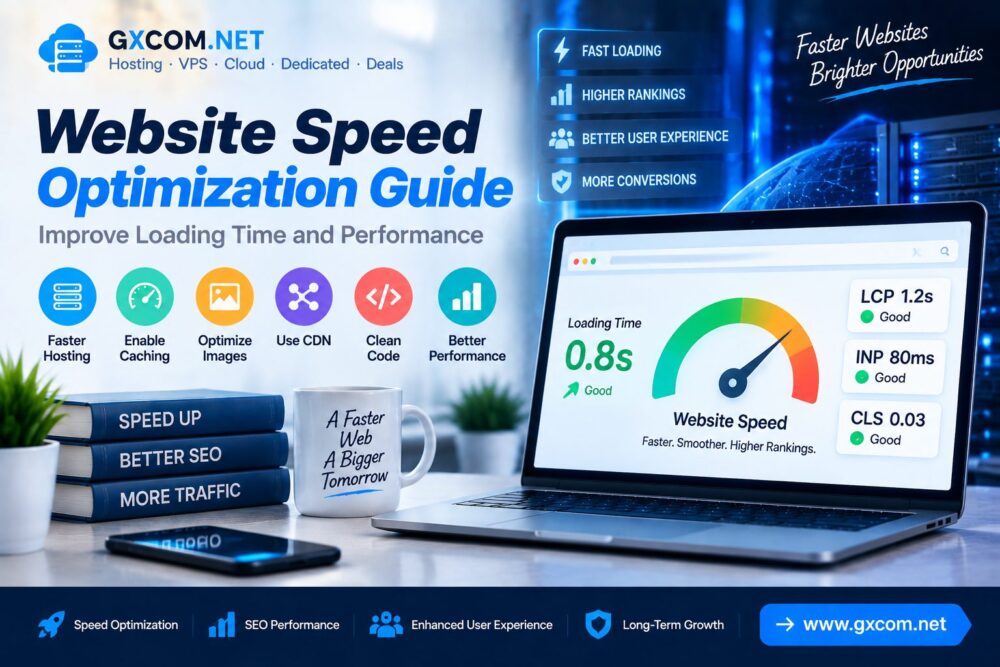
Website speed has become an important factor for online success. A slow website can reduce user engagement, increase bounce rates and create a poor browsing experience.
Modern websites require optimized hosting, efficient code, fast content delivery and proper technical configuration to achieve better performance.
This Website Speed Optimization Guide explains how to improve loading time and website performance through practical optimization methods.
Why Website Speed Matters
A fast website helps visitors access information quickly and creates a smoother user experience.
Website speed affects:
- 用户体验
- Search visibility
- Conversion performance
- Mobile usability
- Server efficiency
Common Causes of Slow Website Loading
| Problem | Impact |
|---|---|
| Slow Hosting | Long server response time |
| Large Images | Increased page size |
| No Caching | Repeated server processing |
| Heavy Scripts | Slower browser rendering |
| Poor Code Optimization | Reduced performance |
1. Choose Faster Website Hosting
Hosting infrastructure is one of the most important factors affecting website speed.
A quality hosting environment should provide:
- Fast server response
- SSD 或 NVMe 存储
- 可靠的运行时间
- Modern PHP versions
- Sufficient server resources
Businesses can compare suitable hosting solutions through our 最佳网站托管服务 指南。.
2. Improve Server Response Time
Server response time measures how quickly a hosting server responds when users request website content.
Slow response times may result from:
- Limited hosting resources
- Poor server configuration
- High traffic pressure
- Database performance issues
Improving server resources can create a stronger foundation for website speed optimization.
3. Enable Website Caching
Caching stores frequently accessed website data so pages can load faster without repeated processing.
Common caching methods include:
- Browser caching
- Page caching
- Object caching
- Database caching
Caching is especially important for dynamic websites powered by CMS platforms.
4. Optimize Images
Images are often one of the largest components of a webpage.
Image optimization methods include:
- Compressing image files
- Using WebP format
- Reducing unnecessary dimensions
- Using lazy loading
- Serving responsive images
5. Use a Content Delivery Network (CDN)
A CDN distributes website resources across multiple global servers and delivers content from locations closer to visitors.
CDN benefits include:
- Faster international loading
- Reduced server workload
- Improved availability
- Better user experience
6. Optimize Website Code
Unoptimized code can increase page loading time and affect browser performance.
Technical improvements include:
- Minifying CSS files
- Optimizing JavaScript
- Removing unused code
- Reducing unnecessary scripts
- Improving resource loading
7. Improve Core Web Vitals Performance
Core Web Vitals measure important user experience signals related to website loading, responsiveness and stability.
| Metric | Optimization Goal |
|---|---|
| LCP | Improve loading speed |
| INP | Improve interaction response |
| CLS | Maintain layout stability |
请阅读我们的 Core Web Vitals optimization guide for detailed performance improvements.
8. Reduce Plugins and External Resources
Too many plugins, tracking scripts and external resources can slow down websites.
Recommended practices:
- Remove unused plugins
- Review third-party scripts
- Use lightweight solutions
- Monitor website resources
9. Optimize Database Performance
Database optimization helps websites retrieve information faster.
Database improvements include:
- Removing unnecessary data
- Optimizing database tables
- Cleaning revisions
- Reducing inefficient queries
10. Upgrade to VPS or Cloud Hosting
Growing websites may experience performance limitations on basic hosting plans.
| 托管类型 | Suitable For |
|---|---|
| 共享主机 | 小型网站 |
| 托管主机 | 商业网站 |
| VPS 主机 | 网站发展 |
| 云托管 | Scalable applications |
Websites requiring more resources can explore our 最佳VPS评测.
Website Speed Optimization Checklist
| 优化 | Status |
|---|---|
| Fast Hosting | 必填 |
| Image Compression | 必填 |
| 缓存 | 必填 |
| CDN | Recommended |
| Code Optimization | Recommended |
How To Test Website Speed
Website owners can analyze performance through speed testing tools.
Important metrics include:
- Page loading time
- Server response time
- Core Web Vitals
- Resource usage
- Mobile performance
Website Speed Optimization Mistakes
- Choosing hosting only based on price
- Ignoring mobile performance
- Uploading oversized images
- Installing unnecessary plugins
- Not monitoring performance regularly
常见问题解答
How can I improve website loading speed?
Improve website speed by optimizing hosting, caching, images, CDN configuration and website code.
Does hosting affect website speed?
Yes. Hosting affects server response time, resource availability and overall website performance.
What is the fastest way to speed up a website?
Improving hosting performance, enabling caching and optimizing large resources usually provide noticeable improvements.
Does website speed affect SEO?
Website speed influences technical performance and user experience, which are important parts of modern SEO.
结语
Website speed optimization requires improvements across hosting, content delivery, code efficiency and technical configuration.
A faster website provides a better experience for visitors and creates a stronger foundation for long-term growth.
By following these optimization methods, website owners can improve loading time, performance and overall website quality.