Choosing WordPress hosting is easy when you compare introductory discounts. Choosing a provider you will still be happy with after three years is a different challenge.
SiteGround and KnownHost both offer managed hosting for WordPress, but their approaches to platform tools, support, backups, and pricing are not identical.
SiteGround emphasizes a streamlined WordPress experience with its own Site Tools interface, performance optimization plugins, staging functionality on eligible plans, and managed security features. KnownHost offers a WordPress hosting environment built around LiteSpeed, NVMe storage, JetBackup, and a more traditional hosting management workflow.
For website owners, the most important differences may not be immediately visible on the pricing page.
How many backups can you restore? Does the provider help diagnose plugin conflicts? What happens when a WooCommerce update breaks checkout? And how much will hosting cost after the introductory promotion expires?
在这篇 SiteGround 与 KnownHost 对比 comparison, we examine WordPress support, backups, staging, caching, migration, renewal pricing, and long-term value.
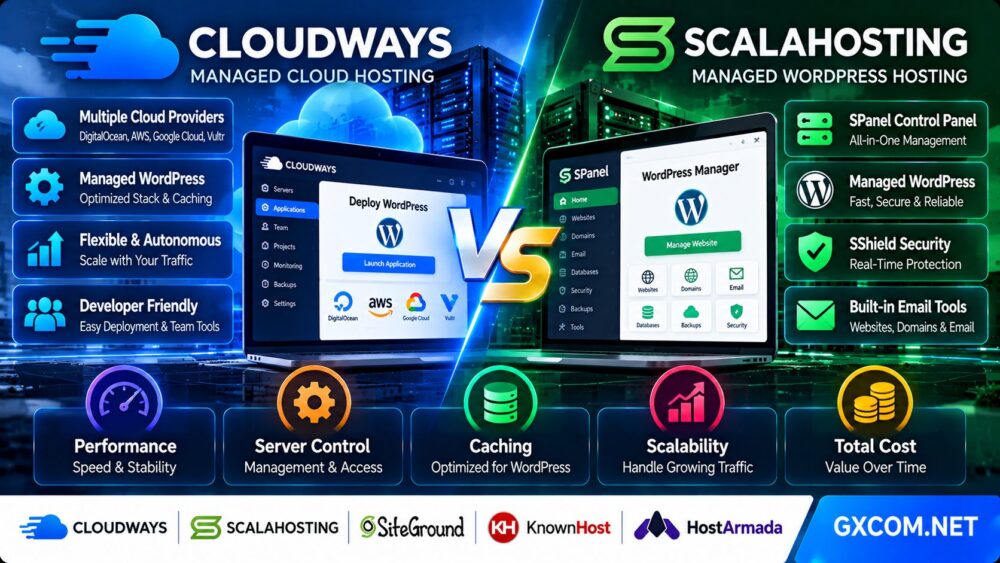
We also consider alternatives from ScalaHosting, Cloudways, and HostArmada for businesses with different hosting requirements.
Editorial methodology: This comparison is based on publicly documented provider features and pricing policies reviewed in October 2026. GXCOM.NET has not independently benchmarked equivalent SiteGround and KnownHost accounts or conducted controlled support-response tests. Features, pricing, backup retention, and service terms can change. Any illustrative cost calculations are explicitly labeled.
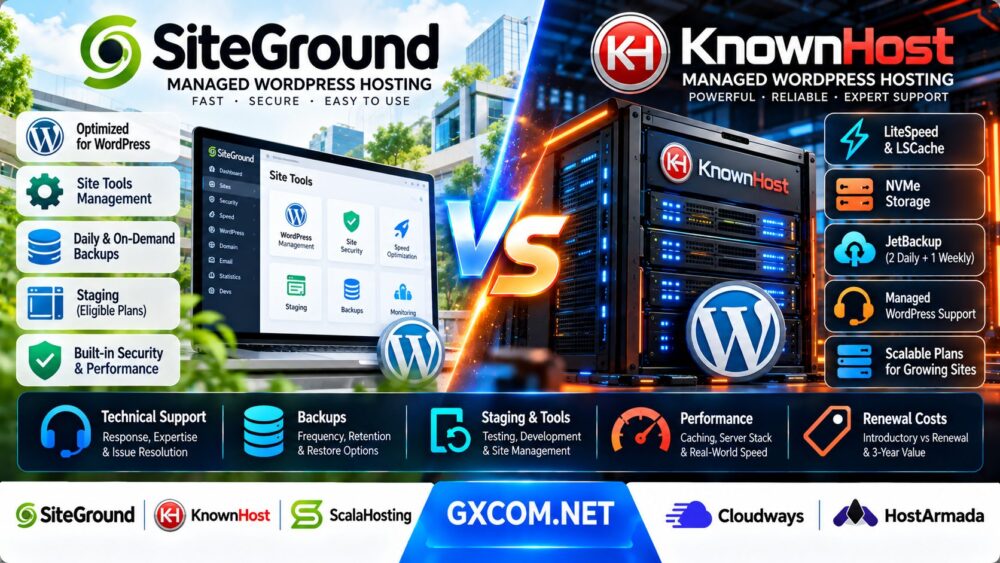
SiteGround vs KnownHost: Quick Verdict
Choose SiteGround if you want an integrated WordPress hosting experience with accessible management tools, built-in optimization features, and staging or on-demand backups on eligible plans.
Choose KnownHost if you prefer a LiteSpeed-based WordPress hosting environment with NVMe storage, JetBackup access, and a clearly defined hosting resource allocation.
SiteGround may be especially attractive to agencies and website owners who value its Site Tools workflow and collaboration features.
KnownHost may appeal to users who prefer a more traditional hosting environment and want to compare resource allowances and long-term pricing carefully.
Neither provider can be declared universally faster or better at technical support without equivalent independent testing.
| 功能 | SiteGround | KnownHost |
|---|---|---|
| Hosting focus | 托管型 WordPress 和网站托管服务 | Managed hosting for WordPress |
| 管理界面 | Site Tools | Hosting control panel and WordPress tools |
| Web performance stack | Custom platform caching and optimization | LiteSpeed with LSCache |
| 存储 | Plan-dependent SSD-backed storage | NVMe storage on current WordPress plans |
| 自动备份 | 每日备份 | Daily and weekly backups |
| Default backup retention | Plan and product dependent | 2 daily copies and 1 weekly copy on standard backup tier |
| 按需备份 | Included on eligible higher plans | Review available backup tier and functionality |
| 分阶段 | GrowBig and GoGeek | Staging and cloning tools on current WordPress plans |
| 技术支持 | 24/7 support, tier-dependent features | Managed WordPress hosting support |
| 促销价 | Promotional initial-term offers | Promotional offers, sometimes requiring long commitments |
| 续订价格 | Generally higher than introductory pricing | Published renewal rates differ from promotional rates |
什么是 SiteGround WordPress 托管服务?
SiteGround provides managed WordPress hosting with a proprietary website management interface and integrated tools for performance, security, backups, and site administration.
Its mainstream WordPress hosting lineup includes StartUp, GrowBig, and GoGeek.
SiteGround StartUp
StartUp targets smaller websites and includes essential WordPress hosting features such as managed updates, SSL, caching, and automatic backups.
It is generally the entry-level option for customers who do not require the advanced workflows of higher tiers.
SiteGround GrowBig
GrowBig adds features that are particularly relevant to growing websites, including staging and on-demand backups.
These tools can be valuable for WordPress sites undergoing frequent updates or development work.
SiteGround GoGeek
GoGeek adds higher-tier resources and advanced features, including priority support and additional developer-oriented functionality.
It may appeal to agencies, developers, and businesses that manage more demanding websites.
Site Tools
SiteGround uses its Site Tools interface rather than relying on a conventional cPanel workflow.
The platform organizes website management, security, domains, email, and other hosting functions within its own control environment.
WordPress 优化
SiteGround provides WordPress-oriented optimization tools, including caching and security plugins.
These tools can simplify routine configuration, although actual website performance still depends on themes, plugins, content, and traffic patterns.
如需进一步了解该服务提供商,请阅读我们的 SiteGround WordPress 主机评测.
What Is KnownHost WordPress Hosting?
KnownHost offers managed hosting for WordPress with a focus on resource allocations, server performance, and managed infrastructure.
Its current WordPress hosting lineup includes Entry, Business, and Corporate tiers.
KnownHost Entry
The Entry tier targets smaller WordPress projects and provides a defined allocation of CPU resources, memory, NVMe storage, and website capacity.
Customers should review database, storage, and website limits before purchasing.
KnownHost Business
The Business tier increases available resources for websites with higher traffic or more demanding application requirements.
It may be relevant for growing business websites and WordPress applications that need more capacity.
KnownHost Corporate
The Corporate tier supports larger resource allocations and multiple WordPress websites within the published plan limits.
It may appeal to businesses or agencies managing several sites.
LiteSpeed 和 LSCache
KnownHost's managed WordPress hosting uses LiteSpeed technology with LSCache.
Server-level caching can reduce repeated application processing when configured correctly.
NVMe 存储
KnownHost advertises NVMe storage on its current managed WordPress plans.
NVMe can support responsive storage operations, but real-world database performance depends on the entire hosting environment.
JetBackup
KnownHost includes JetBackup functionality with its managed WordPress hosting.
Its standard backup tier retains two daily copies and one weekly copy, with extended options available.
我们的 KnownHost 托管主机评测 explores its broader managed hosting approach.
SiteGround vs KnownHost: WordPress Technical Support
Technical support is often the deciding factor when a business website experiences problems.
However, support quality should not be judged only by the availability of a 24/7 contact channel.
支持服务可用性
SiteGround advertises round-the-clock expert support.
KnownHost also provides support for its managed WordPress hosting products.
The availability of a support channel does not guarantee identical response times or identical troubleshooting scope.
Infrastructure Problems
Hosting providers generally assist with issues involving their covered infrastructure and hosting environment.
Examples may include service availability, hosting configuration, and supported platform functions.
WordPress Application Problems
WordPress problems can originate from plugins, themes, custom code, database queries, or external integrations.
Some issues may fall outside standard hosting support.
Before purchasing, ask whether the provider will investigate plugin conflicts, PHP errors, database problems, and failed updates.
Support Escalation
Complex incidents may require escalation beyond first-line support.
Buyers should evaluate the escalation process, communication clarity, and the provider's ability to identify the root cause.
Priority Support
SiteGround includes priority support features on its GoGeek tier.
Customers should compare the exact support entitlements of the selected plan rather than assuming every SiteGround account receives identical treatment.
KnownHost Managed Support
KnownHost's managed WordPress service is designed to reduce some hosting administration responsibilities.
However, the precise boundary between hosting support and application development should be confirmed before purchase.
支持裁决
SiteGround may appeal to users who value its integrated management environment and higher-tier support options.
KnownHost may appeal to customers who prefer its managed hosting workflow.
Neither should be declared the support winner without a controlled comparison of response quality, resolution accuracy, and escalation handling.
How to Evaluate WordPress Hosting Support
A practical support evaluation should test more than the time required to receive an initial reply.
First Response Time
Measure how quickly the provider acknowledges a legitimate support request.
Time to Resolution
Measure how long it takes to resolve the actual problem.
Technical Accuracy
Determine whether the advice addresses the root cause or simply recommends generic troubleshooting steps.
Escalation Quality
Evaluate whether complex issues are transferred efficiently to qualified staff.
Scope Transparency
Confirm whether the provider explains clearly when an issue is outside the hosting support agreement.
Suggested Pre-Purchase Questions
- Can your team investigate a WordPress 500 error?
- Will you help restore a site after a failed plugin update?
- Do you assist with PHP version compatibility problems?
- Can you identify server-side causes of slow database queries?
- What support is available for WooCommerce checkout failures?
- How are urgent incidents escalated?
These questions help establish realistic expectations before a production website depends on the provider.
SiteGround vs KnownHost: Backups and Restore Points
Backups are one of the most important differences to examine in this comparison.
Both providers offer backups, but backup frequency, retention, and restore functionality are separate considerations.
SiteGround Daily Backups
SiteGround includes automatic daily backups with its mainstream WordPress hosting plans.

Backup retention and available restore functionality depend on the product and applicable terms.
SiteGround On-Demand Backups
GrowBig and GoGeek include on-demand backup functionality.
This is useful before major plugin updates, theme changes, or other potentially disruptive work.
KnownHost Standard Backups
KnownHost's standard managed WordPress backup tier includes two daily backups and one weekly backup.
This means customers should not assume they have a daily restore point for every day of the previous month.
KnownHost Extended Backup Options
KnownHost offers upgraded backup options with longer retention or more frequent backups.
Its documented Professional tier provides 30 retained backups, while Premium offers a higher-frequency schedule with additional retained copies.
Availability and pricing should be confirmed for the selected account.
Backup Frequency vs Retention
Backup frequency determines how often recovery copies are created.
Retention determines how long those copies remain available.
A provider can create daily backups while retaining only a small number of restore points.
恢复点目标
The recovery point objective, or RPO, describes how much recent data a business can tolerate losing.
For a frequently updated WooCommerce store, one backup per day may not be sufficient to meet business requirements.
恢复时间目标
The recovery time objective, or RTO, describes how quickly the website must return to operation after an incident.
Backup availability alone does not guarantee rapid recovery.
独立备份
For important websites, maintain independent copies outside the hosting provider.
This reduces dependence on a single platform or backup system.
Which Provider Has Better WordPress Backups?
| Backup Factor | SiteGround | KnownHost |
|---|---|---|
| 自动备份 | 每日 | Daily and weekly |
| Default retention | Check current product policy | 2 daily plus 1 weekly on standard tier |
| 按需备份 | Included with GrowBig and GoGeek | Check selected backup service and control panel |
| Extended retention | Depends on product and options | Available through upgraded backup tiers |
| Restore workflow | SiteGround management tools | JetBackup environment |
| Best buying question | How many restore points are available? | Is standard retention sufficient? |
Backup verdict: SiteGround's included on-demand backups on higher tiers can be valuable for frequent WordPress changes. KnownHost provides a clearly documented standard retention schedule and optional extended backup choices.
The better option depends on how frequently your site changes and how far back you may need to restore.
SiteGround vs KnownHost: WordPress Performance
Both providers market performance-oriented WordPress hosting, but their technology stacks differ.
SiteGround Performance Stack
SiteGround provides a customized hosting environment with caching and WordPress optimization features.
Its Speed Optimizer plugin integrates WordPress with supported platform performance tools.
KnownHost LiteSpeed Stack
KnownHost uses LiteSpeed and LSCache in its managed WordPress environment.
This provides a different caching and web server architecture.
页面缓存
Page caching reduces the need to execute PHP and database queries for cacheable requests.
Dynamic Pages
Shopping carts, customer accounts, and other dynamic pages may bypass full-page caching.
These requests are important when evaluating real WordPress performance.
Database Latency
Slow queries, insufficient resources, and storage latency can reduce performance on either platform.
内容分发网络
A CDN can reduce delivery latency for cacheable content, but it does not eliminate every origin server bottleneck.
性能评测结论
SiteGround provides integrated optimization tools, while KnownHost offers a LiteSpeed-based stack with NVMe storage.
Neither provider can be declared universally faster without testing equivalent websites under comparable conditions.
How to Benchmark SiteGround and KnownHost Fairly
Use the same WordPress installation, theme, plugins, PHP compatibility requirements, and representative content on both platforms.
Step 1: Match the Workload
Deploy equivalent copies of the website and database.
Step 2: Configure Caching Correctly
Use each platform's supported caching approach, but document differences in the configuration.
Step 3: Test Cached Pages
Measure cached response times to understand content delivery performance.
Step 4: Test Uncached Requests
Test WordPress administration, logged-in sessions, search results, and other dynamic paths.
Step 5: Measure Concurrency
Use a controlled load-testing environment and stay within the provider's acceptable-use policies.
Step 6: Observe Database Performance
Monitor slow queries and application-level response times.
Step 7: Repeat Tests
Run multiple tests at different times to reduce the influence of temporary conditions.
WordPress Staging and Developer Tools
Staging environments are useful for testing updates before deploying changes to a production website.
SiteGround Staging
SiteGround provides staging on GrowBig and GoGeek plans.
Developers can use staging to test WordPress changes before applying them to the live site.
KnownHost Staging and Cloning
KnownHost advertises staging and cloning tools on its current managed WordPress hosting products.
Confirm the workflow and limitations for the selected plan.
Git and Development Workflows
SiteGround includes additional developer-oriented tools on higher tiers, including Git functionality associated with GoGeek.
KnownHost users should confirm the Git, SSH, and deployment features available in their hosting environment.
Staging Does Not Replace Backups
A staging copy is not a substitute for a reliable backup and recovery strategy.
Before synchronizing staging changes to production, create a suitable recovery point.
SiteGround vs KnownHost for WooCommerce
WooCommerce stores often require more careful hosting selection than static WordPress websites.
Dynamic Checkout
Checkout requests must process live customer and order information.
They cannot always benefit from the same full-page caching used for ordinary content.
Database Activity
Orders, product variations, customer accounts, and inventory updates can increase database activity.
Backup Frequency
Stores processing frequent orders may need more frequent recovery points than a simple blog.
分阶段
Staging is particularly valuable before updating payment gateways, shipping plugins, and WooCommerce extensions.
Support Requirements
Ask whether the hosting provider will investigate server-side errors affecting checkout or payment processing.
WooCommerce 评测结论
SiteGround's integrated WordPress tools and staging features may appeal to store owners who prefer a streamlined workflow.
KnownHost's LiteSpeed-based hosting and documented resource allocations may appeal to customers who want to evaluate the underlying hosting capacity.
For a busy store, compare real checkout performance and recovery requirements before selecting either provider.
SiteGround vs KnownHost: Renewal Pricing
Renewal pricing is one of the most commercially important aspects of this comparison.
A hosting plan can appear inexpensive during the introductory period but become substantially more expensive afterward.
SiteGround Introductory Discounts
SiteGround frequently advertises substantial discounts for the initial hosting term.
Its product pages distinguish promotional prices from the rates applicable on renewal.
SiteGround Renewal Terms
Renewal prices depend on the hosting plan, selected billing period, and any applicable renewal promotion.
SiteGround also documents that longer renewal terms may reduce the average monthly price.
KnownHost Introductory Offers
KnownHost advertises introductory pricing on its managed WordPress plans.
Some lowest advertised monthly equivalents are based on a multi-year commitment.
KnownHost Renewal Terms
KnownHost publishes renewal rates separately from promotional pricing for its WordPress hosting products.
Customers should verify the renewal price, billing term, and total amount due before purchasing.
Why Monthly Equivalents Can Be Misleading
A plan advertised at a low monthly equivalent may require payment for several years upfront.
The monthly equivalent does not necessarily represent a month-to-month billing option.
Renewal Verdict
Neither provider should be selected solely because its introductory price is lower.
Calculate the complete cost over the intended hosting period.
Three-Year WordPress Hosting Cost Comparison
Consider a hypothetical comparison between two hosting plans.
| 成本构成 | 主机套餐 A | 主机方案 B |
|---|---|---|
| 月等值金额(入门级) | $5 | $10 |
| Renewal monthly equivalent | $30 | $20 |
| First-year cost | $60 | $120 |
| Second-year cost | $360 | $240 |
| Third-year cost | $360 | $240 |
| 三年基准总计 | $780 | $600 |
These figures are hypothetical examples and do not represent current SiteGround or KnownHost quotations.
The calculation assumes annual billing, unchanged renewal rates, and no additional charges.
Plan A looks cheaper during the first year, but Plan B has a lower three-year base cost in this example.
三年成本计算公式
Three-year hosting cost = Initial-term cost + Subsequent renewal charges + Paid add-ons + Backup upgrades + Other recurring services.
包含备份费用
If the included backup retention is insufficient, add the cost of upgraded backups or independent storage.
Include Migration Costs
Moving to a different provider may require developer time, testing, DNS changes, and temporary overlapping hosting.
Include Support and Maintenance Costs
Technical support scope can affect how much external administration or development assistance a business needs.
WordPress Hosting Total Cost of Ownership
The hosting invoice is only one component of total cost.
Direct Costs
- Hosting subscription
- 域名续费
- Backup upgrades
- Premium email or security services
- CDN or additional bandwidth services
- Paid WordPress plugins
Indirect Costs
- Website maintenance time
- 技术故障排除
- 移民工作
- Downtime and recovery effort
- Developer assistance
A provider with a higher subscription price may still be economical if its tools and support reduce operational work.
Conversely, a less expensive provider may offer better value for a technically experienced customer who does not require extensive assistance.
Which Is Better for Small Businesses?
Small businesses often prioritize convenience, predictable expenses, and dependable support.
面向小型企业的 SiteGround
SiteGround's integrated management environment can simplify common website tasks.
Its WordPress tools may be particularly useful for businesses without a dedicated server administrator.
KnownHost for Small Businesses
KnownHost offers a managed WordPress environment with LiteSpeed caching, NVMe storage, and defined plan resources.
It may appeal to businesses that prefer its hosting management workflow and want to evaluate resource allocations carefully.
Small Business Verdict
Choose according to your website's requirements, the level of support needed, and the actual renewal cost.
Which Is Better for WordPress Agencies?
Agencies may manage multiple websites, collaborate with clients, and deploy frequent updates.
SiteGround Agency Features
SiteGround offers collaboration and advanced developer features on eligible plans.
Its higher-tier hosting can support agency-oriented workflows.
KnownHost Agency Considerations
KnownHost's Corporate WordPress tier supports multiple websites within its published resource limits.
Agencies should also evaluate its reseller and other managed hosting products when appropriate.
Agency Verdict
Compare website limits, collaboration tools, staging workflows, backup requirements, and client management needs.
Alternatives to SiteGround and KnownHost
SiteGround and KnownHost are not the only options for managed WordPress hosting.
Depending on your website's requirements, the following providers may be worth evaluating.
ScalaHosting:托管型VPS和SPanel
ScalaHosting offers managed VPS products with its SPanel management platform.
It may appeal to customers who need more server resources or want a different management environment from traditional shared WordPress hosting.
Compare the exact management scope, server resources, backups, and renewal terms.
Cloudways: Managed Cloud WordPress Hosting
Cloudways provides managed cloud hosting for WordPress and other supported applications.
Its Flexible and Autonomous products offer different infrastructure and scaling models.
Cloudways may be relevant for websites that need cloud deployment flexibility or managed WordPress scaling.
请阅读我们的 Cloudways vs ScalaHosting Comparison to explore how two managed hosting approaches differ.
HostArmada: Managed WordPress Hosting
HostArmada offers managed hosting products for WordPress websites.
It may be worth considering for customers comparing introductory offers, website management features, and support.
As with SiteGround and KnownHost, verify renewal rates and backup conditions before purchasing.
SiteGround vs KnownHost vs Alternatives
| 服务提供商 | Main Strength to Evaluate | 潜在匹配度 | 关键购买问题 |
|---|---|---|---|
| SiteGround | Integrated WordPress tools and staging | Small businesses and agencies | What is the renewal cost? |
| KnownHost | LiteSpeed, NVMe, JetBackup | Resource-conscious WordPress buyers | Is default backup retention sufficient? |
| ScalaHosting | Managed VPS and SPanel | 网站发展 | What management tasks are included? |
| Cloudways | 托管式云应用托管 | Cloud-focused WordPress deployments | Which product and scaling model fits? |
| HostArmada | Managed WordPress hosting options | Customers comparing support and pricing | How do renewal and backup terms compare? |
SiteGround vs KnownHost: Pros and Cons
SiteGround Advantages
- Integrated Site Tools interface
- WordPress optimization and security tools
- 自动每日备份
- On-demand backups on eligible plans
- Staging on GrowBig and GoGeek
- Collaboration and developer features
- Priority support on GoGeek
SiteGround Limitations
- Renewal rates can be substantially higher than promotional prices
- Some advanced features require higher-tier plans
- Proprietary management interface may require adjustment
- Storage and resource allowances depend on the plan
- Not a substitute for unrestricted server administration
KnownHost Advantages
- LiteSpeed 和 LSCache
- NVMe storage on current WordPress plans
- Defined CPU, memory, and storage allocations
- JetBackup 访问权限
- Documented standard backup retention
- Extended backup options
- Staging and cloning tools on current plans
KnownHost Limitations
- Default backup retention may be too short for some websites
- Extended backups can introduce additional cost
- Lowest promotional monthly equivalents may require long commitments
- Plan-specific website and database limits
- Renewal rates differ from introductory pricing
- Application-level support boundaries require verification
How to Choose Between SiteGround and KnownHost
Use this checklist before buying WordPress hosting.

- Confirm how many WordPress websites the plan supports.
- Check CPU, RAM, storage, and database limits.
- Compare the actual introductory billing commitment.
- Record the renewal price before checkout.
- Calculate the three-year hosting cost.
- Confirm the backup frequency.
- Confirm how many restore points are retained.
- Determine whether on-demand backups are included.
- Test the backup restoration workflow.
- Check whether staging is included.
- Review the provider's WordPress support scope.
- Ask how urgent incidents are escalated.
- Compare caching and performance tools.
- Evaluate WooCommerce and dynamic page requirements.
- Confirm migration assistance and any applicable charges.
If you are still comparing basic web hosting with a more configurable server environment, our WordPress 托管与普通网站托管指南 provides additional context for choosing the right hosting model.
常见问题解答
Is SiteGround better than KnownHost?
SiteGround may be preferable for customers who value its integrated WordPress tools and staging features. KnownHost may be preferable for customers seeking a LiteSpeed-based managed WordPress environment with NVMe storage and documented backup tiers.
Is KnownHost cheaper than SiteGround?
The answer depends on the selected plans, promotional commitments, renewal rates, and required add-ons. Compare the complete cost over your intended hosting period.
Does SiteGround offer daily backups?
Yes. SiteGround includes automatic daily backups with its mainstream WordPress hosting plans.
How many backups does KnownHost retain?
Its documented standard managed WordPress backup tier retains two daily copies and one weekly copy. Extended options are available.
Does SiteGround offer on-demand backups?
Yes. On-demand backups are included on eligible plans such as GrowBig and GoGeek.
Does KnownHost use LiteSpeed?
KnownHost advertises LiteSpeed and LSCache on its current managed WordPress hosting plans.
Does SiteGround use cPanel?
SiteGround uses its proprietary Site Tools interface for mainstream hosting management.
Does KnownHost provide staging?
KnownHost advertises staging and cloning tools on its current managed WordPress hosting products.
Which provider is better for WooCommerce?
Both can be considered for WooCommerce. Compare dynamic checkout performance, available resources, backups, and support responsibilities.
Which provider has better support?
There is no verified universal winner. Evaluate support scope, technical accuracy, escalation, and actual issue resolution rather than relying only on response-time claims.
Why does SiteGround renewal pricing increase?
SiteGround distinguishes introductory promotional rates from regular renewal rates. The final renewal price depends on the plan, billing term, and applicable offers.
Does KnownHost offer promotional pricing?
Yes. KnownHost advertises introductory offers, with some lowest monthly equivalents based on longer prepaid commitments.
Is NVMe hosting always faster than SSD hosting?
No. NVMe can provide storage advantages, but real-world website performance also depends on CPU, memory, caching, database efficiency, and shared infrastructure conditions.
Can I migrate WordPress from SiteGround to KnownHost?
Yes, compatible WordPress websites can be migrated, subject to software and hosting requirements. Back up the site, test compatibility, and confirm the provider's migration assistance.
Is SiteGround good for agencies?
SiteGround offers collaboration, staging, and higher-tier developer features that may be useful for agencies.
Is KnownHost good for small businesses?
KnownHost can be suitable for small business WordPress websites that fit its resource and support offerings. Review the plan limits and backup retention before purchasing.
What are alternatives to SiteGround and KnownHost?
ScalaHosting, Cloudways, and HostArmada offer alternative managed hosting approaches for WordPress websites.
What matters most when comparing WordPress hosting costs?
Consider renewal rates, backup upgrades, support scope, storage limits, migration work, and the full cost over multiple years.
Final Verdict: SiteGround vs KnownHost
在以下两者之间,最佳选择是 SiteGround and KnownHost depends on how you value WordPress management tools, backup recovery options, technical support, and renewal pricing.
SiteGround offers an integrated WordPress hosting experience with daily backups, performance tools, and advanced workflows on eligible plans.
KnownHost provides a managed WordPress environment built around LiteSpeed, NVMe storage, and JetBackup, with clearly documented standard backup retention and optional upgrades.
Neither provider should be selected solely because its introductory offer looks cheaper.
Instead, evaluate the support tasks covered by the hosting plan, the recovery points available when something goes wrong, and the total amount you expect to pay over the next three years.
For growing websites, ScalaHosting, Cloudways, and HostArmada may also deserve consideration depending on management and infrastructure requirements.
WORDPRESS WORKLOAD → SUPPORT SCOPE → BACKUP RETENTION → RESTORE CAPABILITY → RENEWAL PRICING → THREE-YEAR VALUE
Always verify current features, pricing, renewal terms, and backup conditions directly with the provider before purchasing.