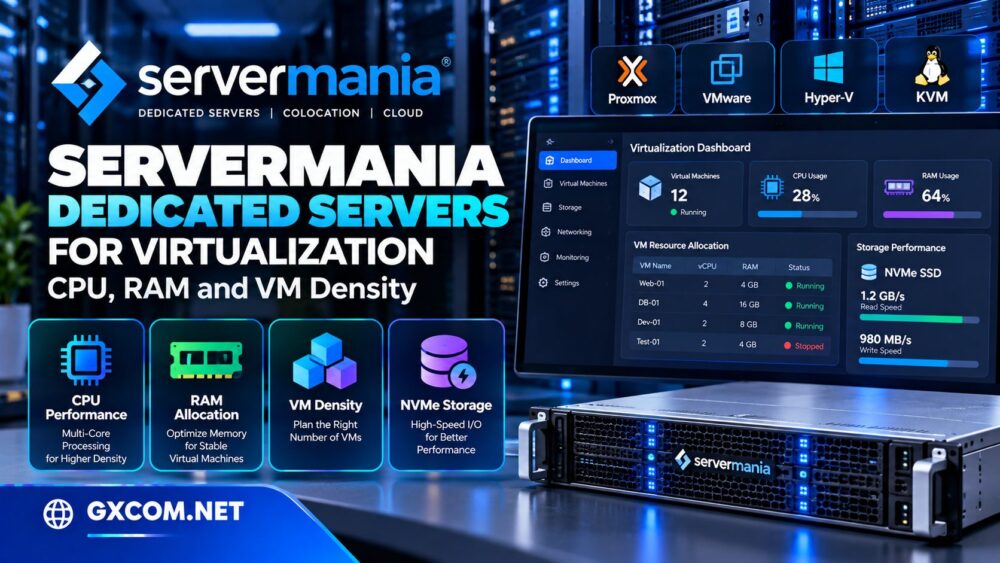
Virtualization makes it possible to run multiple independent workloads on one physical server. However, choosing hardware for a production hypervisor requires more than counting processor cores. Memory allocation, storage latency, network throughput, and workload behavior all determine how many virtual machines a server can support reliably.
ServerMania offers customizable dedicated servers with Intel and AMD processors, configurable memory, storage options, and networking suitable for demanding infrastructure deployments. Its dedicated hardware is worth evaluating for businesses consolidating applications or building private virtualization environments.
在这篇 ServerMania Dedicated Servers review, we examine CPU performance, RAM planning, VM density, hypervisor compatibility, and ownership costs. We also compare Cherry 服务器, NovoServe, and Hetzner for different virtualization requirements.
Editorial note: This analysis uses published product information and general virtualization planning principles. GXCOM.NET has not independently benchmarked ServerMania hardware or measured virtual machine performance.
Why Choose ServerMania for Virtualization?
ServerMania provides dedicated physical servers rather than shared virtual machine instances. Customers can select hardware configurations and deploy software environments suited to their applications.
The company also publishes dedicated hypervisor guidance covering virtualization technologies such as VMware, Hyper-V, KVM, and Proxmox.
For businesses that require predictable hardware allocation, a dedicated server removes competition with unrelated customers at the physical host level. It does not, however, eliminate resource contention among virtual machines created by the customer.
Before purchasing, compare the benefits of dedicated hardware with virtual infrastructure using our dedicated server versus VPS guide.
CPU Performance: Cores, Threads, and Clock Speed
Processor selection is one of the most important virtualization decisions. ServerMania offers configurations based on different Intel Xeon and AMD processor families, although exact availability varies by location and inventory.
Physical Cores Versus Virtual CPUs
A hypervisor allocates virtual CPUs, or vCPUs, to guest operating systems. A vCPU is a scheduling resource rather than a guaranteed dedicated physical core.
For example, a server with sixteen physical CPU cores may host virtual machines whose combined assigned vCPU count exceeds sixteen. Whether this works efficiently depends on how frequently the guests demand processor time.
Lightly utilized development machines can often share CPU capacity effectively. Busy databases, rendering workloads, and consistently active application servers require more conservative allocation.
Never interpret an advertised vCPU total as a guaranteed measure of simultaneous computing performance.
Clock Speed Versus Core Count
High core counts are useful when many virtual machines execute work concurrently. Strong single-thread performance matters when individual applications cannot distribute their work across multiple cores.
Consequently, a high-frequency processor with fewer cores may outperform a higher-core-count alternative for certain latency-sensitive applications.
Evaluate sustained workload behavior, not just headline processor specifications.
NUMA and Multi-Socket Servers
Large virtualization hosts may use multiple processor sockets or complex memory topologies. Non-Uniform Memory Access, or NUMA, means memory access latency can vary depending on where a workload executes.
Oversized virtual machines spanning NUMA boundaries may experience performance penalties if CPU and memory placement is poorly configured.
For high-density deployments, review the hypervisor’s NUMA awareness and consider whether fewer large VMs or more smaller VMs provide better efficiency.
RAM Allocation: The Practical Limit on VM Density
Memory is frequently the first resource to constrain a virtualization host. Unlike CPU time, memory cannot always be oversubscribed safely without affecting application stability.
Reserve Memory for the Hypervisor
A physical server’s advertised RAM is not entirely available to guest workloads. The hypervisor, management processes, storage services, and monitoring tools consume memory.

For illustration, consider a host with 128 GB of RAM. If the administrator reserves 16 GB for infrastructure overhead and operational headroom, approximately 112 GB remains for planned guest allocation.
That is a planning example, not a universal hypervisor requirement. Actual reserves depend on the platform and storage configuration.
Calculate Memory-Based VM Capacity
Suppose each virtual machine receives 8 GB of reserved memory. Dividing 112 GB by 8 GB produces a theoretical capacity of fourteen VMs.
However, a production design may intentionally deploy fewer machines to preserve room for temporary demand, maintenance, and growth.
Memory ballooning and other reclamation technologies can improve utilization in suitable environments, but they should not be treated as guaranteed additional physical RAM.
ECC Memory and Reliability
For business-critical virtualization, confirm the availability of error-correcting memory and the platform’s hardware reliability features.
Also consider whether future memory upgrades require a migration, maintenance window, or hardware replacement.
VM Density: How Many Virtual Machines Can One Server Run?
VM density describes the number of virtual machines a physical host can support under an acceptable performance and reliability target.
There is no universal VM-per-core ratio. A server running idle test environments behaves differently from one hosting active customer databases.
Illustrative Capacity Calculation
Consider a hypothetical dedicated server with sixteen physical CPU cores, 128 GB RAM, and NVMe storage. Assume twelve planned guests, each configured with two vCPUs and 8 GB RAM.
The allocation totals twenty-four vCPUs and 96 GB RAM. This represents 1.5 assigned vCPUs per physical core and leaves 32 GB of installed memory outside the guest allocations.
Such a configuration may be reasonable for moderately utilized applications, but it is not a validated performance result. Storage demand, CPU peaks, hypervisor overhead, and redundancy requirements could make a lower density necessary.
Measure Actual Utilization
Before adding more VMs, monitor CPU ready time or equivalent scheduling metrics, memory pressure, disk latency, and network utilization.
Track peak demand rather than relying exclusively on monthly averages. A cluster that appears underutilized overnight may become overloaded during business hours.
Storage Performance: NVMe, RAID, and I/O Contention
ServerMania advertises SSD and NVMe configurations with RAID options on applicable dedicated servers.
Fast storage is particularly valuable when several virtual machines perform database writes, operating-system updates, or concurrent backups.
NVMe Is Not Unlimited IOPS
NVMe reduces some storage interface limitations, but total performance still depends on drive specifications, queue depth, filesystem configuration, and competing workloads.
A single busy VM can create storage contention affecting other guests. Monitor latency and throughput at both host and guest levels.
RAID Versus Backups
RAID can improve availability or performance depending on its configuration, but it does not replace independent backups.
Snapshots also require careful planning. They are useful for short-term recovery workflows but should not be retained indefinitely without considering storage growth and performance implications.
For hardware purchasing decisions, see our 裸机服务器对比.
Hypervisor Compatibility and Management
ServerMania discusses VMware, Microsoft Hyper-V, KVM, and Proxmox in its virtualization materials. However, documentation mentioning a platform does not guarantee that every server configuration includes installation, licensing, or managed support for that hypervisor.
Proxmox and KVM
Proxmox VE and KVM-based environments appeal to organizations seeking Linux-oriented virtualization and flexible management.
Before deployment, verify processor virtualization extensions, storage controller compatibility, remote console availability, and supported network configuration.
VMware and Hyper-V
VMware and Microsoft virtualization environments may introduce licensing, hardware compatibility, and administrative requirements.
Confirm current licensing terms independently and request explicit compatibility details for the selected dedicated server.
Organizations running Windows guests should also evaluate guest operating-system licensing rather than assuming it is included with bare metal.
Networking and Virtualization Security
Multiple VMs can share physical network interfaces, so port speed and bandwidth allowances affect aggregate throughput.
ServerMania offers different network configurations, including higher-bandwidth options for selected hardware.
Separate management traffic from customer-facing workloads where practical. Review VLAN availability, private networking, firewall rules, and additional IP address requirements before ordering.
For security, restrict hypervisor administration interfaces and maintain separate credentials, monitoring, and backup access controls.
ServerMania Dedicated Server Costs
The total cost of a virtualization host includes more than the advertised base server price.
CPU generation, RAM capacity, NVMe storage, RAID configuration, network allowances, additional IP addresses, software licenses, backups, and managed services can all influence the final quote.
Compare the cost per usable VM rather than simply dividing the server price by the maximum number of guests that can boot.
A more useful calculation is monthly infrastructure cost divided by the number of VMs that meet defined performance and recovery requirements.
For further budgeting guidance, read our 托管型与非托管型专用服务器指南.
ServerMania Alternatives for Virtualization
Cherry Servers:可配置的裸机服务器
Cherry 服务器 is worth comparing for dedicated hardware deployments requiring flexible infrastructure configurations and API-oriented operations.

Evaluate processor options, memory, storage, networking, and provisioning workflows against ServerMania.
NovoServe: Network-Intensive Virtualization
NovoServe deserves consideration when virtualization workloads involve substantial traffic or require particular geographic connectivity.
Compare available hardware and bandwidth commitments carefully. Network-focused infrastructure does not automatically guarantee better VM compute performance.
Hetzner: Cost-Conscious Dedicated Infrastructure
Hetzner is another option for technically experienced teams seeking dedicated hardware for self-managed virtualization.
Assess current server availability, location, remote management, storage options, and support scope rather than relying only on headline pricing.
我们的 裸机服务器提供商指南 offers a broader infrastructure shortlist.
Final Verdict: Is ServerMania Suitable for Virtualization?
ServerMania is a credible candidate for organizations that need customizable dedicated hardware to host multiple virtual machines.
Its processor choices, configurable memory, storage options, and virtualization-focused documentation make it relevant to private infrastructure and server consolidation projects.
However, actual VM density depends on workload measurements, not marketing specifications. Buyers should confirm hardware inventory, hypervisor requirements, support scope, and complete monthly costs before committing.
Choose ServerMania when dedicated resources and configuration flexibility match your virtualization plans. Compare Cherry Servers for alternative bare metal configurations, NovoServe for network-intensive requirements, and Hetzner for cost-focused self-managed deployments.
常见问题解答
How many VMs can a ServerMania dedicated server run?
Capacity depends on CPU demand, RAM allocation, storage performance, and guest workloads. No fixed VM count applies to every configuration.
Can I use Proxmox on ServerMania hardware?
ServerMania discusses Proxmox in its virtualization guidance. Confirm installation options, hardware compatibility, and support terms for the server you select.
Is RAM more important than CPU for virtualization?
Both matter, but memory frequently limits VM density when guests require fixed allocations. CPU becomes critical under sustained concurrent workloads.
Does RAID replace virtual machine backups?
No. RAID protects against certain hardware failures, while independent backups address a wider range of data-loss and recovery scenarios.