Few things frustrate a Rust community faster than rubberbanding, delayed interactions, or a server that becomes unstable during peak hours. A world that feels responsive with ten players may behave very differently after a wipe, when dozens of players are exploring, building, and fighting simultaneously.
然而,, Rust server lag does not always mean your hosting plan is too small. Poor network routing, overloaded CPU threads, demanding plugins, and client-side performance problems can produce similar symptoms.
Before upgrading your hardware, identify where the bottleneck actually occurs. This guide explains how to diagnose Rust server performance, improve stability, and decide when better hosting infrastructure makes sense.
What Causes Rust Server Lag?
Rust servers process player movement, building structures, combat interactions, entities, and world events continuously. As a community grows, the workload can become increasingly demanding, particularly on heavily modified servers.
The first step is distinguishing three different problems:
| 问题 | Common Symptoms | 需要检查的内容 |
|---|---|---|
| Server performance lag | Delayed interactions, rubberbanding affecting multiple players | Server FPS, CPU load, memory, plugins |
| Network lag | High ping, packet loss, intermittent disconnects | Routing, network stability, server location |
| Client FPS drops | Choppy visuals or stuttering on one player's PC | Graphics settings, local CPU/GPU, drivers |
If nearly everyone experiences the same delay, investigate the server and its network. If only one player is affected, their connection or computer may be responsible.
For hardware planning before deployment, see our Rust 服务器配置要求 指南。.
Check Server FPS, CPU, RAM, and Disk Activity
Rust server FPS measures how frequently the server processes simulation updates. It is different from the frames per second displayed by a player's graphics card. Low or inconsistent server FPS can indicate that simulation work is taking too long.
Use your hosting control panel, server console, and available monitoring tools to examine performance during normal activity and peak periods. Where supported, Rust's fps console command can help inspect server frame rate. Check the documentation for your installed server build before relying on additional diagnostic commands.
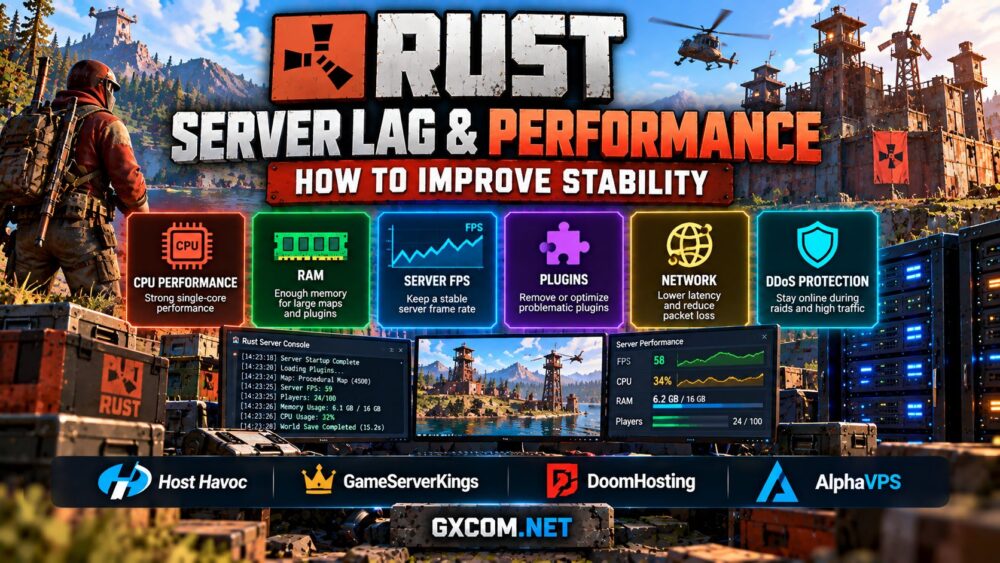
CPU性能: Rust benefits from strong individual CPU cores. A plan with many advertised virtual cores may still struggle if those cores are heavily shared or the underlying processor is outdated.
RAM usage: Large maps, active entities, and plugins increase memory demand. Insufficient available memory can lead to swapping, slowdowns, or process termination. Monitor actual usage instead of assuming that adding RAM will fix every performance issue.
Storage activity: Slow disks or insufficient free space can affect world saves, backups, and other file operations. NVMe storage is useful, but it will not solve a CPU-bound simulation problem.
Collect measurements while the problem is happening. Idle-server statistics rarely reveal why performance deteriorates during a busy raid or immediately after a wipe.

Optimize Map Size, Entities, and Server Configuration
Map size influences the amount of world data a Rust server manages. Larger maps can increase resource requirements, particularly when they support busy populations and extensive player construction.
Choose a map size that matches your community rather than automatically selecting the largest available world. Smaller communities may gain more consistent performance from a moderate map with sensible player limits.
Entity-heavy bases, automated systems, and large concentrations of player structures can also increase simulation work. Review entity counts and server behavior in busy areas before deciding that the entire machine needs replacing.
Do not treat the configured maximum player count as a performance guarantee. A server may technically allow many connections while becoming less responsive under real gameplay conditions.
Make configuration changes gradually, recording their effects. Avoid applying aggressive optimization settings without understanding how they influence gameplay or compatibility.
Find Plugins and Mods That Cause Performance Problems
Modified Rust servers can provide unique gameplay experiences, but plugins also introduce additional processing. Poorly written hooks, frequent database operations, excessive timers, and repeated entity scans can create noticeable overhead.
Frameworks such as Oxide/uMod and Carbon require compatible versions and careful maintenance. A plugin that worked before a Rust update may behave differently afterward.
If lag begins after installing or updating a plugin, examine server logs and any profiling features supported by your framework. Test suspected plugins in a controlled environment rather than disabling essential production features without preparation.
Remove unused plugins, keep dependencies current, and avoid overlapping tools that repeatedly perform the same work. Always back up configuration files and world data before significant changes.
For administrators who want more direct access to server files and startup parameters, our Rust dedicated server setup guide explains the underlying installation and configuration process.
Reduce Network Latency and Improve Stability
Not every Rust performance complaint originates from the game process. High ping, unstable routing, and packet loss can make an otherwise healthy server feel unresponsive.
Choose a data center reasonably close to your main player population. If most players are in Europe, a distant North American location may create unnecessary latency, even with powerful hardware.
When investigating network issues, compare reports from multiple players and regions. Check whether problems happen continuously, during peak traffic, or only along certain network routes.
DDoS protection is particularly important for public Rust communities, but protection quality and network routing vary between providers. An advertised high-speed network port alone does not guarantee low latency or consistent gameplay.
If packet loss or connectivity problems persist while server CPU and memory usage remain healthy, contact the hosting provider with timestamps and diagnostic evidence rather than immediately increasing your server resources.
When Better Rust Hosting Hardware Makes Sense
Once configuration, plugins, and networking have been reviewed, persistent performance limitations may indicate that your server has outgrown its hosting environment.
主持人哈沃克 is worth comparing for managed Rust hosting, particularly when administrators want game-focused management tools and support rather than full responsibility for the operating system.
GameServerKings offers Rust hosting options and dedicated gaming infrastructure. It is relevant when evaluating greater resource control or planning for a larger community, although the exact product type and included management services should be checked before ordering.
DoomHosting is another Rust hosting provider to consider when comparing server management, available hardware resources, network locations, and backup features.
AlphaVPS provides self-managed VPS infrastructure, including Ryzen-powered options. It can be considered by experienced administrators who want to configure their own Rust environment, but a VPS does not provide exclusive access to an entire physical processor.
These products serve different needs. A managed game server may simplify everyday maintenance, while dedicated hardware offers greater control over physical resources. Neither guarantees good performance if the game configuration itself is inefficient.
我们的 最佳 Rust 服务器托管 comparison provides a broader starting point for evaluating providers.
Should You Choose a VPS or Dedicated Server for Rust?
A capable VPS may be suitable for a smaller private community, particularly when player activity and plugin demands remain manageable. However, shared CPU contention can become a concern during intensive workloads.
Dedicated servers provide exclusive physical hardware resources, making them attractive for busy public communities, large maps, and multiple game instances. Modern Ryzen processors are worth evaluating because strong per-core performance is valuable for game simulation.
Before migrating, compare actual CPU performance, memory capacity, storage, network quality, DDoS protection, and administrative responsibilities. Do not assume that moving to a dedicated server will automatically eliminate network problems or plugin-related lag.

For a more detailed infrastructure comparison, read our 游戏VPS与独立服务器对比 指南。.
Rust Server Performance Troubleshooting Checklist
When players report lag, work through the following checks before spending money on a larger hosting plan:
- Confirm whether the problem affects one player or the entire server.
- Record server FPS and CPU usage during peak activity.
- Check RAM consumption, swapping, and available disk space.
- Review map size, entity activity, and realistic player capacity.
- Inspect plugin errors, update compatibility, and recent changes.
- Compare ping and packet loss across player locations.
- Verify backup integrity before changing server configurations.
- Upgrade hardware only after identifying a persistent resource bottleneck.
Keep a short performance log after each major wipe, plugin update, or player-count increase. Consistent measurements make it easier to distinguish normal workload growth from a sudden technical problem.
Final Verdict: Fix the Bottleneck Before Upgrading
最有效的方法是 improve Rust server performance is to identify the real cause of instability. CPU contention, insufficient memory, demanding plugins, excessive entities, and poor network routing require different solutions.
Start with monitoring and configuration, then evaluate hosting upgrades if the available resources are genuinely inadequate. Managed providers such as Host Havoc, GameServerKings, ,以及 DoomHosting may simplify operations, while self-managed infrastructure from providers such as AlphaVPS offers greater configuration flexibility.
For communities considering physical hardware, our AMD Ryzen dedicated game server guide explains how processor selection influences demanding multiplayer workloads.
A stable Rust community depends on more than raw specifications. Appropriate hardware, well-maintained plugins, reliable networking, and regular backups all contribute to a better experience for your players.