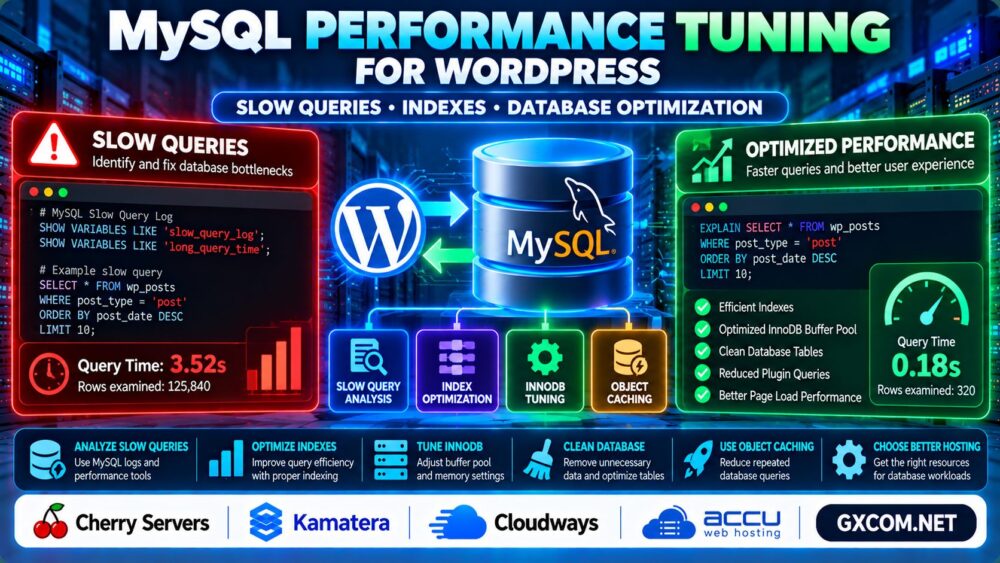
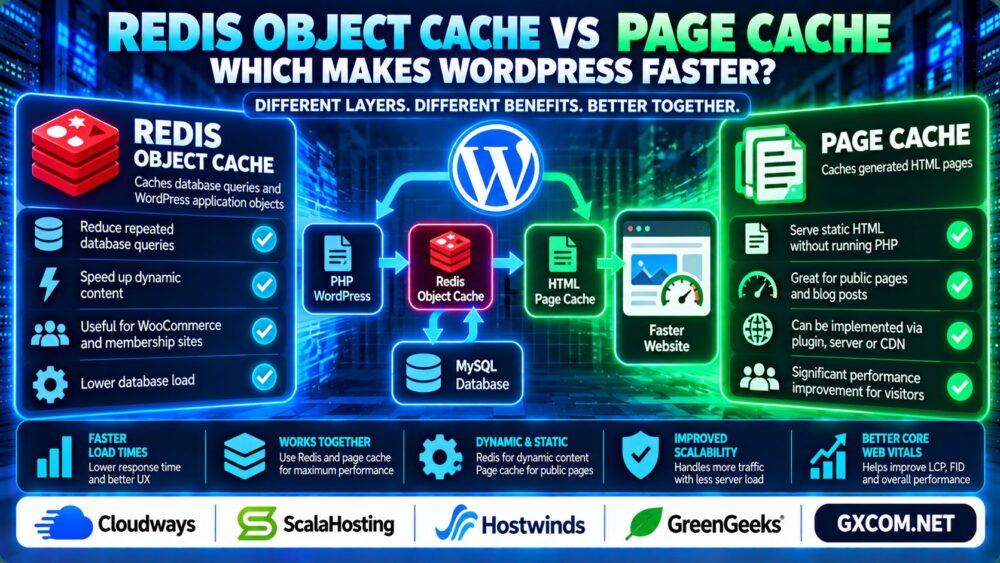
Caching is one of the most effective ways to improve WordPress performance, but not every caching method solves the same problem. Redis object caching and page caching operate at different layers of the application.
理解 Redis Object Cache vs Page Cache helps you choose the right approach for blogs, affiliate websites, WooCommerce stores, and membership platforms.
This guide compares how both caching methods work, their performance benefits, limitations, and when using them together makes sense.
Redis Object Cache vs Page Cache: Quick Comparison
| 功能 | Redis Object Cache | 页面缓存 |
|---|---|---|
| What is cached? | Application objects and cached query results | Generated HTML pages |
| Main benefit | Reduces repeated database work | 避免重复生成页面 |
| 最适合 | Dynamic, database-heavy workloads | Public, mostly static pages |
| 数据库查询 | Can reduce repeated queries | May bypass WordPress execution entirely |
| 个性化内容 | Can support dynamic requests | Requires careful bypass or variation rules |
| WordPress setup | Redis service and compatible integration | Plugin, web server, CDN, or hosting cache |
简答: Page caching often provides the greatest benefit for anonymous visitors to content websites. Redis object caching is particularly useful when WordPress must execute dynamic PHP and database operations.
1. What Is Redis Object Cache in WordPress?
Redis is an in-memory data store that can provide persistent object caching for WordPress.
WordPress has a built-in object caching interface, but its default cache generally does not persist between independent page requests.
A compatible Redis object cache integration allows selected cached objects to be reused across requests.
For example, WordPress may reuse previously cached database results instead of performing identical operations repeatedly.
This can reduce database load on busy websites, especially when plugins repeatedly request the same information.
When Redis Object Cache Helps
- WooCommerce stores with dynamic product and account activity.
- Membership websites with logged-in users.
- Large WordPress installations with repeated database lookups.
- Applications where full-page caching is frequently bypassed.
Redis cannot automatically repair inefficient SQL statements or eliminate every database query.
For deeper troubleshooting, see our MySQL Performance Tuning for WordPress Guide.
2. What Is Page Cache in WordPress?
Page caching stores a previously generated HTML response so eligible visitors can receive it without repeating the full WordPress rendering process.
Page caching can operate through a WordPress plugin, web server, reverse proxy, or CDN.
For public blog posts and informational articles, this approach can substantially reduce PHP execution and database activity.
When Page Cache Helps Most
- Blogs and editorial websites.
- Affiliate review and comparison articles.
- Public landing pages with limited personalization.
- Websites experiencing repeated traffic to the same URLs.
However, shopping carts, checkout pages, personalized dashboards, and other user-specific content often require cache bypass rules or carefully designed cache variations.

Incorrect page caching can expose another user's personalized content, making cache configuration a security consideration as well as a performance decision.
3. Which Cache Makes WordPress Faster?
For an anonymous visitor requesting a cacheable article, a page cache hit may deliver HTML without loading WordPress PHP or querying MySQL.
Redis object caching works differently: WordPress may still execute PHP, but repeated application data can be retrieved from memory instead of the database.
Therefore, page caching often produces a larger improvement for cacheable public pages, while Redis may provide more value for dynamic requests.
The actual benefit depends on cache hit rates, database workload, server configuration, and plugin behavior.
For a broader view of server bottlenecks, read our 服务器性能监控指南.
4. Can You Use Redis and Page Cache Together?
Yes. Redis object caching and page caching can complement each other because they target different performance bottlenecks.
A typical request may follow this pattern:
- The browser requests a WordPress page.
- The page cache checks for a reusable HTML response.
- If the page cache hits, the cached response is delivered.
- If the page cache misses, WordPress executes PHP.
- During execution, Redis may supply cached application objects.
- WordPress generates the response and the page cache may store it for eligible future requests.
This layered architecture can reduce both page generation overhead and repeated database work.
Hosting environments from Cloudways 以及 ScalaHosting are relevant options to compare when evaluating WordPress caching and managed server configurations.
Verify the available caching technologies and supported integrations for the specific hosting plan.
5. Redis vs Page Cache for WooCommerce
WooCommerce websites require more careful caching than ordinary blogs because customer sessions, carts, checkout information, and account pages are dynamic.
Public product and category pages may benefit from page caching when configured appropriately.
Cart, checkout, and account responses generally need exclusion or suitable personalized handling.
Redis object caching may reduce repeated database work during dynamic requests, but compatibility and invalidation behavior must be tested.
Never enable aggressive full-page caching across all WooCommerce URLs without validating customer-specific behavior.
6. How to Enable Redis Object Cache Safely
Before enabling Redis, confirm that your hosting environment supports a Redis service and a compatible WordPress object cache integration.
Follow this general process:
- Back up WordPress and document current caching settings.
- Confirm Redis service availability and access controls.
- Install a maintained, compatible WordPress Redis integration.
- Configure connection settings using provider documentation.
- Enable persistent object caching and verify connectivity.
- Monitor cache hits, memory usage, and application behavior.
Do not expose an unauthenticated Redis service directly to the public internet.
Redis memory usage and eviction settings should match your workload and hosting environment.
7. Common WordPress Caching Mistakes
More caching layers do not automatically mean better performance.
Common problems include overlapping page cache systems, outdated content after updates, insufficient Redis memory, and incorrect exclusions for logged-in users.
Cache invalidation matters: WordPress must serve updated content when posts, products, or settings change.
Measure performance using both cached and uncached requests, and test critical user journeys after configuration changes.
For visitor experience metrics, see our WordPress Core Web Vitals Optimization Guide.
8. Do You Need Better Hosting for WordPress Caching?
A hosting upgrade may help when sustained resource limitations prevent your existing environment from serving traffic efficiently.
However, installing Redis on a poorly configured application does not guarantee faster performance.
Hostwinds 以及 GreenGeeks are additional providers to compare when evaluating WordPress hosting and server resource requirements.
Check whether the plan supports Redis, suitable page caching, adequate memory, and the level of server administration you need.
我们的 Managed vs Unmanaged Hosting Guide</a explains the responsibilities involved.

WordPress Caching Optimization Checklist
- Identify whether pages are public or personalized.
- Enable reliable page caching for eligible public pages.
- Consider Redis for repeated dynamic database workloads.
- Configure cache exclusions for sensitive user-specific pages.
- Monitor cache hit rates and memory consumption.
- Test content updates and cache invalidation.
- Compare cached and uncached performance.
常见问题解答
Is Redis object cache faster than page cache?
Not necessarily. Page caching often provides greater benefits for cacheable public pages, while Redis helps reduce repeated database work during dynamic requests.
Do I need Redis for a small WordPress blog?
Usually not as a first optimization. Correctly configured page caching may provide sufficient performance for a small content website.
Can Redis and page cache run together?
Yes. They operate at different layers and can complement each other when configured correctly.
Does Redis replace MySQL in WordPress?
No. Redis object caching stores reusable application data, while MySQL remains the persistent database.
Should WooCommerce checkout pages be cached?
Customer-specific checkout responses generally should not be shared through a public full-page cache.
Will caching improve WordPress Core Web Vitals?
Caching can improve server response and loading performance, but it does not automatically fix JavaScript responsiveness or layout instability.
最终裁决
在比较时 Redis Object Cache vs Page Cache, the right choice depends on how your WordPress website generates content.
Start with page caching for eligible public pages, add Redis when dynamic database workloads justify it, and measure the impact of each layer.
Page Cache for HTML Delivery + Redis for Repeated Application Data = Complementary WordPress Caching.