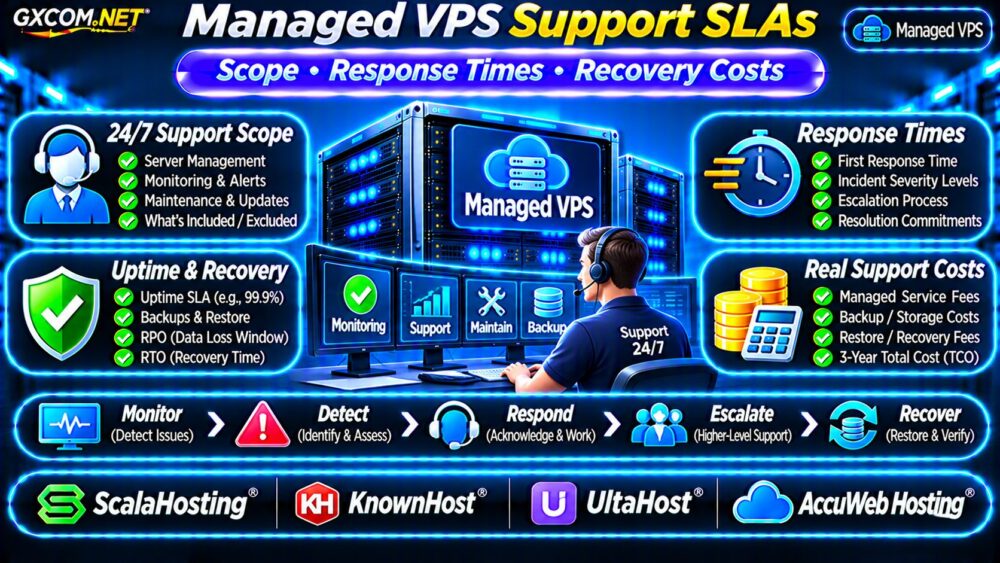
Managed VPS migration support can make moving a business website easier, but the word “managed” does not guarantee a complete, downtime-free migration. Providers differ in what they transfer, which applications they support, and whether additional work costs extra.
Before choosing a new VPS, understand how DNS cutover, database synchronization, email migration, and rollback affect your business. This guide explains how to reduce migration risks and compare the actual cost of professional assistance.
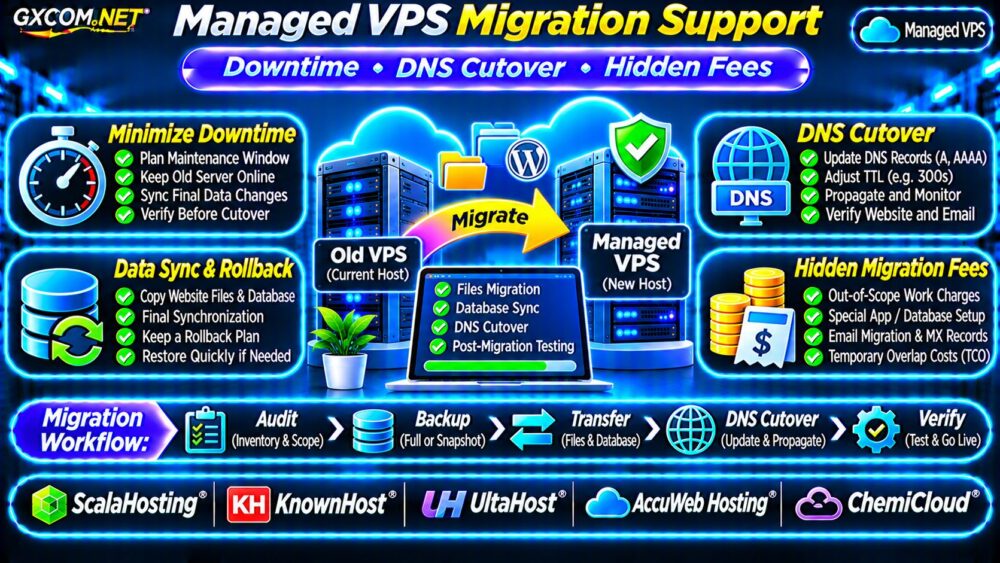
What Does Managed VPS Migration Support Include?
A typical migration may involve copying website files, transferring databases, configuring the web server, installing SSL certificates, and testing the application.
However, assistance varies considerably. Some providers migrate supported control-panel accounts, while others offer only basic website transfers or charge for complex configurations.
Ask whether the service includes:
- Website files and database migration.
- Email accounts, messages, and DNS records.
- SSL certificates and application configuration.
- Final data synchronization and DNS cutover.
- Post-migration testing and rollback assistance.
Clarify these responsibilities before purchasing. Our 托管型与非托管型VPS指南 explains broader service boundaries.
预计会有多少停机时间?
Migration downtime depends on the application, data volume, transfer speed, and ability to synchronize changes while the old server remains online.
A mostly static website may move with minimal disruption. A busy WooCommerce store or transactional database requires greater coordination because new orders and account updates must not be lost.
No responsible provider should promise zero downtime without evaluating the actual workload and migration architecture.
Plan a Realistic Maintenance Window
Choose a lower-traffic period, notify stakeholders, and define who can approve a temporary write freeze. Keep the old environment available until validation finishes.
For applications that cannot tolerate interruption, discuss replication, load balancing, or application-specific migration techniques rather than relying on a simple file copy.
Prepare the Source VPS Before Migration
Inventory websites, databases, PHP versions, scheduled tasks, DNS records, email services, SSL certificates, and third-party integrations.
Check the destination VPS for compatible software versions, sufficient disk capacity, and appropriate CPU and RAM resources.
Create an independently recoverable backup before making changes. A provider migration service should not replace your own recovery plan.
请参阅我们的 VPS 快照备份与恢复指南 for additional preparation.
DNS Cutover: TTL, Propagation and Common Mistakes
DNS cutover redirects users from the old server to the new server. DNS resolvers may cache previous answers until their time-to-live (TTL) expires.
Where appropriate, reduce relevant DNS TTL values ahead of migration, allowing existing cached records time to expire before changing the destination.

For example, reducing an A record TTL to 300 seconds may help participating resolvers refresh more quickly. It does not guarantee that every client immediately uses the new address.
Verify DNS Before and After Cutover
Inspect authoritative and public DNS answers using:
dig example.com A
dig example.com MX
dig example.com NS
Replace the example domain with your own. Check IPv6 AAAA records, subdomains, and externally hosted services where applicable.
Test the new website before public cutover using a temporary hostname or a local hosts-file override.
Avoid changing nameservers unnecessarily when updating individual records is sufficient.
Synchronize Files and Databases Safely
For Linux-to-Linux migrations, administrators may use rsync to transfer website files efficiently:
rsync -avz --dry-run /var/www/site/ \
user@new-server:/var/www/site/
This dry-run example previews changes without transferring files. Confirm permissions, ownership, exclusions, and the destination path before performing the actual transfer.
Databases require separate consistency planning. A file-level copy of a running database directory is not automatically a valid backup.
Protect WooCommerce Orders and User Data
For actively changing websites, perform an initial transfer, then coordinate a final database synchronization while writes are paused or safely redirected.
Otherwise, customers reaching the old and new servers during DNS transition could create conflicting records.
Do not reopen checkout until the destination database and payment integrations have been validated.
Do Not Forget Email Migration
Email can be overlooked when website hosting and mail services share the same account.
Document MX, SPF, DKIM, and DMARC records. Confirm whether mailboxes, existing messages, aliases, and forwarding rules are included.
When email is hosted separately, preserve the existing mail configuration unless a change is explicitly required.
Test incoming and outgoing messages after cutover, including application-generated notifications.
Prepare a Rollback Plan Before Switching
A rollback plan defines how to return traffic to the original environment if the new VPS fails validation.
Keep the source server operational, preserve its configuration, and document the DNS records required to reverse the cutover.
Rolling back a transactional application is more complicated once the new environment accepts writes. Determine how new orders or records will be reconciled before attempting reversal.
For broader migration planning, consult our 云服务器迁移指南.
Five Managed Hosting Providers to Compare
The following GXCOM.NET-approved affiliate providers are candidates for migration-related purchasing decisions. Confirm that the selected service includes the required VPS product and migration assistance.
ScalaHosting: Managed VPS Migration Planning
ScalaHosting is worth evaluating for managed VPS deployments. Ask about supported control panels, account transfers, application compatibility, and the number of included migrations.
KnownHost: Support Scope and Cutover
KnownHost is relevant for buyers prioritizing managed support. Verify migration scheduling, DNS responsibilities, testing procedures, and exclusions for custom applications.
UltaHost: VPS Upgrade and Transfer Options
UltaHost provides another managed VPS comparison point. Review available migration assistance, source-platform compatibility, and any separately billed work.
AccuWeb Hosting: Configuration Requirements
AccuWeb 主机服务 can be assessed for migrations involving particular operating systems or application stacks. Confirm transfer scope, licensing, and post-migration support.
ChemiCloud: Verify Product Eligibility
ChemiCloud may be considered for supported managed website migrations. Confirm whether its currently available products meet your specific VPS requirements before treating it as a VPS alternative.
Compare infrastructure and service options in our 最佳VPS服务商指南.
Hidden Managed VPS Migration Fees
Even an advertised free migration may exclude certain tasks. Potential additional expenses include:
- Transfers beyond the included account allowance.
- Control-panel conversions or license changes.
- Large databases and specialized applications.
- Email transfer and DNS administration.
- Emergency scheduling or extended troubleshooting.
- Temporary overlap between old and new servers.
Request a written scope and itemized estimate. Confirm whether the provider charges for unsuccessful transfers or additional troubleshooting.

Calculate Migration and Three-Year Costs
Consider a hypothetical migration budget:
| 费用 | 示例成本 |
|---|---|
| New managed VPS | $45/month |
| Old-server overlap | $20 one-time |
| Specialized migration work | $100 one-time |
| Additional validation labor | $80 one-time |
The first month’s total is $245. At unchanged rates, thirty-six months of new hosting plus these one-time expenses would cost $1,820.
These fictional amounts exclude taxes, backup add-ons, licenses, and downtime losses. Actual provider charges may differ.
Managed VPS Migration Checklist
- Confirm the migration scope in writing.
- Inventory applications, databases, and DNS records.
- Prepare independent backups and rollback procedures.
- Test the destination before DNS cutover.
- Coordinate final synchronization of changing data.
- Verify email, SSL, checkout, and scheduled tasks.
- Keep the source available until acceptance testing ends.
常见问题解答
Is Managed VPS Migration Always Free?
No. Included migrations, eligible platforms, and chargeable tasks vary by provider and plan.
Does Lowering DNS TTL Eliminate Downtime?
No. It can reduce some caching delays but does not resolve database synchronization or application compatibility problems.
Can I Cancel My Old VPS Immediately?
Wait until traffic, data consistency, email delivery, backups, and application functionality have been verified.
最终裁决
Good managed VPS migration support is defined by clear responsibilities, safe data synchronization, controlled DNS cutover, and a practical rollback plan.
比较 ScalaHosting, KnownHost, UltaHost, AccuWeb Hosting, and eligible ChemiCloud services using verified migration terms. The best choice is the provider that can support your actual workload at a predictable total cost.