A secure multiplayer server depends on more than a strong password. Misconfigured administrator accounts, outdated plugins, exposed remote consoles, and unreliable backups can put a gaming community at risk.
这个 game server security checklist covers practical safeguards for Minecraft, Rust, ARK, and other multiplayer environments. Use it before launch, after major changes, and during routine maintenance.
1. Restrict Administrator Access
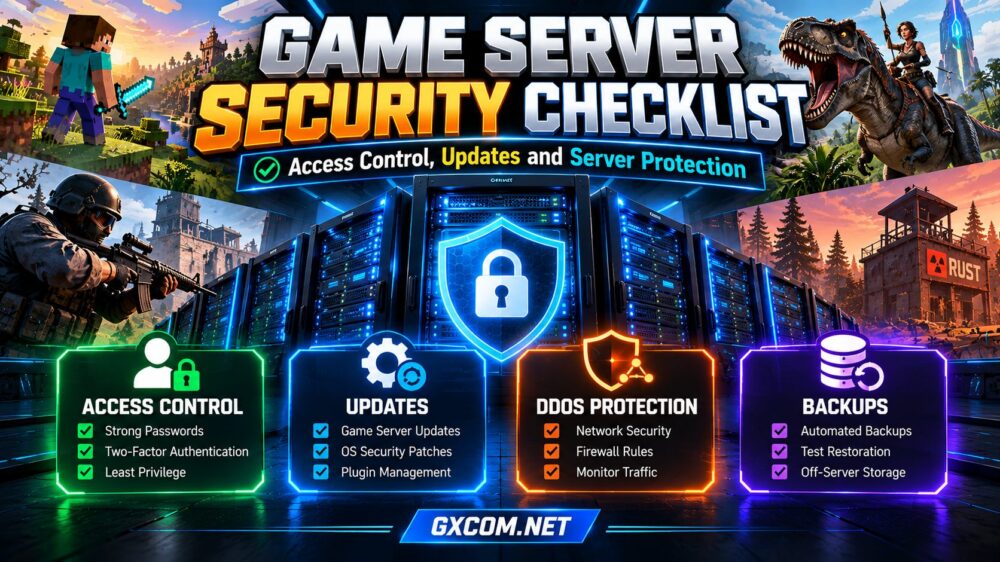
Give each administrator an individual account wherever the platform supports it. Apply least privilege: moderators should not automatically receive full operating-system or hosting-panel access. Remove permissions immediately when staff leave, and review access after role changes.
Enable multifactor authentication for hosting dashboards, email accounts, and identity providers when available. Use unique passwords stored in a password manager, and avoid sharing credentials through chat.
For self-managed machines, prefer SSH keys over password-only SSH authentication, disable unnecessary accounts, and limit administrative access to trusted networks where practical. Maintain a documented emergency access procedure.
2. Protect RCON and Management Panels
Remote console interfaces can expose powerful commands. Change default credentials, avoid public exposure when possible, and restrict access using firewall rules, VPNs, or trusted IP addresses. Use encrypted connections when supported; do not assume every RCON implementation encrypts traffic.
Keep game ports separate from management interfaces. Never publish control-panel credentials in screenshots, configuration repositories, or support conversations. Review login and command logs for unexpected activity.
If several administrators need remote access, establish a clear approval process and revoke access when it is no longer required.
3. Patch the Game, Operating System, and Plugins
Unpatched software is a common entry point. Maintain an inventory of your operating system, game server build, mod loader, plugins, and management panel. Subscribe to official release notices and security advisories.
Test major game updates against mods before applying them to production. Schedule maintenance windows, preserve rollback copies, and verify that clients can reconnect afterward. Critical security fixes should receive priority, but a rushed incompatible update can also damage availability.
Download plugins only from reputable sources. Remove abandoned extensions, inspect permissions, and avoid running unknown scripts with elevated privileges. A mod that works today may break after a game update.
4. Harden the Host and Network
Expose only the ports required for gameplay and administration. Configure a host firewall and, where available, provider-level network filtering. Disable unused services and remove sample applications, unnecessary packages, and default accounts.

Run game processes under dedicated, nonprivileged users instead of root or an administrator account whenever supported. Separate unrelated services and keep file permissions restrictive.
For Linux or Windows hosts, enable supported security updates and review service configurations regularly.
我们的 托管游戏服务器与自建游戏服务器 comparison explains how administrative responsibilities differ.
5. Plan for DDoS and Abuse
Public servers can attract disruptive traffic. Ask providers what their DDoS protection covers, which protocols are supported, and how incidents are handled. Marketing claims such as “protection included” do not explain mitigation thresholds or possible downtime.
Select a location close to most players, but also assess routing and network reliability. Set clear moderation rules, configure anti-spam controls, and document procedures for malicious players and compromised accounts.
我们的 dedicated game server DDoS protection guide examines additional network safeguards.
6. Back Up Worlds and Test Recovery
Create automated backups of worlds, configuration files, permission lists, and essential plugin data. Backups should be versioned, retained according to your recovery needs, and stored separately from the live game instance.
A backup stored only on the same machine may be lost during disk failure or compromise. Protect backup credentials, restrict deletion rights, and encrypt sensitive copies where appropriate.
Most importantly, restore a recent backup to a separate test environment. Check world integrity, mod compatibility, and player data before declaring the backup strategy reliable.
我们的 游戏服务器备份策略 guide covers retention and restoration planning.
7. Monitor Logs and Resource Changes
Monitor failed logins, unusual console commands, unexpected file modifications, traffic spikes, and sudden CPU or memory changes. Establish normal baselines so anomalies are easier to identify.
Keep logs for a reasonable period while limiting access to player information. Configure alerts for critical events, but avoid alert fatigue by prioritizing actionable signals.
When a compromise is suspected, restrict affected access, preserve relevant logs, rotate exposed credentials, and restore from a verified clean state if necessary. Inform players when an incident materially affects their accounts or data.
8. Compare Hosting Security Before Buying
Security responsibilities differ between managed game hosting, VPS plans, and bare-metal servers. With self-managed infrastructure, you generally maintain the operating system, firewall, and game software yourself. Managed hosting may simplify some tasks, but you still control staff permissions and plugin choices.
主持人哈沃克 以及 Godlike.Host are game-focused options worth evaluating for panel security, backup controls, support processes, and game compatibility.
Sparked 主持人 以及 生存服务器 can also be compared for supported games, recovery tools, and available protection features. Verify each feature on the exact plan before purchase; provider capabilities are not interchangeable.
Ask whether backups can be restored independently, whether administrators have separate accounts, and which security incidents the support team handles. Document these answers before migrating a live community.
请查看我们的 如何选择游戏托管服务商 guide for broader purchasing criteria.
Quick Game Server Security Checklist
Before opening your server to players, verify these essentials:
- Unique administrator accounts and least-privilege permissions.
- Multifactor authentication enabled where supported.
- RCON and management interfaces restricted.
- Operating system, game builds, and plugins updated.
- Unnecessary ports and services disabled.
- DDoS response and support procedures understood.
- Automated off-server backups and tested restores.
- Monitoring, incident contacts, and recovery steps documented.
Repeat this review after major updates, staff changes, migrations, or security incidents. Record who completed each check and when.

常见问题解答
Is DDoS Protection Enough to Secure a Game Server?
No. DDoS mitigation addresses certain network attacks, not stolen credentials, vulnerable plugins, unsafe permissions, or lost backups.
How Often Should I Update Game Server Plugins?
Review updates and advisories regularly. Apply urgent security fixes promptly after compatibility checks, and schedule routine maintenance for less critical changes.
Should I Give Moderators Full Admin Access?
Usually not. Grant only the commands and panel permissions needed for their responsibilities, and review them periodically.
Can Managed Hosting Replace Security Maintenance?
No. A provider may maintain parts of the infrastructure, but server owners remain responsible for account access, trusted plugins, player permissions, and appropriate recovery planning.
结语
一个强大的 game server security checklist combines controlled access, maintained software, network protection, dependable backups, and clear incident procedures.
Security is an ongoing process, not a feature purchased once. Choose hosting based on verified controls, then keep ownership of the practices that protect your community.