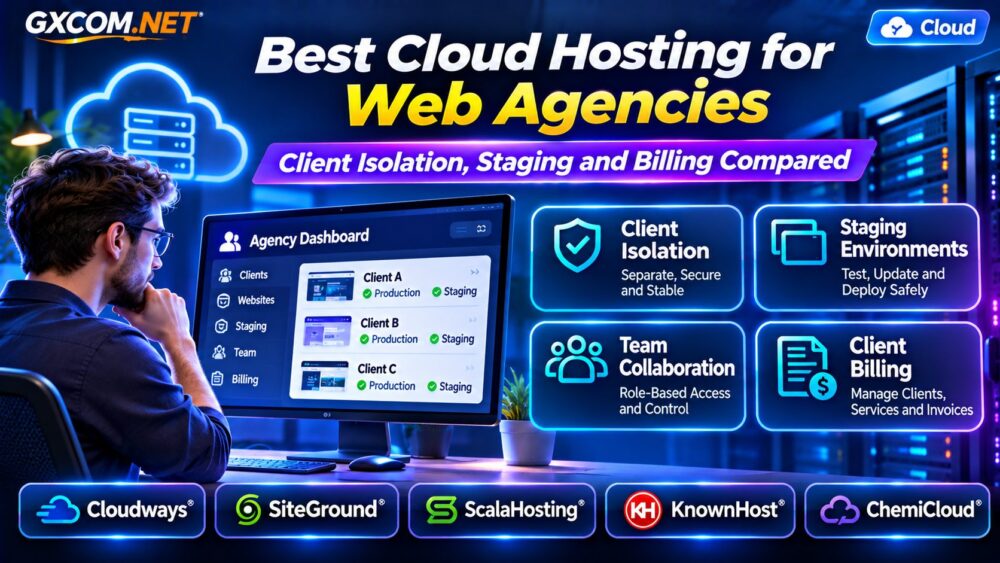
选择 best cloud hosting for web agencies involves more than comparing CPU, RAM, and introductory prices. Agencies manage multiple client websites, coordinate developers, test updates, and maintain predictable hosting expenses. A platform that works for one website may become difficult to manage across twenty client projects.
The right hosting environment should support client isolation, staging, controlled access, reliable backups, and transparent billing. This guide compares Cloudways, SiteGround, ScalaHosting, KnownHost,以及 ChemiCloud to help agencies choose infrastructure that fits their workflow.
Best Cloud Hosting for Web Agencies: Quick Comparison
| 服务提供商 | 最佳匹配 | 首要考虑因素 |
|---|---|---|
| Cloudways | Managed cloud agency workflows | Application management and client billing |
| SiteGround | WordPress agencies and client access | Staging and white-label tools |
| ScalaHosting | Managed VPS-based agency hosting | Resource allocation and management |
| KnownHost | 托管和转售型主机服务 | Support and account separation |
| ChemiCloud | Small agencies and client websites | WordPress and reseller plans |
These services use different hosting architectures. Compare the specific plan, not merely the provider’s brand name.
Why Client Isolation Matters for Agencies
Client isolation prevents one website’s problems from unnecessarily affecting other customers. Shared server resources can create performance contention, while poorly configured permissions increase security risks.
For smaller projects, separate website accounts or application-level permissions may be sufficient. Business-critical clients may require separate virtual servers, databases, credentials, and backup policies.
Isolation exists at several levels: application, operating system, account, and infrastructure. Hosting multiple websites on one cloud server does not automatically provide complete resource isolation.
Ask whether customers receive individual credentials, whether resource limits are enforceable, and how compromised websites are contained.
Staging Environments: Essential for Client Updates
Agencies regularly modify WordPress themes, plugins, checkout pages, and custom code. Testing changes directly on production websites can cause downtime or broken functionality.
A staging environment provides a separate location for testing before deployment. Look for website cloning, controlled synchronization, database handling, and straightforward rollback procedures.
Cloudways offers staging environments and cloning workflows. SiteGround also provides WordPress staging tools on eligible plans.
Before publishing changes, verify that production orders, form submissions, and user accounts will not be overwritten by an outdated staging database.

Team Permissions and White-Label Client Access
Web agencies need different access levels for developers, designers, account managers, and clients.
Cloudways supports team permissions covering selected applications, servers, billing, and support access. SiteGround distinguishes collaborators from client users, with white-label client access available on eligible plans.
Prefer individual accounts with role-based permissions rather than sharing a master password. Enable multifactor authentication where available and revoke temporary access when projects finish.
White-label management can improve the client experience, but branding options and permissions depend on the purchased product.
Five Hosting Providers for Web Agencies
1. Cloudways: Managed Cloud Workflows
Cloudways is a strong candidate for agencies managing multiple WordPress and PHP applications. Its platform combines application management, staging, backups, team collaboration, and server scaling.
Cloudways also offers Client Billing, which helps agencies organize customers, assign services, and manage invoicing through a separate billing workflow.
Check subscription requirements, supported infrastructure, resource allocation, and the total monthly cost before selecting a plan.
For broader managed cloud comparisons, see our 托管云主机对比.
2. SiteGround: WordPress Staging and Client Roles
SiteGround is particularly relevant to WordPress agencies that value streamlined website management.
Its agency-oriented tools include collaborator access, staging, and white-label client access on qualifying plans. Cloud hosting provides additional resource options for growing workloads.
Evaluate plan eligibility carefully. Client roles, staging availability, and resource allocations are not necessarily identical across shared and cloud products.
3. ScalaHosting: Managed VPS for Growing Agencies
ScalaHosting is worth evaluating when an agency wants managed VPS resources and greater control over its hosting environment.
Compare management coverage, control panel capabilities, account separation, backup policies, and the resources allocated to each server.
Agencies with demanding customers should determine whether separate VPS instances are more appropriate than consolidating every website onto one machine.
4. KnownHost: Managed and Reseller Hosting
KnownHost offers hosting categories relevant to agencies seeking managed infrastructure or reseller-oriented customer accounts.
Its suitability depends on whether the agency prioritizes server management, individual hosting accounts, or customer support.
Verify the exact plan’s resource boundaries, backup options, migration assistance, and administrative responsibilities before purchase.
5. ChemiCloud: Hosting for Smaller Client Portfolios
ChemiCloud is an option for smaller agencies evaluating WordPress hosting and reseller-style client management.
Compare account limits, available storage, website management tools, backup retention, and upgrade paths.
Agencies expecting substantial traffic growth should examine when moving from conventional hosting to dedicated cloud resources becomes worthwhile.
Agency Billing: Calculate Cost Per Client
Hosting profitability depends on more than the server invoice. Agencies must account for backups, monitoring, software licenses, support time, and client-specific resource consumption.
Consider a hypothetical agency spending $120 monthly on infrastructure and $60 on supporting services for twelve websites.
The combined cost is $180, or $15 per client before labor, taxes, and profit. If three demanding websites consume most resources, equal allocation may not reflect actual costs.
Track infrastructure expenses by client and establish clear policies for storage growth, traffic spikes, and emergency support.
Client billing tools can automate invoicing, but they do not eliminate the need for accurate cost allocation.
Shared Cloud Server vs Separate Client Instances
Placing several websites on one managed cloud server can reduce administrative overhead. However, resource contention and shared failure risks may increase as the portfolio grows.
Separate instances provide stronger workload boundaries and more predictable resource allocation, usually at additional cost.
Choose based on traffic patterns, security requirements, application complexity, and customer service commitments.
我们的 云托管与VPS对比 explains the underlying infrastructure tradeoffs.
Backups, Migration and Client Ownership
Agencies should define who owns website data, domains, backups, and hosting accounts before onboarding a client.
Look for automated backups, documented retention periods, restoration testing, and export options. A backup that cannot be restored reliably provides limited protection.

Also verify whether websites can be transferred to a client’s independent account without unnecessary downtime or unexpected fees.
请查看我们的 云服务器迁移指南 when planning infrastructure changes.
How to Choose the Right Agency Hosting Plan
Start by grouping client websites according to business importance, traffic, technology, and expected growth.
Estimate CPU, memory, storage, and backup requirements. Then compare staging, access controls, support scope, and billing features.
Do not assume that every provider includes white-label tools, isolated resources, or automated client invoicing. Confirm these features for the exact product tier.
如需查看更全面的入围名单,请浏览我们的 最佳云托管解决方案 指南。.
常见问题解答
Is Cloud Hosting Better Than Reseller Hosting for Agencies?
Cloud hosting may offer more flexible infrastructure resources, while reseller hosting can simplify individual customer accounts. The better choice depends on workload and management requirements.
Should Every Client Have a Separate Cloud Server?
Not always. Smaller websites can share infrastructure when appropriate isolation and resource controls exist. Critical workloads may justify dedicated instances.
Does Agency Cloud Hosting Include Client Billing?
Not necessarily. Some providers offer billing integrations or separate products, while others require third-party invoicing software.
最终裁决
The best cloud hosting for web agencies balances client isolation, safe deployment workflows, team permissions, predictable costs, and dependable support.
Cloudways and SiteGround deserve particular attention for agency-oriented management features. ScalaHosting, KnownHost, and ChemiCloud provide additional options for managed or reseller-style hosting requirements.
Compare actual plan features and total costs before choosing a platform for your client portfolio.