发现有价值的事物 VPS deals with free backups requires more than looking for a free backup badge on a hosting plan. Some offers include automated recovery points, while others provide limited snapshots, optional storage, or restoration services with additional charges.
For WordPress publishers, developers, and small businesses, the real value depends on backup frequency, retention, recovery access, and long-term pricing. This guide explains how to compare VPS backup offers before committing to a hosting provider.
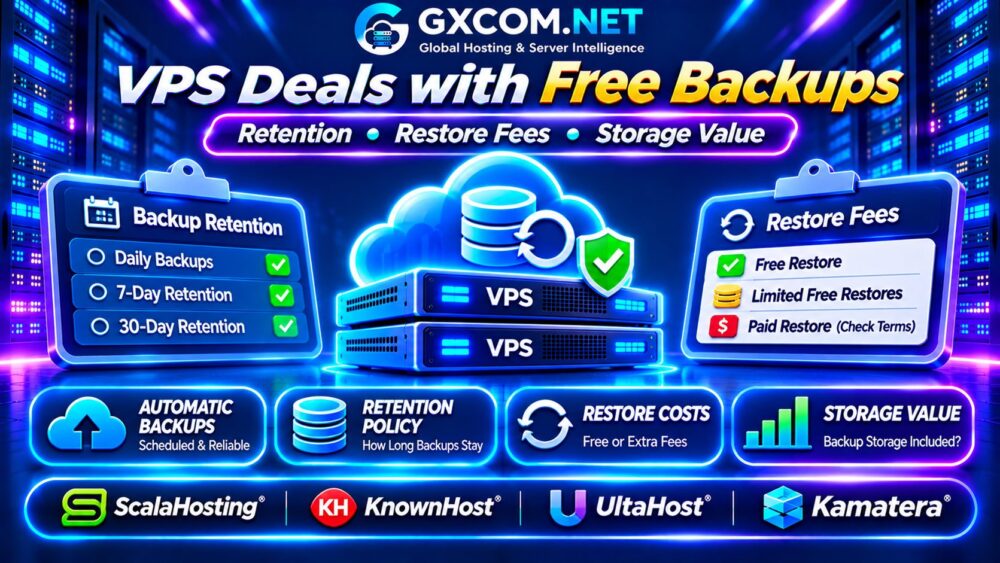
What Does Free VPS Backup Actually Mean?
Free backups may refer to automated server copies, account-level backups, scheduled snapshots, or a limited backup allocation. These services are not interchangeable.
A full-server backup may help recover an entire environment. File-level backups can simplify restoring individual documents or databases. Snapshots often capture a particular system state but may depend on the provider’s underlying infrastructure.
Ask whether the included backup is automatic, independently stored, downloadable, and restorable without additional payment.
For technical distinctions, read our VPS 快照与备份恢复指南.
Backup Retention: How Many Recovery Points?
Retention determines how long backup copies remain available. A provider advertising daily backups might retain only a limited number of recovery points.
Consider three illustrative policies:
| Backup Policy | 潜在局限性 |
|---|---|
| Daily, 3 copies | Short recovery history |
| Daily, 7 copies | Approximately one week of coverage |
| Daily, 30 copies | Longer history, potentially greater storage needs |
These examples assume successful daily backups and one retained copy per day. Actual schedules, deletion rules, and storage policies vary.
Longer retention is useful when corruption, accidental deletion, or malware remains undetected for several days. However, additional recovery points do not guarantee successful restoration.
Backup Frequency, RPO and RTO
Recovery Point Objective (RPO) describes the maximum acceptable data loss measured in time. Recovery Time Objective (RTO) describes the target time needed to restore service.
Daily backups may be sufficient for a mostly static website but inadequate for an active store or frequently updated database.
Likewise, having a recent backup does not guarantee fast recovery. Large disk images, support queues, and manual restoration steps can extend downtime.
Match backup frequency and recovery expectations to the importance of your workload.
四家值得对比的VPS服务商
ScalaHosting: Managed VPS Backup Options
ScalaHosting is relevant to customers comparing managed VPS hosting and administrative convenience. Review the exact plan’s backup schedule, retention rules, restore controls, and any included management services.

Confirm whether backup features apply to the selected VPS configuration rather than relying on general promotional descriptions.
KnownHost: Managed Hosting and Recovery
KnownHost is another candidate for businesses prioritizing managed VPS operations. Examine backup coverage, recovery assistance, storage limitations, and whether restoration requests carry separate charges.
Ask how database recovery differs from restoring an entire server.
UltaHost: VPS Backup Features
UltaHost is worth evaluating for VPS packages that advertise backup-related features. Verify which plans qualify, whether backup automation is included, and how long recovery points remain available.
Also check whether restoring files, databases, or complete systems requires support intervention.
Kamatera: Configurable Cloud Backup Planning
卡马特拉 is relevant to customers evaluating configurable cloud servers with backup and recovery requirements. Review available backup services, snapshot options, storage charges, and billing conditions.
Do not assume that a configurable cloud server includes free backup storage by default.
These four providers are comparison candidates, not a verified ranking of current free-backup promotions.
Are VPS Restore Fees Really Free?
A backup can be included in the hosting subscription while restoration remains a separate service. Some providers offer self-service recovery, while others require a support ticket or paid administrative work.
Before purchasing, ask whether the following operations are included:
- Restoring an entire VPS from a recovery point.
- Recovering individual files or databases.
- Downloading backups to independent storage.
- Restoring after accidental deletion or account suspension.
- Receiving assistance during an emergency.
Clarify whether restoration overwrites current data and whether the process requires downtime.
Backup Storage Limits and Hidden Charges
Backup storage can be billed separately from primary VPS disk capacity. Providers may limit backup size, retained copies, or total allocated storage.
For example, a 100GB VPS does not necessarily include 100GB of independent backup capacity. Incremental backups may consume less storage than full copies, depending on data changes and implementation.
Confirm whether growing databases, uploaded media, and application logs affect backup charges. Check network transfer fees when exporting large backup archives.
For broader infrastructure budgeting, explore our 云VPS带宽费用指南.
Calculate the Real Value of Free Backups
Compare two hypothetical VPS packages with equivalent compute resources and recovery requirements:
| 每月开支 | 方案A | B计划 |
|---|---|---|
| VPS 订阅 | $12 | $16 |
| 备份服务 | $6 | 包含 |
| 月度总计 | $18 | $16 |
| 24个月总计 | $432 | $384 |
Plan B saves $48 over two years despite its higher base price. This example assumes unchanged monthly rates and excludes taxes, restoration fees, and additional storage.
Backup value also depends on retention quality and recovery reliability. A cheaper service is not necessarily better if its recovery points cannot meet your requirements.
Free Backups vs Independent Offsite Backups
Provider-managed backups are convenient, but relying exclusively on one hosting account creates operational risk. Account access problems, provider incidents, or accidental deletion may affect recovery options.
For important workloads, maintain independent copies under separate access controls. Encrypt sensitive data and periodically test restoration procedures.
Independent offsite backups can increase costs, but they reduce dependence on a single recovery system.
When Should You Choose Managed VPS?
Managed VPS services may simplify backup scheduling, monitoring, and restoration assistance. Self-managed VPS hosting offers greater control but requires administrators to configure and verify their own protection.

Neither approach guarantees that every recovery task is included. Review the service agreement carefully.
我们的 托管型与非托管型VPS对比 explains the operational tradeoffs.
VPS Backup Deal Buying Checklist
- Confirm automatic backup frequency and retention.
- Verify full-server and file-level restore options.
- Check restore fees and support availability.
- Calculate backup storage and transfer charges.
- Review backup access after cancellation.
- Compare total costs over twelve or twenty-four months.
常见问题解答
Are Free VPS Backups Always Automatic?
No. Some plans require manual snapshots or separate activation. Verify the actual backup schedule.
Can I Restore a VPS Backup Without Paying?
That depends on the provider and plan. Backup creation and restoration may have different pricing rules.
Do Free VPS Backups Replace Offsite Backups?
Not necessarily. Independent copies improve resilience when provider-managed recovery becomes unavailable.
最终裁决
The best VPS deals with free backups combine useful retention, reliable recovery access, transparent storage limits, and sustainable renewal pricing.
比较 ScalaHosting, KnownHost, UltaHost, and Kamatera using the exact backup policies attached to each eligible plan. Choose the provider that protects your data at the lowest practical total cost, not merely the one advertising free backups.
For additional purchasing research, see our 最佳VPS服务商对比.