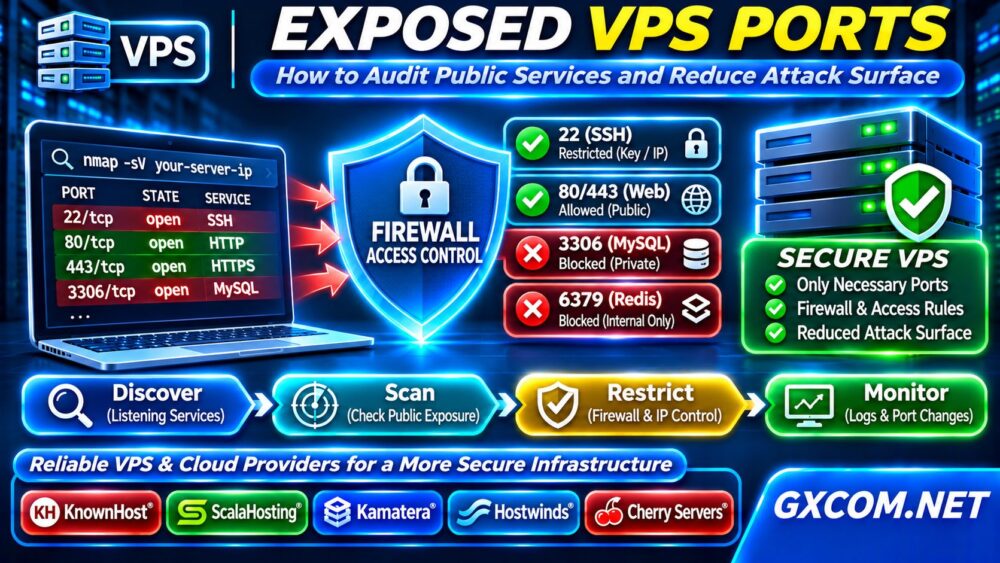
Exposed VPS ports can turn an otherwise reliable server into an unnecessary attack target. An open management interface, database listener, or forgotten development service may invite automated scanning and unauthorized access attempts. However, a listening port is not always reachable from the public internet.
This guide explains how to audit Linux services, confirm external exposure, configure firewalls, and decide when better network controls or managed infrastructure are justified. Perform active scans only against systems you own or are authorized to test.
What Does an Exposed VPS Port Mean?
A port identifies a network service endpoint. Web servers commonly use TCP 80 and 443, while SSH typically uses TCP 22. Databases, caches, and administration panels may listen on other ports.
A service listening on 127.0.0.1 is normally limited to local connections. A listener bound to 0.0.0.0 or an IPv6 wildcard may accept connections through multiple interfaces, subject to firewall and network rules.
Exposure depends on the complete path: application binding, host firewall, provider firewall, routing, and any proxy or container configuration.
Step 1: Inventory Listening Services
Connect through an authorized administrative session and inspect TCP and UDP listeners:
sudo ss -tulpenReview the local address, port, process, and protocol. Investigate unfamiliar services rather than assuming every open listener is malicious.
Check which applications should be reachable publicly. A typical website needs HTTPS access, but its database and cache generally should remain private.
Document expected ports before changing rules. Keep provider console access available in case you accidentally block SSH.
Step 2: Verify Public Reachability
Run an external scan from a trusted machine against your own VPS:
nmap -sT -Pn -p 22,80,443,3306 YOUR_SERVER_IPReplace the placeholder with your authorized server address. Results may show open, closed, or filtered ports. A filtered result indicates that probes could not determine whether the service accepts connections.
Compare external findings with ss output. Differences can reveal firewall filtering, private bindings, or provider network restrictions.
Repeat appropriate checks for IPv6 addresses. Securing IPv4 alone can leave equivalent services accessible over IPv6.
Step 3: Protect SSH Without Locking Yourself Out
SSH is essential for administration but should not be unnecessarily accessible to everyone. Prefer key-based authentication, disable password authentication after testing keys, and restrict access through a VPN or trusted source addresses where practical.

Before applying firewall changes, allow your current administrative connection and establish a second working session. Confirm that emergency console recovery is available.
Changing the SSH port may reduce routine noise but does not replace authentication security or access restrictions.
我们的 非托管服务器安全检查清单 covers additional account and operating-system protections.
Step 4: Configure Host and Provider Firewalls
On Ubuntu systems using UFW, inspect the existing policy:
sudo ufw status verboseAfter confirming SSH access, allow only necessary services. Example rules for a conventional web server include:
sudo ufw allow 22/tcp
sudo ufw allow 80/tcp
sudo ufw allow 443/tcp
These commands add permissions; they do not establish a restrictive policy by themselves. Review default incoming rules and existing exceptions before enabling or modifying the firewall.
Provider security groups or cloud firewalls offer another control layer. Keep both layers consistent and avoid broad inbound rules that bypass your intended restrictions.
Step 5: Audit Databases and Cache Services
MySQL, PostgreSQL, Redis, and similar services generally should not accept unrestricted public connections. Check their bind addresses, authentication settings, and network access lists.
Use private networks, local sockets, or authenticated tunnels for administrative access. If remote access is necessary, limit it to trusted endpoints and require appropriate encryption.
Do not rely on a nonstandard port as your only defense. Review application credentials and logs for suspicious connection attempts.
Step 6: Check Docker and Control Panels
Containers can publish ports independently of assumptions about application isolation. Inspect mappings with:
docker ps --format 'table {{.Names}}\t{{.Ports}}'Review published addresses carefully. Depending on Docker networking and firewall integration, container traffic may follow rules different from those expected through UFW alone.
Bind development tools and administrative dashboards to loopback or private interfaces when possible. Protect hosting panels with multifactor authentication and restricted access.
Step 7: Monitor Scans and Service Changes
Record a baseline of approved services and repeat audits after deployments, software updates, and firewall changes. Alert on unexpected listeners or new public-facing endpoints.
Review authentication logs, firewall events, and provider alerts. Internet scanning is common; a scan alone does not prove successful intrusion.
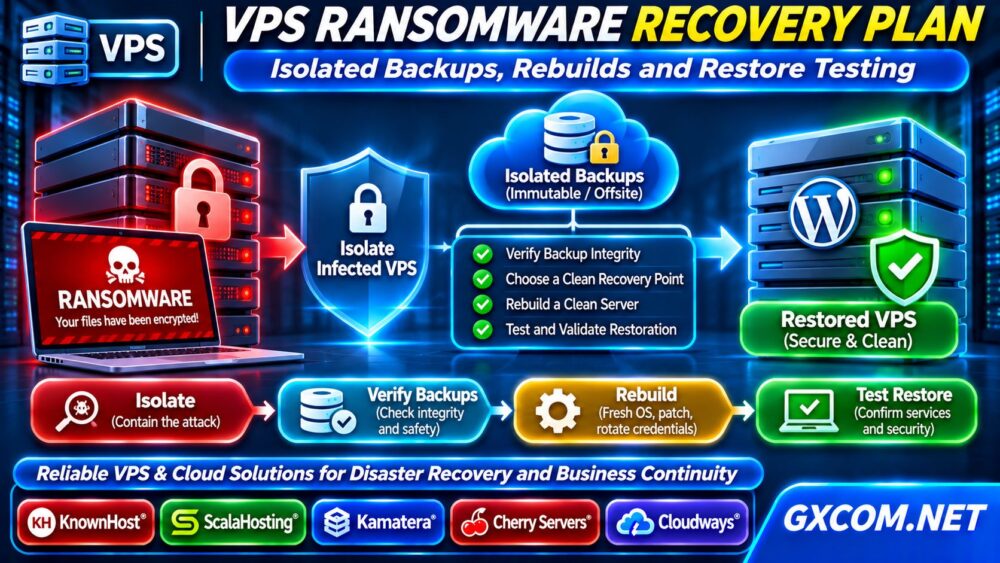
If you discover signs of compromise, preserve evidence and follow an incident response process. Our VPS Ransomware Recovery Plan explains containment and clean restoration principles.
When Is Infrastructure the Limitation?
Firewall rules cannot compensate for missing administrative permissions, weak provider network controls, or an architecture that forces sensitive services onto public interfaces.
Evaluate whether you need private networking, separate management access, provider firewall controls, or stronger isolation between applications. For workload tradeoffs, read our 托管型与非托管型VPS指南.
KnownHost 以及 ScalaHosting are relevant managed VPS options. Hostwinds offers VPS configurations, while 卡马特拉 提供可配置的云基础设施。. Cherry 服务器 offers bare-metal deployment choices for teams needing dedicated hardware control.
Compare actual firewall features, network segmentation, management responsibilities, backup policies, and support terms. Do not assume any provider prevents every attack.
我们的 最佳VPS服务商对比 以及 专用服务器与云服务器对比指南 help translate operational requirements into purchasing decisions.

Practical Audit Checklist
Keep an inventory containing each exposed port, protocol, business owner, justification, permitted source networks, and last review date. For every public service, confirm software updates, authentication requirements, TLS configuration where applicable, and log retention. Remove temporary exceptions after maintenance ends.
Test firewall changes from a separate authorized connection instead of trusting configuration output alone. Where possible, use infrastructure templates or configuration management to prevent forgotten exceptions from returning during redeployment. Document a rollback procedure before restricting remote access, especially on servers without an out-of-band console.
常见问题解答
Should Every VPS Port Be Closed?
No. Public websites need reachable web ports. The objective is to expose only necessary services and protect administrative access.
Does an Open Port Mean the Server Is Hacked?
No. Exposure increases potential attack opportunities, but compromise requires additional evidence. Investigate unexpected listeners and suspicious activity.
Does UFW Protect Docker Ports Automatically?
Not always. Docker networking may bypass expected UFW filtering paths. Verify actual external reachability and container firewall behavior.
最终裁决
Reducing exposed VPS ports requires service inventory, authorized external testing, layered firewall rules, and continuous monitoring. Close unnecessary interfaces before purchasing additional infrastructure; upgrade only when genuine network or management limitations remain.