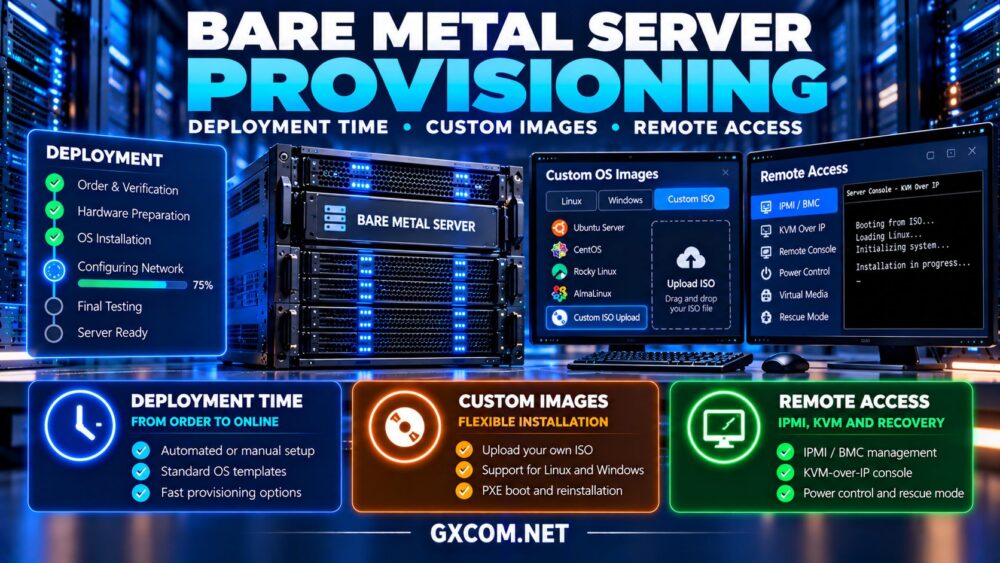
Bare metal server provisioning is an important consideration when businesses need dedicated physical infrastructure for production applications, virtualization, databases, or private cloud deployments. Hardware specifications matter, but deployment time, operating system installation methods, and remote management access can determine how quickly a server becomes usable.
Some configurations may be provisioned through automated workflows, while customized hardware or manual installation can require additional preparation. A server advertised as available for rapid deployment may still need network configuration, security hardening, application installation, and testing.
This guide explains deployment methods, custom images, IPMI, KVM, and recovery options while comparing infrastructure considerations for Cherry 服务器, NovoServe, ServerMania, ,以及 Bacloud.
What Is Bare Metal Server Provisioning?
Bare metal provisioning is the process of preparing a physical server for use. It may include allocating hardware, configuring networking, installing an operating system, and granting administrative access.
Unlike virtual machine provisioning, physical deployment can involve hardware inventory, firmware configuration, storage preparation, and data center operations.
如需更全面的供应商对比,请浏览我们的 裸机服务器提供商指南.
1. Understand Bare Metal Deployment Times
Provisioning time varies according to inventory availability, automation capabilities, hardware customization, and the provider’s operational procedures.
Preconfigured servers may require fewer manual steps than systems needing additional drives, memory changes, or custom network arrangements.
However, advertised deployment estimates should not be treated as guaranteed activation deadlines unless supported by the applicable service terms.
Ask when the deployment clock begins, whether business hours affect fulfillment, and what happens if the requested configuration is unavailable.
2. Compare Automated and Manual Provisioning
Automated provisioning can coordinate operating system installation, storage layout, network configuration, and initial access credentials.
Manual deployment may be necessary for unusual hardware requirements, custom firmware settings, or operating systems outside the standard installation catalog.
Automation is particularly useful for teams deploying repeatable infrastructure across multiple servers.
Nevertheless, successful installation does not guarantee application readiness. Administrators must still validate network connectivity, security settings, storage health, and workload performance.
3. Standard Operating System Images
Many dedicated hosting workflows offer predefined operating system images. These can simplify deployment by reducing manual installation steps.
Common requirements include a supported Linux distribution, compatible kernel, appropriate storage drivers, and a predictable partition layout.
Before selecting an image, confirm its operating system version, update policy, and compatibility with the intended workload.
For Linux deployments, review our Linux dedicated server security hardening guide after the initial installation.
4. Custom ISO Images and Installation Flexibility
Custom ISO support can be valuable when deploying specialized operating systems, hypervisors, or internal installation environments.

Depending on the provider, administrators may upload an ISO, request virtual media mounting, or use a technician-assisted installation process.
Custom installation capabilities are not universal. Restrictions may involve operating system licensing, firmware compatibility, supported boot modes, and remote console access.
Ask whether custom ISO installation is self-service, requires approval, or carries an additional fee.
Also confirm whether the provider can reinstall the server using the same image later.
5. PXE Boot and Repeatable Infrastructure
Preboot Execution Environment (PXE) and related network boot methods can support automated operating system installation.
In suitable environments, administrators can combine network booting with configuration management and infrastructure automation tools.
This approach may help standardize operating system images, security baselines, and application dependencies across multiple machines.
However, PXE access may be restricted by provider networking and firmware policies. Confirm whether custom network booting is supported before designing around it.
6. Compare Bare Metal Provisioning Features
| 功能 | 主要优势 | 需要核实的内容 |
|---|---|---|
| 自动化部署 | Repeatable installation | Supported configurations |
| Standard OS images | Simpler initial setup | Versions and updates |
| Custom ISO | Installation flexibility | Upload and mounting rules |
| PXE boot | Network-based installation | Network and firmware support |
| IPMI / KVM | 远程控制台访问 | Availability and security |
| 救援环境 | Offline troubleshooting | 恢复程序 |
These features should be evaluated for the exact server model and location rather than assumed from general provider marketing.
7. Compare Bare Metal Server Providers
Provisioning capabilities can differ between product lines, data centers, and hardware configurations. The following providers are relevant candidates for infrastructure evaluation.
Cherry Servers: Configurable Bare Metal Deployment
Cherry 服务器 is worth investigating for teams seeking configurable physical infrastructure and deployment flexibility.
Compare available operating system images, provisioning workflows, remote management tools, and custom installation requirements.
最适合: Technical teams building repeatable bare metal environments.
NovoServe: Network-Oriented Infrastructure Planning
NovoServe deserves consideration when server location, connectivity, and hardware availability influence deployment decisions.
Confirm delivery estimates, network setup procedures, installation options, and whether specialized configurations require manual preparation.
最适合: Businesses planning network-intensive dedicated infrastructure.
ServerMania: Business Deployment Requirements
ServerMania is relevant for organizations with defined hardware and operational requirements.
Ask about server activation procedures, custom installation assistance, console access, and escalation when provisioning is delayed.
最适合: Businesses prioritizing documented deployment responsibilities.
Bacloud: Cost-Conscious Self-Managed Deployment
Bacloud is another candidate for experienced administrators comparing bare metal rental costs.
Review operating system availability, installation flexibility, remote console options, and any charges for custom deployment work.
最适合: Self-managed infrastructure teams balancing cost and deployment control.
8. Verify IPMI, KVM and Rescue Access
Remote management becomes important when an operating system installation fails, network settings are incorrect, or the server cannot boot normally.
Depending on the hardware and service arrangement, IPMI or another BMC interface may provide remote power controls and hardware status.
KVM-over-IP can provide console visibility independently of the installed operating system, while rescue environments may support filesystem repair and data recovery.
These capabilities should be protected through restricted access and strong authentication.
我们的 dedicated server rescue access guide explains IPMI, KVM, and recovery planning in greater detail.
9. Calculate Provisioning and Setup Costs
Deployment expenses may include installation fees, custom image assistance, temporary overlapping rentals, and internal engineering hours.
Consider a hypothetical server renting for $120 monthly with a $40 installation charge and three hours of engineering work valued at $50 per hour.

The illustrative first-month cost becomes $310 before taxes and optional services.
For infrastructure price comparisons, review our 专用服务器优惠指南 while checking whether advertised offers include required installation features.
10. Create a Production Deployment Checklist
- Confirm hardware availability and expected activation procedures.
- Verify supported operating systems and custom image options.
- Document storage configuration and network requirements.
- Confirm remote console and recovery access.
- Apply operating system updates and access restrictions.
- Configure monitoring, backups, and application dependencies.
- Test connectivity, performance, and recovery procedures.
Provisioning should be considered complete only after the server meets the organization’s production acceptance criteria.
11. Plan for Reinstallation and Future Migration
Infrastructure requirements can change after deployment. Teams may need to reinstall the operating system, move workloads, or replace hardware.
Maintain configuration documentation, protected credentials, installation scripts, and independently stored backups.
Before changing hardware, review our dedicated server upgrade paths guide to understand RAM, NVMe, CPU, and migration considerations.
最终裁决
生效 bare metal server provisioning depends on more than advertised deployment speed. Operating system flexibility, remote management, recovery access, and predictable installation procedures all influence long-term infrastructure value.
Cherry Servers, NovoServe, ServerMania, and Bacloud are relevant providers to evaluate. Confirm their actual provisioning features, delivery terms, and support boundaries for the selected configuration.
Choose infrastructure that can be deployed, managed, recovered, and upgraded reliably—not simply the server with the fastest advertised activation.