一个可靠的 Windows dedicated server backup and recovery strategy protects more than individual files. Businesses running IIS websites, SQL Server databases, and Windows applications must be able to restore consistent data, system configurations, and critical services after hardware failures, accidental deletion, or security incidents.
Windows Server includes technologies such as Volume Shadow Copy Service (VSS) and Windows Server Backup, but these tools serve different purposes. A snapshot alone is not necessarily a recoverable offsite backup, and a successful backup job does not prove that restoration will work.
This guide compares VSS, system images, database backups, and restore testing while outlining infrastructure considerations for AccuWeb 主机服务, Hostwinds, InterServer, ,以及 ServerMania.
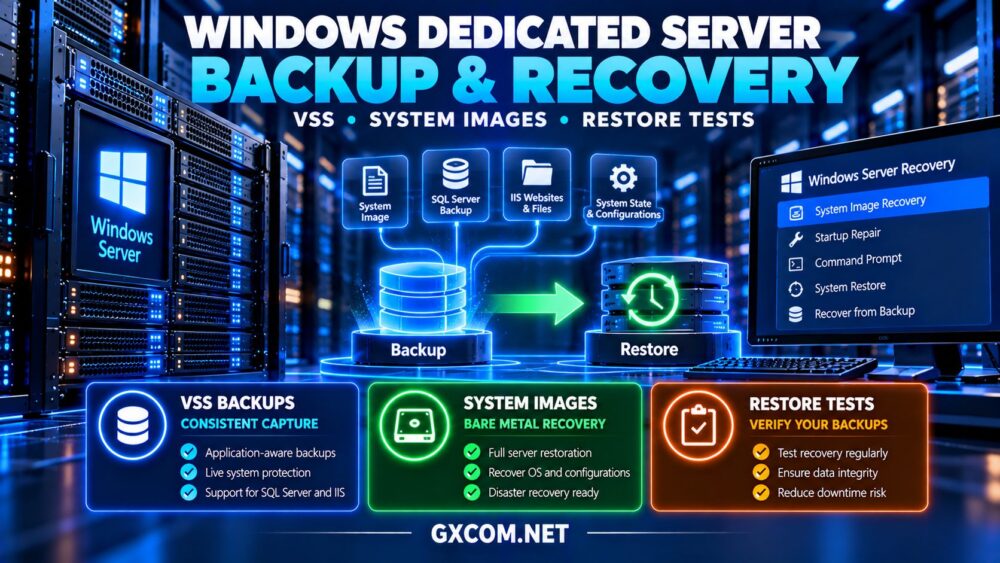
Why Windows Dedicated Server Backups Need Multiple Layers
Dedicated servers provide direct control over physical resources, but they do not eliminate disk failures, operating system corruption, ransomware, or administrator mistakes.
Different incidents require different recovery methods. Deleted documents may need file-level restoration, while a damaged operating system may require bare metal recovery.
Before selecting a backup product, define recovery point objectives (RPO) and recovery time objectives (RTO). RPO describes acceptable data loss measured in time; RTO describes the target time to restore service.
我们的 dedicated server backup strategy guide explains offsite retention and recovery planning.
1. Understand What VSS Actually Does
Volume Shadow Copy Service coordinates snapshots of Windows volumes. Supported applications can use VSS writers to help produce consistent backup data while services remain active.
VSS is a framework used by compatible backup software, not a complete backup policy by itself.
Snapshots stored on the same physical server may disappear when storage fails or the machine becomes compromised.
For production workloads, verify that the backup application supports the relevant VSS writers and reports their status correctly.
Do not assume every third-party application becomes transactionally consistent simply because a VSS snapshot was created.
2. Compare System Images and Bare Metal Recovery
System image backups capture the components required to restore a Windows installation, depending on the selected backup method and included volumes.
Windows Server Backup supports recovery scenarios involving critical system volumes and bare metal recovery when the appropriate backup components are selected.
A complete recovery may require compatible storage controllers, suitable drivers, recovery media, and access to the backup repository.
Restoring onto different physical hardware can introduce boot or driver complications, so test the process before relying on it during an outage.
System State backup is not identical to a complete server image. It protects selected operating system components rather than every application file and data volume.

3. Protect SQL Server Databases Separately
SQL Server workloads require special attention because database consistency and transaction recovery affect business operations.
Use supported SQL Server backup methods that match the database recovery model and required RPO.
Full, differential, and transaction log backups can support different recovery scenarios when properly configured.
Application-aware image backups may complement native database backups, but administrators must verify supported recovery capabilities.
Test restoration to an isolated SQL Server instance and confirm database integrity, user mappings, and application connectivity.
4. Back Up IIS Websites and Application Configuration
For IIS hosting, protect website files, application configuration, SSL certificates, and any external dependencies required for deployment.
Website content alone may not restore application pool identities, bindings, authentication settings, scheduled tasks, or installed modules.
Document service accounts and securely preserve required certificate private keys.
我们的 Windows dedicated server IIS hosting guide covers application pools, SSL configuration, and performance considerations.
5. Compare Windows Server Recovery Methods
| 方法 | 主要目的 | 重要限制 |
|---|---|---|
| VSS snapshot | Consistent backup capture | Not automatically an offsite copy |
| File backup | Recover selected files | May omit system configuration |
| System image | Restore system volumes | Hardware compatibility matters |
| SQL backup | Database recovery | Requires consistent backup chain |
| 异地备份 | Protect against local failure | Restore speed depends on transfer |
Most business environments benefit from combining several methods rather than depending on a single backup type.
6. Compare Windows Dedicated Hosting Providers
Backup availability, Windows licensing, storage options, and restoration assistance differ by provider and product. Verify the exact service before purchasing.
AccuWeb Hosting: Windows-Oriented Hosting Evaluation
AccuWeb 主机服务 is worth considering for businesses researching Windows-focused hosting environments.
Ask about dedicated server availability, supported Windows versions, backup storage, recovery access, and whether restoration assistance is included.
最适合: Buyers prioritizing Windows application compatibility.
Hostwinds: Dedicated Hosting and Support Options
Hostwinds is relevant for organizations comparing dedicated infrastructure with technical support services.
Review available backup arrangements, operating system support, storage configuration, and incident recovery responsibilities.
最适合: Businesses evaluating hardware and administration support together.
InterServer: Cost-Conscious Windows Infrastructure
InterServer is another provider to evaluate when comparing dedicated server expenses and Windows deployment requirements.
Confirm backup options, licensing charges, recovery media access, and responsibility for application restoration.
最适合: Experienced administrators managing their own recovery workflows.
ServerMania: Business Recovery Planning
ServerMania is relevant for organizations seeking dedicated infrastructure with documented operational requirements.
Request information about Windows compatibility, backup connectivity, remote management, and available hardware recovery assistance.
最适合: Businesses planning structured disaster recovery procedures.
7. Build a Practical Backup Schedule
Backup frequency should reflect the rate of data changes and the business impact of losing recent transactions.
For example, a low-change internal application may tolerate daily backups, while a transaction-heavy database may require more frequent recovery points.
Keep multiple generations of backups and at least one independently protected copy. Where appropriate, use immutable or offline storage to reduce ransomware exposure.
Encrypt backup data and protect administrative credentials separately from production accounts.
8. Test Restores Instead of Trusting Backup Status
A successful backup report confirms that a job completed according to its software checks. It does not guarantee the entire application can be restored.
Schedule file-level, database-level, and full-system recovery exercises according to workload criticality.
Restore into an isolated environment and verify that Windows boots, IIS serves applications, databases open correctly, and authentication works.

Record actual recovery duration and compare it with the required RTO.
我们的 Windows dedicated server migration guide explains staged deployment and application validation techniques useful during recovery testing.
9. Calculate Backup Storage and Recovery Costs
Backup expenses may include repository capacity, offsite transfer, software licensing, monitoring, and restoration labor.
Consider a hypothetical Windows dedicated server costing $145 monthly, with $30 for backup storage and $20 for monitoring.
The illustrative recurring total is $195 monthly before taxes, software licensing, and recovery labor.
Compare available infrastructure offers in our 经济实惠的 Windows 专用服务器指南, but evaluate backup and restoration capabilities alongside rental costs.
10. Prepare for Hardware Failure and Ransomware
Document recovery contacts, backup locations, encryption keys, software licenses, and server configuration details.
Keep recovery credentials protected and ensure backups cannot be deleted using ordinary production administrator accounts.
After a suspected compromise, investigate the incident and validate backup integrity before restoring systems to production.
Recovery plans should also identify replacement hardware requirements and any dependency on provider technician assistance.
最终裁决
生效 Windows dedicated server backup and recovery combines application-aware backup capture, suitable system images, consistent database backups, independent storage, and regular restoration testing.
AccuWeb Hosting, Hostwinds, InterServer, and ServerMania offer infrastructure options worth evaluating. Confirm the backup services, recovery access, and support boundaries available with each selected plan.
The strongest backup strategy is not the one producing the most snapshots. It is the one that can restore critical Windows services within realistic business recovery objectives.