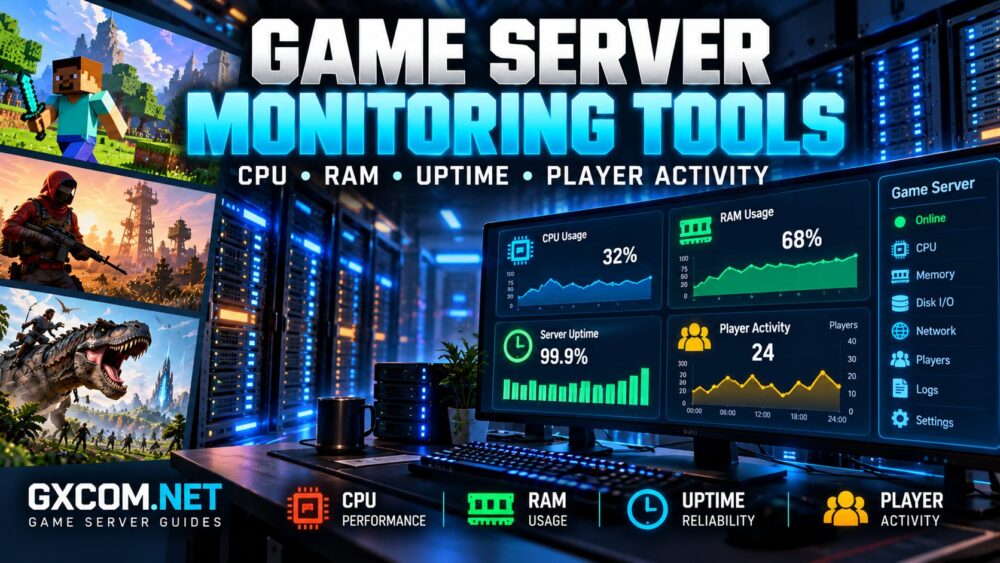
Reliable multiplayer hosting requires more than powerful hardware. Without proper game server monitoring tools, administrators may struggle to identify CPU bottlenecks, memory pressure, unexpected downtime, or unusual player activity before these problems disrupt gameplay.
Whether you manage a Minecraft community, a Rust survival server, or an ARK multiplayer world, monitoring helps turn occasional performance complaints into measurable information.
This guide explains which metrics matter, how popular monitoring tools work, and when monitoring results suggest that your hosting environment needs optimization or an upgrade.
Why Game Server Monitoring Matters
Game servers continuously process player actions, world simulation, network traffic, and persistent data. Resource demand changes as players join, explore new areas, install modifications, or build complex structures.
Without monitoring, administrators often respond to lag by restarting the server or purchasing additional RAM. Neither action necessarily addresses the underlying problem.
Effective monitoring helps identify:
- CPU saturation and inconsistent processing performance.
- Memory exhaustion, swapping, and application crashes.
- Unexpected downtime or repeated server restarts.
- Storage bottlenecks during saves and world loading.
- Player activity patterns and peak usage periods.
Monitoring also provides evidence for troubleshooting. Our 游戏服务器延迟降低指南 explains how to investigate common performance problems.
Essential Game Server Monitoring Metrics
A useful monitoring system combines infrastructure measurements with game-specific information. Neither category provides a complete picture independently.
| 公制 | 需要监控的内容 | Potential Warning |
|---|---|---|
| CPU | Utilization, load, steal time | Processing bottlenecks |
| RAM | Available memory, swapping | 内存压力 |
| 存储 | Free space, I/O latency | Slow saves or disk exhaustion |
| 网络 | Traffic, packet loss, latency | Connection instability |
| 正常运行时间 | 服务可用性 | Crashes or interruptions |
| 球员 | Connections, peak activity | Capacity pressure |
Administrators should collect measurements over time instead of relying exclusively on a single dashboard snapshot.
How to Monitor Game Server CPU Performance
CPU utilization shows how actively processing resources are being used. However, overall CPU percentages can hide overloaded individual threads.
Minecraft Java servers, for example, may experience simulation delays when an important processing thread becomes saturated even though other CPU cores remain available.
On Linux servers, basic monitoring commands include:
top
htop
mpstat -P ALL 1 10
These tools provide different views of CPU activity. Some require additional packages, and available metrics depend on the operating system and virtualization environment.
For virtual servers, CPU steal time may reveal scheduling delays caused by shared infrastructure. Dedicated physical servers do not normally expose the same virtualization-related metric.
When investigating CPU limitations, compare operating system measurements with game-level tick performance and player activity.
Monitoring RAM Usage and Memory Pressure
RAM monitoring should distinguish allocated memory from actual memory pressure.
On Linux, the following command provides a useful overview:
free -hPay attention to available memory, swap activity, and whether memory usage increases unexpectedly over time.
For Java-based Minecraft servers, allocated heap size does not represent the application’s entire memory footprint. Native allocations, thread stacks, and other processes also consume memory.

Persistent swapping can seriously affect performance, particularly when storage activity increases during gameplay.
Before increasing RAM, review application settings and workload requirements. Our 游戏服务器硬件要求 guide provides additional planning considerations.
Best Game Server Monitoring Tools to Consider
Different tools serve different purposes. Some provide immediate system visibility, while others collect historical data and support automated alerts.
1. htop: Real-Time Resource Monitoring
htop provides an interactive view of CPU usage, memory consumption, and running processes on compatible Linux systems.
It is useful for quick investigations but does not independently provide a complete long-term monitoring platform.
2. Netdata: Infrastructure Dashboards
Netdata offers detailed system metrics and dashboards that can help administrators investigate CPU, memory, disk, and network behavior.
Its capabilities depend on the deployment configuration, installed collectors, and available access permissions.
3. Prometheus: Time-Series Metrics
Prometheus collects time-series measurements from configured exporters and instrumented services.
Administrators can use suitable exporters to monitor operating system resources and compatible game applications.
Prometheus requires configuration and does not automatically understand every game’s player activity or simulation metrics.
4. Grafana: Dashboards and Visualization
Grafana can visualize information from Prometheus and other supported data sources.
Dashboards help compare historical CPU usage, memory pressure, network traffic, and service availability. Alerting can be configured when appropriate data sources and rules are available.
5. Uptime Kuma: Availability Monitoring
Uptime Kuma supports several availability-checking methods and notification integrations.
Administrators should select a check compatible with their game service. An HTTP check against a website does not necessarily prove that the multiplayer server is accepting connections.
| 工具 | 主要目的 | 最佳用途 |
|---|---|---|
| htop | Live process statistics | Quick CPU and RAM checks |
| Netdata | 系统监控 | 基础设施故障排除 |
| 普罗米修斯 | Metrics collection | Historical measurements |
| Grafana | Visualization and alerts | Performance dashboards |
| Uptime Kuma | 可用性检查 | Downtime notifications |
How to Monitor Game Server Uptime
Server uptime should be measured from the player’s perspective, not only through operating system availability.
A machine can remain online while the game process crashes, stops responding, or becomes unreachable.
A reliable monitoring setup may combine:
- Host availability checks.
- Game process monitoring.
- Compatible game protocol or query checks.
- External monitoring from another network.
External checks can identify connectivity problems that local monitoring misses.
However, monitoring probes must be compatible with the game protocol. Avoid interpreting blocked ICMP responses as proof of downtime.
Monitoring Minecraft, Rust and ARK Player Activity
Player activity monitoring helps administrators understand when demand increases and whether infrastructure capacity matches community growth.
《我的世界》
Minecraft Java administrators can monitor online player counts, TPS, MSPT, and compatible profiling information.
Tools such as spark can help investigate server performance where supported by the selected server implementation.
Rust
Rust administrators can use supported server administration interfaces, logs, and compatible query mechanisms to observe player connections and server behavior.
Access permissions and available information depend on the deployment.
ARK
ARK administrators should verify which player-query, logging, and remote administration capabilities are available for their specific game edition.
ARK: Survival Ascended and ARK: Survival Evolved should not be assumed to expose identical monitoring interfaces.
Player counts alone cannot explain every slowdown. World complexity, modifications, and simulation activity also matter.
Setting Practical Monitoring Alerts
Alerts should identify meaningful operational risks without overwhelming administrators with unnecessary notifications.
有用的警报类别包括:
- Unexpected game process termination.
- Repeated service availability failures.
- Sustained memory pressure or swapping.
- Critically low storage capacity.
- Persistent CPU saturation during active gameplay.
A storage alert at 85% utilization can serve as an initial planning example, but the appropriate threshold depends on disk capacity, growth rate, and backup requirements.
Use sustained conditions and repeated measurements where practical. A brief CPU spike during world loading should not automatically trigger an emergency.
Monitoring Managed Hosting vs Self-Managed Servers
Managed game hosting often simplifies routine administration, while self-managed VPS or dedicated infrastructure generally provides greater control over monitoring software.
For managed hosting, 主持人哈沃克 以及 Sparked 主持人 are candidates to investigate when comparing supported games and administration features.
Godlike.Host 以及 生存服务器 are additional options worth evaluating for relevant multiplayer workloads.
Before purchasing, ask whether the selected plan exposes CPU and memory statistics, historical resource graphs, console logs, restart controls, and player activity information.
Do not assume every hosting control panel provides detailed hardware metrics or supports third-party monitoring agents.
我们的 托管游戏服务器与自建游戏服务器 comparison explains the operational tradeoffs.

When Monitoring Shows You Need an Upgrade
Monitoring becomes commercially valuable when it identifies a persistent limitation that software optimization cannot resolve.
For example, sustained CPU saturation combined with increasing tick processing time may justify evaluating stronger processors.
Repeated memory pressure may support a RAM upgrade, while excessive disk I/O latency may justify investigating faster storage.
However, purchasing more resources without identifying the bottleneck can waste money.
Compare monitoring evidence with our 最佳游戏服务器托管服务商 guide when considering alternative infrastructure.
Game Server Monitoring Checklist
- Collect CPU, RAM, disk, and network measurements.
- Monitor the actual game process and service availability.
- Track player counts and game-specific performance metrics.
- Record historical trends during peak activity.
- Configure alerts for meaningful failures.
- Review monitoring access and security permissions.
- Investigate bottlenecks before upgrading hardware.
常见问题解答
What is the best tool for monitoring a game server?
There is no universal choice. htop is useful for quick Linux checks, while Prometheus and Grafana support more advanced historical monitoring. Managed hosting users may rely on available control-panel metrics.
Can monitoring tools reduce game server lag?
Monitoring does not directly eliminate lag. It helps identify problems so administrators can make appropriate configuration or infrastructure changes.
How can I monitor game server uptime?
Use compatible service checks, process monitoring, and external availability testing. Confirm that the monitoring method actually tests the game service.
Should I monitor player activity?
Yes. Player activity helps explain workload patterns, peak demand, and capacity requirements. Collect only necessary information and protect access to administrative logs.
结语
生效 game server monitoring tools help administrators understand infrastructure health, identify performance bottlenecks, and maintain reliable multiplayer experiences.
Combine system metrics, game-specific measurements, uptime checks, and historical trends. Whether you choose managed hosting or self-managed infrastructure, monitoring provides a stronger foundation for troubleshooting and informed upgrades.