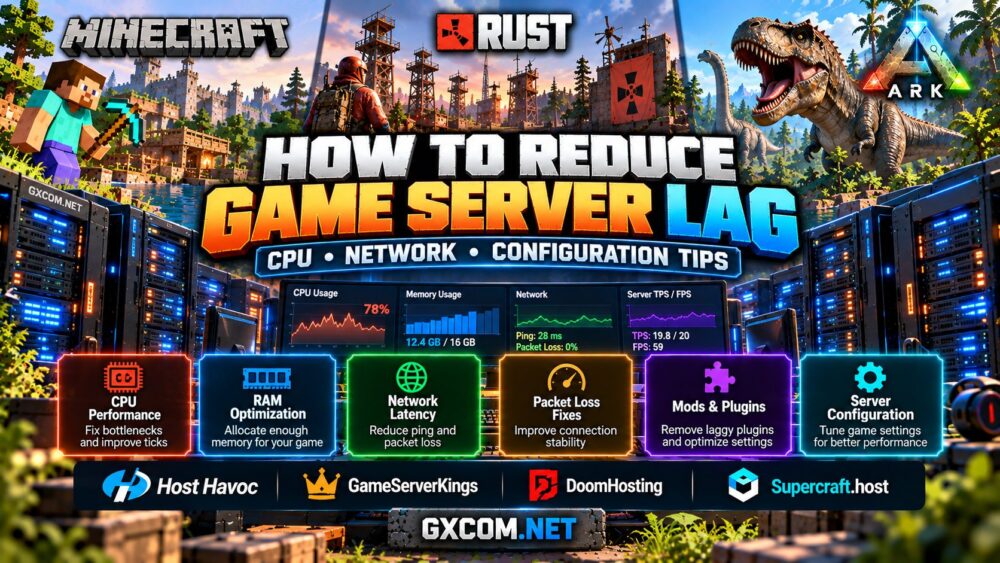
Nothing drives players away from a multiplayer community faster than rubber-banding, delayed actions, or a server that freezes during busy periods. However, buying a more expensive hosting plan is not always the right solution.
学习 how to reduce game server lag starts with identifying the real bottleneck. High CPU usage, slow simulation ticks, packet loss, excessive plugins, and overloaded world files can produce similar symptoms but require different fixes.
This guide explains how to diagnose game server lag, improve CPU and network performance, optimize server configuration, and decide when a hosting upgrade makes sense.
What Causes Game Server Lag?
Game server lag occurs when the server cannot process gameplay or deliver updates consistently. Players may notice delayed block interactions, teleporting characters, slow inventory responses, or unusually long loading times.
Not every performance problem originates on the server. A player's low rendering frame rate is different from server simulation lag, and a high-ping connection can cause delays even when the server hardware is healthy.
| 症状 | 可能原因 | First Check |
|---|---|---|
| Delayed actions for many players | Slow server simulation | Tick time, server FPS, CPU |
| Rubber-banding for distant players | Latency or packet loss | Routing and network quality |
| Freezes during world generation | CPU or storage pressure | CPU load and disk activity |
| Lag after adding mods | Plugin or mod overhead | Profiler and recent changes |
| Only one player has low FPS | Client-side rendering issue | Local graphics settings |
Start by identifying whether the problem affects everyone, only certain players, or specific activities. This prevents unnecessary hardware upgrades.
1. Check CPU Performance and Server Tick Rate
Many multiplayer game servers rely heavily on a main simulation thread. A processor with numerous cores can still struggle if the game cannot complete its work quickly enough on the busiest thread.
For Minecraft Java Edition, a common performance target is 20 ticks per second, corresponding to a 50-millisecond tick budget. If average tick processing consistently exceeds that budget, the server may fall behind.
Rust administrators should monitor server FPS and processing load. For ARK, examine game-specific responsiveness, CPU usage, and performance during large base or creature activity.
On Linux, check process activity using:
顶部If installed, htop provides a more convenient interactive view. Check per-core utilization rather than relying exclusively on the total CPU percentage.
On Windows Server, open Task Manager or Resource Monitor to inspect CPU utilization, memory pressure, and disk activity. A single heavily loaded thread can be important even when overall CPU usage appears moderate.
If your game consistently saturates a critical thread, a newer processor with stronger per-core performance may help. Our AMD Ryzen dedicated game servers guide explains how to compare CPU options.
2. Reduce Network Latency and Packet Loss
Low latency depends on network routing, geographic distance, congestion, and connection stability. A server with excellent CPU performance can still feel unresponsive when packets are delayed or lost.

Choose a hosting region close to the majority of your active players. If most members live in Europe, a European data center will often provide better latency than a distant North American location.
使用 ping to check basic reachability and round-trip time when ICMP responses are allowed:
ping YOUR_SERVER_IP在 Linux 上,, mtr can help investigate the route between a client and a server. On Windows, tracert provides a basic route view.
These tools are diagnostic aids, not definitive proof of game traffic performance. Some routers deprioritize diagnostic packets, and a clean ping test does not guarantee that a game's UDP traffic is unaffected.
Check the provider's network stability, regional availability, and DDoS protection. Avoid assuming that a higher advertised port speed automatically means lower ping.
3. Optimize RAM Allocation and Storage Performance
Insufficient RAM can trigger swapping, excessive garbage collection, crashes, or unstable performance. However, allocating excessive memory to a game process can also create problems if the operating system lacks enough headroom.
Monitor actual memory consumption under peak player activity. For Java-based servers, review garbage collection behavior and use memory settings appropriate for the selected Java version and server software.
NVMe storage can improve world saving, updates, and file operations, but faster disks will not fix every simulation bottleneck.
On Linux, inspect available memory with:
free -hCheck disk capacity using:
df -hOn Windows Server, use Resource Monitor or Performance Monitor to examine memory availability, disk response times, and storage activity.
Leave sufficient free disk space for world saves, updates, temporary files, and backups. A nearly full drive can create operational problems even when the CPU and RAM appear adequate.
4. Fix Minecraft, Rust, and ARK Configuration Bottlenecks
Different games require different optimization strategies. Applying one generic configuration to every server rarely produces reliable results.
《我的世界》: Review simulation distance, view distance, entity counts, world generation, and plugin activity. Use a compatible profiler such as spark to identify expensive operations before removing features or changing settings.
Rust: Examine map size, active entities, plugin performance, server FPS, and wipe-related activity. Large player-built bases and poorly optimized plugins can increase server processing requirements.
ARK: Review creature populations, structure density, mod compatibility, and the number of active maps. Multi-map clusters require adequate resources for every running instance.
For a deeper Rust-specific workflow, read our Rust server lag and performance 指南。.
Change one setting at a time and measure the result. Blindly copying optimization commands from unrelated server versions can create instability or break gameplay features.
5. Audit Mods, Plugins, and Background Services
Mods and plugins can improve a game community, but each additional component may introduce processing overhead, compatibility problems, or extra memory usage.
After an update or performance regression, check recent plugin changes, review server logs, and use supported profiling tools where available.
Disable unnecessary background processes, especially on smaller VPS plans. Scheduled backups, automatic updates, and intensive file compression can temporarily compete with active gameplay for CPU and storage resources.
Schedule demanding maintenance operations during lower-traffic periods when possible. Keep backups enabled, but configure their timing and retention carefully.
For Minecraft communities running extensive modpacks, our modded Minecraft server hosting guide covers the hardware considerations behind larger modded worlds.
6. Choose Hosting Infrastructure That Matches Your Workload
When software optimization is no longer enough, review whether the current hosting environment provides sufficient and consistent resources.
主持人哈沃克 is relevant for administrators considering managed game hosting with game-specific management tools and support. Compare the available server regions, supported games, and resource options against your existing performance problems.
GameServerKings is another managed hosting option worth comparing for supported multiplayer games. Evaluate its configuration tools, backup features, and available resource tiers rather than assuming a higher player-slot limit guarantees better performance.
Supercraft.host provides game hosting options and management features that may suit communities wanting less operating system maintenance. Confirm the exact game's available configurations and upgrade paths before ordering.
AlphaVPS is relevant when you want more direct control over a self-managed VPS or dedicated infrastructure. Administrators should verify CPU allocation, operating system compatibility, network location, and the responsibilities involved in managing the server themselves.
These options are not identical. Managed game hosting can simplify administration, while self-managed infrastructure offers greater control but requires more technical work.
我们的 最佳游戏服务器托管服务商 guide offers a broader comparison of available hosting approaches.

7. Know When to Upgrade from VPS to Dedicated Hardware
A hosting upgrade becomes more reasonable when monitoring shows persistent CPU contention, insufficient memory, overloaded storage, or the need to run multiple demanding game instances.
Dedicated hardware provides exclusive access to a physical server's CPU and memory resources, which can improve performance consistency compared with some shared-CPU virtual environments.
However, dedicated hardware does not automatically eliminate lag. Poor game configuration, inefficient plugins, network routing issues, and client-side problems can remain after an upgrade.
Before purchasing a larger server, document your current peak CPU usage, memory consumption, network symptoms, and player activity. This helps identify the resources you actually need.
我们的 dedicated game server requirements guide explains how CPU, RAM, and player capacity influence upgrade decisions.
Game Server Lag Troubleshooting Checklist
- Determine whether the issue affects all players or only certain connections.
- Check game-specific tick time or server FPS.
- Inspect per-core CPU utilization and sustained processor load.
- Review RAM usage, swapping, and storage capacity.
- Test network latency and investigate packet loss.
- Check recent mod, plugin, and game version changes.
- Review world size, entities, and simulation settings.
- Schedule backups and maintenance outside peak gameplay hours.
- Compare performance before and after each configuration change.
- Upgrade hosting only when measurements identify a resource limitation.
Final Verdict: Diagnose First, Upgrade Second
最有效的方法是 reduce game server lag is to identify whether the problem comes from CPU processing, network conditions, memory pressure, storage activity, or game configuration.
Start with performance monitoring and controlled configuration changes. Then evaluate hosting providers or dedicated hardware if your measurements show that the existing server cannot support the intended workload.
A well-configured game server with appropriate resources and stable networking will usually provide a better experience than an oversized server with unresolved software or connectivity problems.