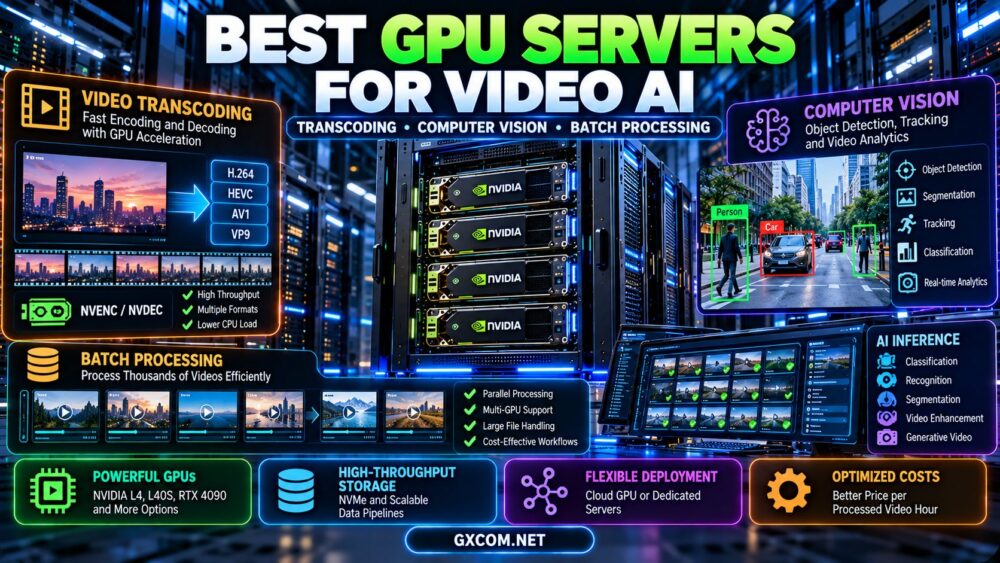
Best GPU servers for video AI are not necessarily the servers with the most expensive graphics cards or the highest advertised AI compute performance. Video transcoding, computer vision, real-time analytics, and batch processing place different demands on GPU hardware, video encoding engines, memory, storage, and networking. Choosing the wrong configuration can leave expensive GPUs underutilized while video decoding or data transfer becomes the real bottleneck.
A server optimized for converting thousands of video files may require a different GPU from a system running object detection across live camera feeds. Similarly, a machine designed for generative video models may need substantially more VRAM and AI compute than a conventional transcoding server.
This guide compares NVIDIA and other GPU server options for video AI, explains the roles of NVENC, NVDEC, CUDA, Tensor Cores, and CPU-based processing, and shows how to evaluate cloud GPU rental, dedicated infrastructure, and total processing costs.
Best GPU Servers for Video AI: What Should You Compare?
The best GPU servers for video AI should be selected according to the complete video processing pipeline, not the GPU model alone.
Most video AI workflows include several stages:
- Video ingestion: Receiving files, streams, or camera feeds.
- Decoding: Converting compressed video into frames that software can process.
- Preprocessing: Resizing, cropping, color conversion, and normalization.
- AI inference: Running object detection, classification, segmentation, tracking, or other models.
- Postprocessing: Combining predictions, metadata, or modified frames.
- Encoding: Compressing processed frames when video output is required.
- Storage or delivery: Saving results or transmitting streams to users.
Not every workload uses every stage. For example, an object detection service may save only structured metadata, while a video enhancement application may need to encode and deliver a complete output video.
Understanding which stages dominate processing time is essential before choosing a GPU server.
GPU Video Transcoding vs Computer Vision vs Batch AI
Although these applications all process video, their hardware requirements can differ significantly.
| 工作量 | Main Hardware Priority | Typical Bottleneck |
|---|---|---|
| 视频转码 | Codec support, encoding and decoding engines | Codec throughput or I/O |
| Object detection | Inference compute, memory, preprocessing | Model execution or frame preparation |
| Multi-camera analytics | Decode capacity, inference throughput, system balance | Concurrent stream processing |
| Batch video classification | Efficient parallel processing and storage | Data loading or inference |
| Video enhancement | GPU compute, VRAM, memory bandwidth | Model inference and frame buffers |
| Generative video AI | High VRAM, compute, software compatibility | Model memory and generation time |
| Live video AI | Low latency, stable resources, reliable networking | End-to-end processing delay |
A GPU optimized for video encoding may deliver excellent transcoding efficiency without being the best option for training a large computer vision model.
How NVENC and NVDEC Affect Video AI Performance
NVIDIA GPUs may include dedicated hardware video engines that accelerate supported encoding and decoding operations.
What Is NVENC?
NVENC is NVIDIA's hardware video encoder. It can accelerate supported video encoding tasks without requiring all compression operations to run on general-purpose CUDA cores.
Depending on GPU generation, supported formats and software, NVENC may accelerate encoding for codecs such as H.264, HEVC, and AV1.
Hardware encoding can improve throughput and reduce CPU load, but the result depends on resolution, codec settings, encoder quality targets, and implementation.
What Is NVDEC?
NVDEC is NVIDIA's hardware video decoding engine. It accelerates decoding of supported compressed video formats.
For computer vision, efficient decoding is important because AI models typically operate on decoded frames rather than compressed video bitstreams.
If video decoding cannot supply frames quickly enough, the GPU's AI compute units may remain underutilized.
NVENC Is Not the Same as Tensor Cores
Video encoding engines and Tensor Cores perform different tasks.
- NVENC: Hardware-assisted encoding of supported video formats.
- NVDEC: Hardware-assisted decoding of supported video formats.
- Tensor Cores: Acceleration of supported matrix operations used in AI workloads.
- CUDA cores: General GPU computation and compatible processing kernels.
A system that performs both video transcoding and AI inference may benefit from several of these hardware components simultaneously.
Why Codec Support Must Be Verified
Not every NVIDIA GPU supports the same video formats, bit depths, chroma subsampling modes, or encoding features.
Software libraries may also fall back to CPU processing when a requested format or operation is unsupported.
Before purchasing, confirm the GPU's official video support matrix and test the exact FFmpeg, GStreamer, or application pipeline.
NVIDIA L4 vs L40S for Video AI Servers
NVIDIA L4 and L40S are relevant examples because both combine data center GPU capabilities with hardware video processing support, but their compute, memory, and power characteristics differ.
| 规格 | NVIDIA L4 | NVIDIA L40S |
|---|---|---|
| 建筑 | 艾达·洛夫莱斯 | 艾达·洛夫莱斯 |
| GPU内存 | 24GB GDDR6 | 48GB GDDR6 ECC |
| 内存带宽 | 300 GB/s | 864 GB/s |
| FP32 compute | 30.3 TFLOPS | 91.6 TFLOPS |
| NVENC engines | 2 | 3 |
| NVDEC engines | 4 | 3 |
| 主板最大功率 | 72W | 350W |
Specifications refer to NVIDIA's published L4 and L40S product information. Actual application performance varies with codec, model, workload, software, and server configuration. The L40S should not be confused with the separate NVIDIA L40 product.
When NVIDIA L4 Makes Sense
NVIDIA L4 is worth evaluating for video AI deployments where energy efficiency, compact server configurations, video decoding, and supported inference performance matter.
Its 24GB of memory may be sufficient for selected computer vision models, smaller inference workloads, and compatible video pipelines.
However, memory-intensive generative video applications may require a larger accelerator.
When NVIDIA L40S Makes Sense
NVIDIA L40S offers more VRAM, greater memory bandwidth, and higher theoretical FP32 compute capability.
It may be attractive for workloads combining demanding AI inference, larger working sets, and video processing.
However, L40S consumes substantially more board power at its maximum rating, and higher specifications do not guarantee better performance per dollar for every video task.
Why Engine Counts Do Not Tell the Whole Story
L4 has more listed NVDEC engines, while L40S has more listed NVENC engines.
Nevertheless, engine counts alone do not establish the number of streams a server can process.
Codec, resolution, frame rate, encoding presets, input complexity, and software scheduling all influence effective throughput.
For a more detailed comparison, read our NVIDIA L4 vs L40S GPU server guide.
Are RTX 3090 and RTX 4090 Good for Video AI?
Consumer GPUs such as RTX 3090 and RTX 4090 can be useful for compatible video AI development, computer vision experiments, and selected rendering or processing workloads.
Both provide 24GB of GDDR6X memory, but they differ in architecture, compute capabilities, and supported video features.
RTX 3090 for Budget Video AI
RTX 3090 may be considered for cost-sensitive development environments where the software supports its Ampere architecture and the model fits within 24GB of VRAM.
However, its video encoding capabilities differ from newer Ada-generation hardware, particularly for workflows requiring hardware AV1 encoding.
RTX 4090 for Compute-Intensive Video Processing
RTX 4090 offers newer Ada-generation capabilities and can be attractive for compatible AI inference, video enhancement, and model experimentation.

Its video processing features and AI performance should be evaluated using the intended application rather than generic gaming benchmarks.
Consumer GPU Hosting Limitations
GeForce GPUs are not interchangeable with data center accelerators in every hosting environment.
Buyers should verify deployment eligibility, driver support, cooling, remote management, hardware allocation, and applicable product licensing terms.
For a detailed 24GB hardware comparison, see our RTX 3090 vs RTX 4090 GPU server comparison.
How Much VRAM Does Video AI Need?
Video AI memory requirements depend on the model, resolution, number of frames held in memory, batch size, numerical precision, and processing pipeline.
A simple video classification model may require relatively little GPU memory, while high-resolution enhancement or generative video models may require much more.
Frame Buffer Memory
Consider an uncompressed 1920 × 1080 RGB frame stored with 8 bits per color channel.
Its approximate raw size is:
1920 × 1080 × 3 bytes = 6,220,800 bytes
That is approximately 5.93 MiB per frame.
A batch of 32 such frames would occupy approximately 190 MiB before accounting for tensors, intermediate activations, additional frame copies, and model memory.
Using higher precision or additional image channels increases memory requirements.
Resolution and Batch Size
Higher-resolution frames generally require more memory and processing work.
Larger batches may improve GPU utilization, but they can also increase latency and memory consumption.
The best batch size depends on whether the workload prioritizes throughput or response time.
Generative Video Requires Different Planning
Video generation models may process temporal information across many frames, making memory requirements more complex than conventional single-frame object detection.
Model architecture, sequence length, precision, attention implementation, and offloading strategy can materially affect VRAM usage.
Do not assume that a 24GB GPU is sufficient for a specific generative video model without testing its published requirements.
Best GPU Servers for Computer Vision
Computer vision workloads include object detection, segmentation, image classification, optical character recognition, and visual tracking.
Server selection depends on whether the system processes individual images, recorded video files, or continuous camera feeds.
Object Detection
Object detection systems often decode video frames, preprocess them, run an inference model, and return bounding boxes or other structured results.
The GPU should be evaluated for sustained inference throughput at the intended resolution and model configuration.
Video Segmentation
Segmentation workloads can generate more output data and may use larger intermediate tensors than simpler classification tasks.
VRAM, memory bandwidth, and efficient preprocessing can become important.
Multi-Camera Analytics
Systems processing multiple live cameras must consider concurrent decoding, inference scheduling, and network reliability.
For example, a system receiving 20 camera streams at 30 frames per second has a theoretical input rate of 600 frames per second.
That does not mean the AI model must process all 600 frames every second. Some applications sample frames, while others require full-frame analysis.
The correct server configuration depends on the actual analysis frequency and acceptable latency.
Computer Vision Framework Compatibility
Common tools may include PyTorch, OpenCV, ONNX Runtime, TensorRT, and application-specific inference engines.
Support depends on the selected GPU, framework version, drivers, and software deployment method.
For broader GPU inference planning, see our AI推理服务器托管指南.
Video AI Batch Processing: Throughput vs Latency
Batch video processing is often more tolerant of processing delays than live video AI.
For example, a business may need to analyze thousands of recorded videos overnight rather than return results in real time.
Why Batch Processing Can Be More Efficient
Batch systems can queue independent jobs, adjust batch sizes, and keep GPU resources busy over extended periods.
They may also use lower-cost interruptible capacity when tasks are restartable and deadlines allow interruptions.
Parallel Processing Across Multiple GPUs
Independent video files can often be assigned to different GPUs or workers.
This type of task parallelism may scale more simply than tightly coupled distributed AI training because workers do not necessarily need to synchronize model gradients.
However, shared storage, network bandwidth, and job scheduling can still limit scaling.
Make Batch Jobs Restartable
For large video processing queues, save job status and intermediate results to persistent storage.
Use retry-safe task handling so a failed worker does not force the entire batch to restart.
Monitor successful videos processed per hour rather than GPU utilization alone.
Video AI Server Storage and Networking Requirements
GPU selection is only one part of a video processing infrastructure decision.
Video files can be large, and inefficient data transfer can prevent expensive accelerators from reaching their potential.
NVMe Storage for Active Workloads
Fast local storage can help with temporary files, active datasets, and repeated processing.
However, local NVMe should not be treated as a substitute for durable storage or backups.
Shared Storage for Multi-Worker Processing
Distributed video processing may use object storage, network file systems, or other shared data services.
Evaluate sustained throughput, concurrent access, storage charges, and failure recovery.
Network Throughput
A 1 Gbps network port has a theoretical maximum transfer rate of 125 MB/s before protocol overhead and real-world limitations.
That does not guarantee sustained application throughput.
For large video datasets, measure actual transfer performance between the source, processing servers, and output storage.
Data Transfer Charges
Cloud GPU services may charge separately for storage, external transfers, snapshots, and other services.
Moving large video datasets between regions or providers can change the economics of an otherwise inexpensive GPU rental.
Cloud GPU vs Dedicated GPU Servers for Video AI
The best deployment model depends on processing volume, workload predictability, software requirements, and operational responsibility.
| 因子 | 云端 GPU | 专用GPU服务器 |
|---|---|---|
| 账单 | 通常基于使用情况 | Often monthly or contractual |
| 缩放 | Depends on available cloud capacity | Depends on hardware provisioning |
| 硬件控制 | Varies by service type | May provide more customization |
| Video engine support | Depends on GPU and virtualization | Depends on installed GPU and software |
| 最合适的入门搭配 | Experiments and variable processing demand | Predictable, sustained processing |
| Operational responsibilities | Shared according to service model | Depends on management agreement |
When Cloud GPU Rental Makes Sense
Cloud GPU instances may be useful when workloads fluctuate, experiments are temporary, or teams want to compare several hardware configurations before committing to longer-term infrastructure.
何时应选择专用GPU服务器
Dedicated servers may be worth evaluating when video processing demand is continuous, hardware requirements are stable, and the business needs greater control over its environment.
However, dedicated infrastructure can involve provisioning delays, fixed commitments, and additional administration.
When Spot GPU Capacity Makes Sense
Interruptible GPU capacity may be economical for restartable video processing jobs with flexible completion deadlines.
It is generally less suitable as the sole processing resource for critical live streams.
For a detailed comparison of interruption risks and recovery costs, read our Spot GPU vs On-Demand server guide.
GPU Hosting Providers for Video AI Workloads
GPU infrastructure providers differ in hardware allocation, available accelerators, billing models, storage, networking, and management options.
The following companies are relevant to different video AI purchasing scenarios. Buyers must verify the exact GPU and its supported video features before ordering.
RunPod: GPU Cloud for Video AI Development
RunPod is worth evaluating for developers who need cloud GPU resources for video AI experiments, inference testing, and temporary processing jobs.
When comparing available configurations, confirm the GPU model, VRAM, supported video encoding and decoding features, storage persistence, and deployment conditions.
A GPU cloud instance should not automatically be assumed to expose every hardware video feature supported by its underlying accelerator.
Cherry Servers:专用 GPU 基础设施
Cherry 服务器 is relevant for businesses evaluating dedicated GPU and bare-metal infrastructure for sustained video processing.
Confirm the exact accelerator, GPU count, PCIe connectivity, network capacity, storage options, and administrative control.
For continuous workloads, compare monthly infrastructure cost with the amount of successfully processed video.
Vast.ai: GPU Marketplace for Batch Processing
Vast.ai offers marketplace-based GPU computing options that can be investigated for cost-sensitive experiments and restartable batch workloads.
Individual listings may differ in hardware, host conditions, storage, networking, and allocation terms.
Verify video engine compatibility, software support, and total processing cost rather than choosing solely by hourly price.
GPU Mart:GPU 服务器配置选项
GPU Mart can be considered when researching GPU server configurations for remote processing and AI development.
Before purchasing, verify the installed GPU, video codec capabilities, operating system, driver access, and whether the selected plan supports the intended workload.
Do not assume that a general-purpose GPU server includes a particular NVIDIA video accelerator.
ServerMania: Dedicated Server Planning
ServerMania is relevant when evaluating dedicated server infrastructure and customized deployment requirements.
For video AI, request confirmation that a suitable GPU-equipped configuration is available and that the system can meet storage, networking, and processing needs.
A standard CPU-only dedicated server should not be presented as a GPU-accelerated video AI solution.
Buying advice: Ask each provider to confirm the exact accelerator, video engine availability, GPU driver support, storage persistence, network charges, and applicable service terms.
How to Calculate Video AI GPU Server Costs
The best GPU servers for video AI should be evaluated by useful processing output rather than hourly rental price alone.
For batch workloads, a practical metric is cost per completed video hour or cost per successfully processed file.
Cost per Processed Video Hour
A simple calculation is:
Cost per processed video hour = total workload cost / successfully processed source-video hours
Total workload cost may include:
- GPU compute charges.
- CPU and system resources.
- Persistent and temporary storage.
- Network transfer fees.
- Failed or repeated processing.
- Software and operational expenses.
Illustrative Video AI Cost Comparison
Assume two hypothetical GPU server configurations process 1,000 hours of recorded video using the same AI model and equivalent output requirements.
| 公制 | 服务器 A | 服务器 B |
|---|---|---|
| Hourly rental rate | $0.80 | $1.60 |
| Processing time | 200小时 | 75 hours |
| 计算成本 | $160 | $120 |
| Compute cost per video hour | $0.16 | $0.12 |
All prices and processing times are hypothetical examples, not actual provider quotations or measured GPU benchmarks. Both configurations are assumed to produce equivalent results. Storage, transfer, and operational costs are excluded from this simplified table.
Server B costs twice as much per rental hour but produces a lower compute cost per processed video hour in this example.

The actual result could differ significantly for transcoding, object detection, or generative video workloads.
Why GPU Utilization Can Be Misleading
A video AI server may report low GPU compute utilization while its video decoding engines are heavily used.
Conversely, a GPU may show high utilization while delivering poor useful throughput because of inefficient kernels or excessive processing overhead.
Measure decoded frames, completed inference tasks, successful output files, and total job completion time.
Best GPU Servers for Video AI: Buying Checklist
- 确定工作负载: Transcoding, object detection, tracking, enhancement, or generation.
- Confirm codec support: Check H.264, HEVC, AV1, and other required formats.
- Verify NVENC and NVDEC: Confirm supported engines and software access.
- 估算 GPU 内存: Include model weights, frame buffers, and intermediate tensors.
- Benchmark the real pipeline: Use representative videos and models.
- 检查软件兼容性: Validate FFmpeg, GStreamer, CUDA, and AI frameworks.
- 检查 CPU 和内存: Ensure preprocessing and job scheduling do not become bottlenecks.
- 评估存储: Measure input, output, and checkpoint throughput.
- Check network capacity: Include video ingestion and delivery requirements.
- Plan concurrency: Test the intended number of simultaneous streams or jobs.
- Assess reliability: Use persistent job state, monitoring, and recovery.
- 比较总成本: Calculate cost per completed workload.
常见问题解答
What are the best GPU servers for video AI?
The best choice depends on the workload. Video transcoding emphasizes supported hardware encoding and decoding, while computer vision and generative video workloads may require greater AI compute performance and GPU memory.
NVIDIA L4 适合视频转码吗?
NVIDIA L4 is worth evaluating for supported video transcoding and inference workloads because it includes dedicated video processing capabilities and has a relatively low maximum board power rating. Actual throughput depends on codec, resolution, software, and server configuration.
Is NVIDIA L40S better than L4 for video AI?
L40S offers more VRAM and higher theoretical compute capability, but it is not automatically better for every video workload. L4 may be attractive for particular decoding and efficiency requirements. Benchmark the complete pipeline.
Do I need a GPU for video transcoding?
No. CPUs can perform video transcoding, and may be appropriate for some codecs or quality requirements. GPUs with supported hardware video engines can improve throughput or efficiency in suitable workloads.
What is the difference between NVENC and CUDA?
NVENC is dedicated hardware for supported video encoding. CUDA is a GPU computing platform used by compatible applications and libraries. They serve different purposes and may be used within the same workflow.
How much VRAM is required for computer vision?
VRAM requirements depend on model size, frame resolution, batch size, precision, and intermediate tensors. Smaller inference workloads may fit on modest GPUs, while larger models and high-resolution processing may need more memory.
Can RTX 4090 run video AI workloads?
Yes, RTX 4090 can run compatible computer vision, inference, and video processing applications. Buyers should verify software, hosting conditions, video feature support, and memory requirements.
Can multiple GPUs accelerate batch video processing?
Yes, independent video files can often be distributed across multiple workers or GPUs. Scaling depends on scheduling, storage throughput, networking, and the processing application.
Are cloud GPU servers cheaper than dedicated servers?
Not always. Cloud GPU rental may suit intermittent demand, while dedicated servers may be competitive for sustained workloads. Compare total costs at realistic utilization levels.
What is the best metric for comparing video AI GPU hosting?
Use a workload-specific metric such as cost per successfully processed video hour, cost per completed inference batch, or cost per stream at an acceptable latency and quality target.
Final Verdict: Best GPU Servers for Video AI
该 best GPU servers for video AI are those that match the actual balance of video decoding, AI inference, video encoding, memory usage, and data movement.
For efficient video processing and selected inference tasks, NVIDIA L4 deserves consideration. For workloads needing more memory and compute, L40S and other higher-capacity accelerators may be appropriate.
RTX GPUs can also be useful for compatible development and budget-conscious deployments, while larger data center GPUs may be needed for demanding generative video or advanced AI models.
RunPod, Cherry Servers, Vast.ai, GPU Mart, and ServerMania represent different infrastructure purchasing options to investigate. Verify current hardware availability, codec support, software access, and service terms before ordering.
Above all, compare cost per completed workload rather than relying on theoretical TFLOPS, video engine counts, or hourly rental prices alone.
VIDEO INPUT → DECODE → PREPROCESS → AI INFERENCE → ENCODE → OUTPUT → COST PER COMPLETED JOB