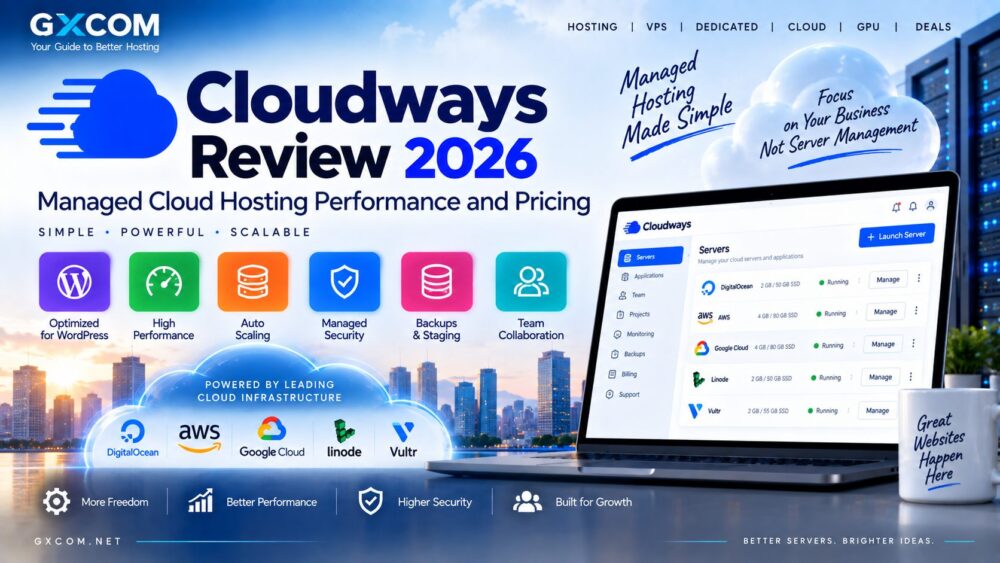
Cloudways sits between traditional web hosting and self-managed cloud infrastructure. Instead of requiring users to configure a raw cloud server from scratch, it adds a managed hosting layer designed to simplify deployment, security, backups and application management. In this Cloudways Review 2026, we examine performance, pricing, WordPress features, scalability, support and the trade-offs of using managed cloud hosting.
This approach can be attractive to website owners who want more control and scalability than shared hosting without taking full responsibility for server administration. Cloudways is particularly relevant to WordPress sites, WooCommerce stores, agencies and businesses running multiple websites.
However, managed cloud hosting normally costs more than renting an unmanaged VPS directly. The real question is whether the management tools and time savings justify that difference.
Last updated: September 2026. Cloudways plans, infrastructure options, promotions and pricing can change. Verify current terms on the provider's website before purchasing.
Cloudways Review 2026: Quick Overview
| 功能 | Cloudways |
|---|---|
| 托管类型 | 托管式云主机 |
| 最适合 | WordPress, WooCommerce, agencies and business websites |
| 服务器管理 | Managed platform |
| 缩放 | Available depending on infrastructure and plan |
| 备份 | Managed backup tools |
| Staging | Available for supported applications |
| 主要优势 | Cloud infrastructure without full server administration |
| Main Drawback | Higher cost than many unmanaged cloud servers |
What Is Cloudways?
Cloudways is a managed cloud hosting platform. Its core proposition is straightforward: give website owners access to cloud infrastructure while removing much of the day-to-day complexity associated with managing a server.
Rather than working entirely through a raw cloud console, customers receive a hosting-oriented interface for deploying and managing applications.
The platform includes tools for areas such as:
- 应用程序部署
- 服务器管理
- 备份
- SSL证书
- Staging environments
- 监测
- Team collaboration
This makes Cloudways fundamentally different from purchasing a basic VPS and configuring the software stack yourself.
How Cloudways Managed Cloud Hosting Works
With unmanaged infrastructure, customers are generally responsible for configuring the operating system, web server, database, security policies and software updates.
Cloudways places a management layer between the user and the underlying infrastructure.
For many website owners, that is the main reason to consider the service. The customer can focus more heavily on websites and applications instead of routine server administration.
Users who prefer complete control over the operating system may instead want to compare conventional 云VPS options.
Cloudways Performance
Hosting performance depends on more than the Cloudways control panel. The underlying server resources, application configuration, caching, database workload, traffic and location all influence real-world results.
Cloudways provides a performance-oriented software stack and management tools designed to simplify optimization for web applications.
重要的性能因素包括:
- CPU and RAM allocation
- 存储性能
- 服务器位置
- 应用程序缓存
- 数据库优化
- CDN configuration
- Website code and plugins
This is why benchmark claims should be treated carefully. A lightweight WordPress site and a large WooCommerce store can produce very different results even when hosted on similar infrastructure.
Cloudways for WordPress
WordPress is one of the clearest use cases for Cloudways.
A self-managed cloud server can run WordPress efficiently, but configuring the web stack, backups, SSL, security and monitoring requires technical knowledge. Cloudways packages many of these tasks into a more accessible workflow.
Useful features for WordPress users include:
- Managed application deployment
- SSL management
- Backup controls
- Staging environments
- 服务器监控
- Caching and performance tools
For businesses that depend on WordPress but do not want to administer Linux servers, this can be a significant advantage.
Smaller sites that do not require cloud infrastructure should also compare conventional WordPress 托管服务 before paying for a more advanced platform.
Cloudways for WooCommerce
WooCommerce places heavier demands on hosting than many static or low-traffic WordPress websites.
Product searches, customer sessions, checkout activity and database queries can all increase server load.
A managed cloud environment can therefore be attractive for growing online stores because resources can be selected around the application's requirements while management remains simpler than running a raw server.
Store owners should still monitor CPU, memory and database performance as traffic increases. Managed hosting does not eliminate the need for capacity planning.
Cloudways Pricing Explained
Pricing is one of the most important parts of any Cloudways Review 2026 because the platform should not be compared directly with cheap shared hosting.
Customers are paying for both infrastructure and a managed hosting experience.
The effective cost depends on factors including:
- Selected plan
- 服务器资源
- Infrastructure type
- 存储要求
- Bandwidth or transfer usage
- Optional services
Cloudways can therefore cost more than purchasing unmanaged infrastructure directly, but the comparison should also account for the time and expertise required to manage a server yourself.
Cloudways vs Unmanaged VPS
| 功能 | Cloudways | 非托管型VPS |
|---|---|---|
| 服务器管理 | 托管 | 由用户管理 |
| Setup Difficulty | 较低 | 更高 |
| Root-Level Control | More restricted | Usually extensive |
| 维护 | Platform assists | 用户责任 |
| 成本 | 通常较高 | 通常较低 |
| 最适合 | Website owners and agencies | Developers and sysadmins |
An unmanaged VPS can provide excellent value when the user has the knowledge and time to administer it. Cloudways is aimed at customers who would rather pay for a simpler operational experience.
Cloudways vs Traditional Shared Hosting
Shared hosting normally places many accounts on infrastructure managed entirely by the hosting company. It is inexpensive and simple, but customers have limited control over server resources.
Cloudways gives users a more cloud-oriented environment with dedicated resource configurations and greater scalability.
The trade-off is price and complexity. A small brochure website receiving modest traffic may not need managed cloud hosting at all.
Cloudways Scalability
Scalability is another reason businesses move from conventional hosting to cloud infrastructure.
As traffic increases, users may need additional CPU, memory or storage. Cloud-based infrastructure generally provides more flexible upgrade paths than entry-level shared hosting.
However, scaling should not replace application optimization. Increasing server resources can become expensive if inefficient plugins, database queries or application code are responsible for performance problems.
Backups and Staging
Backups are particularly important for WordPress and ecommerce websites.
Cloudways provides managed backup functionality that can reduce the amount of manual work required to protect website data.
Staging is also useful for testing:
- WordPress updates
- Plugin changes
- Theme modifications
- New website functionality
- Configuration changes
Testing changes before pushing them to a production website can reduce the risk of downtime or broken functionality.
Cloudways Security
Managed hosting reduces some operational responsibilities, but website security remains a shared process.
Cloudways provides platform-level security and management features, while customers remain responsible for areas such as application security, account access and safe WordPress practices.
Users should still:
- 使用强密码
- Enable appropriate authentication controls
- Update WordPress and plugins
- 删除未使用的软件
- Maintain reliable backups
Cloudways Support
Support is one of the biggest differences between managed hosting and running infrastructure yourself.
With an unmanaged VPS, troubleshooting the operating system, web server and application stack may largely be the customer's responsibility.
A managed platform provides another layer of assistance, which can be valuable to businesses where website downtime directly affects revenue.
Users should check the support level included with their specific Cloudways plan because response options and premium support services can differ.
Cloudways vs AWS and Google Cloud
This comparison requires an important distinction: Cloudways is primarily a managed hosting platform, while AWS and Google Cloud are broad cloud infrastructure ecosystems.
AWS and Google Cloud provide substantially more infrastructure services and configuration possibilities, but they can also require greater technical expertise.
Cloudways focuses more heavily on simplifying website and application hosting.
For direct hyperscale cloud analysis, read our AWS Hosting Review 以及 Google Cloud Platform Review.
Cloudways Pros & Cons
| 优点 | 缺点 |
|---|---|
| Simplifies cloud server management | Costs more than many unmanaged servers |
| Strong fit for WordPress | Less low-level control than self-managed infrastructure |
| Useful backup and staging tools | Can be excessive for small websites |
| Scalable hosting model | Pricing requires comparison with alternatives |
| Management and support layer | Advanced users may prefer direct server control |
Who Should Use Cloudways?
Cloudways makes the most sense for users who value management convenience more than obtaining the absolute lowest server price.
典型用户包括:
- Growing WordPress websites
- WooCommerce stores
- 数字营销机构
- Businesses managing multiple sites
- Users moving away from shared hosting
- Teams without dedicated server administrators
Who May Prefer an Alternative?
Cloudways may be less suitable for experienced system administrators who want unrestricted control over their infrastructure.
It may also be unnecessary for small websites that perform well on inexpensive shared or managed WordPress hosting.
Before choosing a platform, compare Cloudways with other 云托管 solutions based on the actual resources and management features your website needs.
Cloudways Review 2026: Final Verdict
这个 Cloudways Review 2026 highlights the platform's main value proposition: simplifying cloud hosting for website owners who do not want to manage infrastructure entirely by themselves.
Its strongest use cases are WordPress, WooCommerce, agency websites and growing business applications where backups, staging, monitoring and easier server management can save meaningful administration time.
The main trade-off is cost. Technical users comfortable managing Linux servers can often obtain raw infrastructure for less, while very small websites may not need cloud hosting at all.
Cloudways is most compelling when the value of easier management, scalability and support outweighs the additional cost compared with an unmanaged VPS.