GXCOM WordPress 提升网站性能的最佳 WordPress 主机设置

提升网站性能的最佳 WordPress 主机设置

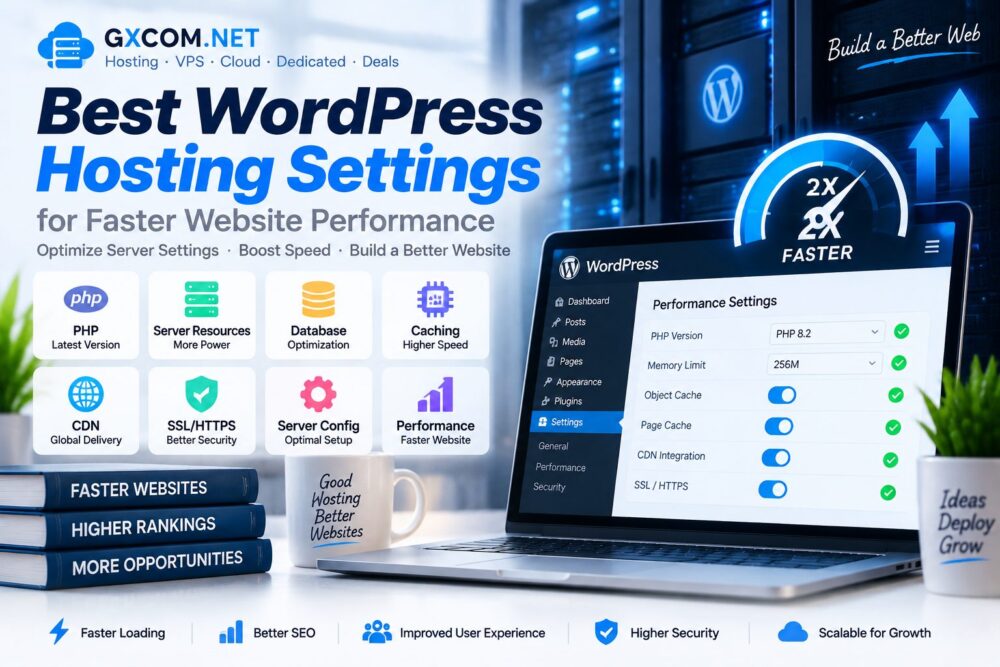
WordPress performance depends not only on themes and plugins but also on the hosting environment behind the website. Proper hosting settings can improve loading speed, stability and the ability to handle more visitors.

Many website owners focus only on installing optimization plugins while ignoring important server-level configurations such as PHP versions, caching, database optimization and resource allocation.

This guide explains the best WordPress 托管服务 settings that can help improve website performance and create a faster, more reliable WordPress environment.

提升网站性能的最佳 WordPress 主机设置

Why WordPress Hosting Settings Matter

WordPress requires a combination of software configuration and server resources to deliver fast page loading speeds.

Optimized hosting settings can improve:

  • 网站加载速度
  • Server response time
  • 用户体验
  • Search performance
  • 网站稳定性

Recommended WordPress Hosting Settings Overview

Setting Recommended Configuration
PHP Version Latest supported stable version
Memory Limit 256MB or higher
存储 SSD or NVMe
缓存 Enabled
CDN Recommended
SSL HTTPS enabled

1. Use the Latest PHP Version

PHP is the programming language that powers WordPress. Using an outdated PHP version can reduce performance and create security risks.

Modern PHP versions provide:

  • Faster code execution
  • 安全性得到提升
  • Better WordPress compatibility
  • Lower server resource usage

Check that your hosting provider supports updated PHP versions before selecting a plan.

2. Increase WordPress Memory Limit

The WordPress memory limit controls how much server memory WordPress can use when running themes, plugins and processes.

A low memory limit can cause:

  • Plugin errors
  • Slow admin dashboard
  • Failed updates
  • Website instability

For most modern WordPress websites, a higher memory allocation improves reliability.

3. Enable Server-Level Caching

Caching is one of the most effective ways to improve WordPress performance.

Common caching methods include:

  • Page caching
  • Object caching
  • Browser caching
  • Database caching

Some managed WordPress hosting providers include built-in caching systems optimized for WordPress websites.

4. Configure CDN Integration

A Content Delivery Network (CDN) stores website resources across multiple locations and delivers content from servers closer to visitors.

CDN benefits include:

  • Faster global loading speed
  • Reduced server workload
  • Improved website availability
  • Better performance for international visitors

5. Optimize Database Settings

The WordPress database stores posts, settings, user data and plugin information. Over time, unnecessary data can affect performance.

Database optimization includes:

  • Removing old revisions
  • Cleaning unused data
  • Optimizing database tables
  • Reducing unnecessary queries

6. Choose SSD or NVMe Hosting Storage

Storage performance directly affects website speed, especially for database-driven WordPress websites.

存储类型 性能
Traditional HDD 更慢
SSD Faster
NVMe 固态硬盘 Highest performance

7. Configure WordPress Cron Jobs

WordPress uses WP-Cron to schedule tasks such as updates, publishing posts and background processes.

For high-traffic websites, server-based cron jobs can provide more reliable performance than default WordPress cron execution.

8. Enable HTTPS and SSL Configuration

HTTPS protects communication between visitors and websites while improving trust and security.

A properly configured SSL environment helps ensure:

  • Secure connections
  • Browser compatibility
  • Better user confidence
  • Modern website standards

9. Select the Right Hosting Resources

Different WordPress websites require different levels of server resources.

网站类型 Recommended Hosting
Personal Blog 共享主机
Business Website 托管主机
Growing Website VPS 主机
大型应用程序 Cloud or Dedicated Server

Users comparing hosting options can explore our 最佳网站托管服务 指南。.

10. Optimize Server Location

The physical location of hosting servers affects latency and loading speed.

Choosing a data center closer to your main visitors can improve:

  • Response times
  • Page loading speed
  • 用户体验

WordPress Hosting Optimization Checklist

优化 Status
Updated PHP 必填
SSD/NVMe Storage Recommended
Cache Enabled 必填
CDN Configured Recommended
SSL Enabled 必填

WordPress Hosting Settings vs VPS Hosting

功能 Optimized Hosting VPS 主机
控制 限量版 高级
维护 更简单 Requires management
资源 Shared or managed 专用虚拟资源
最适合 大多数网站 Growing projects

For advanced users, our 最佳VPS评测 provide comparisons of VPS providers and performance options.

Common WordPress Hosting Mistakes

  • Using outdated PHP versions
  • Choosing insufficient resources
  • Ignoring caching configuration
  • Installing too many plugins
  • Not monitoring server performance

常见问题解答

What are the best WordPress hosting settings?

The best settings include updated PHP, sufficient memory, caching, SSD storage, CDN support and proper server configuration.

Does hosting configuration affect WordPress speed?

Yes. Hosting settings directly influence server response time and website performance.

Should WordPress websites use VPS hosting?

Growing websites with higher traffic may benefit from VPS resources and additional control.

Is managed WordPress hosting faster?

Managed WordPress hosting often includes optimized environments, caching and maintenance features.

结语

Optimizing WordPress hosting settings is an important step toward building a faster and more reliable website.

The right combination of PHP configuration, caching, storage, CDN and server resources can significantly improve WordPress performance.

By choosing suitable hosting settings and monitoring website requirements, WordPress users can create a faster platform ready for future growth.

© GXCOM.NET。本网站上的所有内容均代表我们团队的独立研究、编辑分析及原创见解。任何转载、引用或再发布均须注明原始来源,并附上原文链接。.https://www.gxcom.net/zh/best-wordpress-hosting-settings/
下一篇
提升网站性能的最佳 WordPress 主机设置

没有更多帖子了

发表评论

您的电子邮件地址不会被公开。必填项已用 * 标记

返回顶部