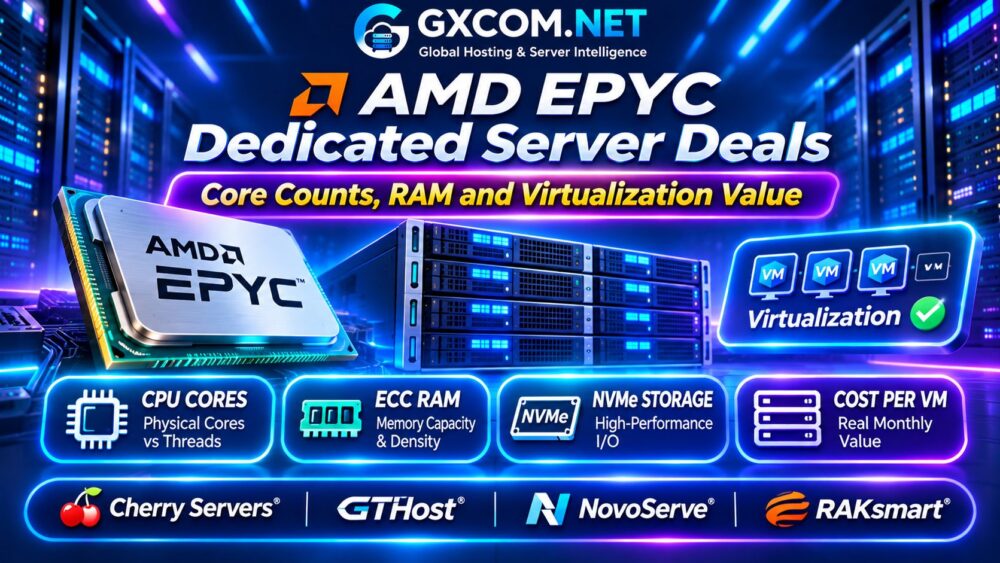
Finding genuine AMD EPYC dedicated server deals requires more than comparing advertised CPU core counts. Two servers with similar prices may deliver very different virtualization performance because of processor generation, memory capacity, storage configuration, and network limitations.
For VPS providers, Proxmox administrators, SaaS platforms, and private cloud operators, the best EPYC server is the one that supports the required workloads at a sustainable monthly cost. This guide explains how to evaluate hardware, compare hosting providers, and calculate virtualization value before renting.
Why Choose AMD EPYC Dedicated Servers?
AMD EPYC processors are designed for server workloads requiring substantial compute capacity, memory bandwidth, and I/O connectivity. Their core counts and platform capabilities make them attractive for virtualization, databases, containers, and consolidated business applications.
Unlike a shared VPS, a dedicated server provides access to an assigned physical machine. However, administrators remain responsible for allocating resources efficiently and understanding the provider’s management boundaries.
探索我们的 专用服务器托管指南 for the fundamentals of physical server ownership and management.
Physical Cores vs Threads: What Matters?
EPYC specifications often list both physical cores and logical threads. Simultaneous multithreading, or SMT, allows a physical core to execute work from multiple threads, but two threads should not be treated as two independent physical cores.
For virtualization, calculate capacity using physical cores, expected workload utilization, and acceptable CPU contention. Oversubscribing vCPUs can improve utilization, but excessive contention creates latency and unpredictable performance.
| CPU Consideration | 为何这很重要 |
|---|---|
| 物理核心 | Baseline parallel compute capacity |
| CPU 代数 | Architecture and efficiency differences |
| 时钟性能 | Responsiveness of individual workloads |
| SMT threads | Additional scheduling flexibility |
| NUMA topology | Memory locality and VM placement |
A newer processor with fewer cores may outperform an older high-core-count model for some applications. Compare exact CPU models rather than relying on core counts alone.
How Much ECC RAM Does Virtualization Need?
Memory frequently becomes the limiting resource before CPU capacity is exhausted. Each virtual machine needs allocated RAM, while the hypervisor, filesystem cache, and management services require additional headroom.
For example, a server with 128GB RAM cannot safely allocate the entire capacity to guest machines without considering host overhead and workload behavior.

ECC memory provides error detection and correction capabilities, making it valuable for infrastructure where data integrity and operational stability matter.
Check maximum supported memory, installed DIMM configuration, upgrade pricing, and whether memory bandwidth matches the processor’s capabilities.
NUMA, NVMe and Storage Performance
Non-Uniform Memory Access, or NUMA, describes systems where memory access latency can vary according to processor topology. Poor VM placement may reduce performance on workloads sensitive to memory latency.
Modern EPYC platforms also provide substantial PCIe connectivity, but actual storage performance depends on installed drives, controller configuration, and provider hardware choices.
For database-heavy virtualization, investigate NVMe drive endurance, RAID options, replacement procedures, and backup architecture.
我们的 NVMe VPS 与 SSD 性能对比指南 explains the storage metrics worth evaluating.
四家专用服务器提供商对比
Cherry Servers:裸机基础设施
Cherry 服务器 is relevant to organizations evaluating bare metal deployments and configurable infrastructure. Compare available AMD EPYC models, RAM options, NVMe storage, remote management, and deployment conditions.
Check the exact processor specification and whether additional storage or networking resources change the quoted monthly cost.
GTHost: Dedicated Server Deployment
GTHost is another candidate for dedicated server buyers comparing hardware availability and deployment locations. Review CPU generation, memory allocation, included traffic, and provisioning timelines.
When rapid deployment matters, verify actual stock instead of assuming that every listed configuration is immediately available.
NovoServe:以网络为中心的专用主机服务
NovoServe is worth comparing for infrastructure requiring substantial network capacity and regional deployment choices. Examine available hardware, bandwidth policies, traffic allowances, and contract conditions.
Buyers considering its US or European infrastructure can review the relevant NovoServe US hosting options 或 NovoServe EU hosting options.
RAKsmart: Enterprise Hardware Options
RAKsmart is relevant to businesses evaluating dedicated infrastructure, regional connectivity, and configurable server resources. Confirm current EPYC availability, RAM upgrades, storage options, and IP allocation policies.
These four providers are purchasing candidates, not a verified list of currently discounted EPYC inventory.
Calculate Virtual Machine Density
Virtual machine density depends on CPU scheduling, memory allocation, storage performance, and workload peaks. A simple capacity estimate can reveal whether an advertised server configuration is practical.
Consider an illustrative server with 32 physical cores and 128GB RAM. After reserving 16GB for host operations, approximately 112GB remains for guest workloads.
If each VM receives 4GB RAM, memory permits 28 VMs before additional safety margins. CPU capacity may support fewer machines when workloads are demanding.
Never assume this example represents guaranteed production capacity. Benchmark realistic utilization and reserve resources for maintenance and unexpected demand.
Real Monthly Cost per Virtual Machine
Server rental price alone does not determine profitability. Include additional IP addresses, backups, control panels, storage upgrades, software licenses, and administration time.
| 每月费用示例 | 服务器 A | 服务器 B |
|---|---|---|
| Base rental | $180 | $260 |
| 其他服务 | $40 | $40 |
| 每月总费用 | $220 | $300 |
| Usable VMs | 16 | 24 |
| Cost per VM | $13.75 | $12.50 |
Although Server B costs more overall, its higher usable density produces a lower cost per VM. These hypothetical figures assume equivalent service quality and exclude taxes.
如需更全面的硬件对比,请参阅我们的 裸机服务器对比.
Dedicated EPYC vs Cloud VPS
Dedicated EPYC servers can offer predictable access to physical resources for sustained workloads. Cloud VPS services generally provide simpler provisioning and smaller initial commitments.

Dedicated hosting becomes attractive when utilization is high enough to justify the entire machine. Cloud services may be more economical for irregular workloads or rapidly changing capacity requirements.
我们的 专用服务器与云服务器指南 explores these tradeoffs.
AMD EPYC Server Buying Checklist
- Verify the exact EPYC model and physical core count.
- Compare CPU generation, clocks, and NUMA topology.
- Confirm ECC RAM capacity and upgrade costs.
- Review NVMe drives, RAID, backups, and remote access.
- Calculate usable VM density and monthly operating costs.
- Check bandwidth, setup fees, stock, and renewal terms.
常见问题解答
Are More EPYC Cores Always Better?
No. Processor generation, clock performance, memory bandwidth, and workload characteristics can matter more than core count alone.
Is AMD EPYC Good for Proxmox?
EPYC hardware can suit Proxmox virtualization when CPU, memory, storage, and platform compatibility meet deployment requirements.
Should I Choose Dedicated EPYC or VPS Hosting?
Choose based on utilization, resource isolation, administrative responsibilities, and total cost rather than advertised specifications alone.
最终裁决
The best AMD EPYC dedicated server deals balance physical cores, ECC RAM, storage performance, networking, and realistic virtualization density.
Compare Cherry Servers, GTHost, NovoServe, and RAKsmart using exact hardware specifications and expected workloads. The strongest purchase is the configuration delivering sustainable compute capacity at a transparent total monthly cost.