Managing a Minecraft server involves more than pressing Start. Administrators need dependable backups, accessible files, compatible mods, and tools for recovering from configuration mistakes. Sparked 主持人 addresses these tasks through Apollo, its proprietary game server control panel.
This Sparked Host Minecraft panel review examines backup options, file management, modpack installation, plugins, server migration, and hosting costs. We also consider Shockbyte, ScalaCube, ,以及 Godlike.Host 作为替代方案。.
GXCOM.NET reviewed Sparked Host’s official documentation and ordering options. We have not independently tested Apollo’s performance or restoration success rates.
Sparked Host Minecraft Panel: Quick Verdict
Apollo is a promising option for Minecraft administrators who want integrated server management without maintaining a separate operating system or installing their own control panel.
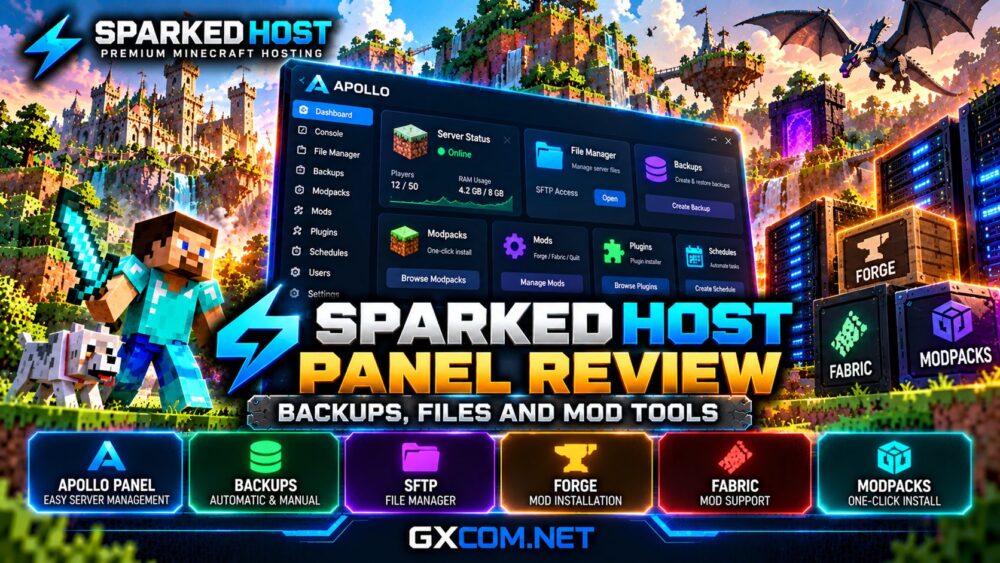
Its strongest documented features include a browser-based console, file manager, backup controls, modpack installer, plugin tools, and server importer.
However, buyers should distinguish panel capabilities from services included in their specific hosting package. Automatic backup storage, for example, can carry an additional monthly charge.
For general hosting performance and package selection, read our Sparked Host 评测.
What Is the Apollo Control Panel?
Apollo is Sparked Host’s game server management interface. It combines routine administration tools with installers designed for supported games.
| Panel Feature | Practical Purpose |
|---|---|
| 控制台 | Commands and server logs |
| File Manager | Edit and upload files |
| 备份 | Create recovery copies |
| Launchpad | Install supported modpacks |
| Mods and Plugins | Manage compatible additions |
| Server Importer | Assist with migration |
| Schedules | Automate supported tasks |
| Subusers | Delegate administration |
These tools are especially useful for small communities where one administrator handles updates, moderation, and world maintenance.
Sparked Host Backup Tools Explained
Backups are among the most important features of any Minecraft hosting panel. A corrupted world, incompatible mod, or accidental deletion can destroy substantial player progress.
Sparked Host documents a manual backup workflow inside Apollo:
- Open the server’s Backups section.
- Select Create Backup.
- Enter a descriptive backup name.
- Choose any excluded files or directories.
- Enable backup locking when appropriate.
- Start the backup and verify completion.
Locking can help prevent accidental deletion, but administrators should still maintain independent downloadable copies.
Are Automatic Backups Free?
Not necessarily. Sparked Host’s Minecraft configurator offers a no-backup selection alongside paid backup options.

At the time of review, three backup slots cost an additional $1 monthly, while larger allocations cost more.
Confirm the current schedule, retention rules, restoration process, and storage limits before ordering.
For important worlds, retain an external backup rather than relying exclusively on the hosting provider.
File Manager and SFTP Access
Apollo includes a browser-based file manager for editing configuration files, uploading plugins, replacing server files, and managing world directories.
For smaller changes, this is more convenient than configuring a separate FTP application.
However, large modpacks and bulk file transfers may be easier through SFTP using a compatible client such as FileZilla.
Sparked Host documents both panel uploads and SFTP-based installation procedures.
Before replacing a server JAR or deleting folders, stop the server and create a backup.
Administrators should also protect SFTP credentials and avoid sharing unrestricted file access with untrusted users.
Modpack Installation with Apollo
One of Apollo’s most useful advertised capabilities is integrated Minecraft modpack installation.
Sparked Host’s documentation describes selecting a compatible server version, opening Launchpad, finding the desired modpack, and installing its server files.
Nevertheless, one-click installation does not eliminate compatibility requirements.
The Minecraft version, modloader, Java runtime, and modpack dependencies must match.
For custom packs, administrators can upload server files manually and adjust startup settings where supported.
我们的 《我的世界》模组服务器托管指南 explains the resource and compatibility considerations.
Forge, Fabric and Individual Mods
Apollo also supports individual mod installation through its Mods section or manual file uploads.
Sparked Host’s documentation covers Forge, Fabric, and Quilt compatibility.
When installing mods manually, upload the correct JAR files to the server’s mods directory and restart the instance.
Client-only mods should not automatically be installed on a dedicated server.
If the server crashes after an installation, review logs for missing dependencies, incorrect versions, or conflicting modifications.
Always preserve a working backup before updating a large collection of mods.
Plugin Installer and Custom JAR Files
Plugins and mods are not interchangeable. Plugins commonly target server software such as Paper or compatible platforms, while Forge and Fabric use different modification systems.
Apollo advertises a plugin installer and custom server software management.
Its documentation also explains uploading a custom JAR through the file manager and selecting a compatible Java version.
Administrators should verify whether their chosen software supports the desired plugin ecosystem.
我们的 《我的世界》主机控制面板对比 examines the broader management choices.
World Management and Server Migration
Minecraft communities frequently need to import existing worlds, move between hosts, or update server software.
Apollo includes a server importer, while Sparked Host advertises migration assistance through support tickets.
Before transferring, preserve world folders, plugin data, mod configurations, and server properties.
Check that the destination server uses compatible software and sufficient memory.
For major version changes, test the migrated world before inviting players back.
Panel Limitations and Performance
A capable control panel cannot compensate for insufficient hosting resources.
Large modpacks may require 6–8GB RAM or more, depending on player count and software complexity.
CPU allocation, storage activity, loaded chunks, and automated farms also affect gameplay.
Unlimited player-slot marketing does not guarantee unlimited practical capacity.
Review the underlying hardware tier and available upgrade options before selecting a package.
Sparked Host Panel Pricing Considerations
Apollo access is advertised as part of Sparked Host’s Minecraft hosting experience.
However, the total bill depends on the selected RAM, hardware tier, location, backup options, and billing period.
For example, adding a $1 monthly backup option increases annual spending by $12 before taxes or other changes.
Compare the complete checkout amount rather than assuming every panel feature includes unlimited resources.
Check Sparked Host Plans and Backup Options
Sparked Host vs Other Minecraft Hosts
Shockbyte
Shockbyte is another managed Minecraft provider with modpack installation features. Compare its resource tiers and administration workflow.

请参阅我们的 Shockbyte modded Minecraft hosting review.
ScalaCube
ScalaCube advertises a large modpack catalog, file management, and customizable server software. It deserves consideration for installation-focused administrators.
Godlike.Host
神一般的.Host promotes its own panel and modern server hardware. Compare backup allowances, file tools, and resource allocation before deciding.
我们的 Godlike.Host vs Sparked Host comparison</a explores their broader hosting differences.
常见问题解答
Does Sparked Host use Pterodactyl?
Sparked Host promotes Apollo as its proprietary control panel. Do not assume its interface matches a standard Pterodactyl installation.
Can I upload custom Minecraft mods?
Yes. Apollo supports mod installation and manual file uploads, subject to software compatibility.
每个套餐都包含备份功能吗?
Backup tools exist, but backup storage options may cost extra. Verify the selected package.
Can I migrate an existing Minecraft world?
Yes. Sparked Host documents file transfers, importing tools, and migration assistance.
Final Verdict: Is Apollo Worth Using?
Sparked Host’s Apollo panel combines practical Minecraft management features in one interface, making it appealing to administrators who want convenient backups, file access, and mod installation.
Its main purchasing caveat is that available tools and included resources are not necessarily the same thing.
Before ordering, confirm backup charges, RAM requirements, modloader compatibility, and total renewal costs.