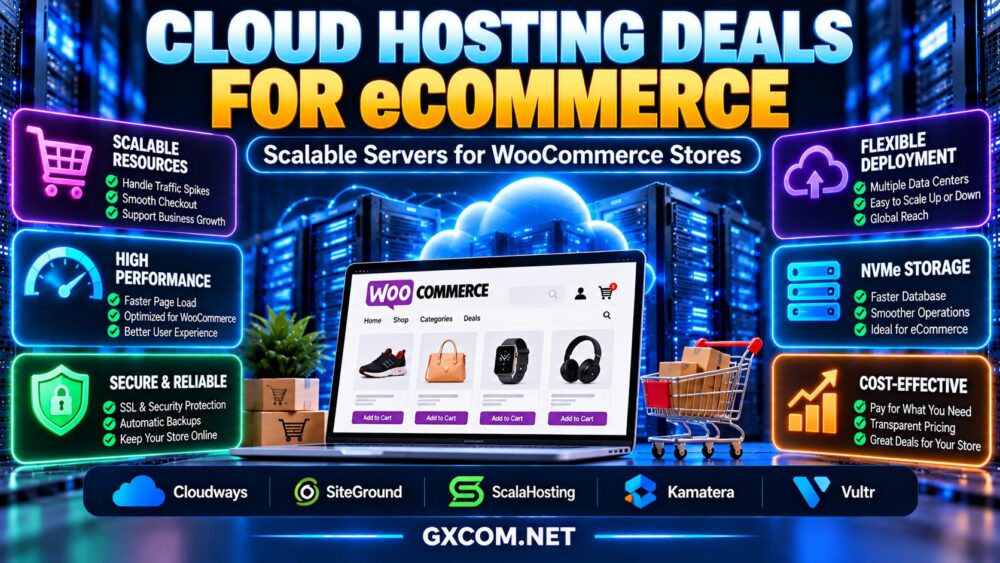
查找 best cloud hosting deals for eCommerce involves more than comparing introductory discounts. An online store needs reliable performance during traffic spikes, responsive product and checkout pages, secure payment processing, and enough server resources to support growing orders.
For WooCommerce stores, the right cloud hosting plan can provide flexible infrastructure, suitable caching, dependable backups, and room to scale. However, not every cloud hosting offer includes managed WordPress support, automatic scaling, or predictable monthly costs.
This guide explains how to evaluate eCommerce cloud hosting deals, compare managed and self-managed infrastructure, and choose a suitable platform for your store.
Why Cloud Hosting Matters for eCommerce Stores
Unlike a simple informational website, an online store must process dynamic customer activity. Product searches, shopping carts, customer accounts, inventory updates, and checkout requests create workloads that cannot always be served from a page cache.
Cloud hosting can provide flexible computing resources and infrastructure options for these workloads. Depending on the service, businesses may be able to resize CPU and memory allocations, deploy in different regions, or build more advanced architectures.
However, cloud hosting does not automatically guarantee high availability or seamless scaling. These capabilities depend on the provider, application design, and purchased services.
For a broader overview of cloud infrastructure, explore our 最佳云托管解决方案指南.
What Should a WooCommerce Cloud Hosting Deal Include?
A worthwhile eCommerce hosting offer should balance application performance, management features, reliability, and total cost.
- CPU resources: Sufficient processing capacity for PHP execution, product queries, and checkout activity.
- RAM: Enough memory for WordPress, WooCommerce, database services, and caching.
- SSD or NVMe storage: Responsive storage for databases, media files, and application operations.
- Caching: Appropriate object caching and page caching rules that protect dynamic shopping sessions.
- 备份: Defined schedules, retention, and restoration procedures.
- 安全: TLS, access controls, patching, and suitable application protection.
- Scaling: Clear upgrade paths for CPU, RAM, storage, and traffic demand.
- 支持: Transparent responsibility for server administration and WooCommerce-related issues.
The best value comes from a configuration that supports actual store activity without paying for unnecessary capacity.
Best Cloud Hosting Providers to Compare for WooCommerce
The following providers represent different approaches to cloud infrastructure. They are candidates for further evaluation, not a ranking based on independently verified WooCommerce benchmarks or current discounts.
| 服务提供商 | 需要评估的主要优势 | 重要购买须知 |
|---|---|---|
| Cloudways | Managed cloud operations | Application support, server sizing, backups |
| SiteGround | Managed WordPress and WooCommerce hosting | Cloud plan resources, support scope, renewal |
| ScalaHosting | Managed infrastructure options | Cloud/VPS configuration, caching, scaling |
| 卡马特拉 | Configurable cloud server resources | Management, backups, network charges |
| Vultr | Developer-oriented cloud infrastructure | Server administration, architecture, usage costs |
1. Cloudways: Managed Cloud Hosting for Growing Stores
Cloudways is a relevant choice for merchants who want cloud infrastructure with a managed hosting layer rather than administering every server component themselves.
When comparing offers, examine server resource allocations, supported cloud infrastructure, backup settings, application caching, and the responsibilities covered by technical support.
最适合: WooCommerce businesses seeking managed cloud operations with room to adjust server resources.
购买前请确认: Current promotions, eligible plans, backup charges, scaling procedures, and the precise scope of application support.
2. SiteGround: Managed WooCommerce Hosting
SiteGround is worth evaluating for businesses that prioritize a managed WordPress-oriented hosting environment.
For stores considering its cloud offerings, compare the available computing resources, caching tools, backup features, and support arrangements.
最适合: Merchants who prefer an integrated hosting experience rather than managing raw cloud infrastructure.
购买前请确认: Cloud product eligibility, resource allocation, renewal conditions, and which WooCommerce issues support will handle.
3. ScalaHosting: Managed Resources and Technical Support
ScalaHosting provides another option for evaluating managed infrastructure for WordPress and eCommerce applications.

Buyers should assess CPU, RAM, storage, control panel requirements, backup options, and the availability of upgrades as store activity grows.
最适合: Store operators seeking configurable hosting resources alongside administration assistance.
购买前请确认: The exact product type, management coverage, caching setup, resource limits, and ongoing charges.
4. Kamatera:可配置的云基础设施
卡马特拉 is relevant for technically capable teams that want greater control over cloud server resources and operating system configurations.
Running WooCommerce on a configurable cloud server can provide flexibility, but application deployment, security maintenance, backups, and scaling automation may require additional setup or purchased services.
最适合: Developers and businesses with defined infrastructure requirements.
购买前请确认: Managed service availability, server sizing, backup options, bandwidth billing, and deployment responsibilities.
5. Vultr: Cloud Servers for Custom eCommerce Deployments
Vultr is another infrastructure candidate for teams that want to build and administer their own WooCommerce environment.
Developers can evaluate compute resources, available regions, storage options, and supporting services when designing a store deployment.
最适合: Teams comfortable managing WordPress, database services, caching, security, and infrastructure updates.
购买前请确认: Compute type, resource limits, backup pricing, network charges, and operational responsibilities.
Managed Cloud vs Self-Managed Cloud for eCommerce
Managed cloud hosting and self-managed cloud servers can both support WooCommerce, but the operational requirements are different.
| 因子 | 托管云 | 自主管理云 |
|---|---|---|
| 服务器维护 | Selected tasks handled by provider | 主要由客户负责 |
| 技术灵活性 | Depends on managed platform | Usually greater system-level control |
| 安全补丁 | Defined by management agreement | Customer must arrange updates |
| 备份 | May include managed tools | Must be configured or purchased |
| 应用程序支持 | 因服务商而异 | 通常由客户负责 |
| Operating cost | May include a management premium | Requires administration time or services |
For a detailed purchasing comparison, see our 托管云主机服务商对比.
WooCommerce Performance: CPU, RAM and Database Resources
WooCommerce performance depends on the complete application stack, not simply the number of CPU cores advertised by a hosting provider.
CPU 和 PHP 处理
Dynamic product filters, account pages, and checkout requests require application processing. Fast CPU cores and adequate processing capacity can help, particularly when multiple customers are active simultaneously.
RAM and Object Caching
Sufficient memory allows database services, PHP workers, and object caches to operate without excessive memory pressure.
Object caching may reduce repeated database queries, but its effectiveness depends on application configuration and workload characteristics.
Database and NVMe Storage
Fast storage can help with database operations and file access. Nevertheless, query optimization, indexes, and sufficient memory are also important.
Before upgrading to a more expensive plan, identify whether the current bottleneck involves CPU, RAM, storage latency, or database queries.
How to Handle WooCommerce Traffic Spikes
Promotions, email campaigns, product launches, and seasonal shopping events can create sudden increases in concurrent traffic.
For eCommerce, scaling should focus on maintaining responsive dynamic transactions rather than only delivering cached pages quickly.
Useful preparation steps include:
- Measure traffic and application resource usage during normal operations.
- Load-test representative product, cart, and checkout journeys.
- Confirm whether server resizing requires downtime.
- Check whether additional resources are allocated automatically or manually.
- Configure caching without exposing one customer's private session to another.
- Monitor database performance and available memory.
- Prepare a rollback and recovery plan before major campaigns.
Automatic scaling is not universal across cloud hosting plans. A larger virtual machine, multiple application nodes, and a fully automated architecture are different solutions with different operational costs.
我们的 高流量网站云托管指南 explores related capacity-planning considerations.
WooCommerce Checkout, Caching and Security
Checkout performance is particularly important because slow or failed transactions can interrupt purchases.
Full-page caching should generally exclude customer-specific and transactional responses such as cart, checkout, and account pages unless the caching system is explicitly designed to handle them safely.
Other important considerations include HTTPS, secure administrative access, software updates, reliable payment integrations, and appropriate handling of customer information.
Using a third-party payment processor does not automatically eliminate every security or compliance obligation for a merchant.
Choose a hosting environment that supports your application's security requirements and confirm which tasks remain your responsibility.
Cloud Hosting Deals: Introductory Discounts vs Total Cost
A discounted cloud hosting offer is useful only when the complete configuration fits the store's requirements.
Costs to evaluate include:
- Compute resources and server rental.
- Management and support services.
- Backup storage and restoration.
- Additional block or object storage.
- Bandwidth and outbound data transfer.
- Security tools and monitoring.
- Software licenses and premium applications.
- Scaling costs during busy periods.
- Renewal pricing after introductory promotions.
Compare the total cost over a consistent billing period, including expected traffic growth and operational work.
For offers focused on managed infrastructure, read our managed cloud hosting deals guide.
When Should a WooCommerce Store Upgrade Its Hosting?
Upgrading may be worthwhile when monitoring shows that the existing hosting environment consistently struggles with real customer workloads.
Potential warning signs include slow uncached pages, insufficient PHP processing capacity, persistent memory pressure, database delays, and resource limits during campaigns.
However, an expensive cloud plan will not automatically correct poorly optimized plugins, inefficient queries, or incorrect caching rules.
Start by identifying the bottleneck, then choose the smallest infrastructure change that addresses it reliably.

How to Choose the Best eCommerce Cloud Hosting Deal
- Define store requirements: Estimate products, transactions, traffic, and growth.
- Choose a management model: Decide whether your team can administer cloud infrastructure.
- Compare resources: Evaluate CPU, RAM, storage, and database requirements.
- Verify caching: Ensure dynamic WooCommerce pages are handled correctly.
- Plan for traffic spikes: Confirm upgrade and scaling procedures.
- Review backups: Check frequency, retention, restoration, and costs.
- Evaluate support: Understand the boundary between infrastructure and application assistance.
- 计算总成本: Include management, traffic, backups, and renewal conditions.
常见问题解答
Is cloud hosting good for WooCommerce?
Yes. Cloud hosting can support WooCommerce stores when the selected infrastructure provides sufficient resources, suitable caching, reliable storage, and appropriate management. Performance depends on the actual configuration.
Which is better for WooCommerce: managed cloud or VPS?
Managed cloud may be attractive to merchants who want operational assistance, while a self-managed VPS can provide greater control. The better option depends on technical expertise, resources, and support requirements.
Does cloud hosting automatically scale during sales?
Not necessarily. Some services allow manual resizing, while automatic scaling requires supported features or additional architecture. Verify the exact plan before purchasing.
一个 WooCommerce 商店需要多少内存?
There is no universal amount. Requirements depend on plugins, PHP workers, database activity, concurrent users, and caching. Monitor actual memory usage and leave capacity for traffic peaks.
Are backups included in eCommerce cloud hosting deals?
Backup services vary by provider and plan. Confirm whether backups are included, how long they are retained, and whether restoration or extra storage incurs charges.
Can a cheaper cloud server outperform an expensive managed plan?
It can for some workloads, but infrastructure speed is only part of the comparison. Administration, security, support, recovery, and operational time also affect overall value.
Final Verdict: Choose Cloud Hosting Around Store Performance
The best cloud hosting deal for eCommerce combines responsive WooCommerce performance, practical scaling options, reliable backups, clearly defined support, and transparent operating costs.
Cloudways, SiteGround, and ScalaHosting are relevant managed hosting candidates, while Kamatera and Vultr provide alternatives for teams seeking more direct infrastructure control.
Before purchasing, confirm the current product features, available discounts, management scope, and total recurring costs.
STORE WORKLOAD → CPU & RAM → DATABASE → CACHING → SCALABILITY → BACKUPS → TOTAL COST
Choose the hosting arrangement that supports your customers' shopping experience and your team's ability to operate the store reliably.